

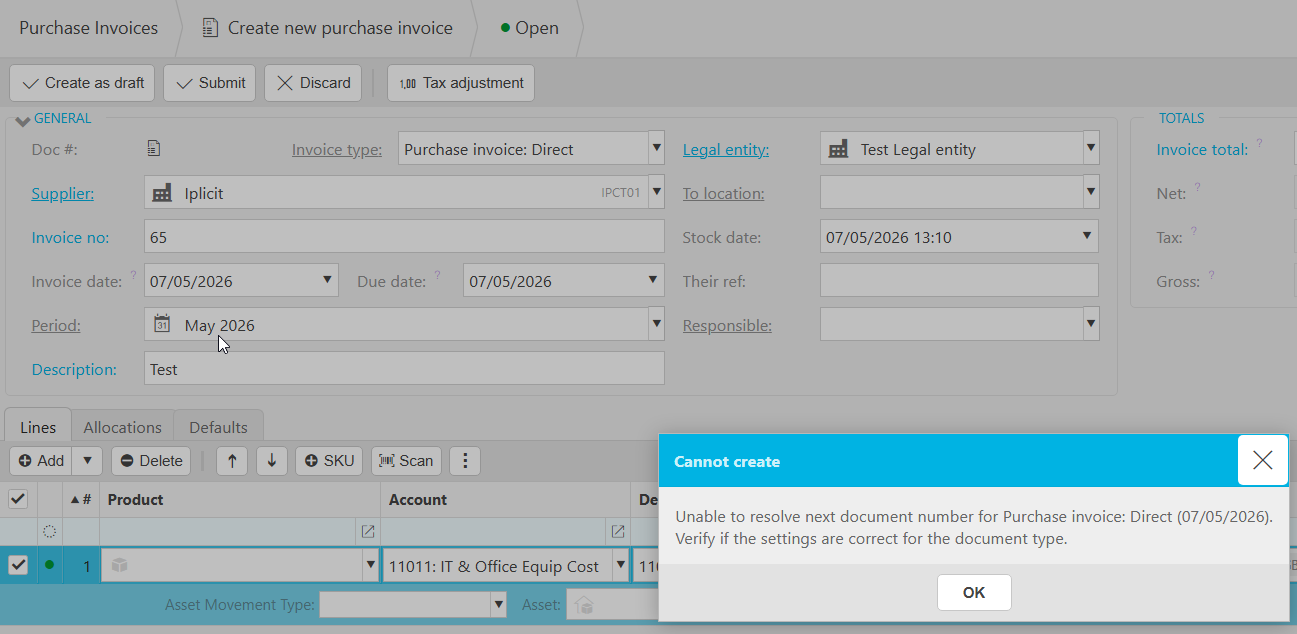
This article covers the error message "Missing or invalid document series" or "unable to resolve next document number", which appears when you try to create a document. The error means no document series has been assigned to the document type, so the system cannot determine what number (also called a document reference or document ID) to assign to the new document.
What causes this error?
Every document type needs a document series assigned to it. The document series tells the system how to number documents of that type when they are created (for example, sales invoices, purchase orders, journals).
If no document series is assigned to the document type you are trying to create, iplicit has no numbering rule to apply and the document cannot be created. This produces the error "Missing or invalid document series" or "unable to resolve next document number".
How to resolve the error
To resolve the error, assign a document series to the affected document type:
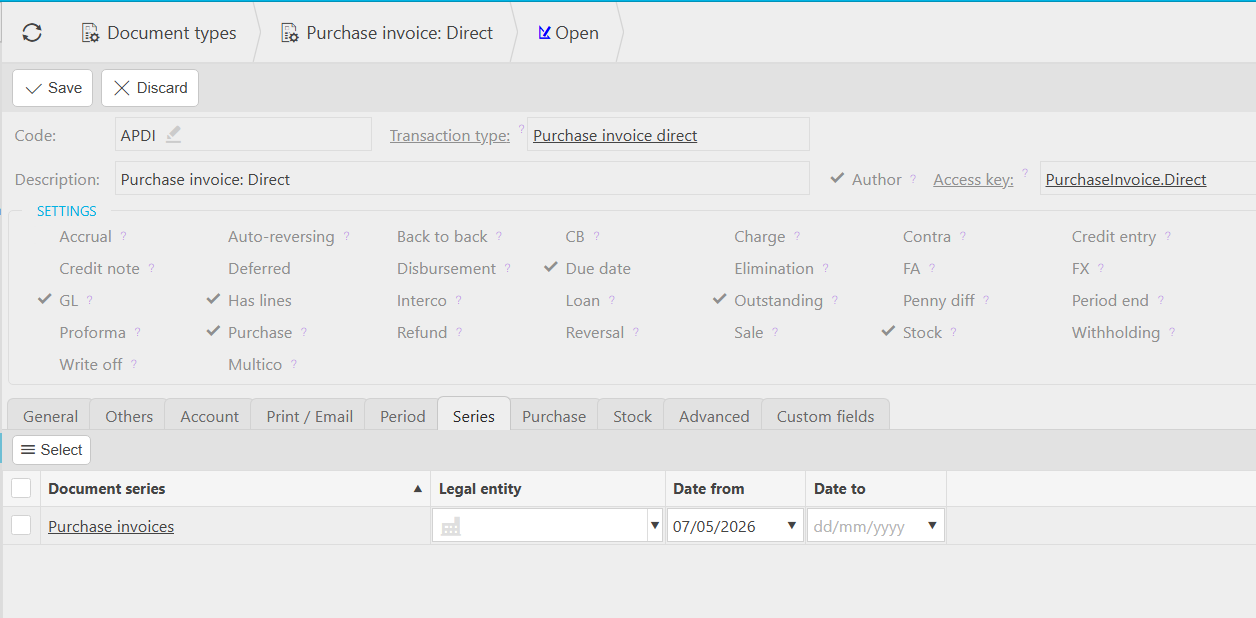
- Navigate to the document type configuration
- Open the document type that produced the error
- Assign a valid document series within the series tab
- Save the change
Once the document series is assigned, you can create documents of that type as normal.
Document series error
No document series
Document type set up
Document number error
Cannot create document