

This article covers how to unmatch documents in the Purchase Ledger and the Sales Ledger. The process is identical in both ledgers and works for any matched document pairing: requisition, purchase order, GRN, dispatch, purchase invoice, sales order, sales invoice, and so on. You can start from either side of the match - the result is the same.
How to unmatch documents in the Purchase Ledger
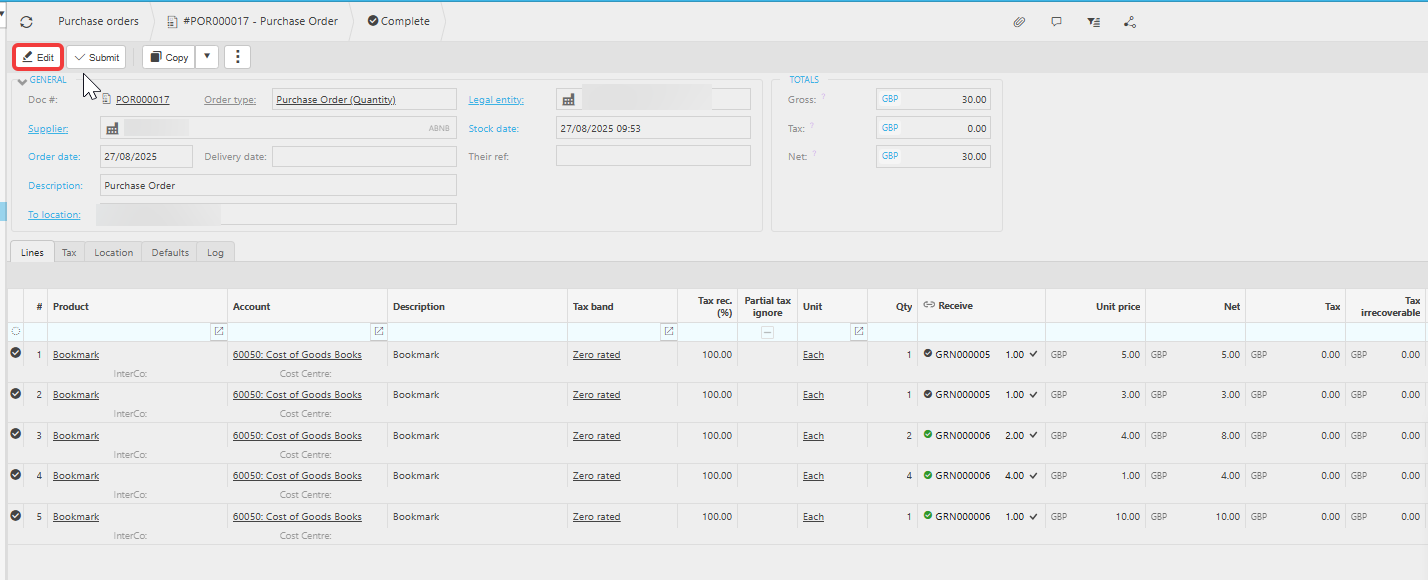
In the Purchase Ledger, matching commonly links a purchase invoice to a purchase order, or a GRN to a purchase order. To unmatch (unlink) any of these documents in the Purchase Ledger:
- Open either of the two matched documents in the Purchase Ledger
- Select 'Edit' to put the document into edit mode
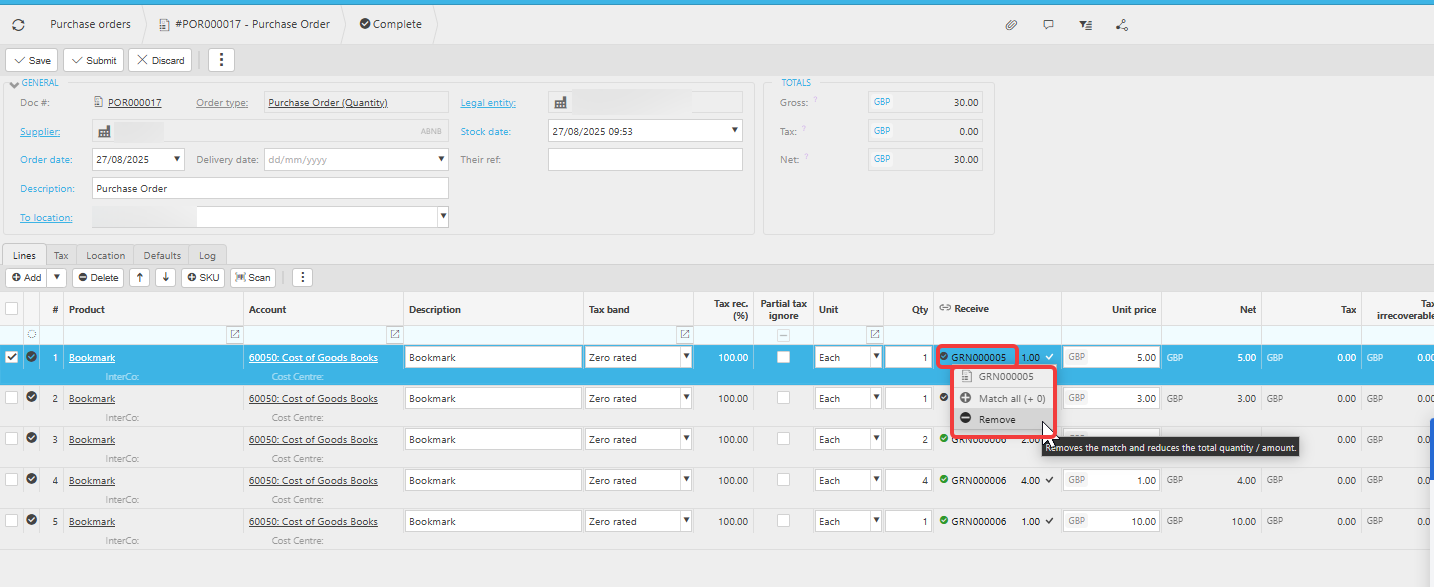
- On the line you want to unmatch, select the matched document reference shown on that line (for example, the GRN, order, or invoice number)
- Select 'Remove' from the options that appear
- Select 'Save' to commit the change
The match is removed from the document in the Purchase Ledger. The total quantity or amount is reduced to reflect the unmatched line.
How to unmatch documents in the Sales Ledger
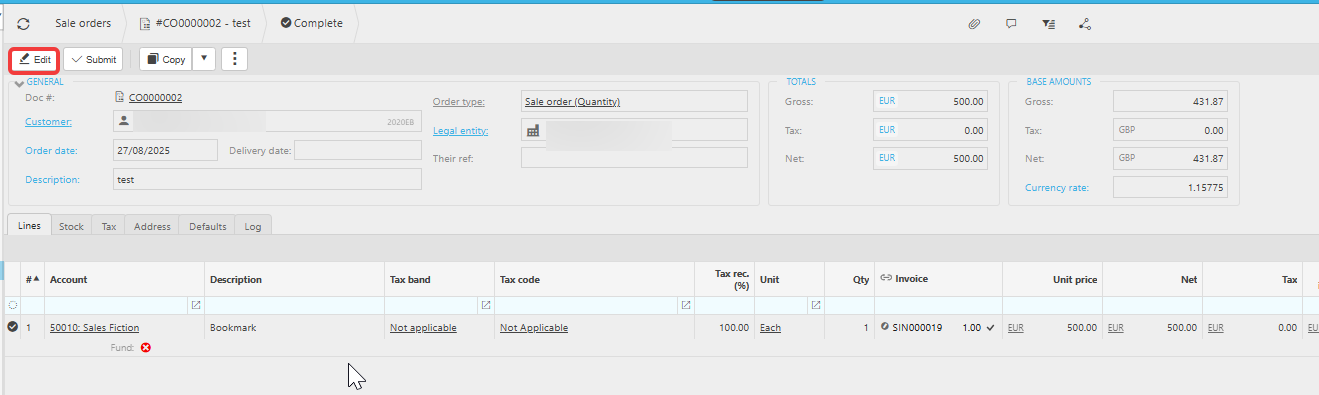
In the Sales Ledger, matching commonly links a sales invoice to a sales order, or a dispatch to a sales order. The unmatching process in the Sales Ledger is identical to the Purchase Ledger. To unmatch (unlink) any of these documents in the Sales Ledger:
- Open either of the two matched documents in the Sales Ledger
- Select 'Edit' to put the document into edit mode
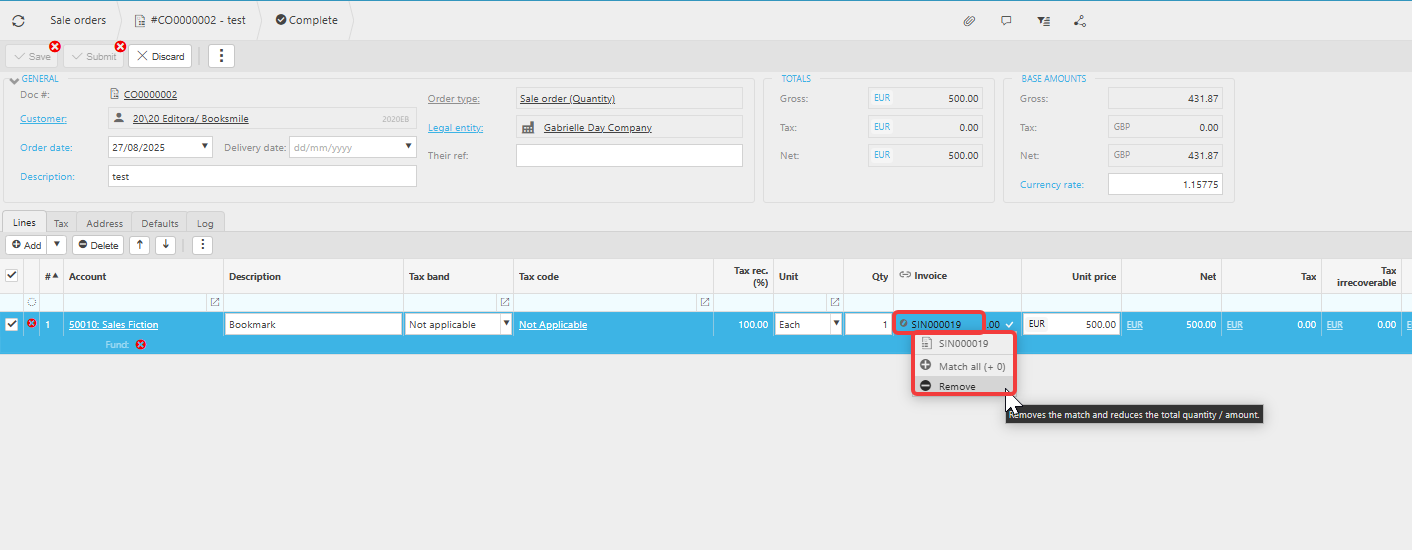
- On the line you want to unmatch, select the matched document reference shown on that line
- Select 'Remove' from the options that appear
- Select 'Save' to commit the change
The match is removed from the document in the Sales Ledger.
Unmatch PIN to PO
Unlink documents
How to remove the link on Purchase/Sale docs
Undo matching
Disconnect matching