

This article explains how to add notes to a timesheet in iplicit's Timesheets module. You can add a note at two levels - to the timesheet as a whole, or to an individual timesheet line. Timesheet lines represent work logged against a specific project or customer within that week.
Adding a note to the whole timesheet
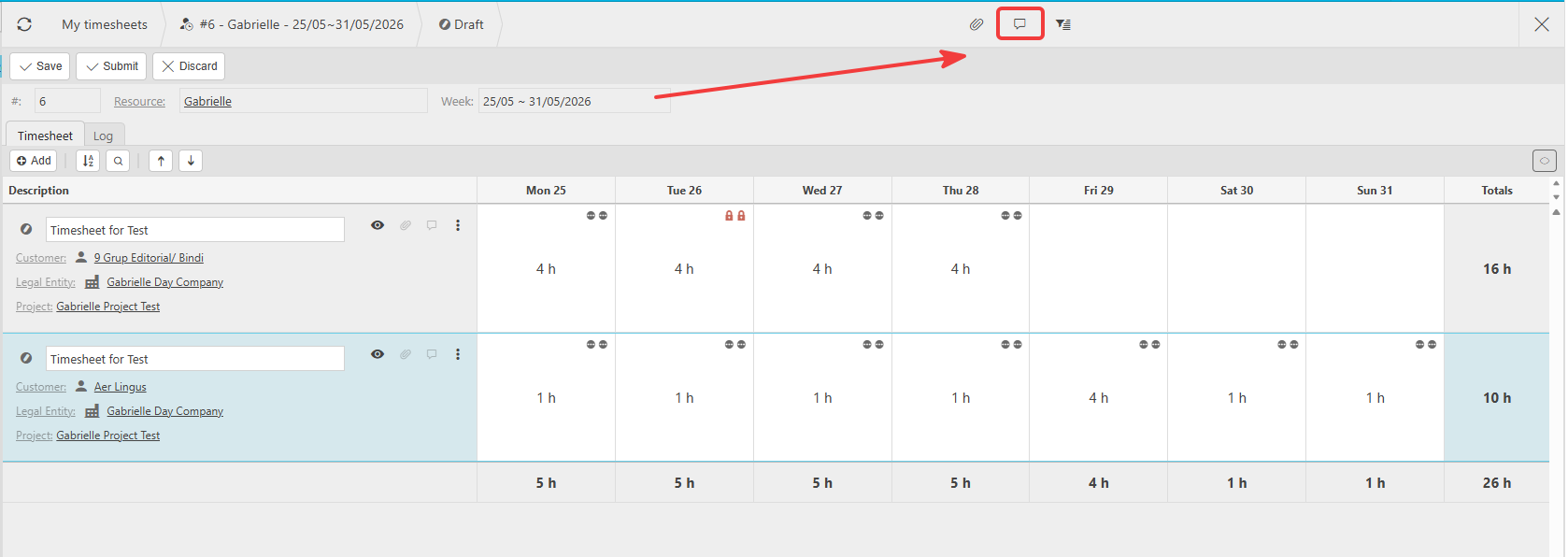
A timesheet in iplicit covers a single week. You can add a note to the whole timesheet using the note icon in the top toolbar.
- Open the timesheet you want to add a note to
- Select the note icon in the top-right toolbar
- Enter your note
- Save the timesheet as normal.
This note applies to the entire timesheet for that week.
Adding a note to a timesheet line
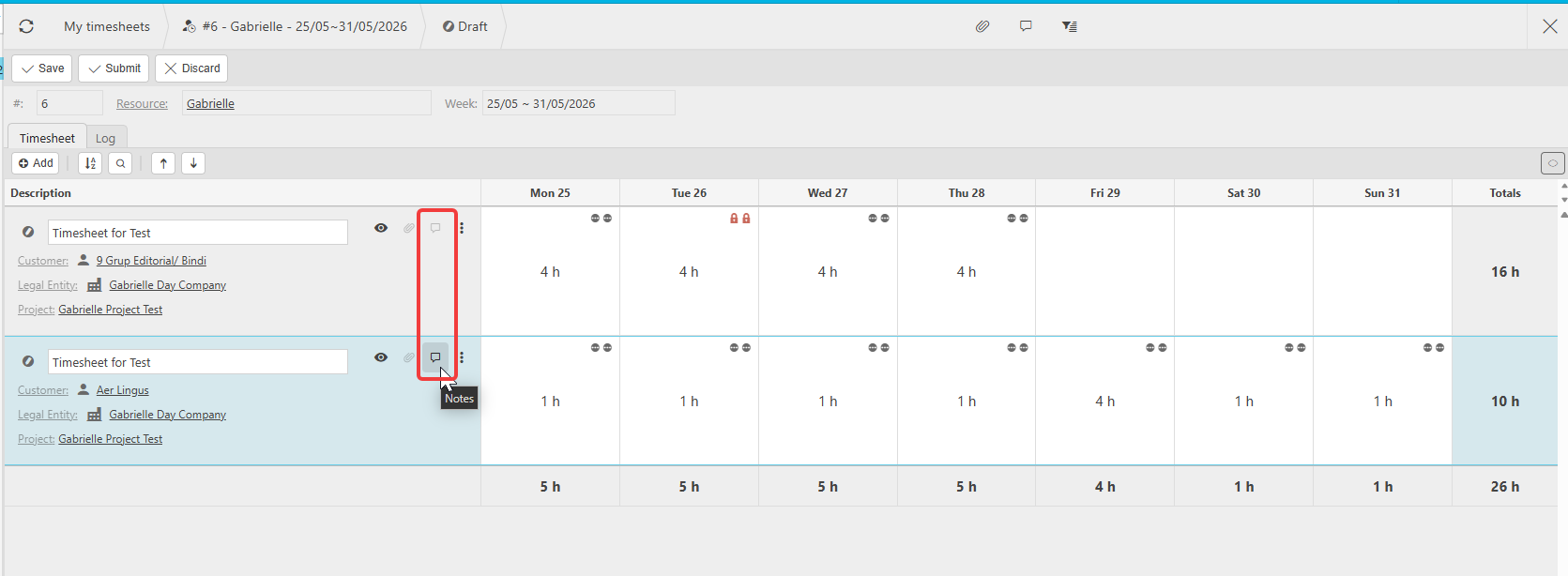
Each line on a timesheet represents time logged against a specific project or customer. You can add a note directly to an individual line.
- Open the timesheet
- Locate the line you want to add a note to
- Select the note icon on that line - it appears inline to the right of the line description
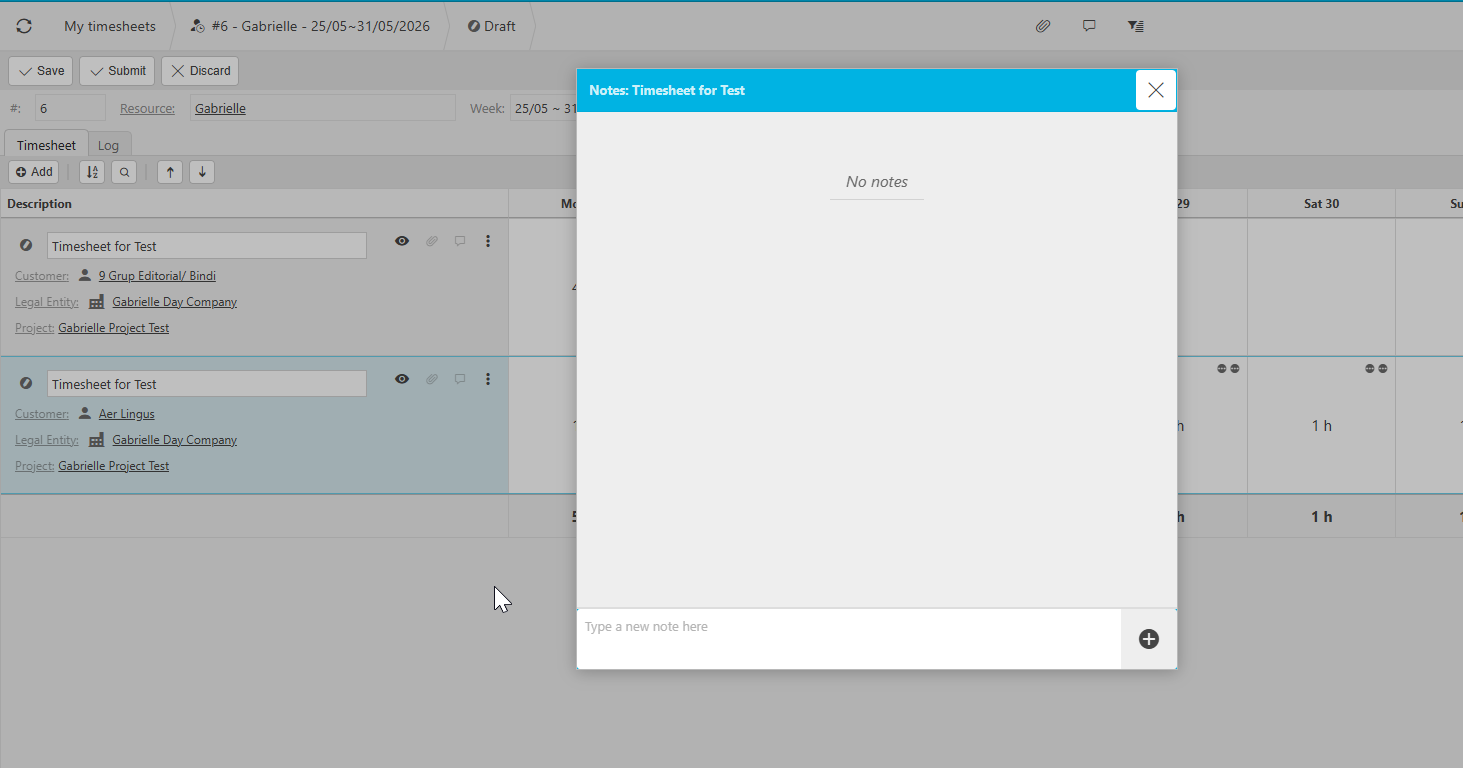
- Enter your note
- Save the timesheet as normal.
Use this when you need to record detail specific to one project or customer rather than the timesheet as a whole.
Add note to timesheet
Timesheet notes
Timesheet comment
Note on timesheet line
Timesheet project note
Add comment timesheet
Timesheet week note
Notes timesheets iplicit