

The Recent tab in iplicit list views (such as Manual journals, Sales invoices, or Purchase invoices) shows a capped number of rows. You can raise this limit through the Views settings on any list view that includes a Recent tab.
Increasing the row limit on the Recent tab
The Recent tab pulls the most recently modified records for the list view you are in. The row count is controlled per view, so the steps below apply whether you are working in Manual journals, Sales invoices, or any other list view with a Recent tab.
- Open the list view where you want to change the Recent tab (for example, Manual journals)
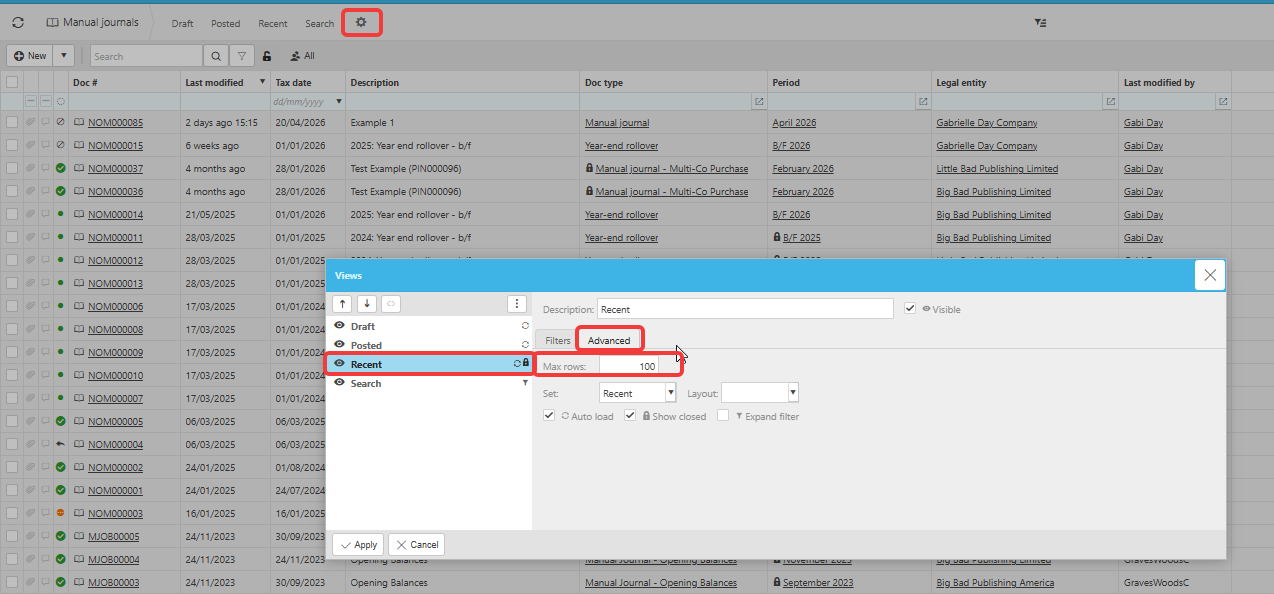
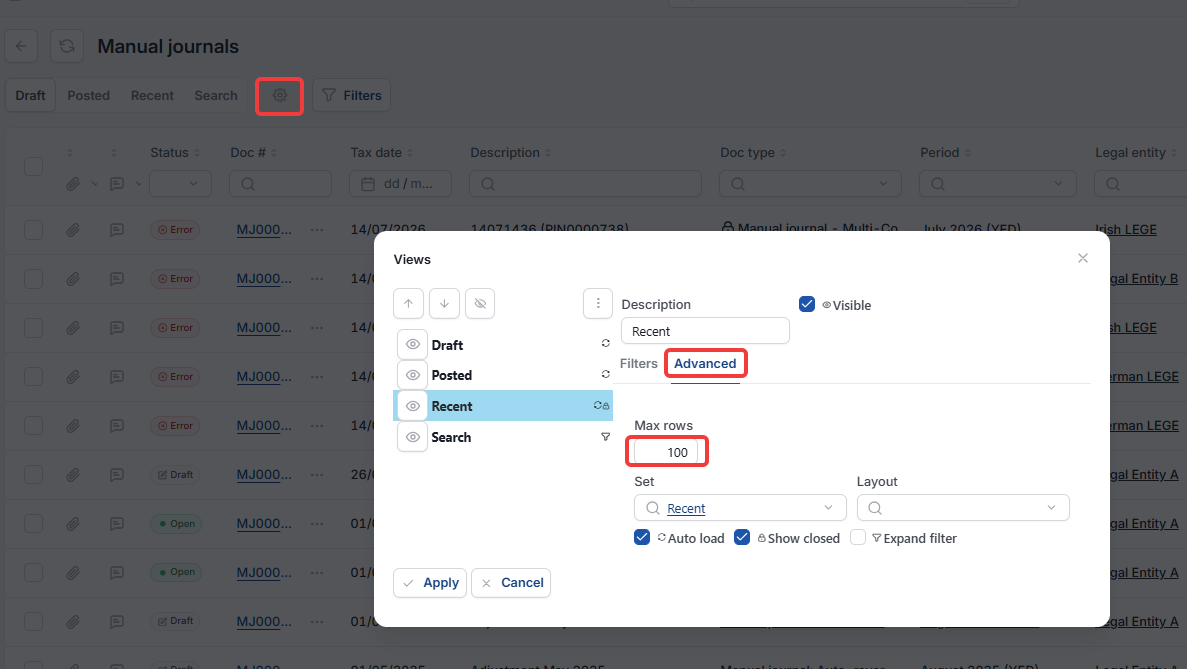
- Select the cog icon at the right-hand end of the tab row, next to 'Search'
- In the 'Views' window, highlight 'Recent' in the list on the left
- Select the 'Advanced' tab on the right
- In the 'Max rows' field, type the number of rows you want the Recent tab to display
- Select 'Apply' to save the change.
The Recent tab will now show up to your chosen number of rows the next time it loads.
Things to be aware of
Setting a very high row limit can slow down how quickly the Recent tab loads, because iplicit has to fetch more records each time. Increase the limit gradually if you work with large data sets.
The Max rows setting is specific to the Recent tab on the view you are editing. If you want the same change applied to the Recent tab in another module (for example, Sales invoices as well as Manual journals), repeat the steps in that module.
Recent tab rows
Entry limit on recent view
Expand recent list
Recent view settings