

This article covers how to unlock a payment method in iplicit. Locked payment methods do not appear on the default 'Open' tab of the Payment Methods screen, so you need to use the 'Search' tab to find and unlock them.
Unlock a payment method
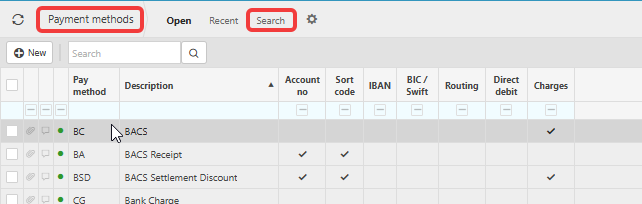
- Navigate to the Payment Methods screen
- Select the 'Search' tab
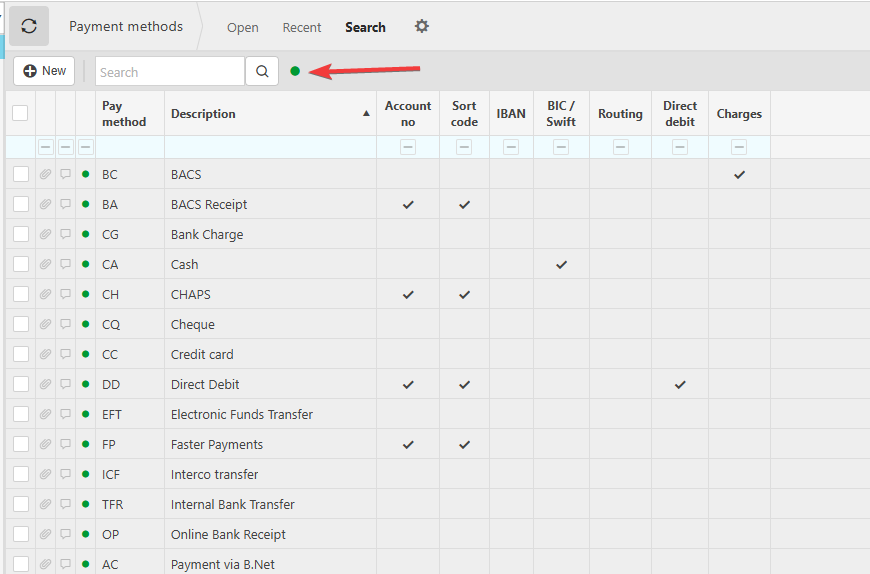
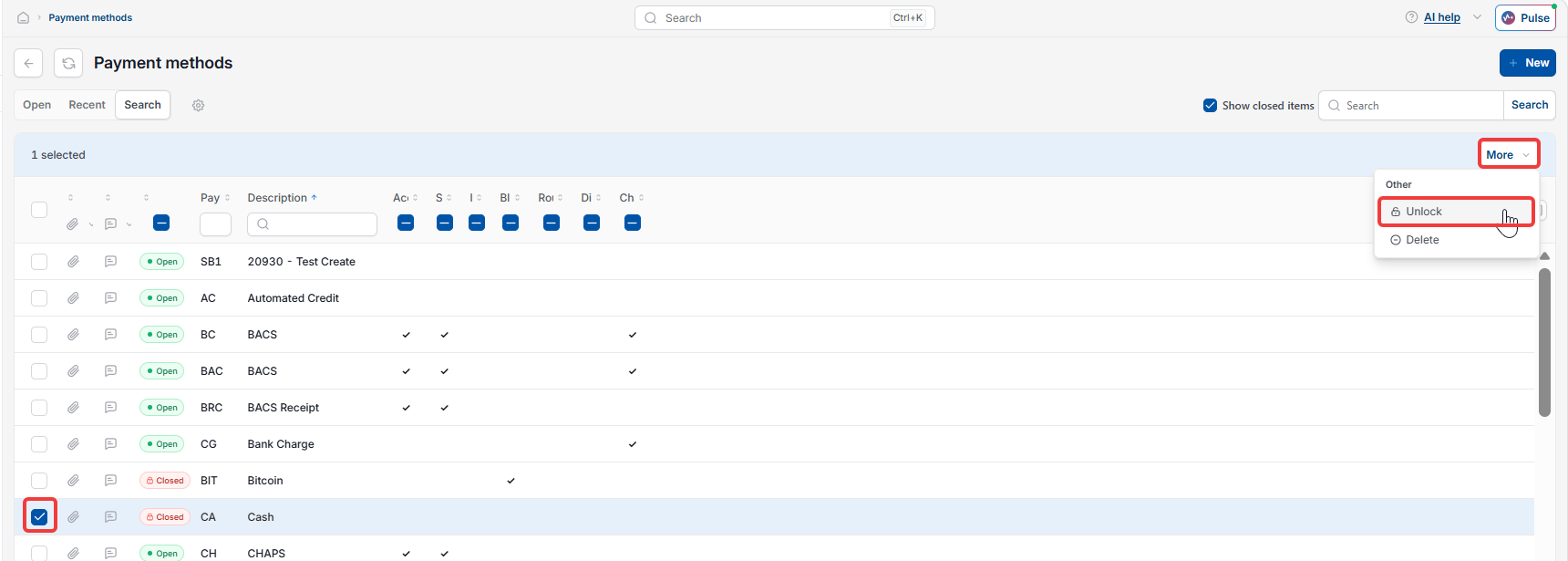
- Select the green dot to expose any locked records, or tick 'Show closed items', depending on your screen
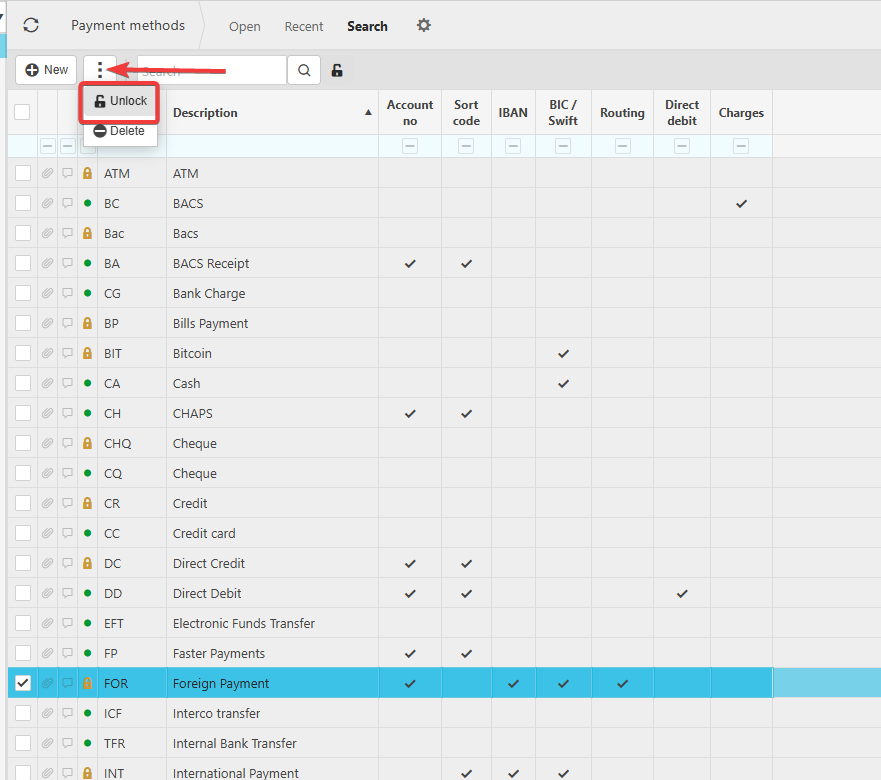
- Highlight the payment method you want to unlock
- Select the three dots or more button, then select 'Unlock'.
The payment method is now unlocked and will appear on the 'Open' tab.
Screenshots for Legacy UI (before October 2026)
Screenshots for New UI (post October 2026)

Customer search terms
Unlock payment method
Locate payment method
Add payment method
Can't see a payment method