

This article covers why the year-end rollover journal may not have posted in iplicit. The outcome depends on whether 'Submit for authorisation' was ticked in the 'Year end rollover' pop-up when the rollover was run.
Understanding the submit for authorisation setting
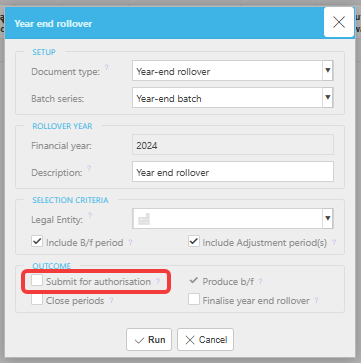
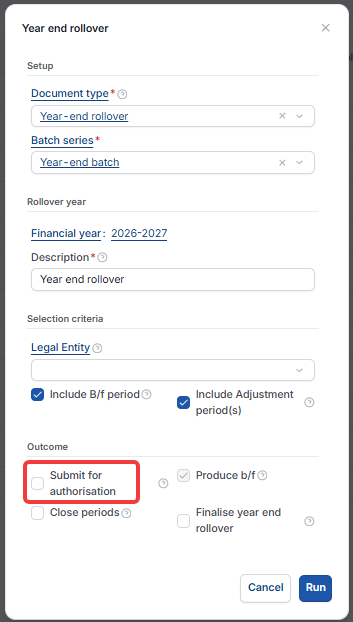
When you run the year-end rollover, the 'Year end rollover' pop-up includes a 'Submit for authorisation' checkbox in the 'Outcome' section. This controls what happens to the rollover journal immediately after it is generated.
- If 'Submit for authorisation' was ticked and no authorisation workflow is in place, the journal posts directly to the General Ledger
- If 'Submit for authorisation' was ticked and an authorisation workflow is in place for the year-end rollover document type, the journal is sent for approval before it posts
- If 'Submit for authorisation' was not ticked, the journal is created in draft and must be submitted manually
If the journal is sitting in draft
If 'Submit for authorisation' was not ticked when the rollover was run, follow these steps:
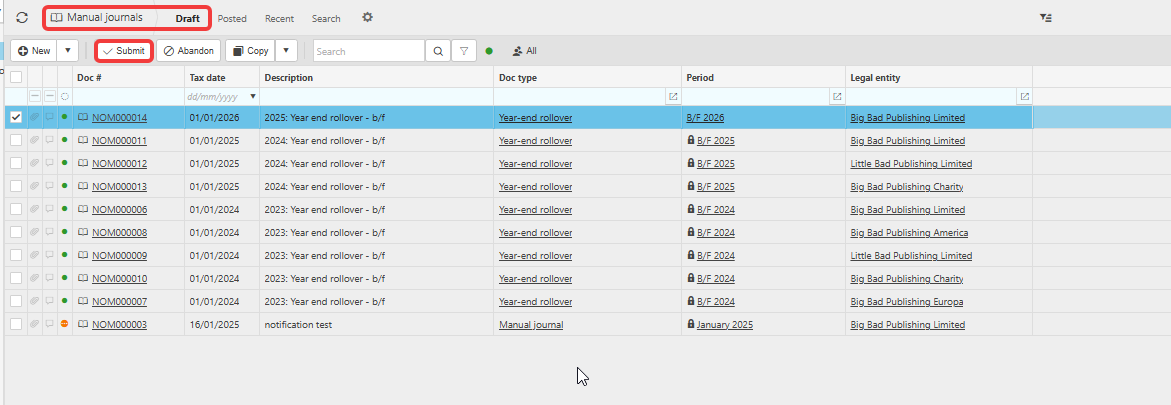
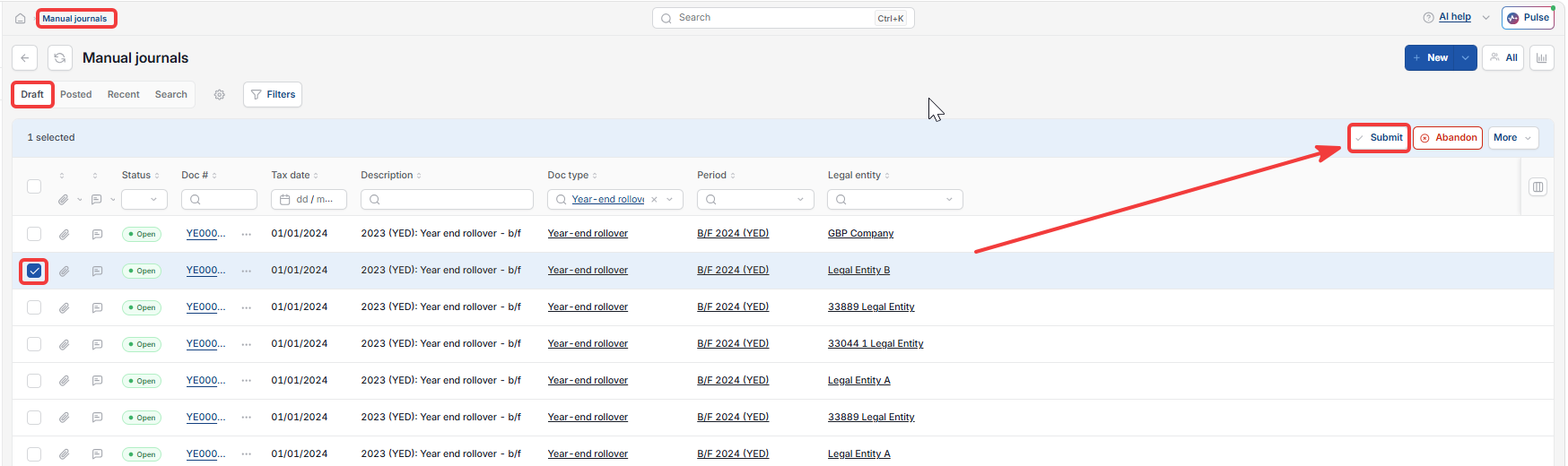
- Navigate to General Ledger > Manual Journals
- Locate the year-end rollover journal created by the rollover process
- Select the journal and click 'Submit'.
The journal is now submitted. If an authorisation workflow is in place, it will route to the approver. If not, it posts directly.
If the journal is with an approver
If 'Submit for authorisation' was ticked but the journal has not posted, check whether it is awaiting authorisation. Contact the relevant approver or check your authorisation workflow settings.
Next steps after posting
Once the year-end rollover journal is posted, update your Financial Year Group to the current year so your General Ledger and financial statements reflect the correct period. See 'Why do my financial statements show last year after completing the year-end rollover?'
If you need to rerun the rollover or make post-audit adjustments, see 'Why are the brought-forward figures doubling up after the year-end rollover?'
YERO not updating balances
Post year end journals
Balances not updated after year end
Year end not posted