

This article covers how to revalue a fixed asset in iplicit's Fixed Assets module using the 'Revalue' movement. Revaluation is used when the carrying value of an asset needs to be adjusted – either upwards or downwards – to reflect its current fair value. iplicit posts the revaluation journal automatically, updating the asset's net book value and the depreciation schedule accordingly.
Before revaluing a fixed asset
The following must be in place before a revaluation can be processed. If any of these steps have not been completed, set them up first before returning to this article.
Account defaults
The asset group must have both revaluation account defaults configured:
- 'Asset Revaluation Loss' – P&L account; records any loss arising from a downward revaluation
- 'Asset Revaluation Reserve' – Balance Sheet account; records the revaluation reserve.
Without both in place, iplicit cannot post the revaluation journal to the correct GL accounts. See 'How to configure account defaults for fixed assets in iplicit'.
Document types and series
The 'Asset Revalue' (ASSREV) document type must be unlocked and a document series must be active, unlocked and dated before the revaluation date. Without both in place, iplicit cannot number or post the revaluation journal. See 'How to set up document types and series for fixed assets in iplicit'.
Asset status
The asset must be capitalised before it can be revalued. The 'Revalue' option only appears in the movement drop-down on a capitalised asset. See 'How to capitalise a fixed asset in iplicit' if the asset has not yet been capitalised.
Recording a revaluation on a fixed asset
- Select 'Assets' from the main menu, or enter 'Assets' in the quick search (Ctrl + K)
- Open the relevant asset – confirm the status shows 'Capitalised'
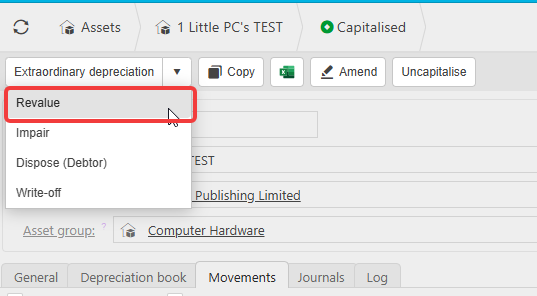
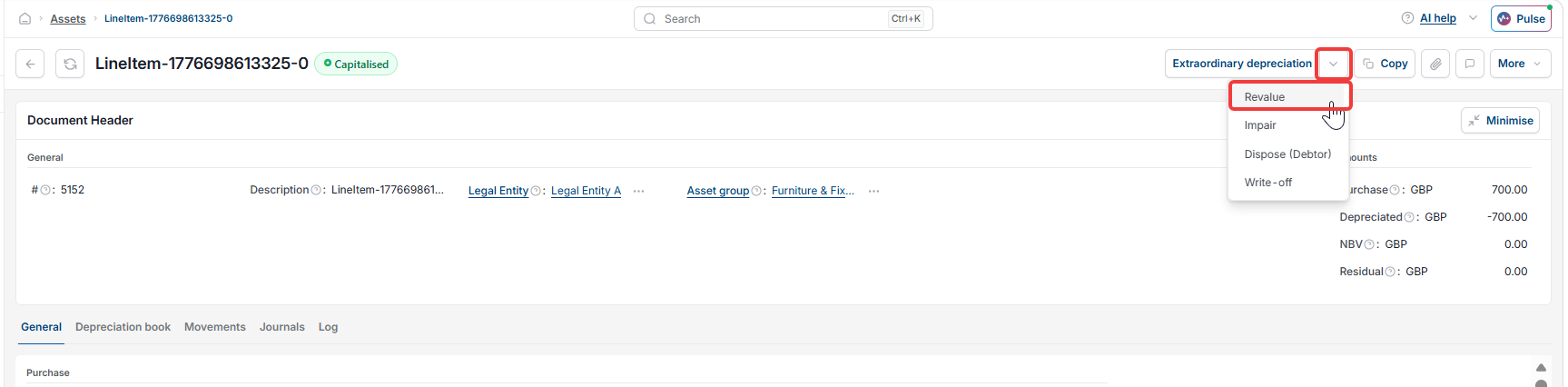
- Select the drop-down arrow next to the movement options
- Select 'Revalue'
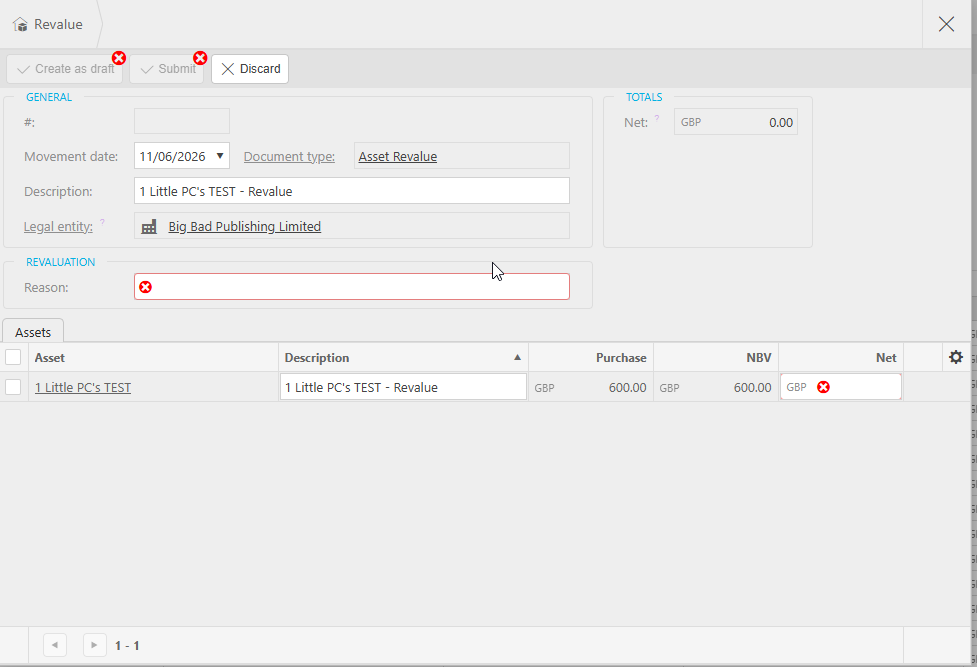
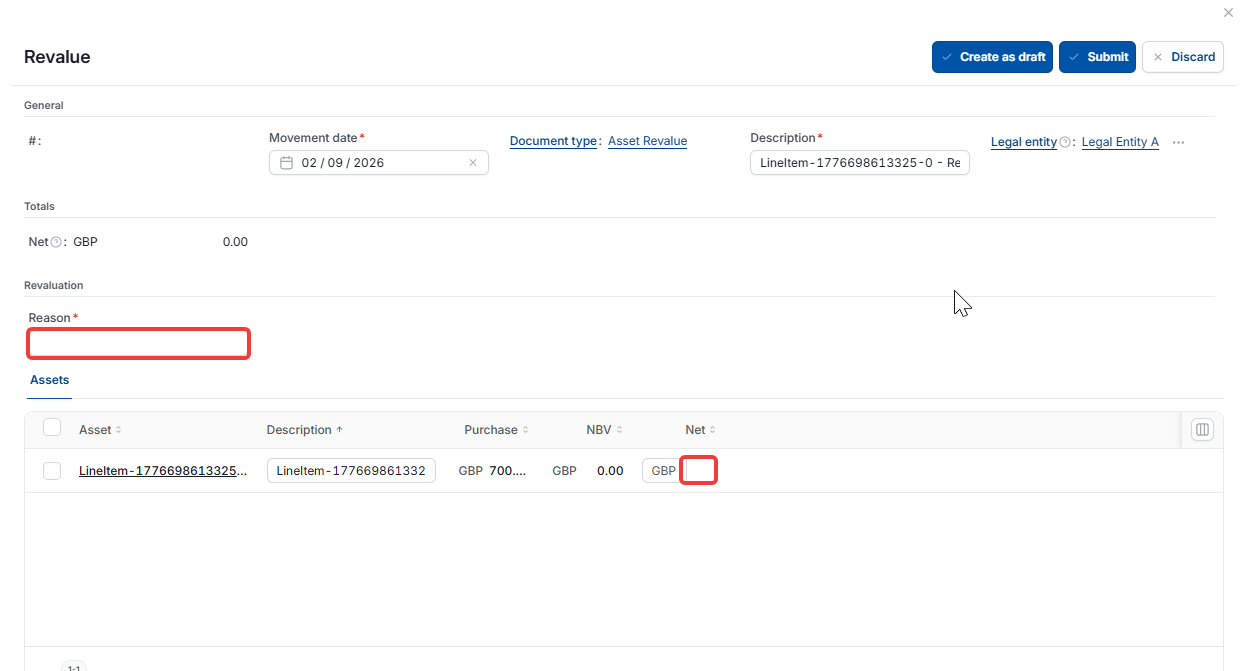
- Confirm or update the 'Movement date'
- Enter a 'Reason' for the revaluation – this field is mandatory
- In the assets panel, enter the revaluation amount in the 'Net' field – enter a positive value to increase the asset's carrying value, or a negative value to decrease it
- Select 'Create as draft' to save the revaluation for review before posting, or 'Submit' to post immediately
- Select 'Discard' if you need to cancel without saving.
iplicit creates a revaluation journal updating the asset's net book value by the amount entered. The depreciation schedule recalculates automatically to reflect the new carrying value.
Reviewing the impact of a revaluation on the depreciation schedule
Once the revaluation is posted, open the 'Depreciation book' tab on the asset record to confirm the schedule has updated. If the carrying value has increased, the remaining depreciation values will be higher. If it has decreased, they will be lower.
Viewing the revaluation on the fixed asset record
Once processed, the revaluation movement and its associated journal are visible on the asset record under the 'Movements' tab and the 'Journals' tab respectively.
Assets value has changed
Revalue my asset
Asset revaluation movement
Asset revaluation reserve