

This article covers how to view the prepayment journals and release schedule after posting a purchase invoice in the Purchase Ledger. Both are accessible directly from the posted invoice.
Viewing the prepayment schedule and journals on a posted purchase invoice
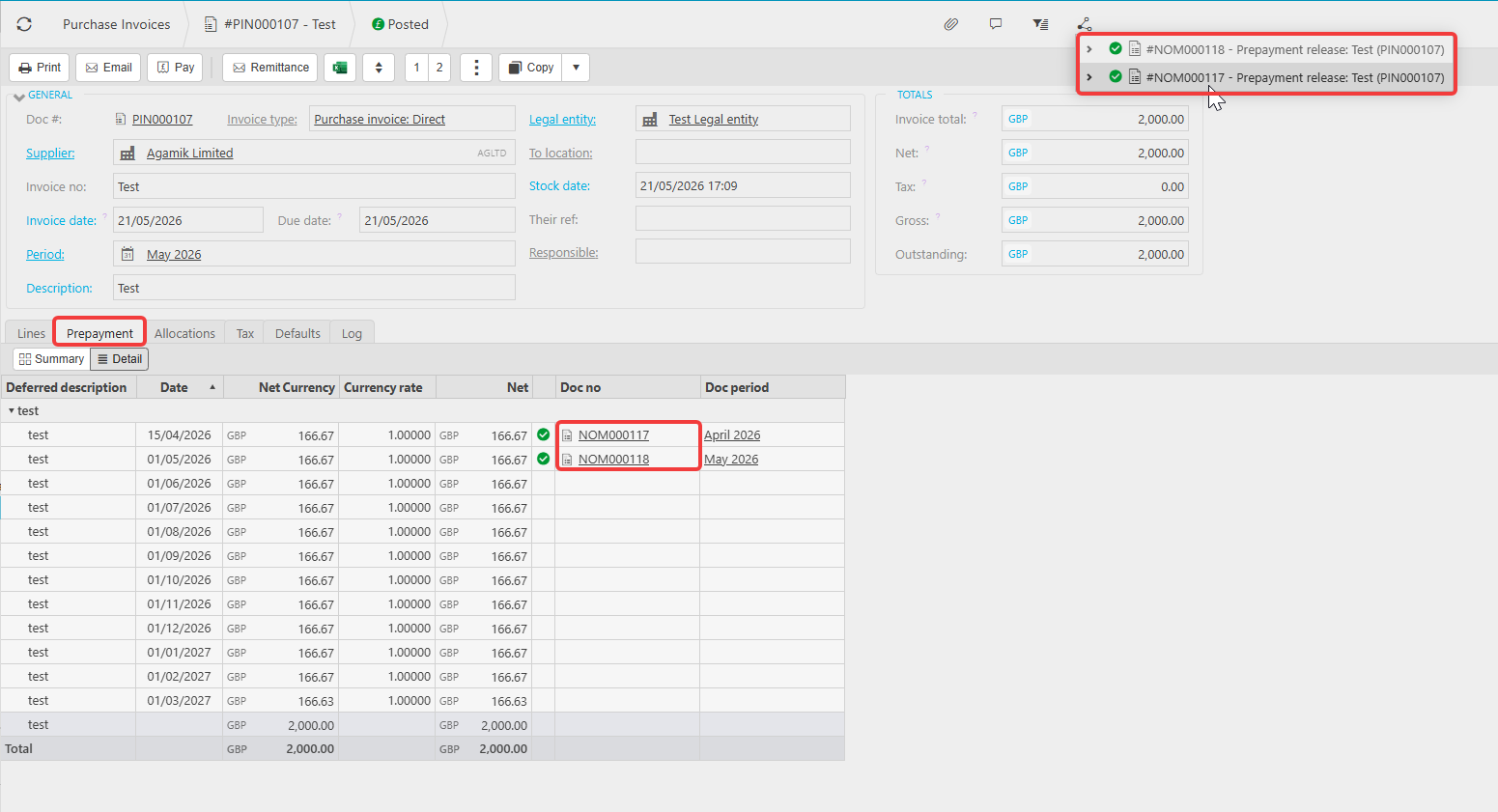
Open the posted purchase invoice in the Purchase Ledger. A 'Prepayment' tab will be visible on the invoice. Select this tab to see the full distribution schedule - this shows each period the cost is being spread across, the amount due per period, and which releases have been fulfilled to date.
Select 'Detail' on the prepayment tab to see the individual documents created against each scheduled period.
Use the 'Links' button at the top of the invoice to see all documents linked to this invoice, including each prepayment journal generated by the automation. Each linked journal shows the scheduled amount moving from the prepayment balance sheet holding account into the relevant P&L account, confirming the release has posted correctly for that period.
If no journals have been created yet
If the prepayment tab shows scheduled periods but no journals have been created, the scheduler has not yet run for those future periods. Journals for periods after the invoice post date are only created when the prepayment scheduler runs.
See: How to set up prepayments and deferred income in iplicit for scheduler setup.
View prepayment journals
Prepayment schedule after posting
See prepayment journals purchase invoice
Prepayment tab invoice
View prepayment schedule
Prepayment released value
Prepayment distribution schedule
Prepayment journal posted invoice