

This article covers how to resolve an issue where you are unable to drill down on the Asset tree view in iplicit's Fixed Assets module. This is typically caused by a screen customisation conflict and is straightforward to fix.
Step one: reset customisations for the Asset tree view
Depending on your screen, you reset customisations either from the Asset tree view itself or from 'My settings'.
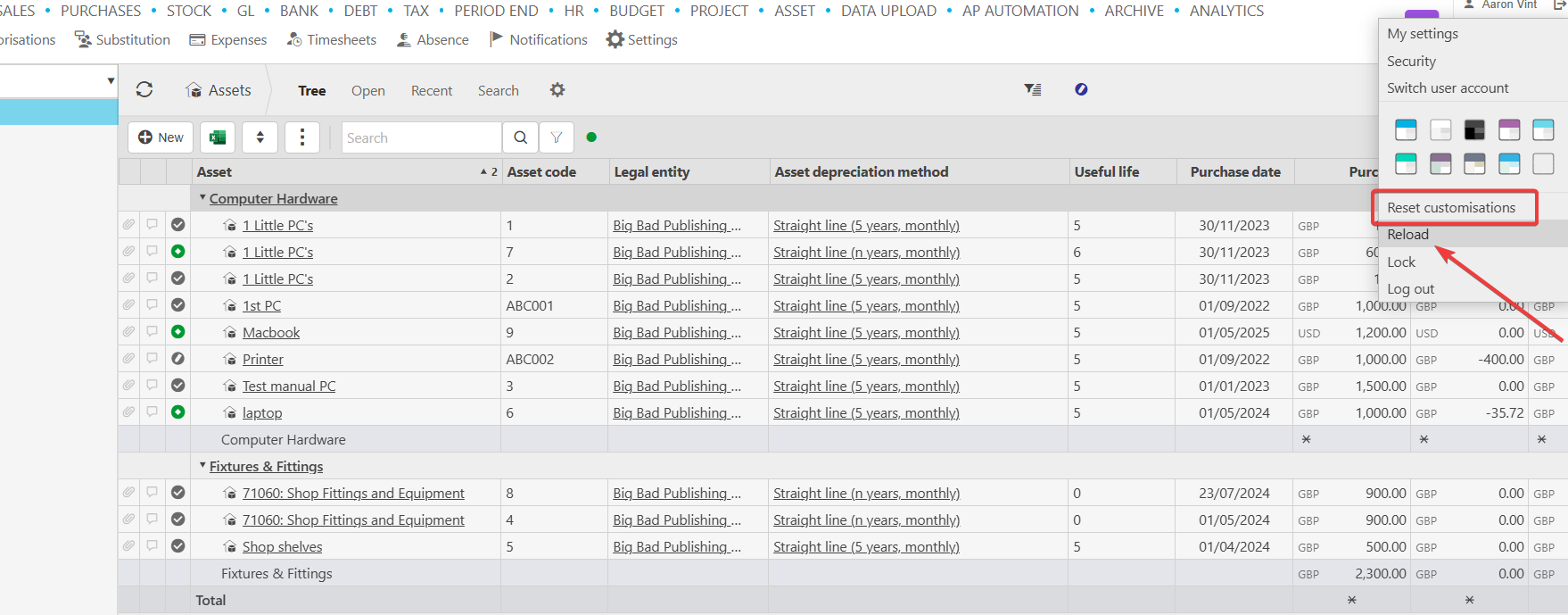
If the reset option is on the Asset tree view:
- Navigate to the Asset tree view
- Select the option to reset your customisations while in the tree view
- Select the reload button once the reset is complete
- Try drilling down again.
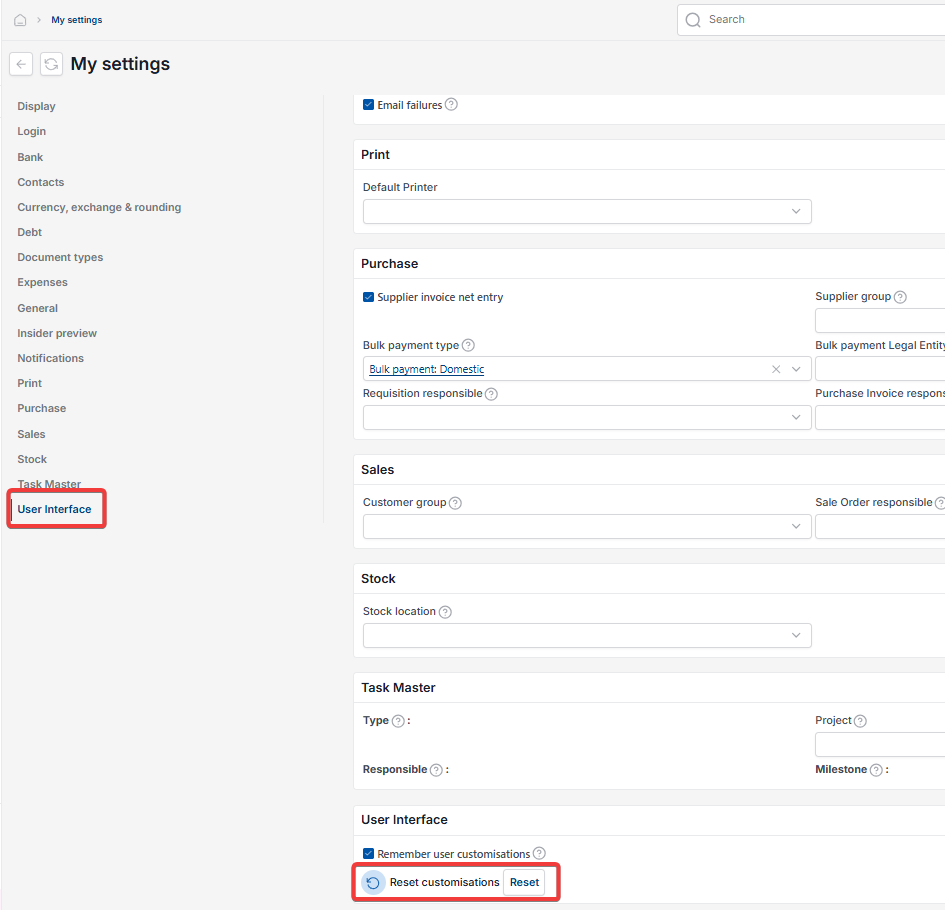
If the reset option is in 'My settings':
- Navigate to 'My settings'
- Select 'User Interface' from the left-hand menu
- Next to 'Reset customisations', select 'Reset'
- Return to the Asset tree view, select the reload button and try drilling down again.
This resolves the issue in most cases.
Step two: reset customisations on the Asset view screen
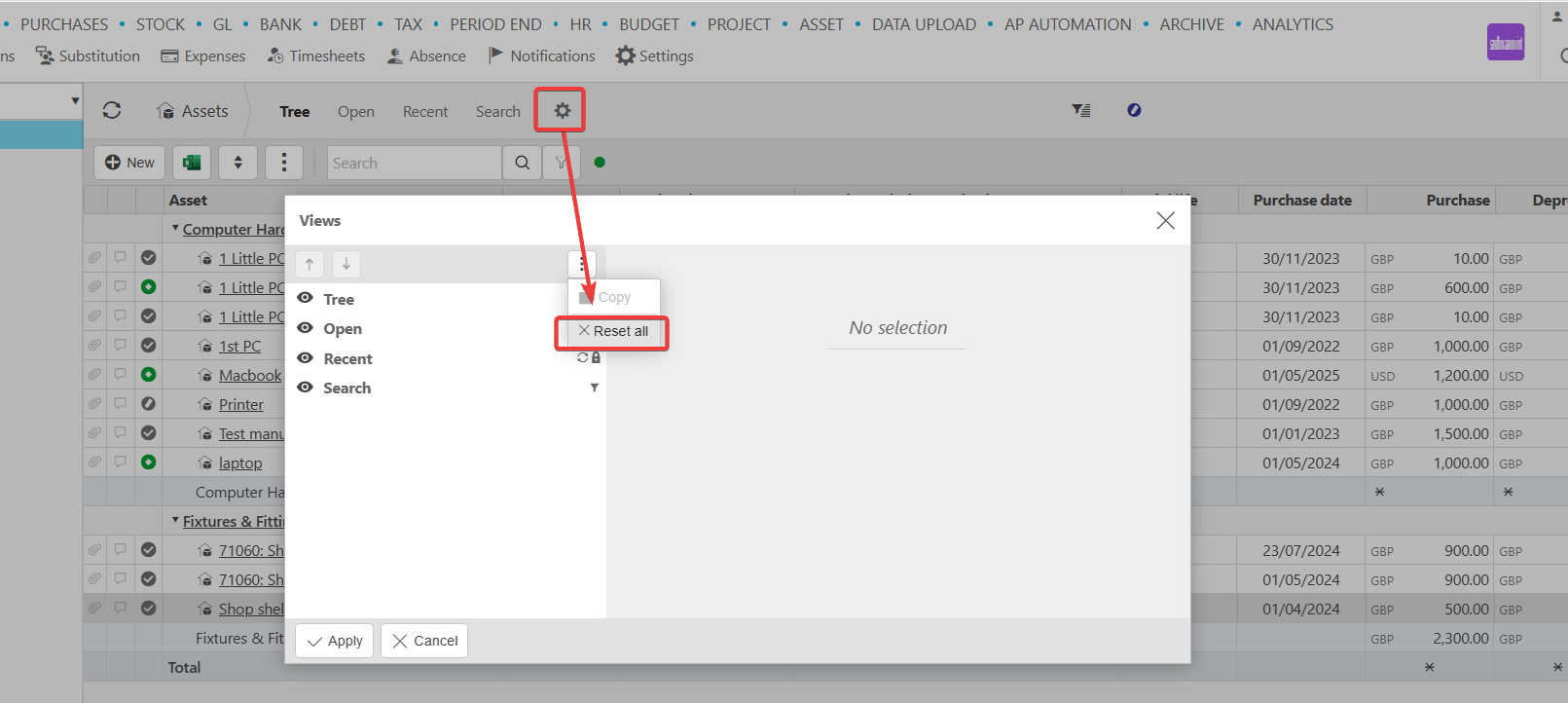
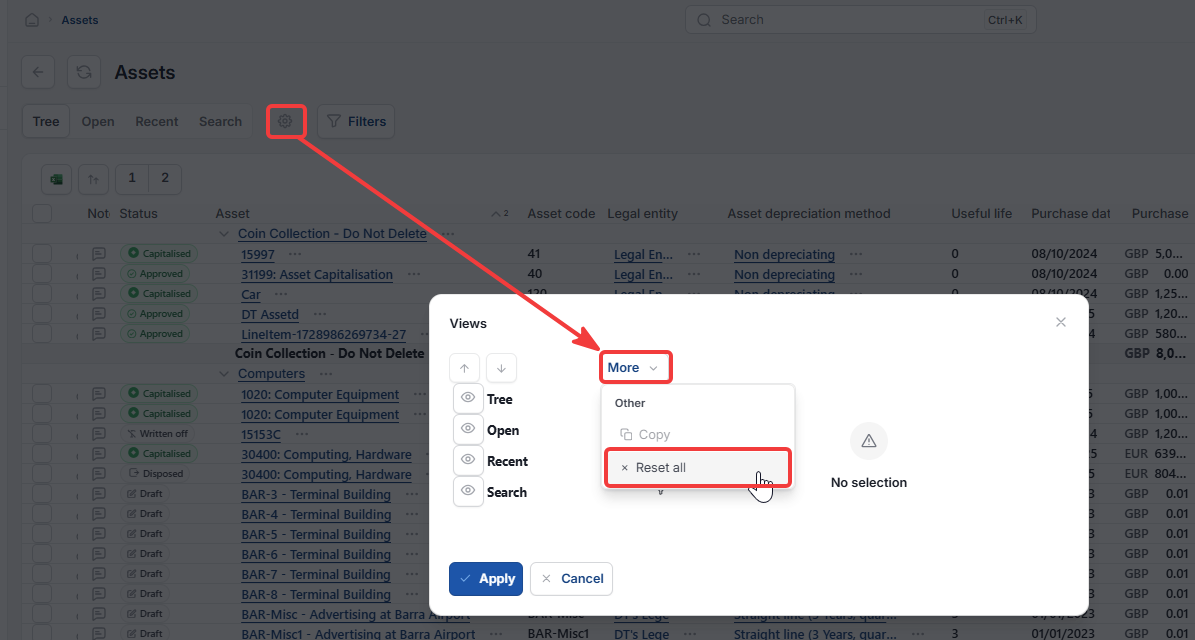
If step one does not resolve the issue, reset the customisations on the Asset view screen itself.
- Navigate to the Asset view screen
- Select the option to reset customisations
- Reload the screen and try again.
Unable to drilldown on assets
Asset tree not working
Asset tree view
Reset customisations for assets
Reset customisations my settings