

This article covers how to set up a detail-driven authorisation workflow that routes a sales invoice based on whether a deferred income line is present. A deferred profile on a sales invoice line indicates a deferred income arrangement. Use this approach when invoices containing deferred income lines require a different approval path to standard invoices.
For purchase invoice routing based on prepayments, see 'How to route a purchase invoice for approval including prepayment'.
Why use a detail-driven workflow for deferred income routing?
Sales invoice authorisation workflows can run at header level or detail (line item) level. To check whether a deferred income arrangement exists on an individual line, the workflow must be detail-driven – a header-level workflow cannot inspect line item attributes. This is the correct approach for deferred income routing on sales invoices.
Setting up the deferred income routing workflow
- Navigate to 'Authorisation Workflows' and select 'Create new authorisation workflow'
- Enter a description for the workflow – for example, 'Sales invoice deferred income routing'
- In the 'Attributes' field, select 'Sales Invoice Detail' – this sets the workflow to run at detail (line item) level
- In your first workflow step, add a condition and set the attribute to 'Deferred profile'
- Set the operator to 'Is null' – this targets lines where no deferred income arrangement has been assigned
- Set the action to send the invoice to your chosen approver for standard sales invoices
- Add a second workflow step for the opposite condition. Set 'Deferred profile' to 'Is not null' – this targets lines where a deferred income arrangement is present
- Set the action on this step to send the invoice to your chosen approver for deferred income review
- Select 'Create as draft' to save, review the workflow, then select 'Submit' to activate it.
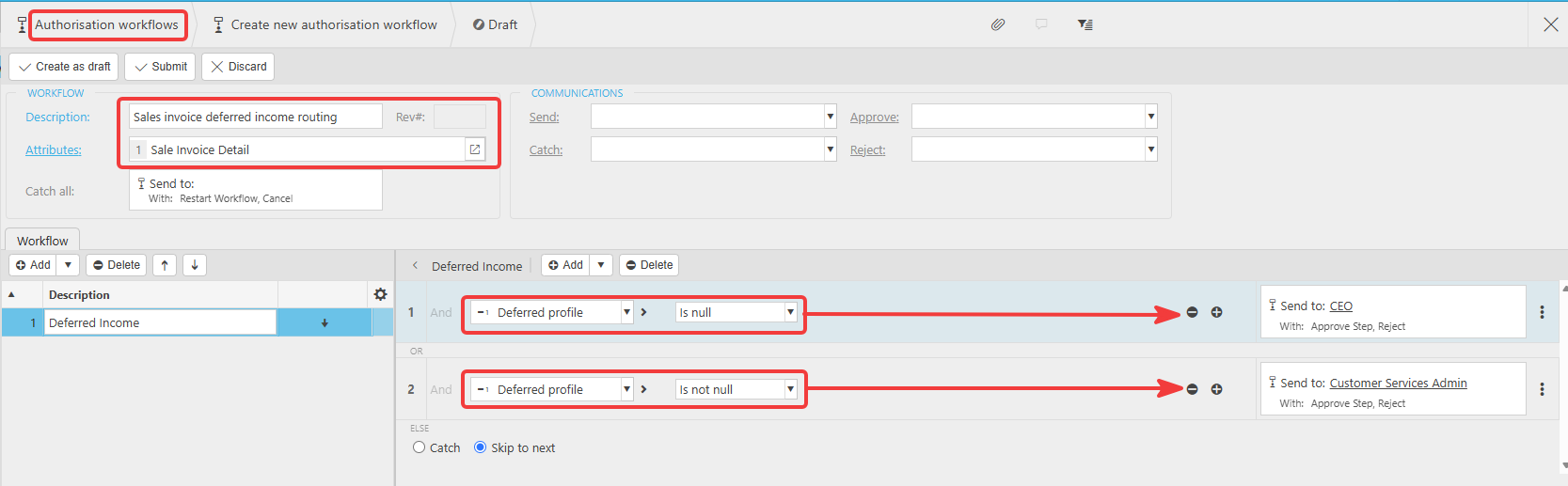
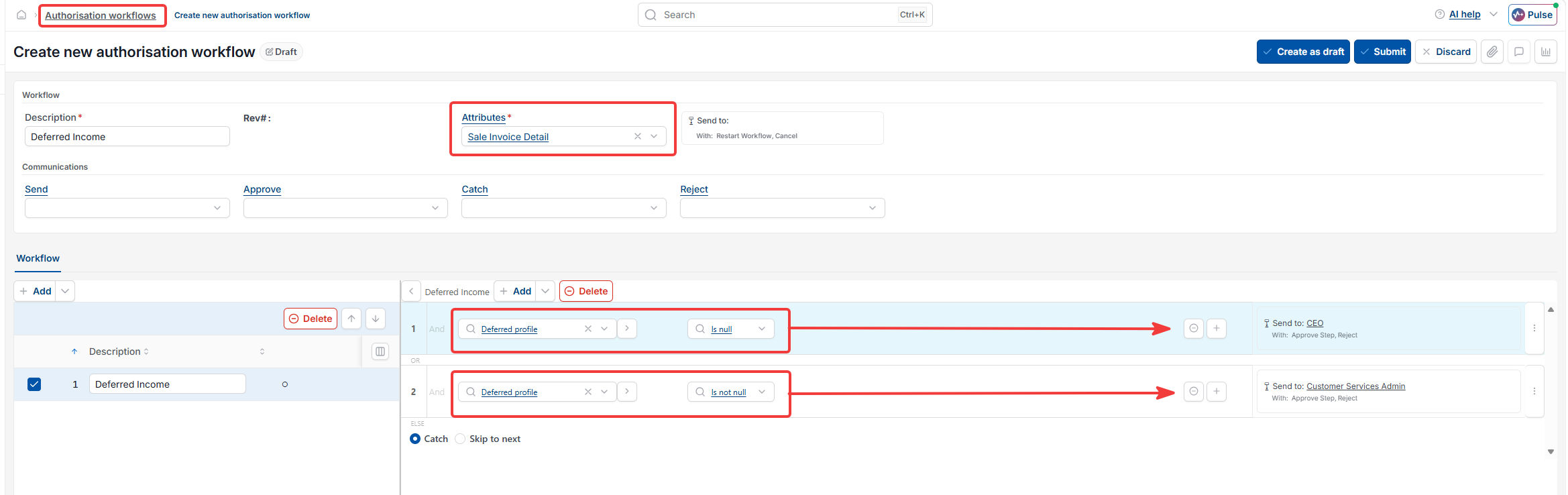
How the two deferred income conditions work in the workflow
Every sales invoice line passes through the workflow. The two steps cover every possible state of a line:
- 'Deferred profile' is null – the line has no deferred income arrangement attached. The invoice routes to the standard approver
- 'Deferred profile' is not null – the line has a deferred income arrangement attached. The invoice routes to the approver responsible for reviewing deferred income lines.
If any line on the invoice matches the 'Is not null' condition, that step triggers for that line.
Deferred income approval route
Sales invoice authorisation
Detail driven workflow
Route sales invoice deferred
Sales invoice item workflow
Deferred income line approval
Deferred profile sales