

This article covers how to view the recognised and unrecognised value of deferred income across sales invoices in the Sales Ledger. This information is available via the Deferred Income schedule enquiry, or on an individual invoice using the Deferred tab.
Viewing recognised and unrecognised values via the Deferred Income schedule enquiry
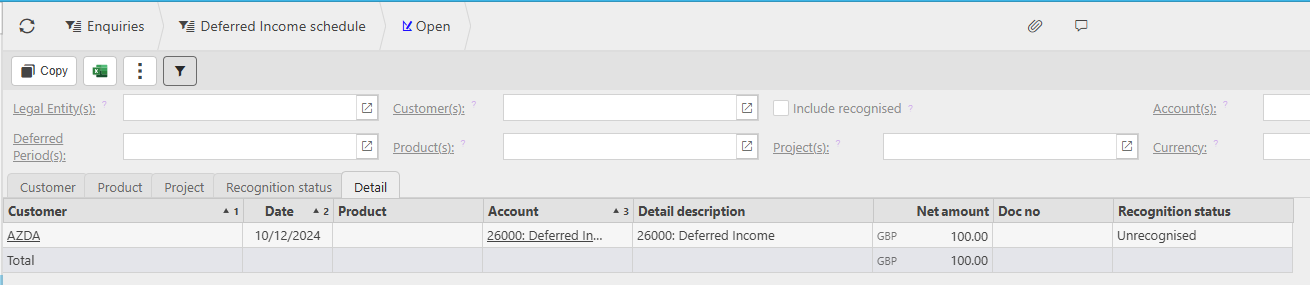
Navigate to Enquiries and find the enquiry 'Deferred Income schedule'. This gives a summary view across all sales invoices that have a deferred income distribution profile applied.
The enquiry shows each entry with the following key columns:
- Net amount - the value of the deferred income entry
- Recognition status - whether the entry is recognised or unrecognised
By default the enquiry shows unrecognised entries only. Tick 'Include recognised' to see all entries including those already released to the P&L account.
Use the tabs at the top of the enquiry to group or filter results by Customer, Product, Project, or Recognition status. Use the filters at the top to narrow results by legal entity, customer, deferred period, account, product, project, or currency.
Viewing recognised and unrecognised values on an individual invoice
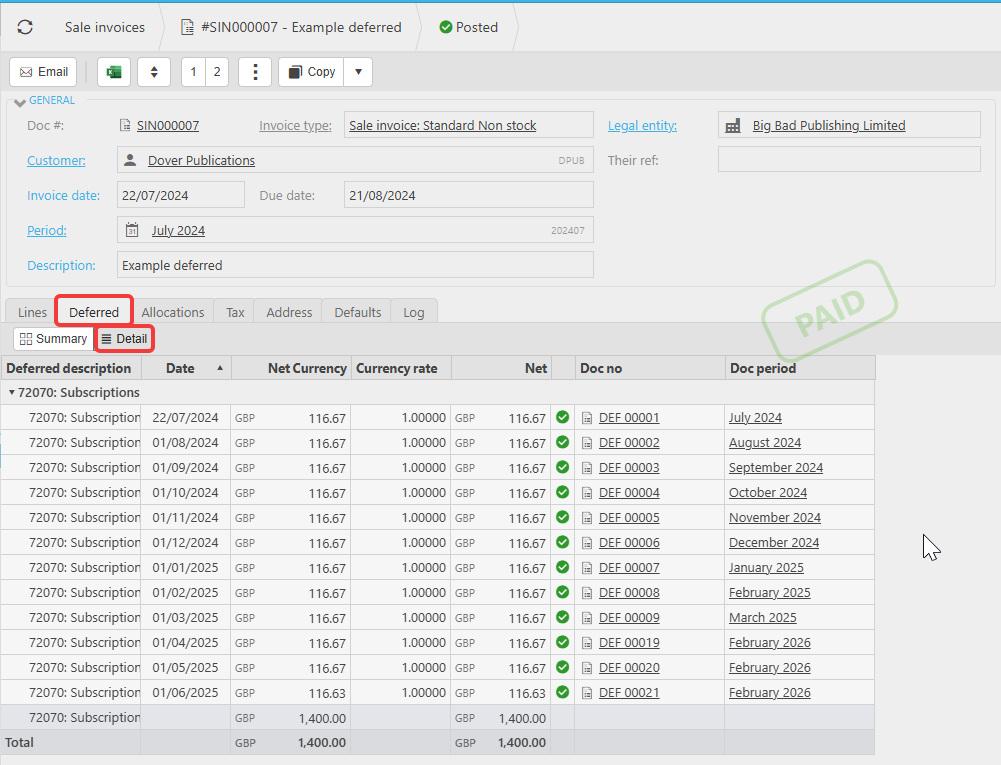
Open the posted sales invoice in the Sales Ledger and select the 'Deferred' tab. This shows the full distribution schedule for that invoice, with each period, the amount due, and whether the release has been fulfilled.
See: How do I view my deferred income journals and schedule after posting a sales invoice? for full details on navigating the Deferred tab.
Recognised value deferred income
Unrecognised deferred income
Deferred income schedule enquiry
See deferred income balance
Deferred income outstanding value
Deferred income recognition status
How much deferred income released
Deferred income remaining balance