

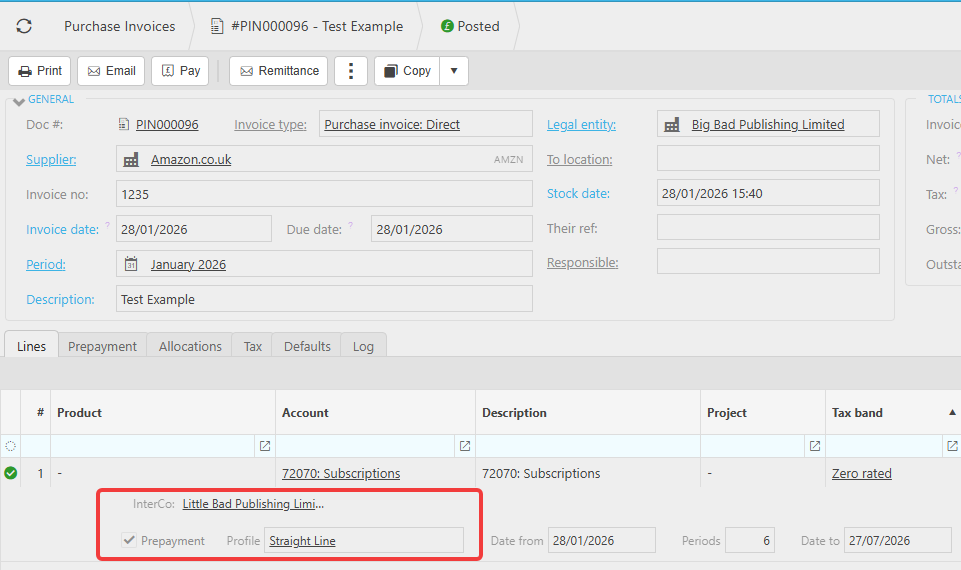
This article covers how intercompany prepayments work in iplicit and how to correct postings if they have not been generated as expected. When a purchase invoice includes a prepayment line and involves intercompany, iplicit generates multi-company journals to ensure the prepayment is recorded correctly across the relevant legal entities.
Required setup for intercompany prepayments
Before intercompany prepayment journals will generate correctly, the following must be in place in addition to the standard prepayment setup.
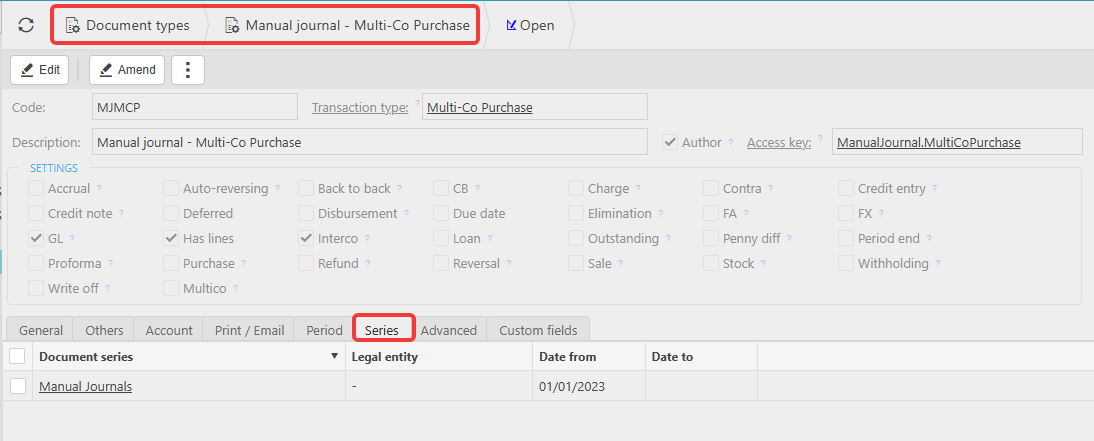
Multi-Co Purchase document type
Navigate to Document Types and confirm the 'Manual journal - Multi-Co Purchase' document type is unlocked and has a document series assigned. Without this, iplicit cannot generate the multi-company journal when the purchase invoice is posted.
Multi-Co Purchase automation
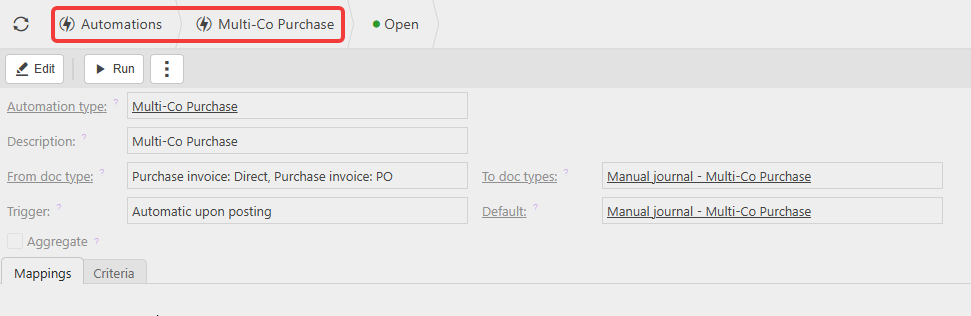
Navigate to Automations and confirm the 'Multi-Co Purchase' automation exists with the following configuration:
- Automation type: Multi-Co Purchase
- From doc type: Purchase invoice Direct and Purchase invoice PO (add all purchase invoice document types you use)
- To doc type: Manual journal - Multi-Co Purchase
- Trigger: Automatic upon posting
Account Defaults
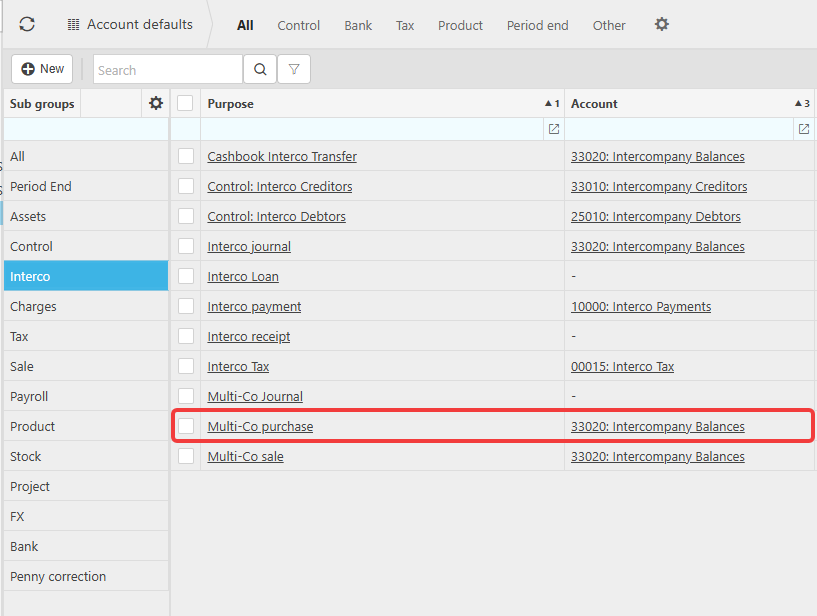
Navigate to Account Defaults and select the 'Interco' sub group. Confirm 'Multi-Co purchase' is mapped to your intercompany balances account - for example account 33020: Intercompany Balances.
Expected posting behaviour for intercompany prepayments
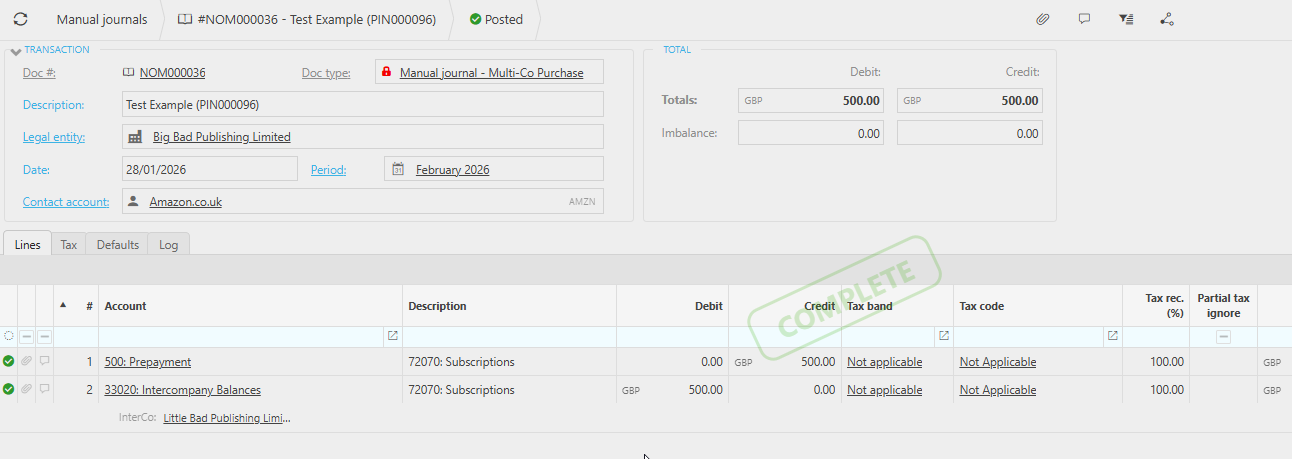
When a purchase invoice with a prepayment line is posted across legal entities, iplicit generates the following postings:
At the time of posting the purchase invoice:
- Entity A: Credit the Prepayment account
- Entity B: Debit the Intercompany account
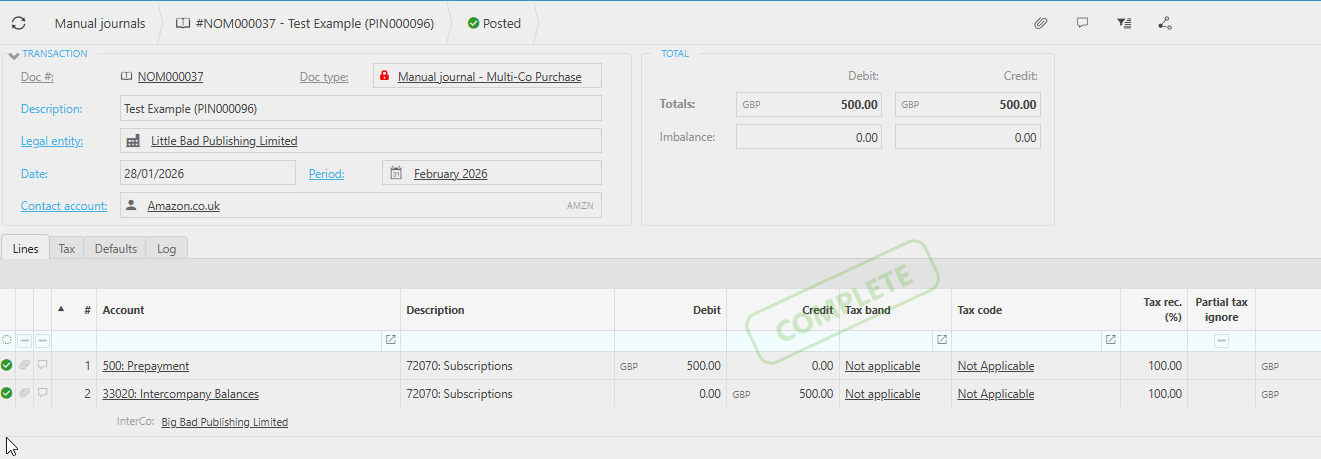
Reverse journal automatically created:
- Entity A: Credit the Intercompany account
- Entity B: Debit the Prepayment account
Future prepayment release allocations:
- Entity B: Credit the Prepayment account
- Debit the relevant expense account within the correct entity
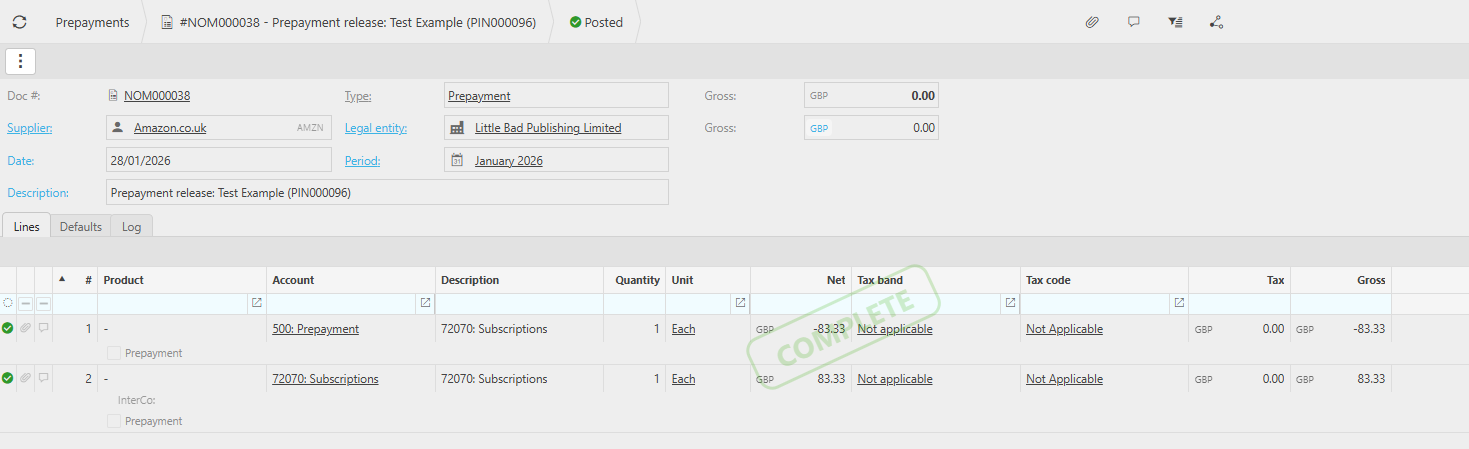
This ensures prepayments are recognised in the correct legal entity and that the intercompany accounts remain balanced throughout the release schedule.
Why incorrect postings may occur
If the expected intercompany postings do not appear, this is typically caused by one of the following:
- Incorrect or incomplete intercompany configuration at the time of posting
- The Multi-Co Purchase automation not being in place or not including the correct document types
- The Manual journal - Multi-Co Purchase document type being locked or missing a document series
- Changes made to intercompany settings after the invoice was originally posted
- Missing or incorrect mappings in Account Defaults
If the configuration was not correct when the invoice was posted, iplicit may not generate the required multi-company journals. The resolution is to correct the configuration and reverse and re-post the invoice.
How to correct incorrect intercompany prepayment postings
- Unallocate the payment - unallocate any payments applied to the invoice
- Reverse the invoice - reverse the original invoice into the current period. This also reverses all associated multi-company and prepayment journals, with each reversal posting into the corresponding period of the original transactions
- Copy and re-post the invoice - use the 'Copy' function to recreate the invoice and re-post it into the same financial period as the original. This generates the correct intercompany postings based on the current configuration
- Re-allocate the payment - re-allocate the original payment to the newly posted invoice
This process ensures no outstanding balance remains on the aged creditors report, the General Ledger impact nets to zero, and the corrected invoice reflects the correct intercompany prepayment behaviour.
Important
Correct intercompany prepayment behaviour relies on accurate configuration at the time of posting. If you are setting up intercompany prepayments for the first time, ensure all of the above is in place before posting any invoices with prepayment lines.
See: How to set up prepayments and deferred income in iplicit for standard prepayment setup.
Intercompany prepayments
Prepayments across legal entities
Intercompany prepayment setup
Prepayment intercompany iplicit
Multi entity prepayment
Intercompany prepayment posting
Prepayment intercompany journals
Intercompany prepayment not posting correctly