

This article explains what the Net and Depreciated columns show in the Asset Movements tab in iplicit's Fixed Assets module. When you open an asset record and select the 'Movements' tab, both columns give you different but related views of the asset's financial position.
The Net column
The Net column shows the value of the movement on that line. The value it displays depends on the movement type:
- For a 'Capitalise' movement - the total value of the asset being capitalised
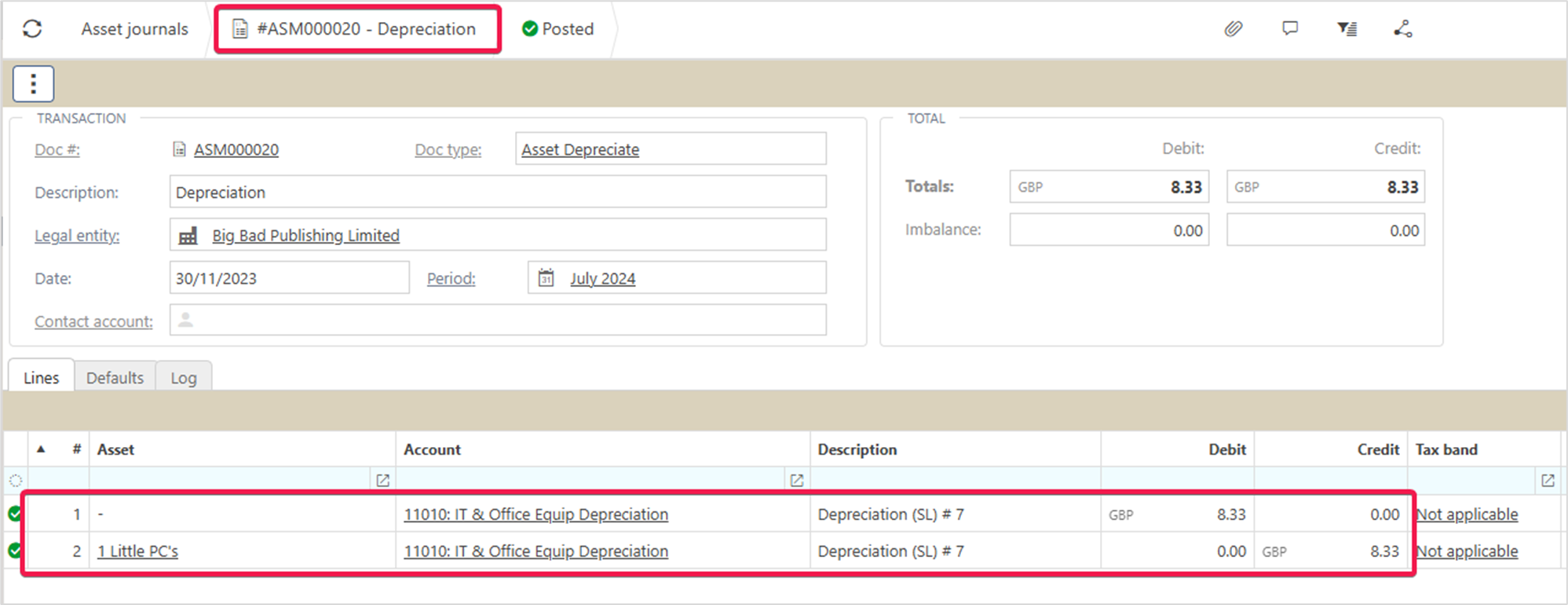
- For a 'Depreciate' movement - the depreciation value for that journal
- For a 'Write-off' movement - the value being written off
- The same principle applies to all other movement types
The Depreciated column
The Depreciated column shows the total accumulated depreciation posted to the ledger up to and including the movement on that line. It is a running total, not the value of a single movement.
For example, if three depreciation movements have been posted, the Depreciated column on the third line shows the combined total of all three - not just the value of the third journal. The Net column on that same line shows only the value of the third journal.

Viewing the journal behind a movement
To see the full journal associated with any movement:
- Open the asset record from Assets in the Main Menu, or enter 'Assets' in the quick search
- Select the 'Movements' tab
- Hold Ctrl and select the document link in the 'Asset Movement' column for the relevant movement
This opens the journal linked to that transaction value.
Viewing individual journal lines
To drill further into the individual lines of the journal:
- Select the 'Journals' tab on the asset record
- Hold Ctrl and select the document link for the relevant journal
This displays the full breakdown of journal lines for that movement.
Net column asset
Depreciated column asset
Accumulated depreciation
Asset movement tab
Asset information