

This article covers intercompany errors that appear when posting journals in the General Ledger. The error occurs when an account's intercompany (Interco) setting does not match the corresponding rule in the Chart of Accounts. iplicit blocks the posting until both settings agree.
Why this happens
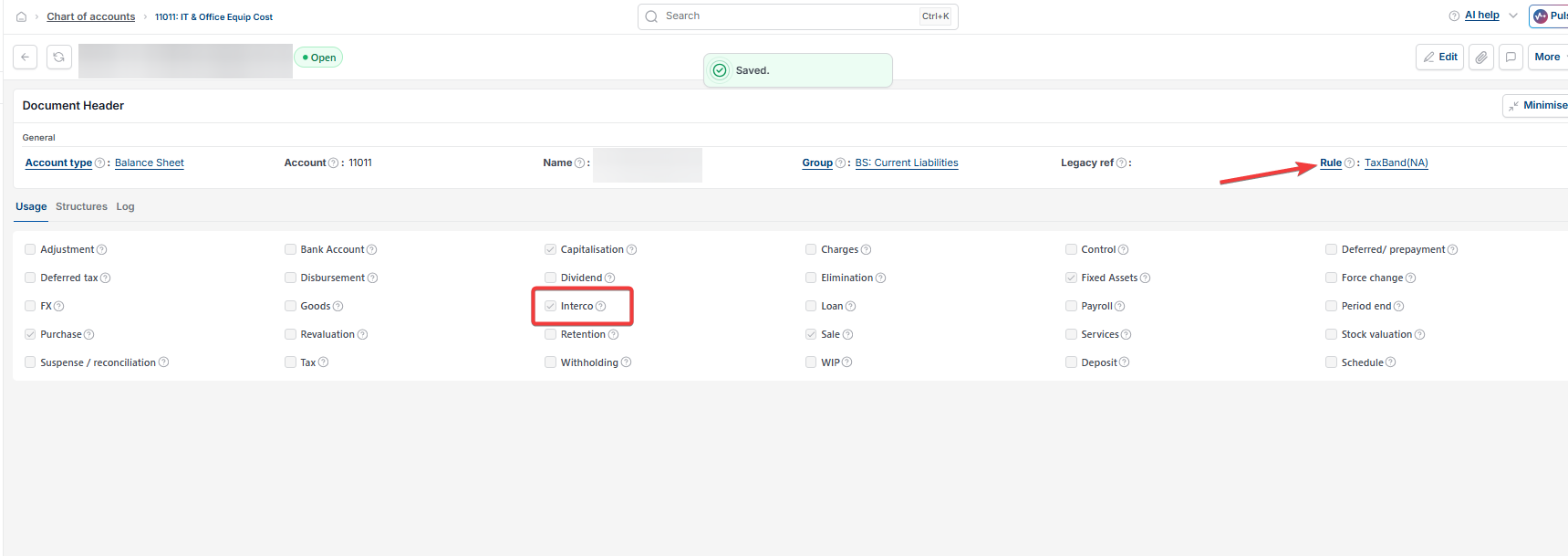
In iplicit, an account code can be marked as intercompany using the 'Interco' checkbox. This tells the General Ledger that postings to this account need to record which legal entity the transaction relates to. For this to work, the Chart of Accounts rule for that account must also expect intercompany information. When the two settings disagree – for example, the account has 'Interco' ticked but the Chart of Accounts rule does not require it – iplicit prevents the journal from posting.
To resolve the error, decide whether the account should behave as an intercompany account. You then have two options.
Option one: Remove the intercompany requirement from the account
Use this option in the Chart of Accounts when the account does not need to record intercompany information and you want journals to post without any intercompany prompt.
- In the left-hand search bar, search for 'Chart of Accounts' and open it
- Locate the account causing the error
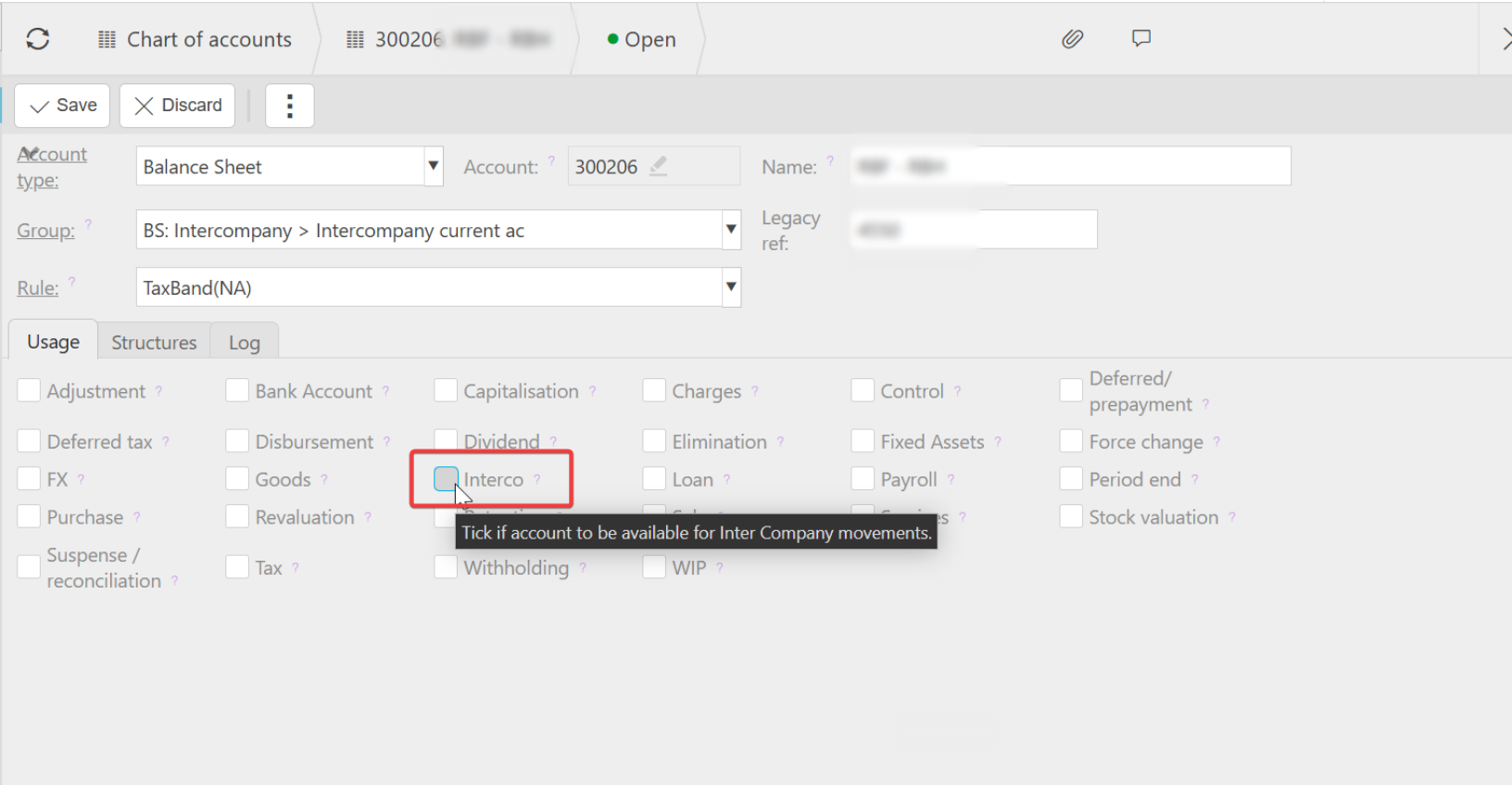
- Select 'Edit'
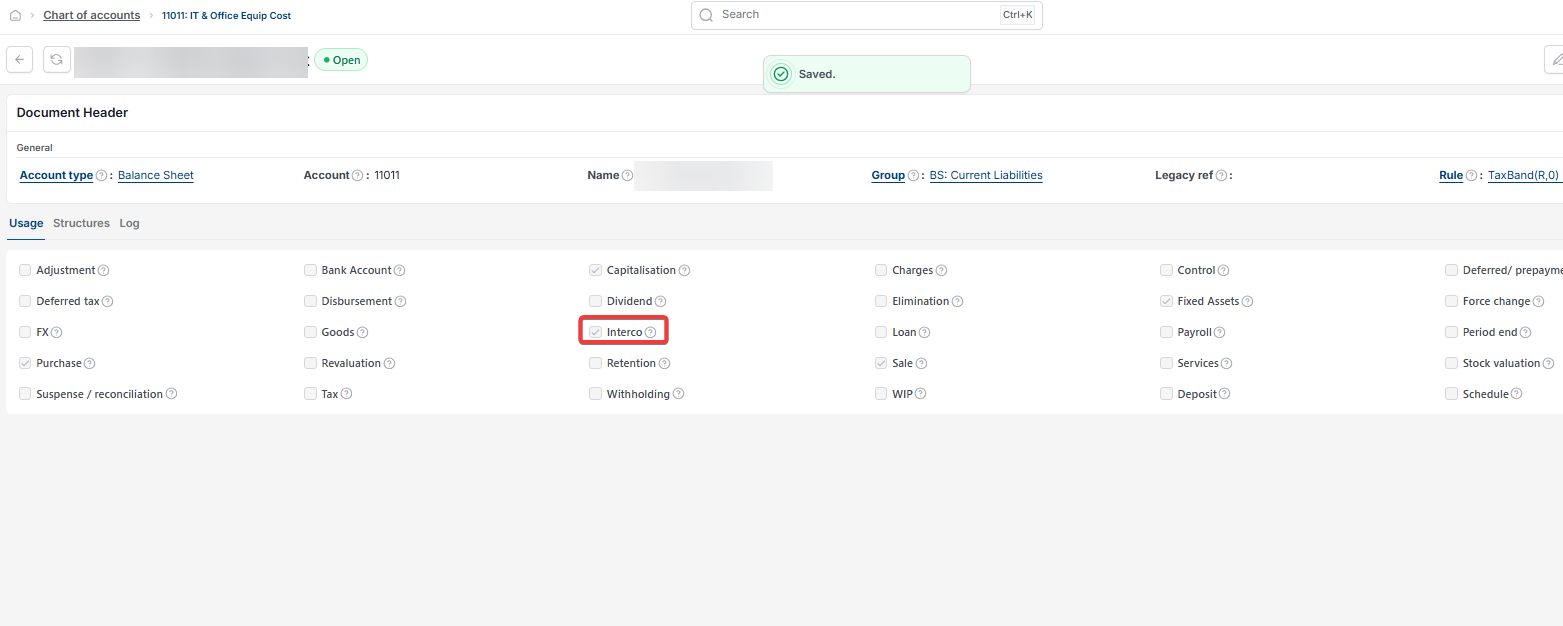
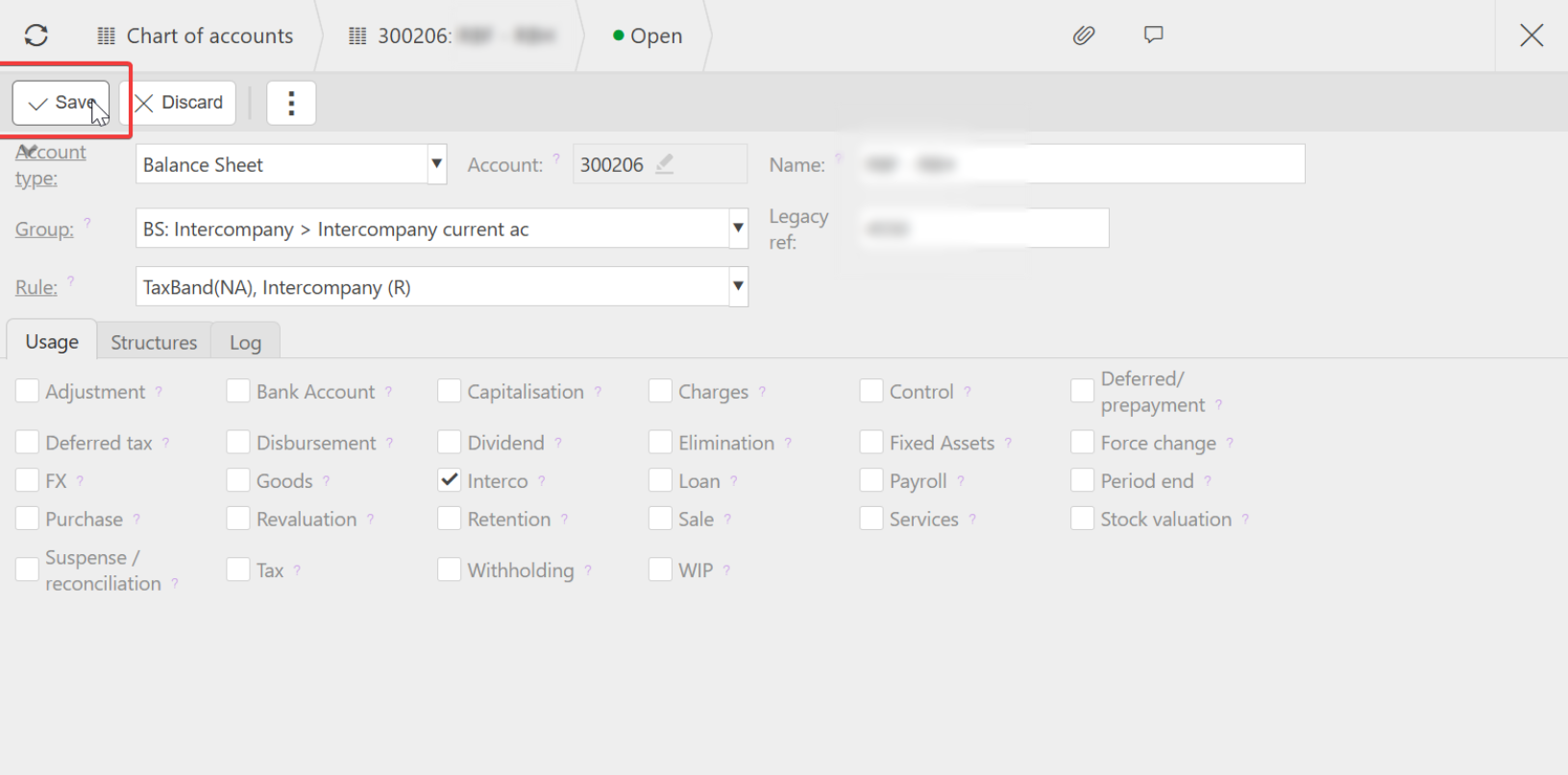
- Untick the 'Interco' checkbox
- Select 'Save'.
The journal will now post without prompting for intercompany details.
Option two: Keep the account as intercompany and align the Chart of Accounts rule
Use this option in the Chart of Accounts when the account should record intercompany information and you want iplicit to enforce it on every posting.
- In the left-hand search bar, search for 'Chart of Accounts' and open it
- Locate the account causing the error
- Select 'Edit'
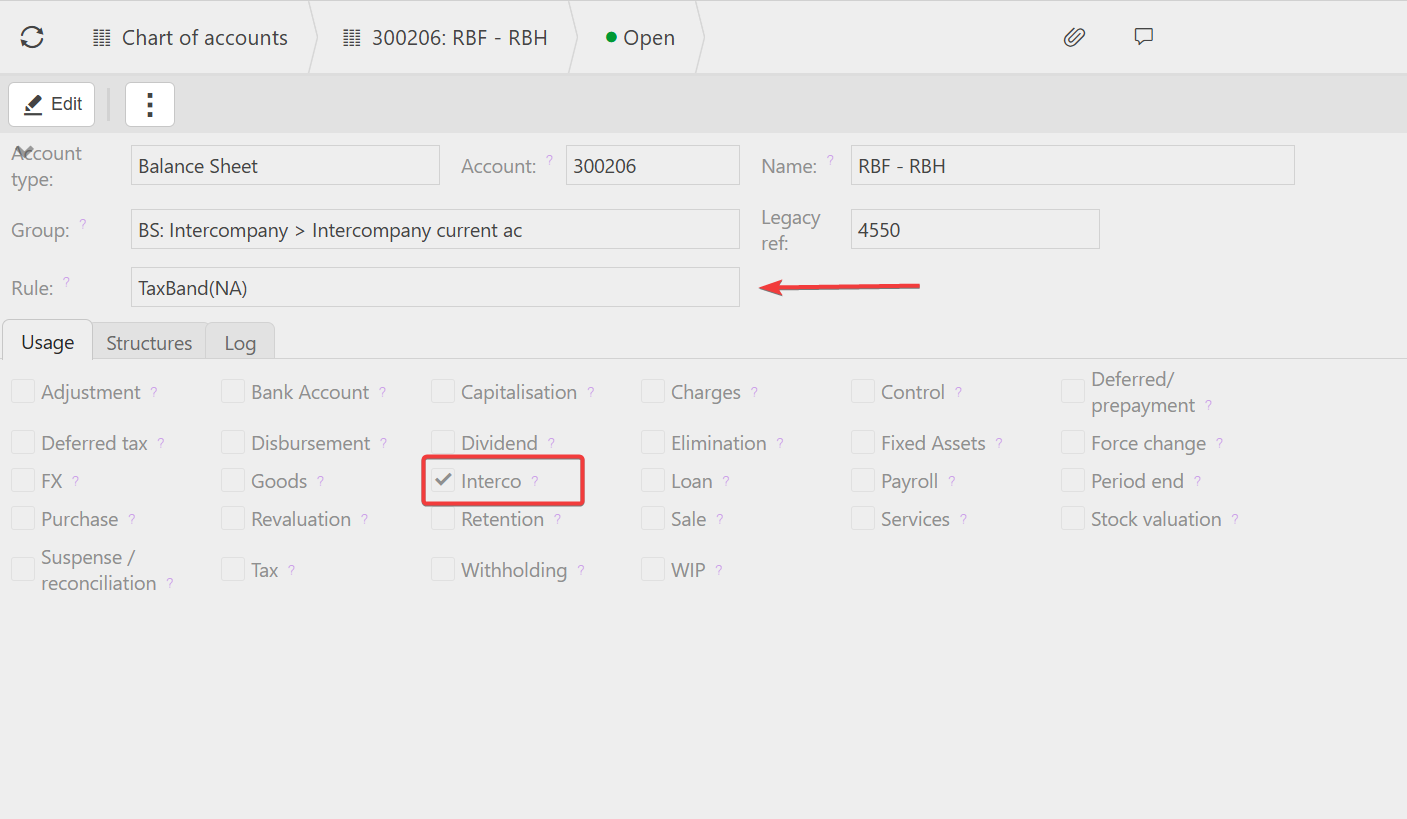
- Leave the 'Interco' checkbox ticked
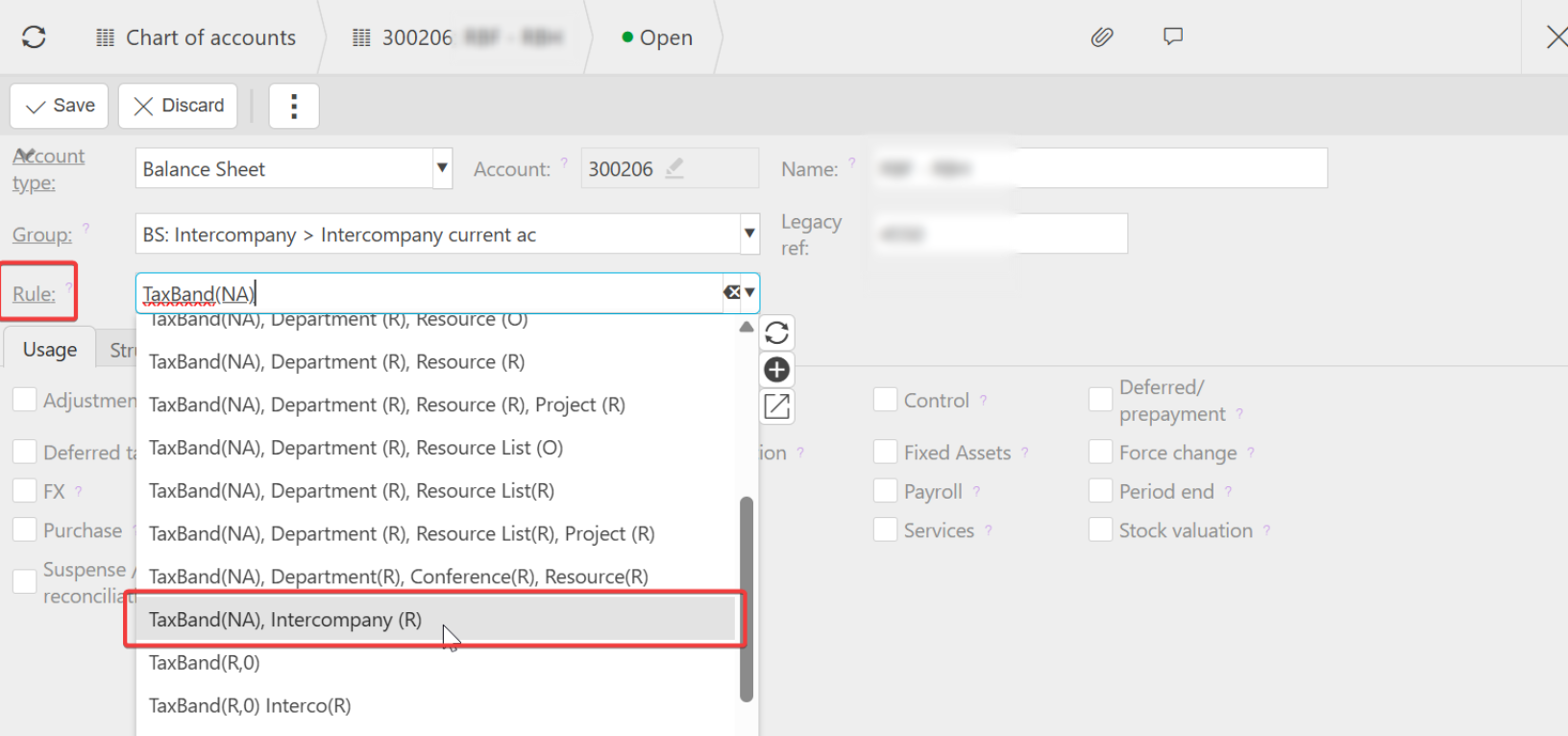
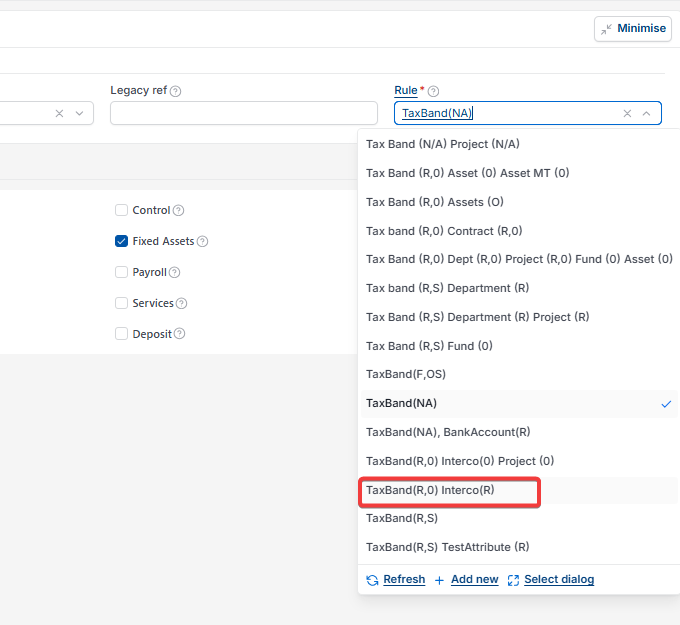
- Either select a rule option that includes Interco (R), or create a new one
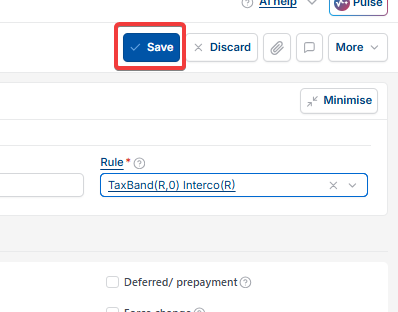
- Select 'Save'.
The journal will now post and iplicit will enforce intercompany details on this account going forward.
Still seeing the error?
Check that:
- The legal entity referenced in the journal is active and that you have permission to post to it
- No other account on the same journal has a conflicting intercompany setting
- The period is open for posting.
If the error continues after these checks, contact iplicit support.
Missing or invalid interco error
Intercompany errors
Intercompany setting
COA intercompany rule
Interco checkbox