

This article covers the automatic period opening feature within iplicit's Financial Year Group setup. Rather than unlocking periods manually each month, you can configure iplicit to open them automatically using the scheduler. Two settings work together to enable this.
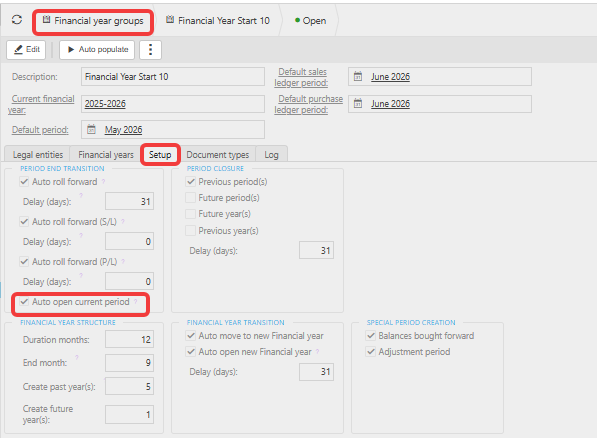
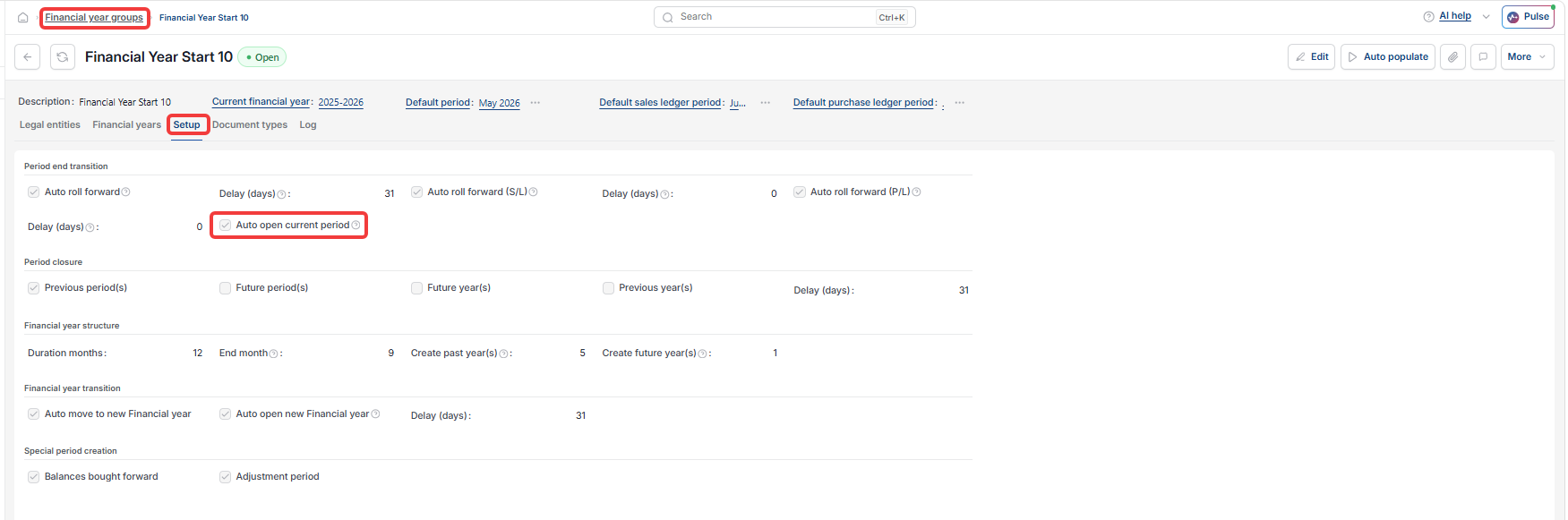
Step one – enable auto open current period
- Navigate to Setup > Financial Year Groups
- Open the relevant Financial Year Group
- Select the 'Setup' tab
- Tick 'Auto open current period'
- Save your changes.
Screenshots for Legacy UI (before October 2026)
Screenshots for New UI (post October 2026)
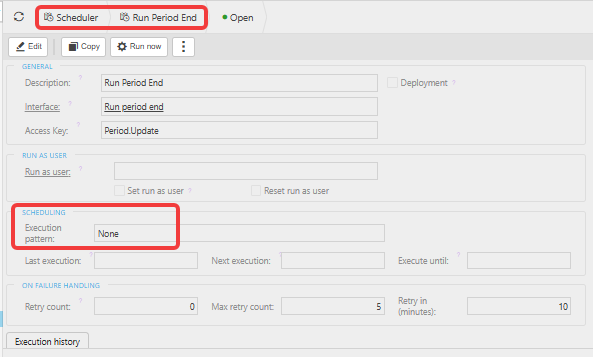
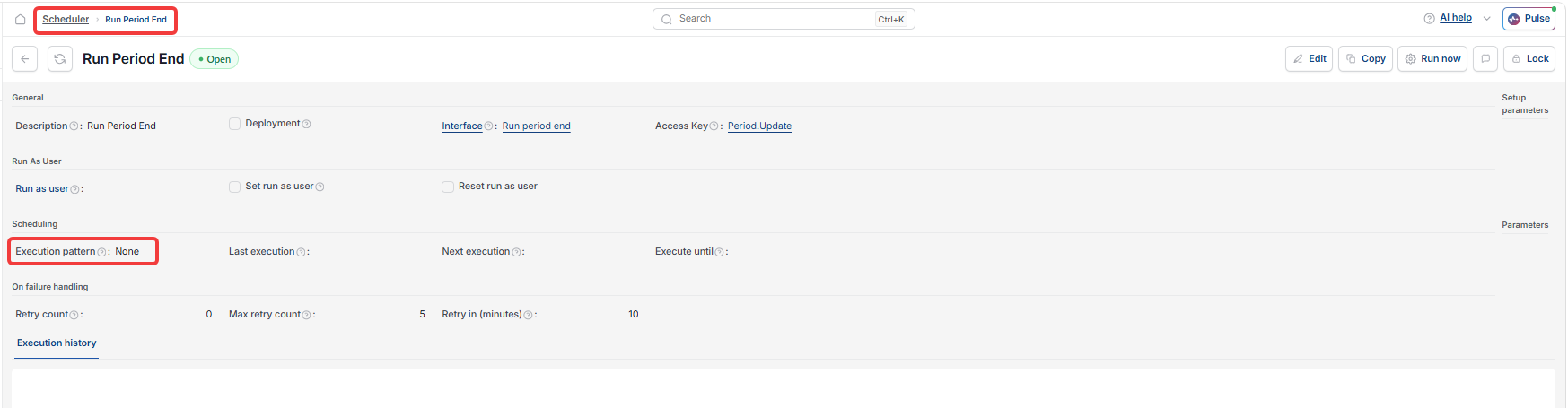
Step two – configure the Period End scheduler
- Navigate to Scheduler > Run Period End
- Enable the scheduler
- Set the execution pattern to match when you want each new period to open – for example, the first day of each month
- Save your changes.
Both settings must be active for automatic period opening to work. The scheduler triggers the auto open function at the frequency you set.
Screenshots for Legacy UI (before October 2026)
Screenshots for New UI (post October 2026)
If you prefer to unlock periods manually
See 'How to unlock a period in iplicit'.
Customer search terms
Auto open periods
Open periods automatically
Run period end scheduler
FYG auto open