

This article covers why a fixed asset gets stuck in 'pending' status in iplicit's Fixed Assets module and how to resolve it. Pending status means the asset has been created but capitalisation has not completed. There are two common causes: a capitalisation rule date that does not cover the asset's purchase date, and a missing useful life.
Diagnosing why a fixed asset is stuck in pending in Fixed Assets
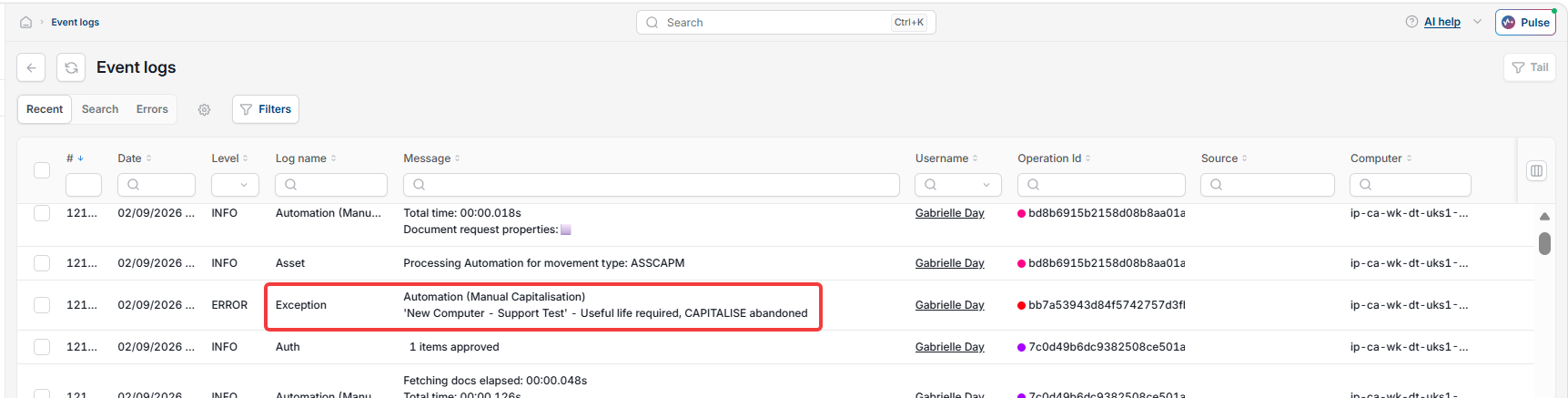
Before making any changes, check the event log on the asset. The event log records what iplicit attempted to do and why it stopped. This is the fastest way to identify what went wrong, so use it any time an asset does not behave as expected, not just for pending status issues.
The error message points you to the cause. The two most common are covered below.
The event log on a fixed asset.
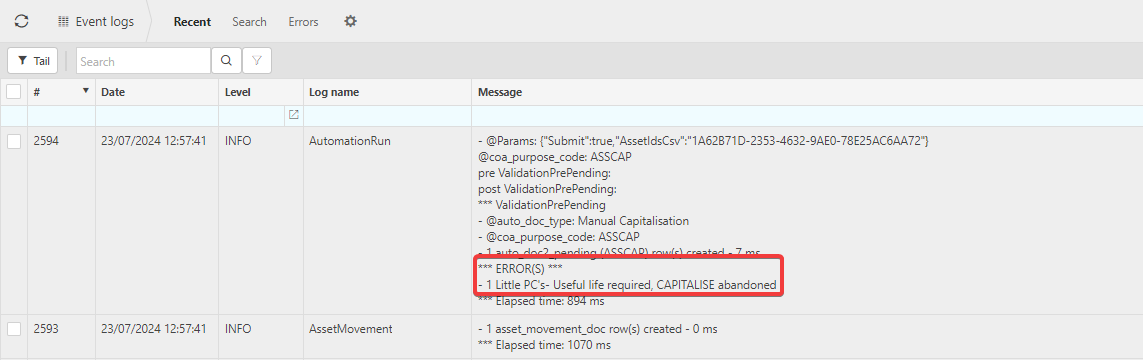
The event log on a fixed asset.
Cause one: fixing a capitalisation rule start date that is after the asset's purchase date in Fixed Assets
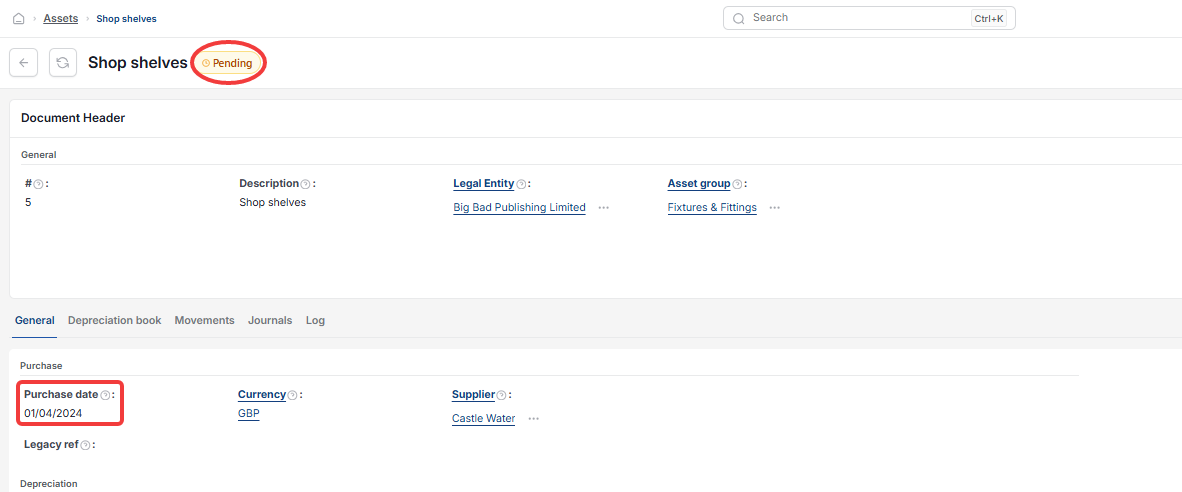
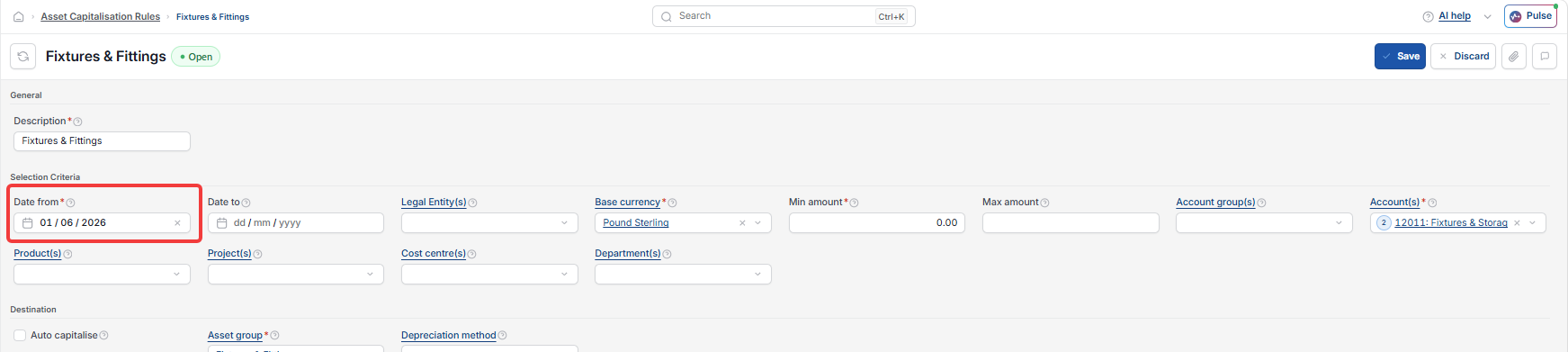
Each capitalisation rule has a 'Date from' field. iplicit only processes assets whose purchase date falls on or after this date. If an asset's purchase date is earlier than the rule's start date, the rule does not apply and the asset gets stuck or does not process.
For example, an asset with a purchase date of 1 April 2024 does not capitalise against a rule with a start date of 1 June 2024.
- Select 'Asset capitalisation rules' from the main menu, or search for it in the quick search (Ctrl+K)
- Open the relevant capitalisation rule
- Select 'Edit'
- Set the 'Date from' to a date earlier than the purchase date of the oldest asset you need to capitalise using this rule
- Save the rule
- Run the auto-capitalisation automation again to process any assets that were previously skipped.
The 'Date from' field on an asset capitalisation rule.
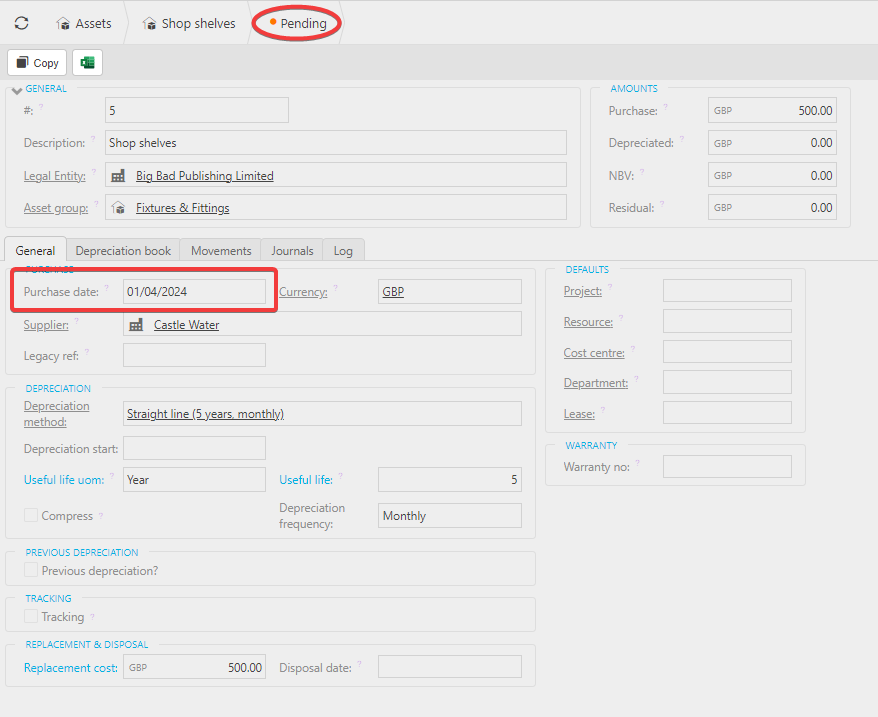
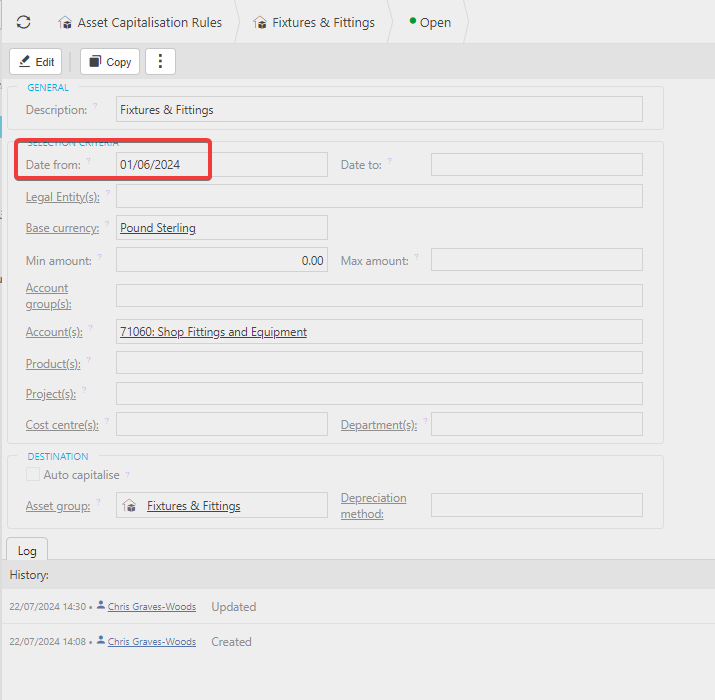
The 'Date from' field on an asset capitalisation rule.
Cause two: adding a useful life to a fixed asset stuck in pending in Fixed Assets
iplicit cannot generate a depreciation schedule without a useful life. If the asset group does not specify a depreciation duration and none has been entered on the asset record, iplicit cannot complete capitalisation and the asset stays in pending.
- Open the asset record
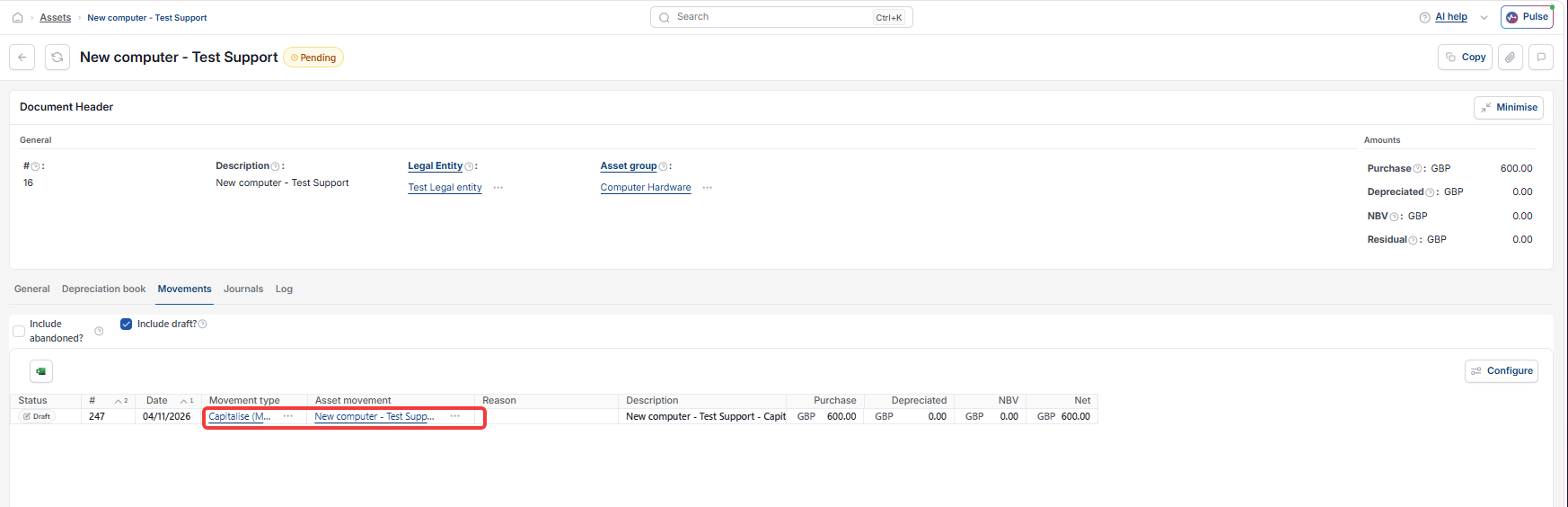
- Check the 'Movements' tab and open the movement that was created
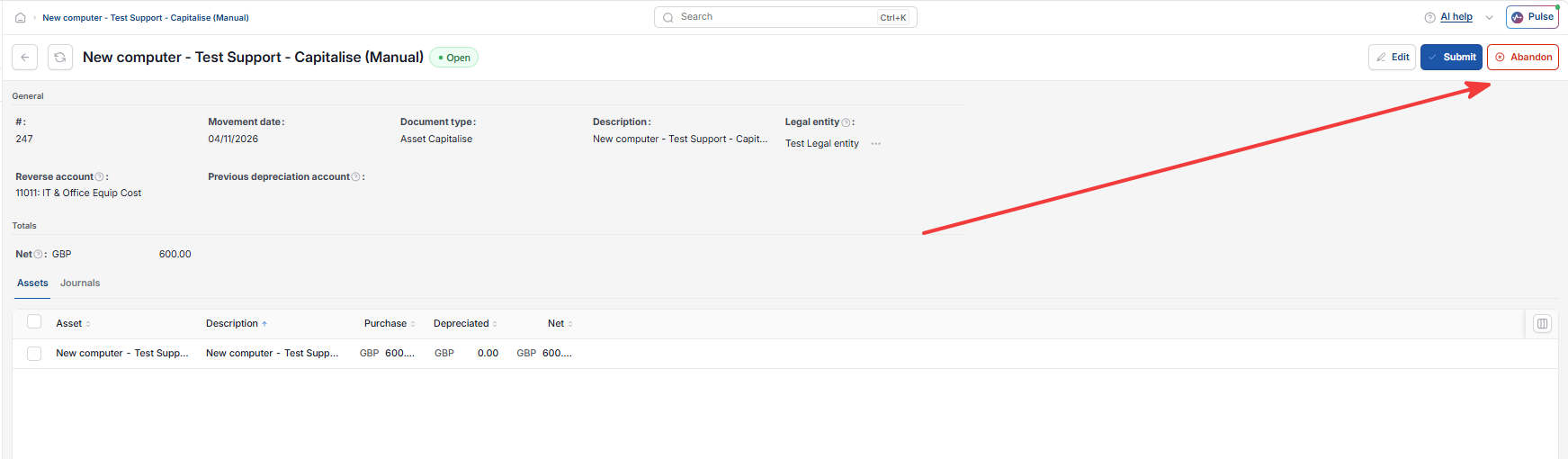
- Select 'Abandon' on the movement – this returns the asset to 'Approved' status
- Select 'Amend' on the asset record
- Enter a useful life in the depreciation section
- Select 'Submit' to reapprove the asset
- Select 'Capitalise (Manual)', or allow the auto-capitalisation automation to run.
Abandoning the movement and entering a useful life on the asset.
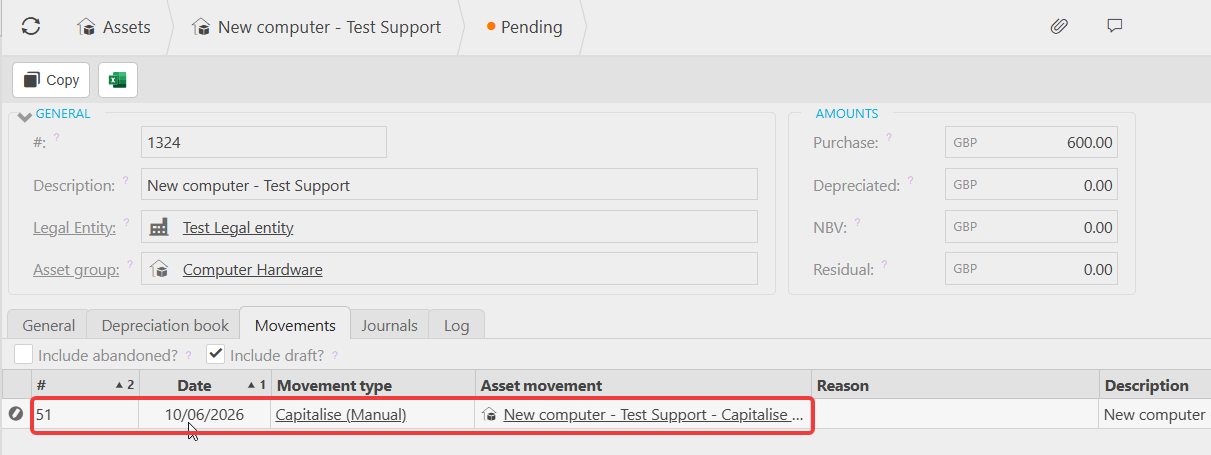
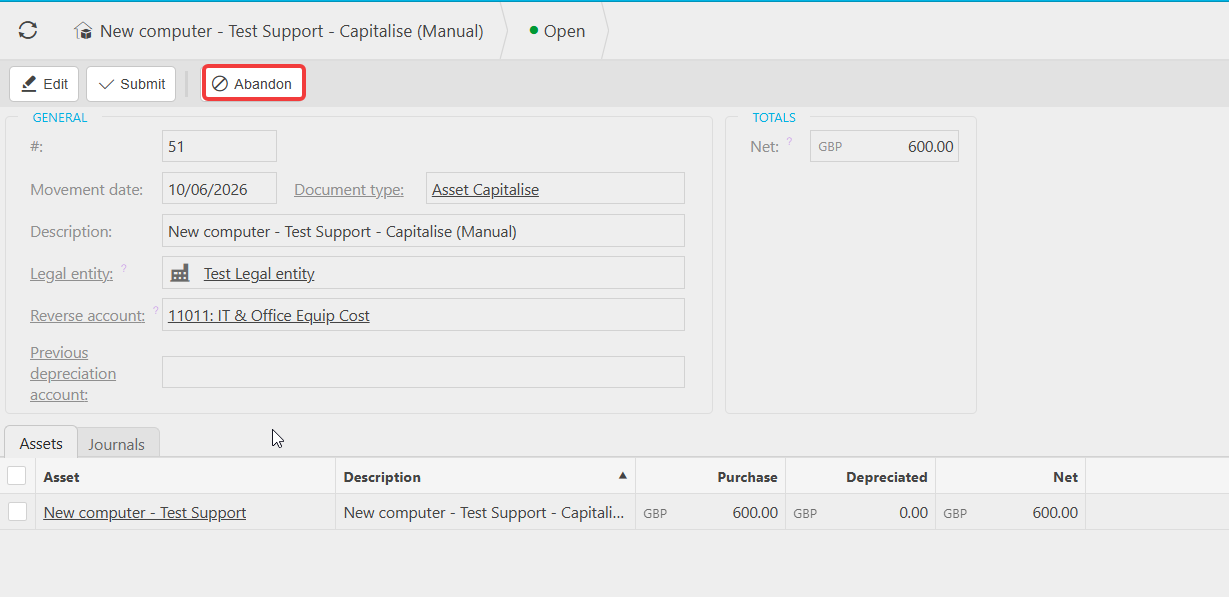
Abandoning the movement and entering a useful life on the asset.
Fixed asset still stuck in pending after checking both causes in Fixed Assets
If the event log does not show either of the above errors, check the following:
- The financial year is open and year end has not been run for that period
- The document series for fixed assets is unlocked and its start date is earlier than the asset's purchase date – see 'How to set up document types and series for fixed assets in iplicit'
- The GL account on the source document has 'Asset capitalisation' ticked in the Chart of Accounts.
Pending asset
Fixed asset stuck in pending
No useful life error
Date discrepancy for assets
Asset not capitalising
Asset capitalisation rule date from
Abandon asset movement