

This article covers how to configure automated approval reminder emails in iplicit using the Scheduler. When a document – such as a purchase invoice – is waiting for an approver to authorise it, iplicit can send reminder emails automatically at a schedule you define. This is not something iplicit does by default; it requires a one-time setup in the Scheduler.
What is the Scheduler and why does it matter for approvals?
The Scheduler in iplicit is a tool that runs tasks automatically at set times – like a repeating alarm clock for system actions. One of those tasks is 'Send Pending Authorisations Reminder', which checks for any documents waiting to be approved and sends an email reminder to the relevant approvers.
Think of it like a colleague who checks the approval queue every morning and emails anyone who still has something waiting. Without this task being set up, no automatic reminders are sent.
Setting up the approval reminder task in the Scheduler
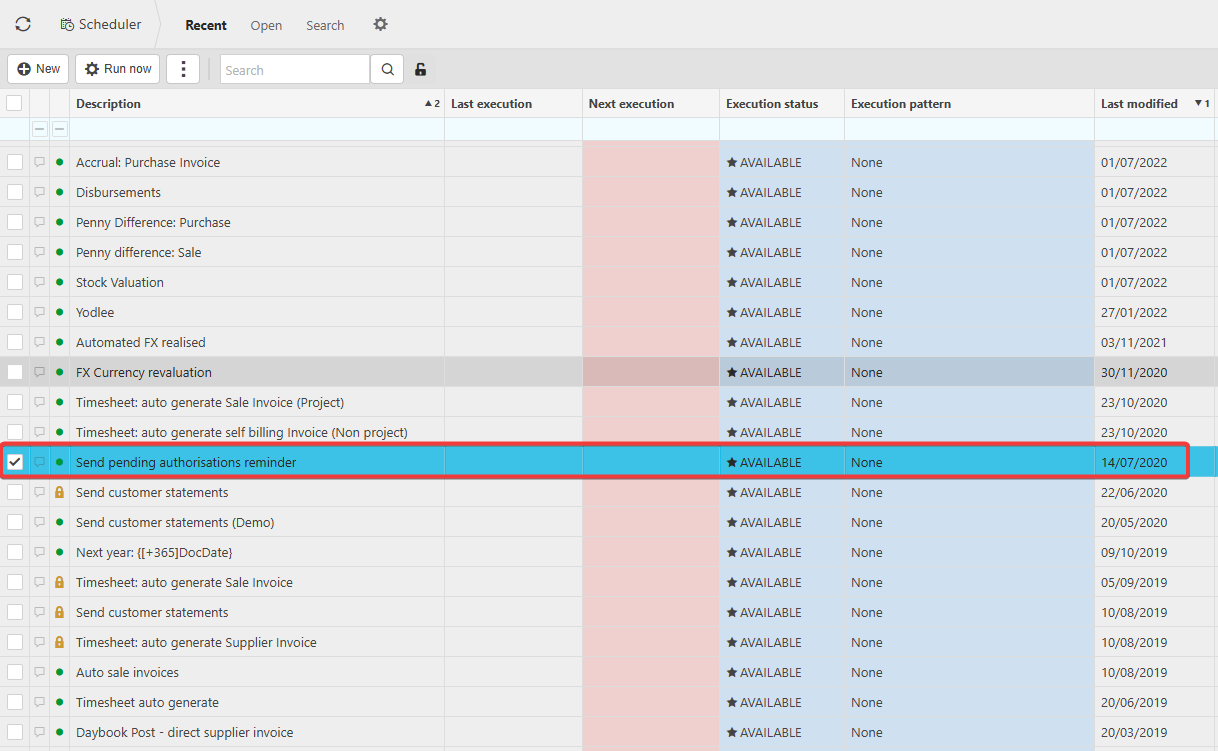
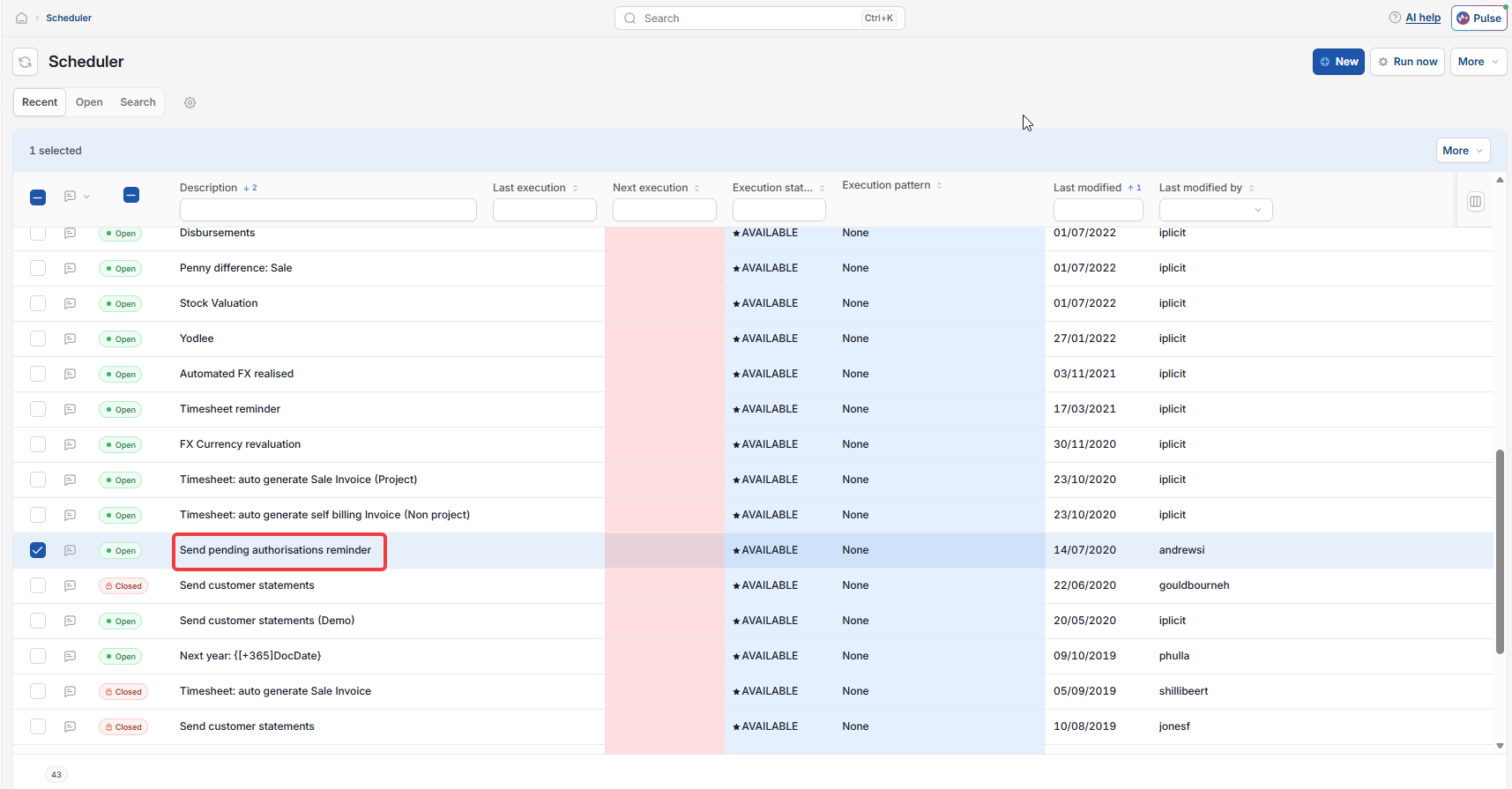
Navigate to the Scheduler screen and locate the task called 'Send Pending Authorisations Reminder'.
- Open the task to view its current configuration
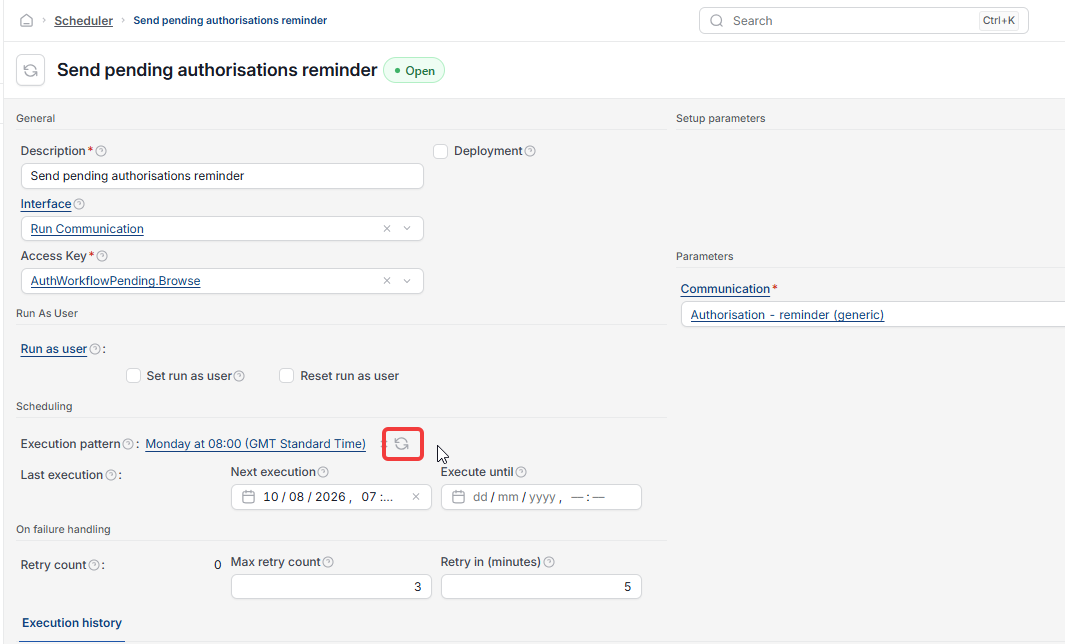
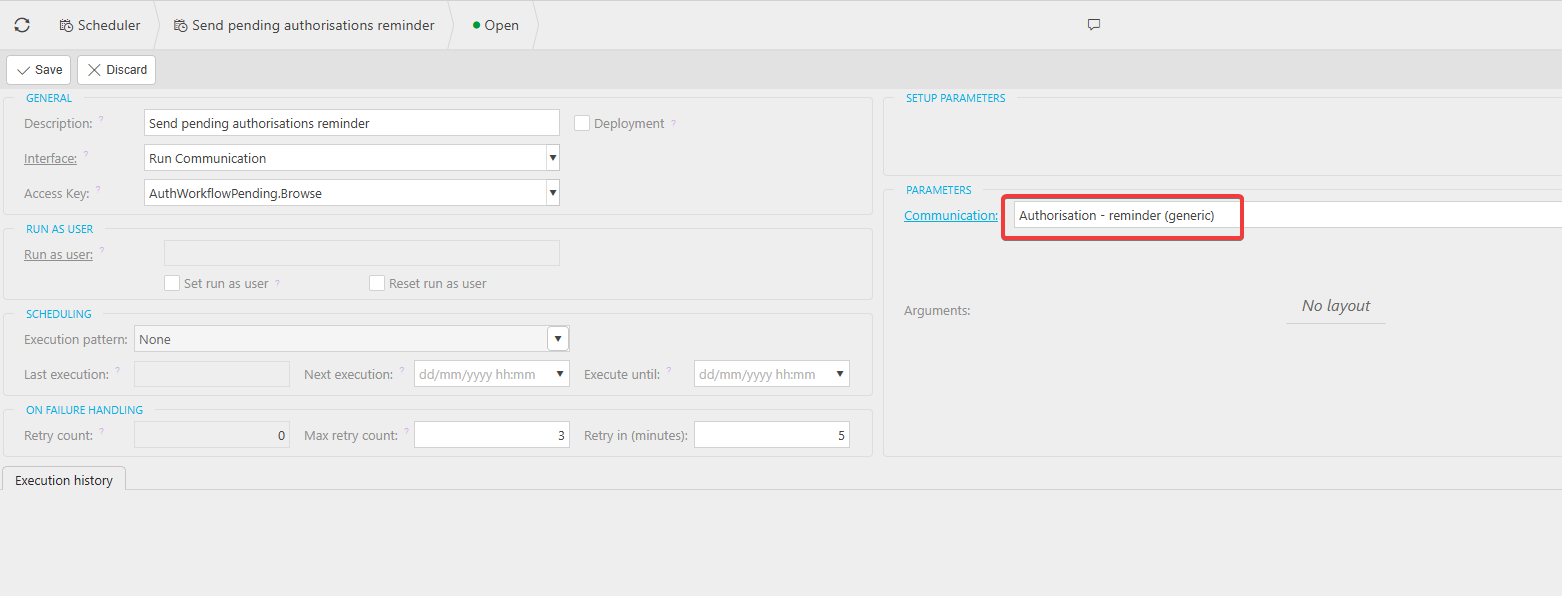
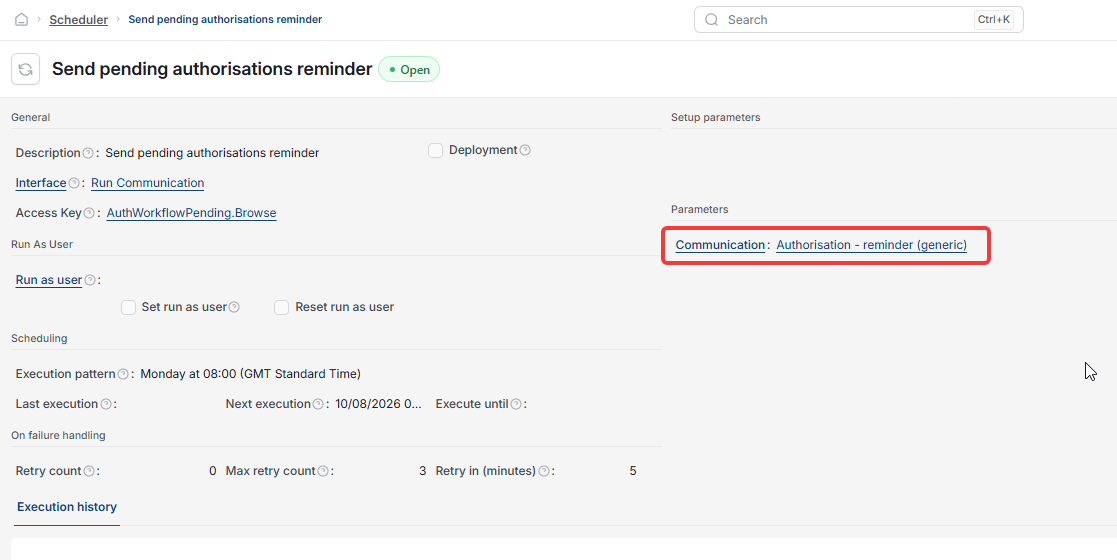
- Check that the correct communication template is selected – this controls what the reminder email says to approvers
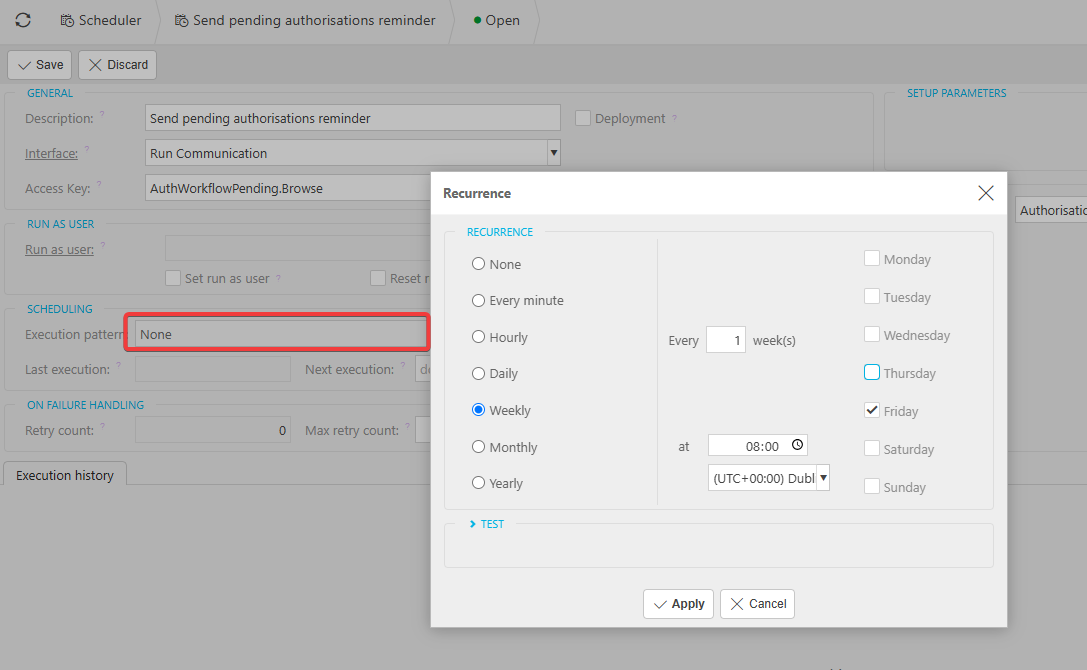
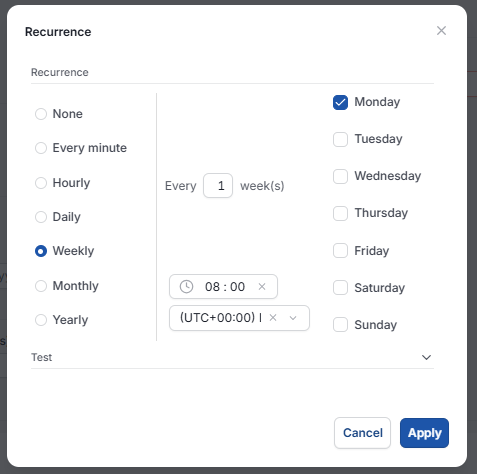
- Set the execution pattern to define how often the reminders are sent (for example, daily or weekly)
- Save the task configuration.
At each scheduled run time, iplicit checks for all documents with outstanding approvals and sends reminder emails to the relevant approvers automatically.
Choosing the right communication template for approval reminders
The communication template you select controls the content of the reminder email that approvers receive. A template configured specifically for approval reminders should be selected so that the message contains the right information.
If no suitable template exists, one will need to be created or configured before completing the Scheduler setup. Contact iplicit support if you're unsure how to set one up.
What happens after setting up approval reminders in the Scheduler
Once the task is active, iplicit runs it automatically at the times you defined. Each time it runs, it:
- Checks for any documents (such as purchase invoices, expenses or purchase orders) that are still pending approval
- Identifies the approvers who need to take action
- Sends a reminder email to each of those approvers based on the communication template selected.
There is no limit to how many documents can be included in a single reminder run. All outstanding approvals are covered each time the task executes.
Authorisation reminders
Remind approvers of pending approvals
Pending approvals
Schedule reminders to approvers
Approval reminders