

This article covers how to close a purchase order or sales order that is no longer required in iplicit. The action you take depends on whether any matching has already taken place against the order.
Choosing the right action
Two options are available for closing an unwanted order in iplicit – writing off the remaining balance or abandoning it. The correct option depends on whether invoices or receipts have been matched against the order:
- If matching has taken place (fully or partially), use 'Write off' to close the order
- If no matching has taken place, use 'Amend' and then 'Abandon' to close the order.
Both options stop the order from being used going forward. The difference is in when each applies.
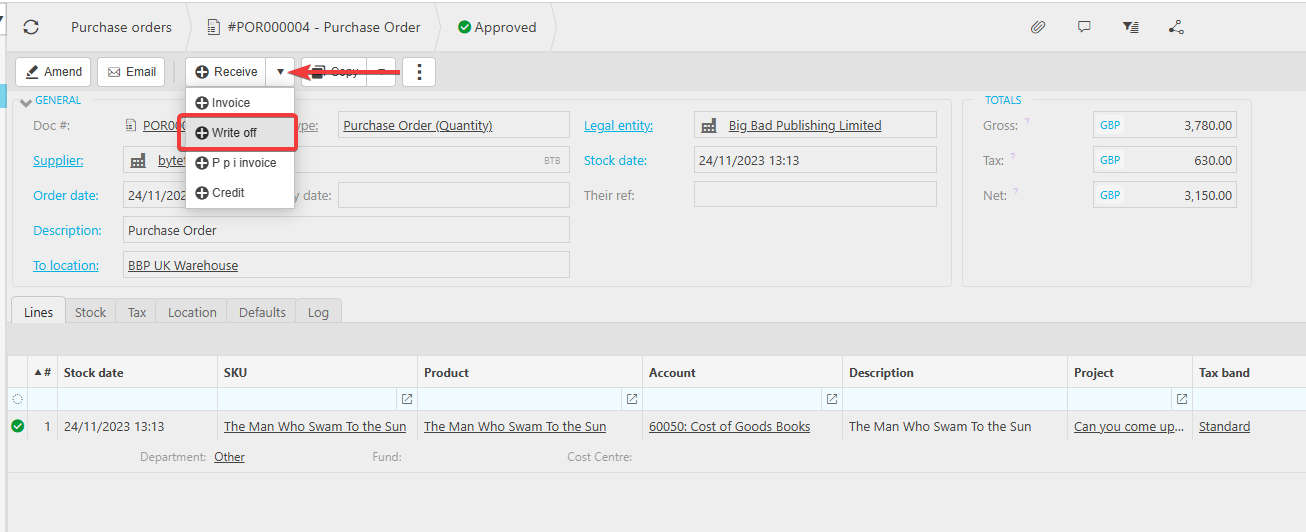
Writing off an order with existing matching
Use this option when invoices or receipts have already been matched against the order, either fully or partially. The steps are the same for both purchase orders and sales orders.
- Navigate to Purchase Orders or Sales Orders
- Open the relevant order
- Select the three dots menu
- Select 'Write off'
- Confirm the write off.
The order is now closed and no further processing can take place against it.
Abandoning an order with no matching
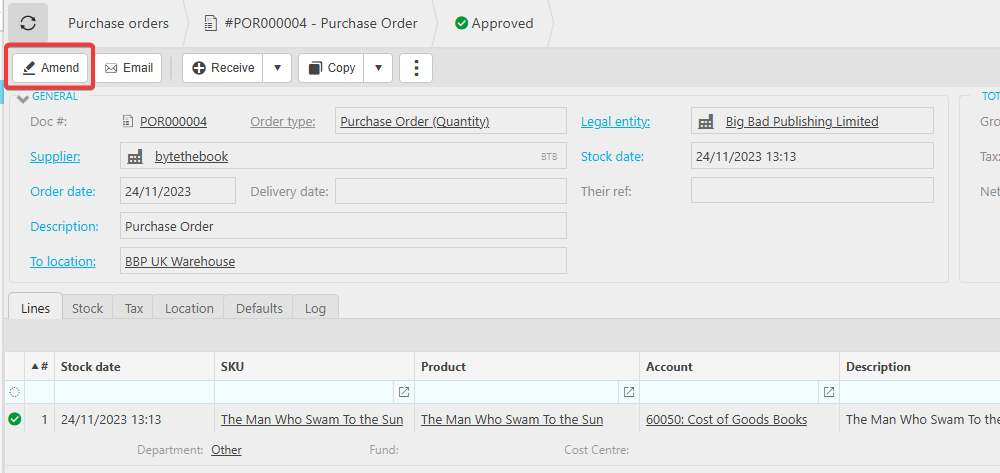
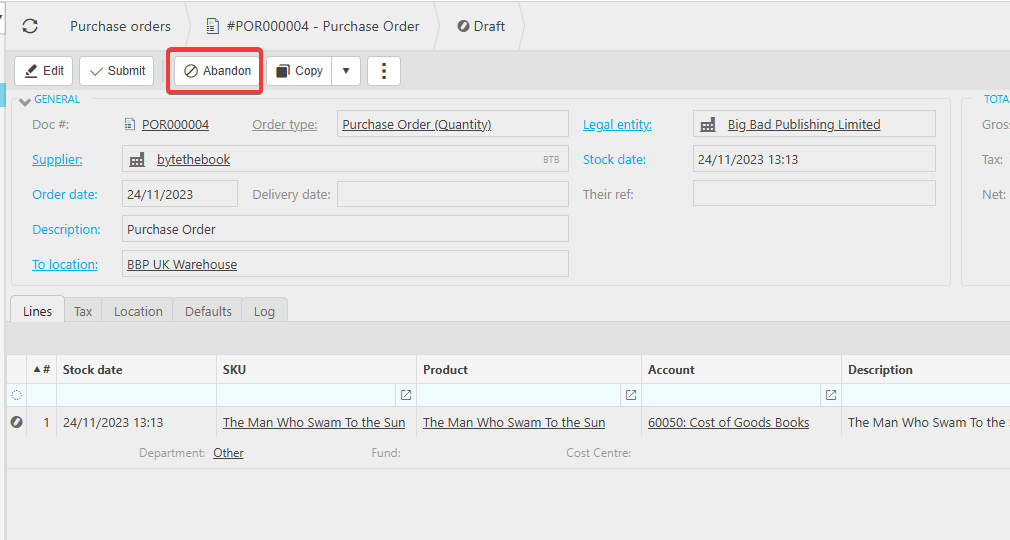
Use this option when the order has been approved but no invoices or receipts have been matched against it. The steps are the same for both purchase orders and sales orders.
- Navigate to Purchase Orders or Sales Orders
- Open the relevant order
- Select 'Amend'
- Select 'Abandon'
- Confirm the abandonment.
The order is now closed and cannot be used going forward.
Close purchase order
Close sales order
Unwanted order
Abandon order
Remove purchase order
Remove sales order