

This article covers how to change the default note group that appears when adding a credit control note in iplicit. By default, the 'Credit control note group' field in 'Environment defaults' may be set to a group such as 'Bad debt'. If you want notes to default to a different group instead – for example 'Credit control' – this is changed in 'Environment defaults', not on the note itself.
Where to find the credit control note group setting
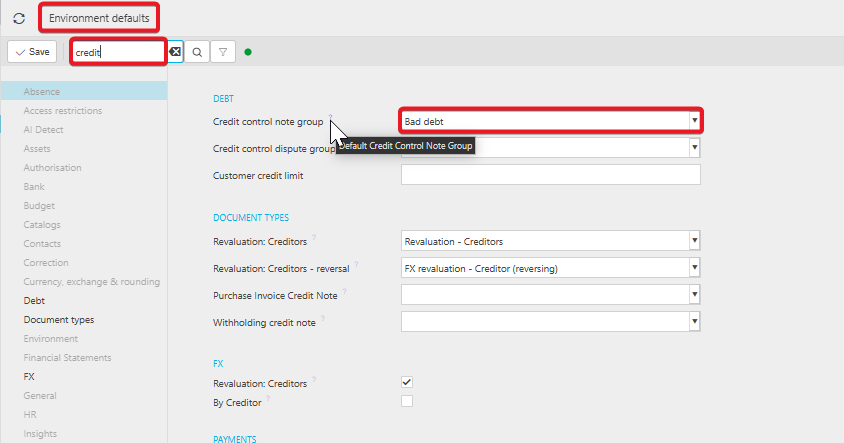
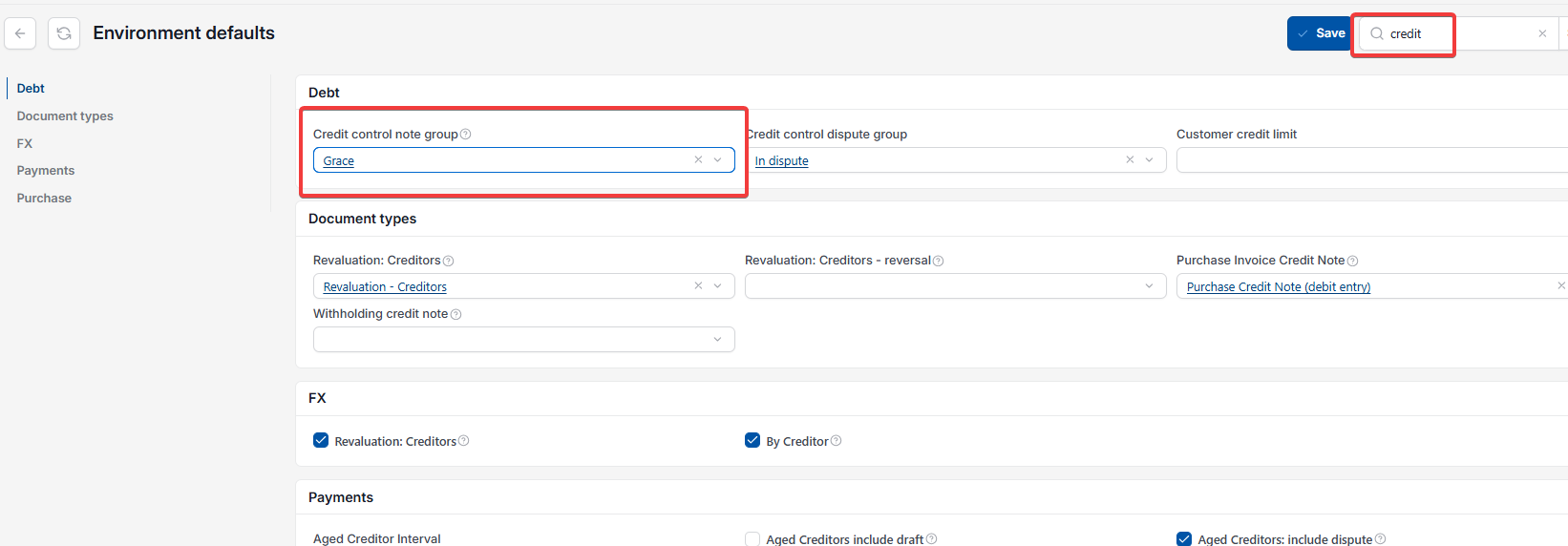
Navigate to 'Environment defaults' and search 'credit' in the search field. Under the 'Debt' section, locate the 'Credit control note group' field. This field controls which note group is automatically selected whenever a user adds a new credit control note, whether that note is added against a customer, an invoice or elsewhere in the Credit Control module.
Changing the default credit control note group
- In 'Environment defaults', search 'credit'
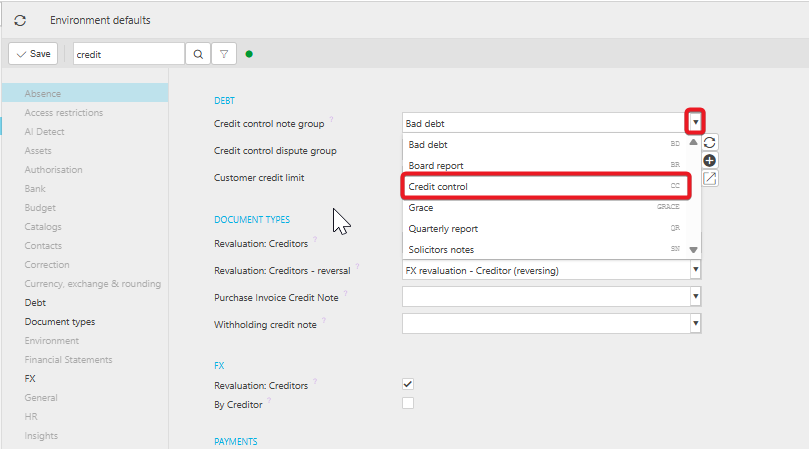
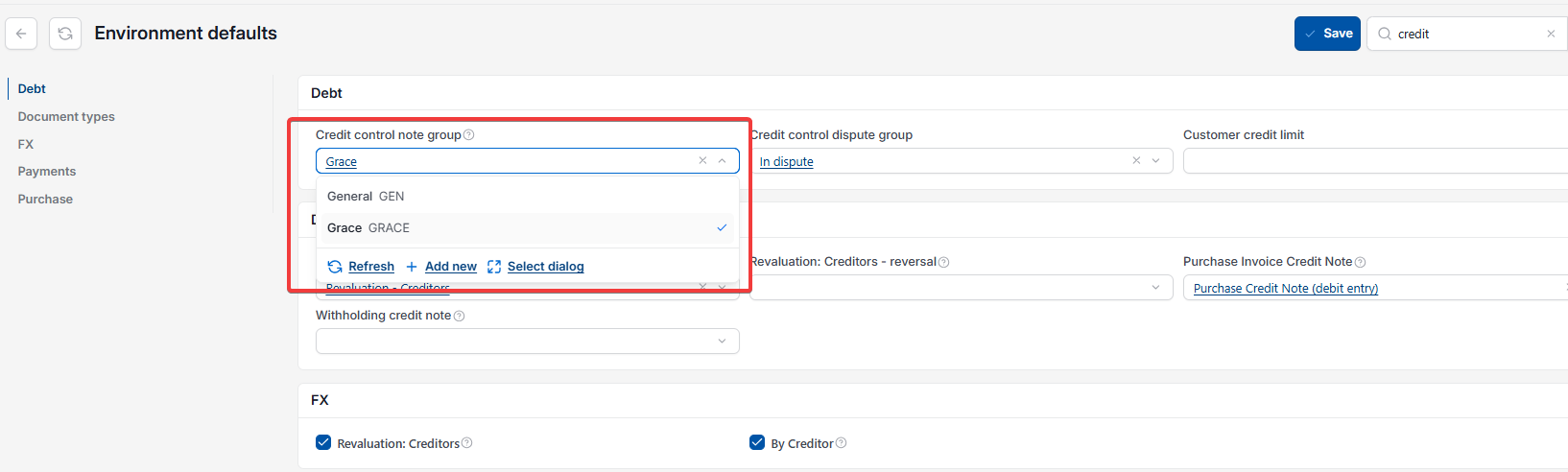
- Select the drop-down next to 'Credit control note group'
- Choose the note group you want to default to – for example 'Credit control' instead of 'Bad debt'
- Select 'Save'.
Once saved, any new credit control note added will default to the group selected here. The user can still manually change the note group on an individual note if a specific note needs a different group, such as 'Bad debt' or 'In dispute'.
Default Credit Control Note Group
Change Credit Control Note Default
Credit Control Note Bad Debt
Environment Defaults Credit Control
Note Group Default Credit Control