

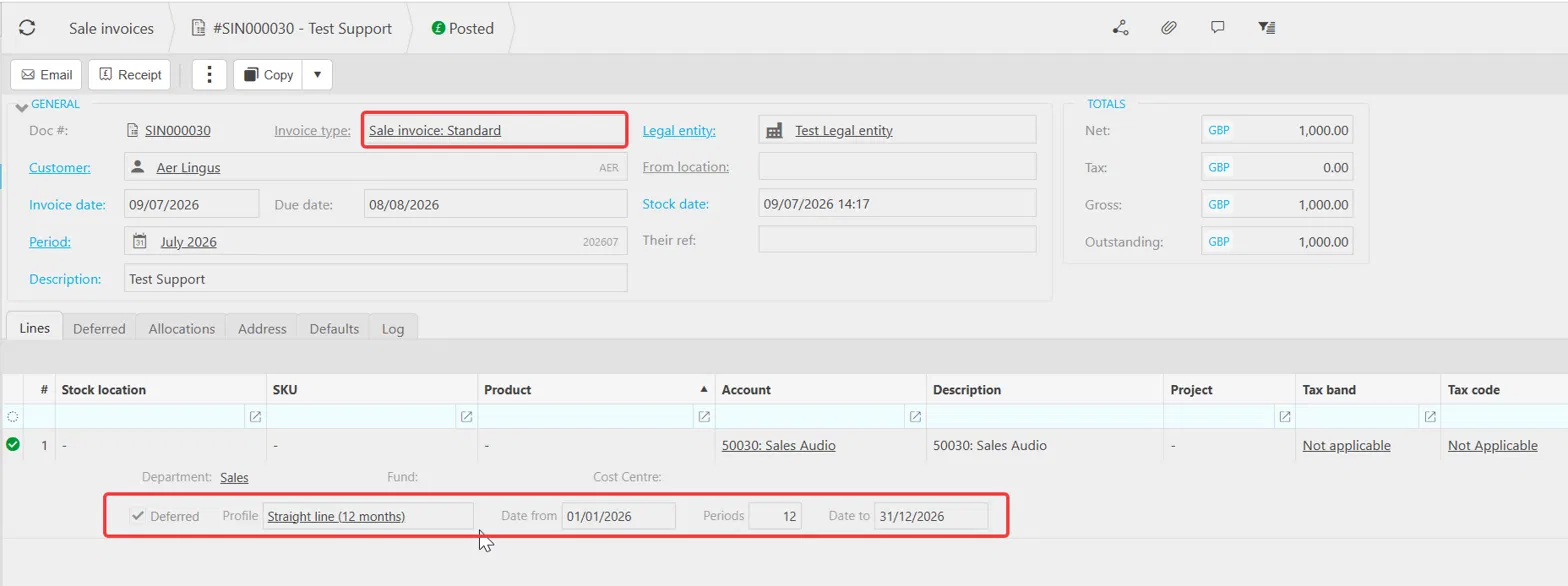
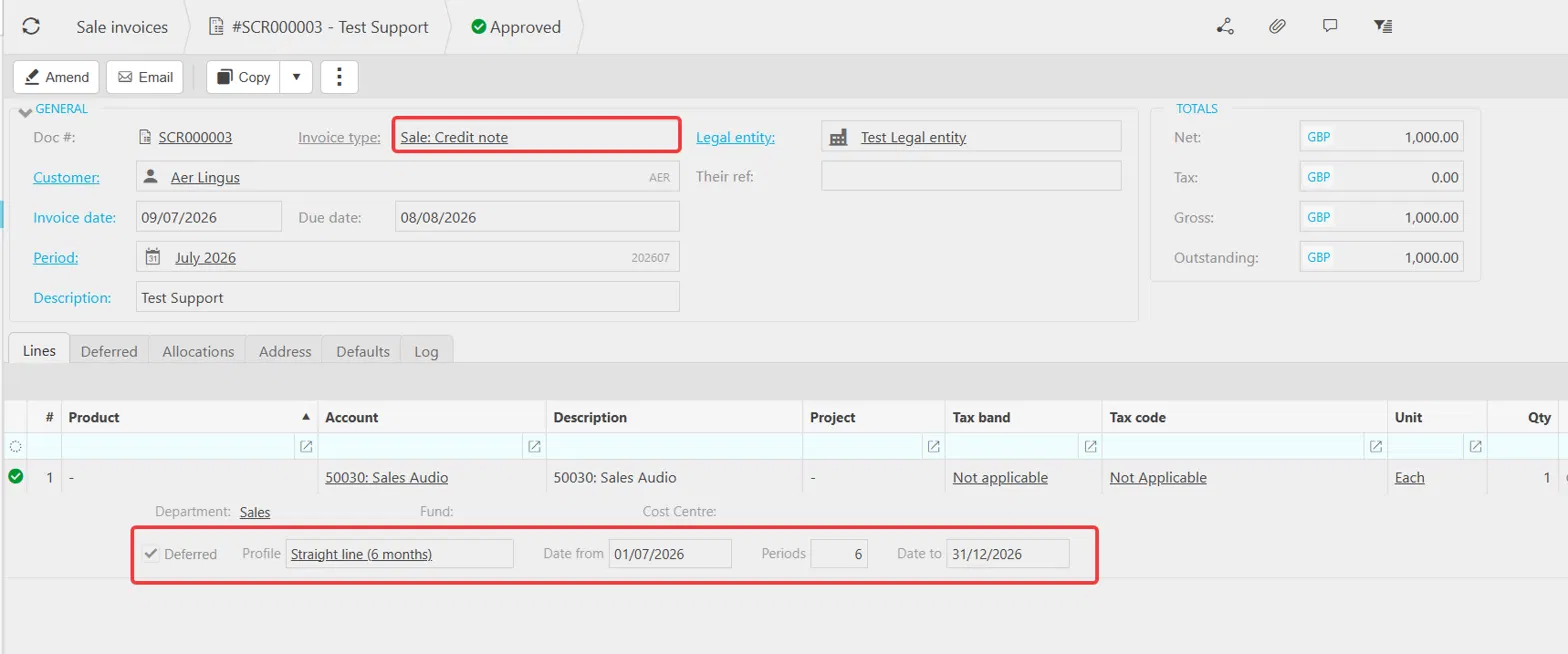
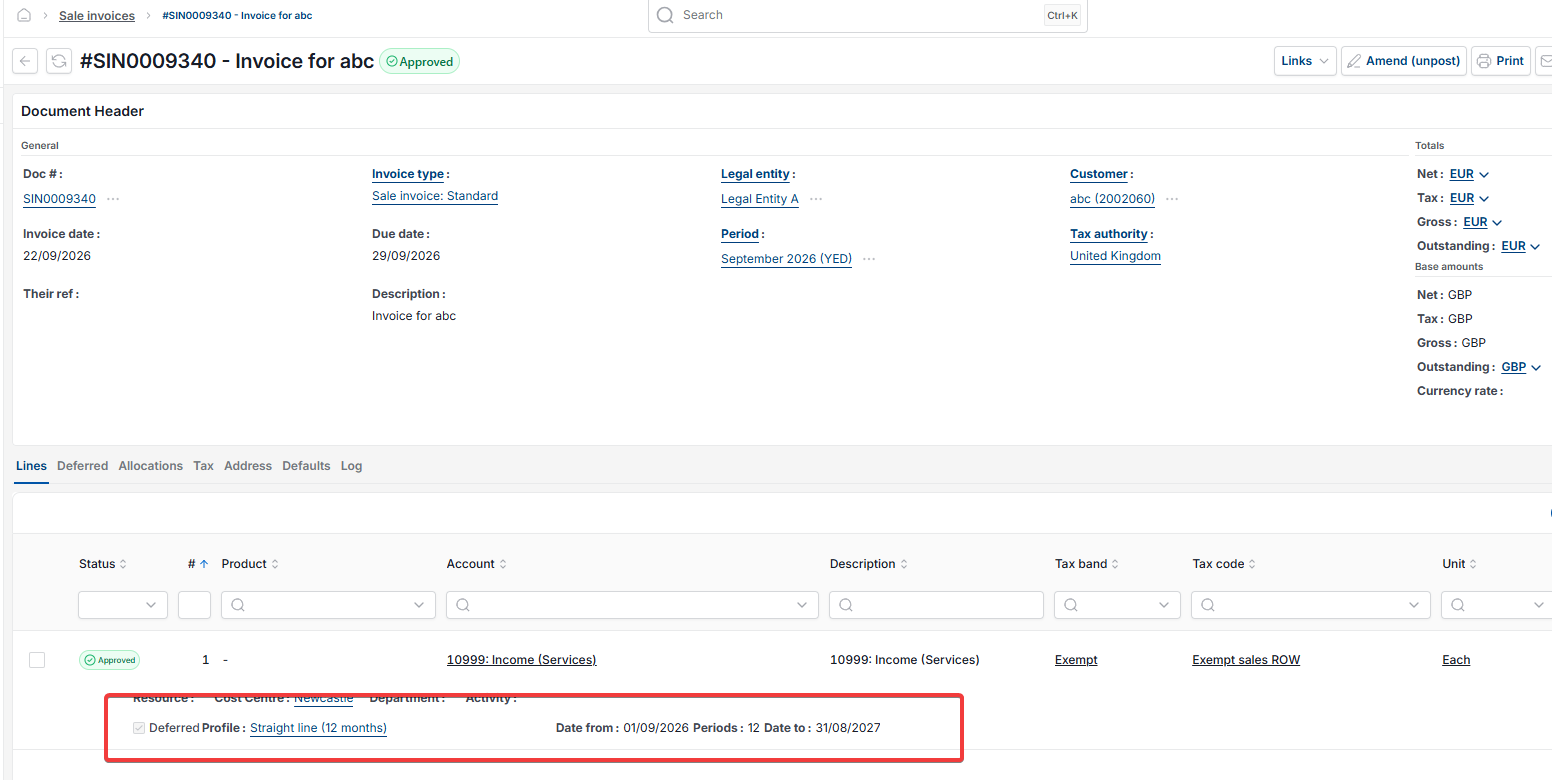
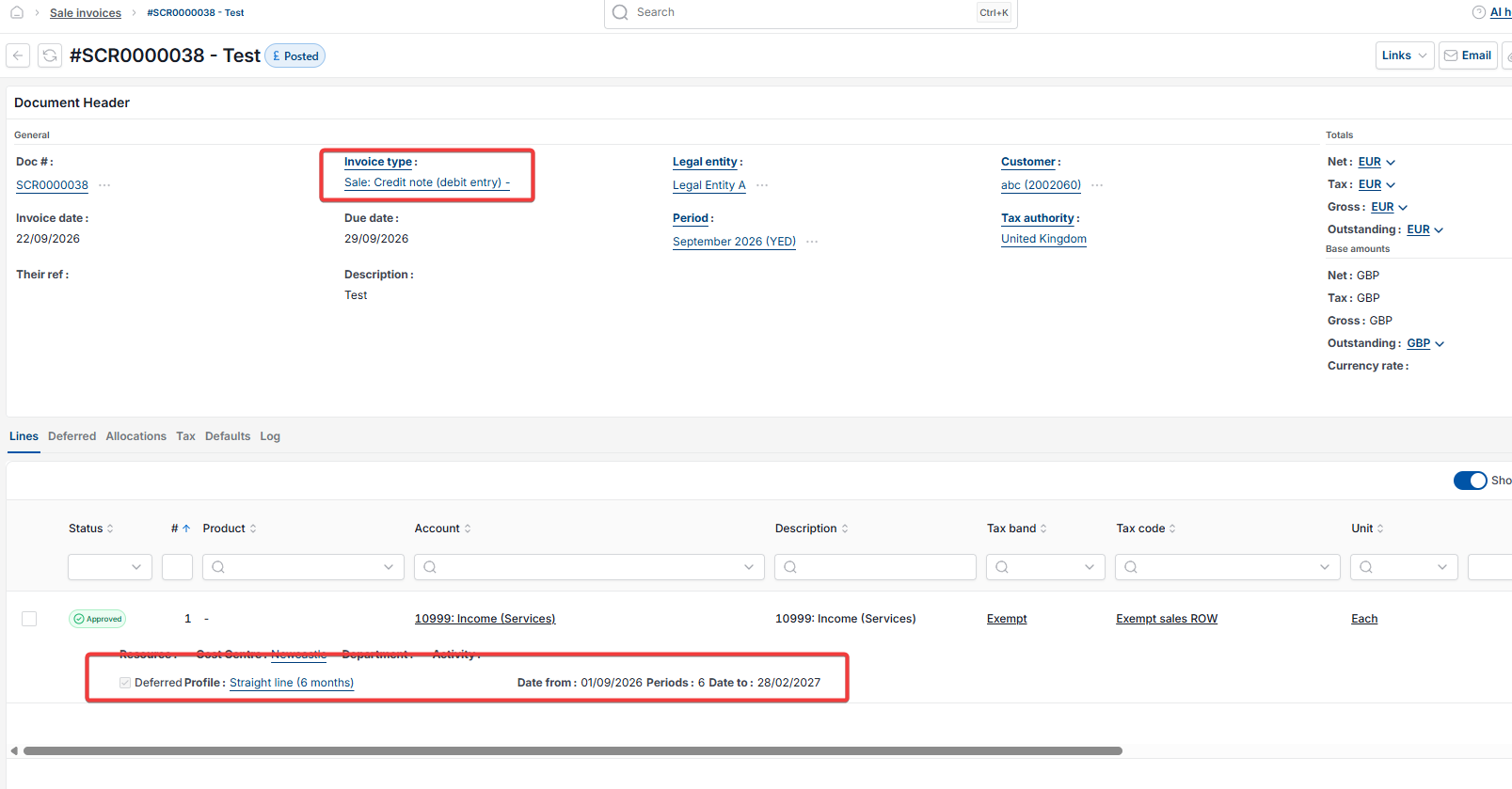
This article covers how to credit note a deferred income sale invoice in the Sales Ledger. This applies when you have refunded a customer, in part or in full, against a sale invoice that has a deferred income distribution profile running against it. The original invoice and its release schedule remain untouched. A sale credit note is raised with its own matching deferred income profile, which runs alongside the original to counterbalance the refunded portion.
How the credit note process works for deferred income
When a customer is refunded against a deferred income invoice, iplicit handles this through a sale credit note rather than amending the original invoice. The credit note carries its own deferred income distribution profile, set up to match the periods and GL account of the refunded portion. The two schedules then run in parallel in the Sales Ledger – the original invoice continues releasing the full amount of income, and the credit note releases the refunded amount back out, with the net effect being the correct income position.
Before raising a deferred income credit note
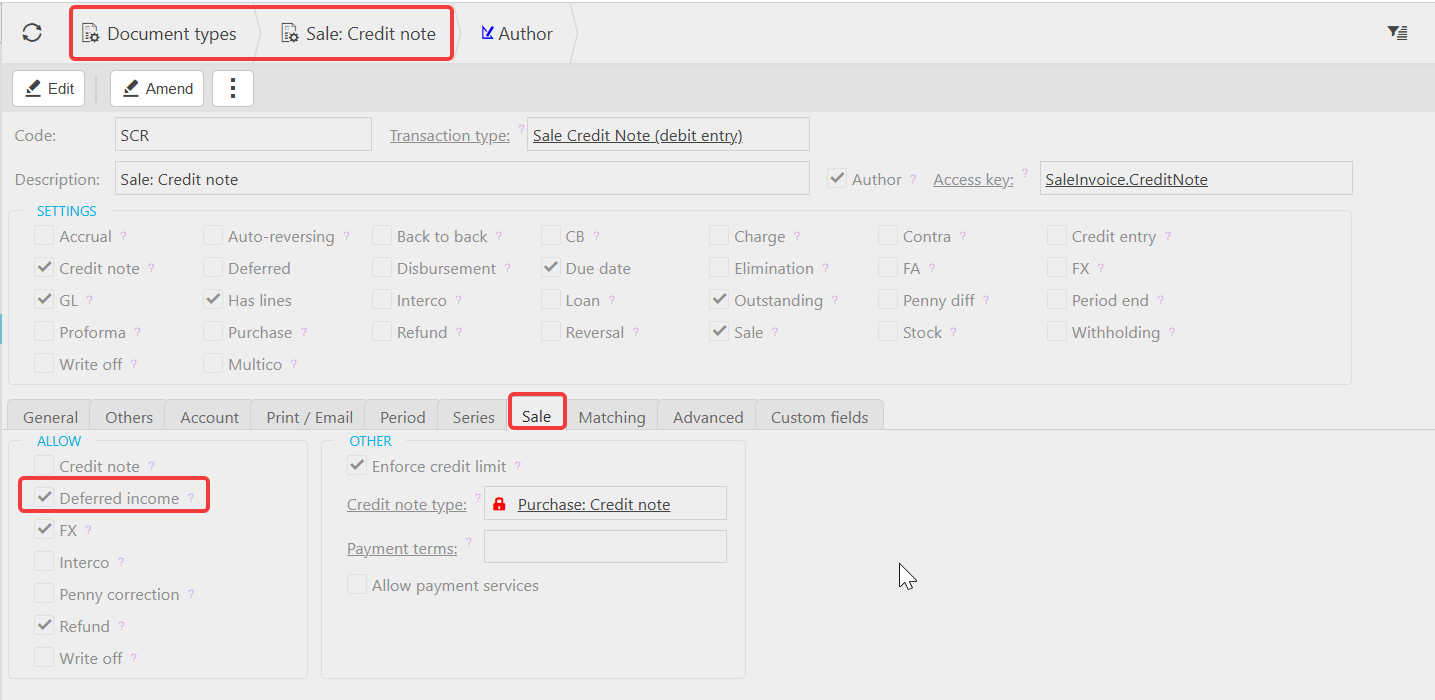
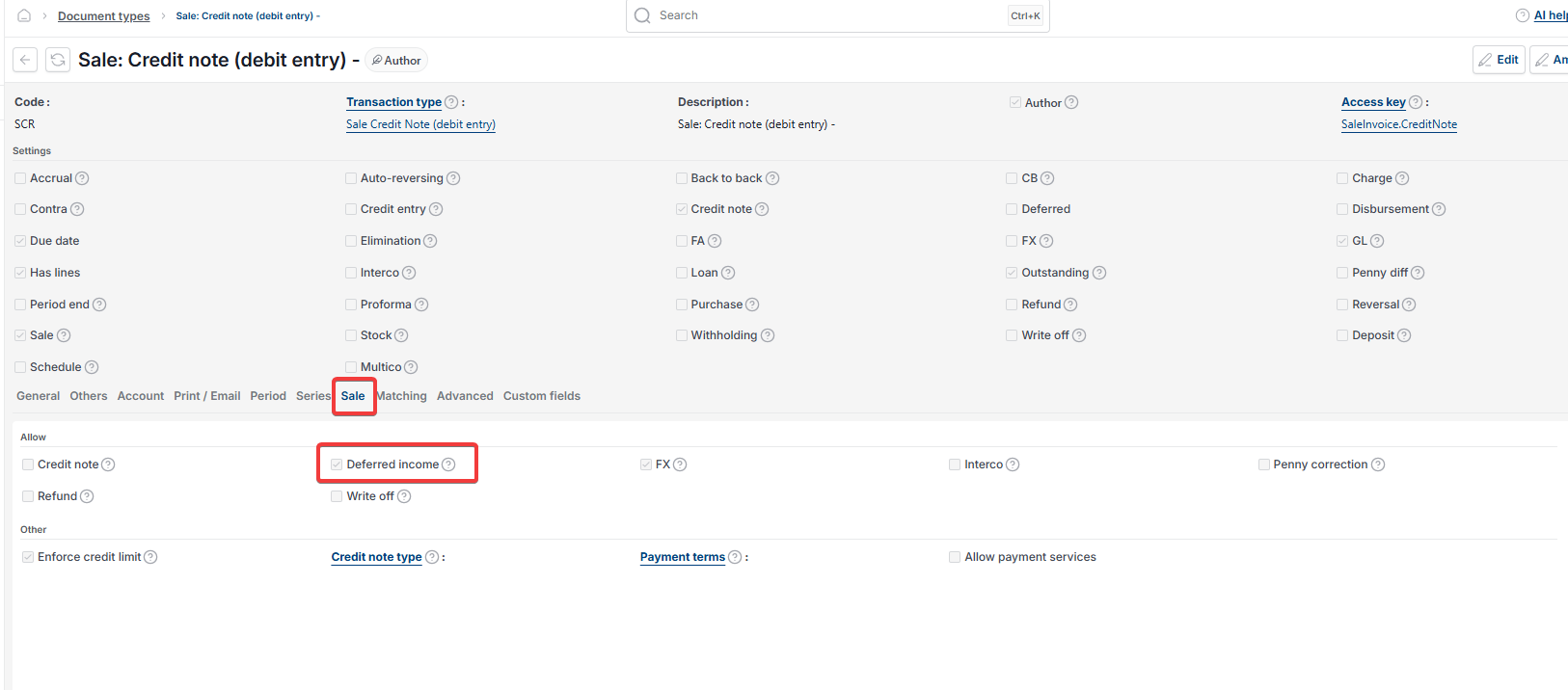
Confirm the sale credit note document type has deferred income enabled. Navigate to 'Document types', open the relevant sale credit note document type, select the 'Sale' tab and confirm the 'Deferred income' tick box is enabled. If this is not in place the deferred profile column will not appear on the credit note line.
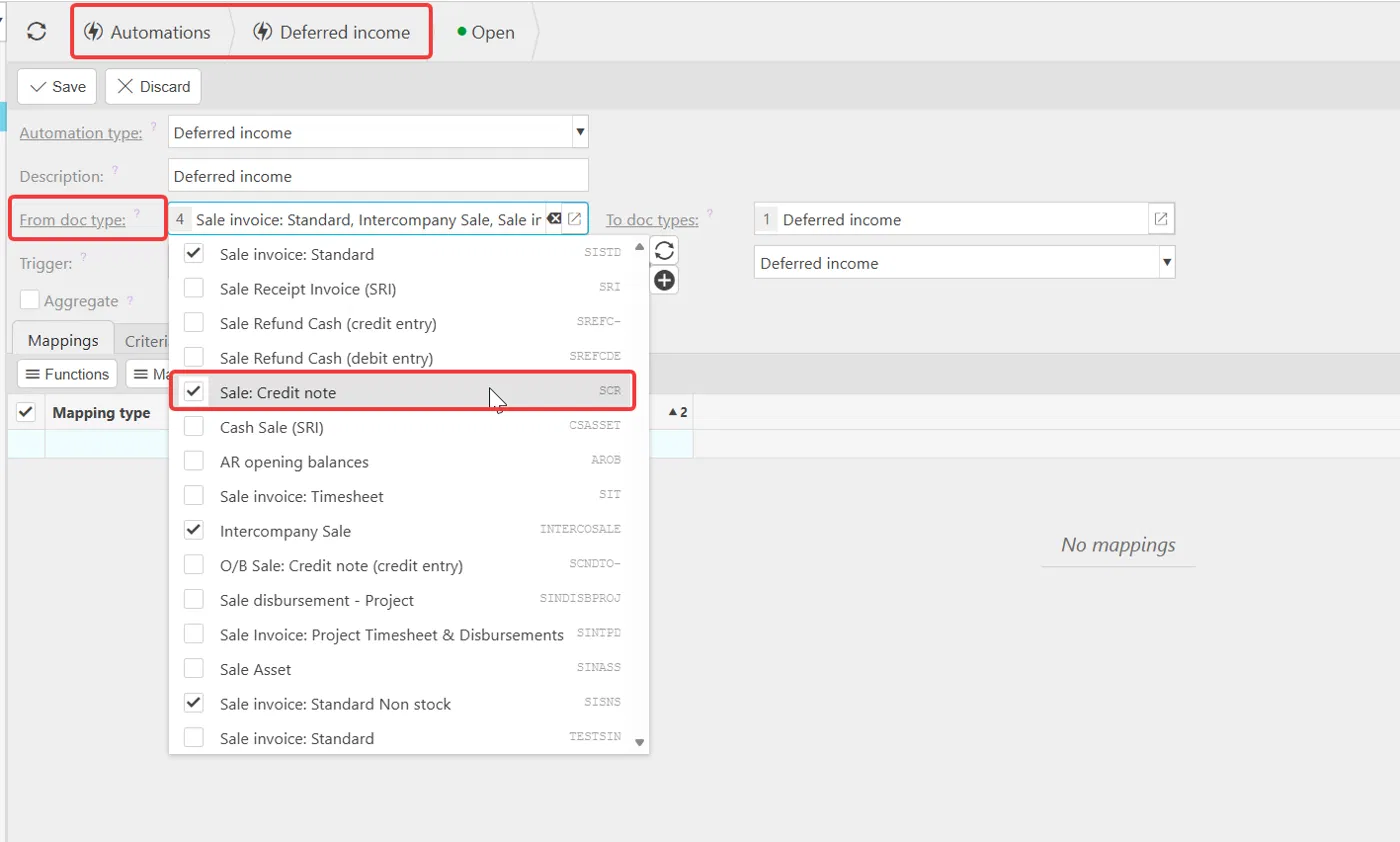
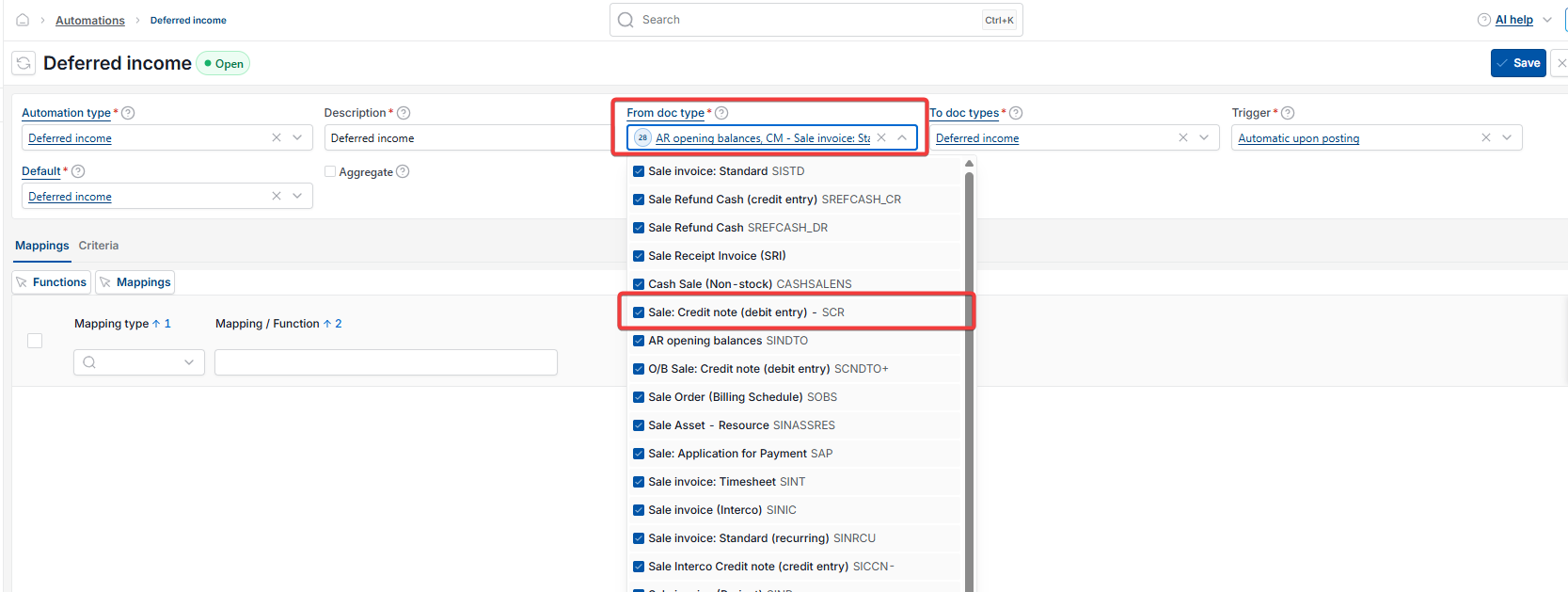
Also confirm the deferred income automation includes the sale credit note document type in the 'From doc type' field. Navigate to 'Automations', open the deferred income automation and check. If the credit note document type is not listed, add it before proceeding.
Raising a sale credit note for deferred income
- Create a new sale credit note in the Sales Ledger using the credit note document type
- Enter the customer and relevant details
- On the line, select the same GL account used on the original sale invoice
- The deferred income distribution profile column will appear – select the profile that accounts for the remaining schedule
- Enter the start and end date to match the periods being refunded – for example, if the refund covers six months of the original 12-month schedule, set the profile to cover those six months only
- Post the credit note.
The automation will generate the deferred income journals automatically, releasing the refunded value back out of the deferred income holding account from the income account, across the matching periods.
Allocating the refund on a deferred income credit note
Allocate the refund paid to the customer against the sale credit note in the normal way. The original sale invoice remains allocated to the original receipt and its release schedule continues to run unaffected.
Credit Note Deferred Income
Reverse Deferred Income Credit Note
Deferred Income Credit Note iplicit
Partial Deferred Income Refund
Deferred Income Refund Credit Note
Credit Note Deferred Income Schedule
Sale Credit Note Deferred Income