

This article covers why a field on an automation's 'Run automation' pop-up shows an old or unexpected value in the Automations module. It applies to any automation type, including Depreciation, Deferred Income and Populate Bank Statements. If a field keeps showing an old value, the 'Criteria' tab is where you fix it.
How the Criteria tab controls default values in Automations
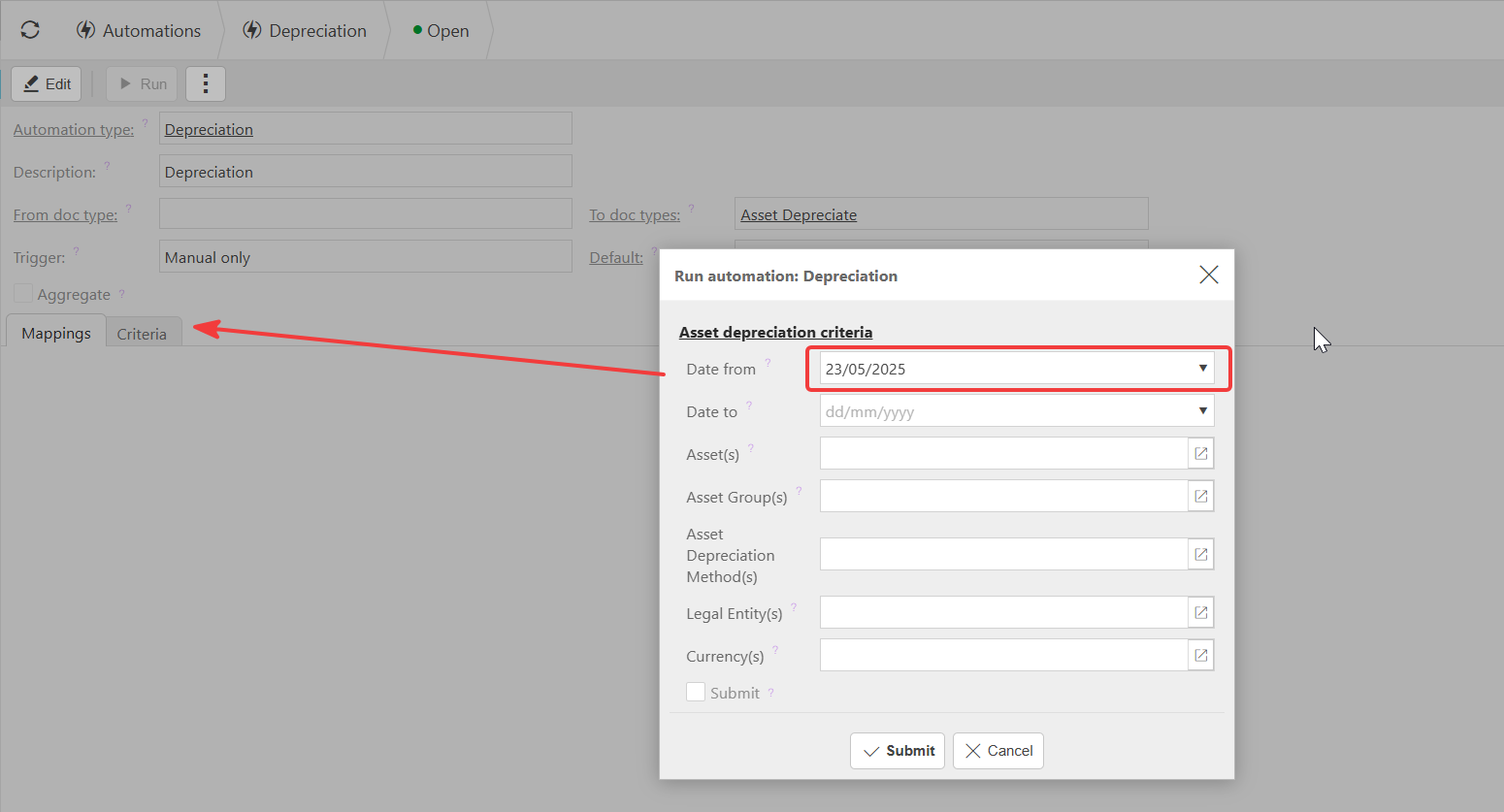
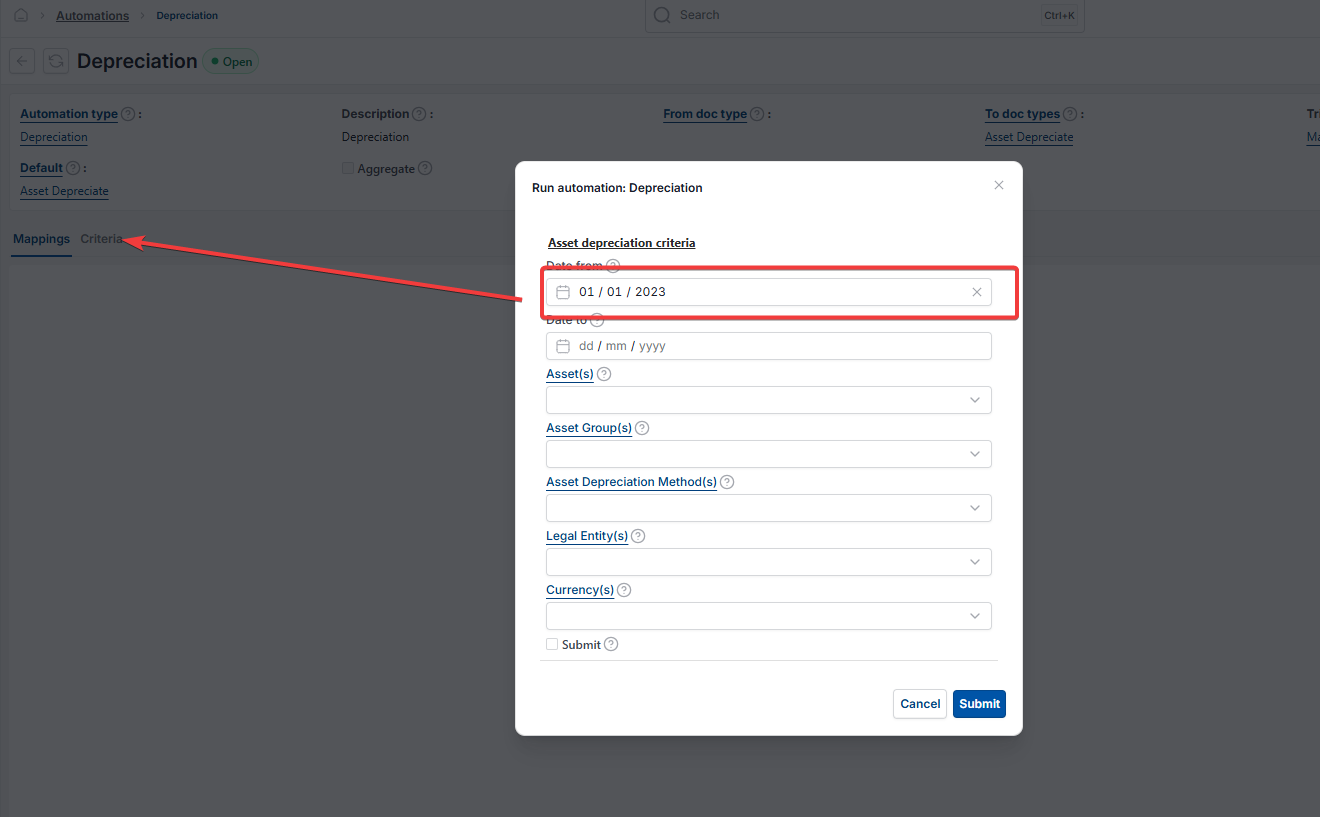
The 'Criteria' tab on an automation record controls what appears in each field when you open the 'Run automation' pop-up.
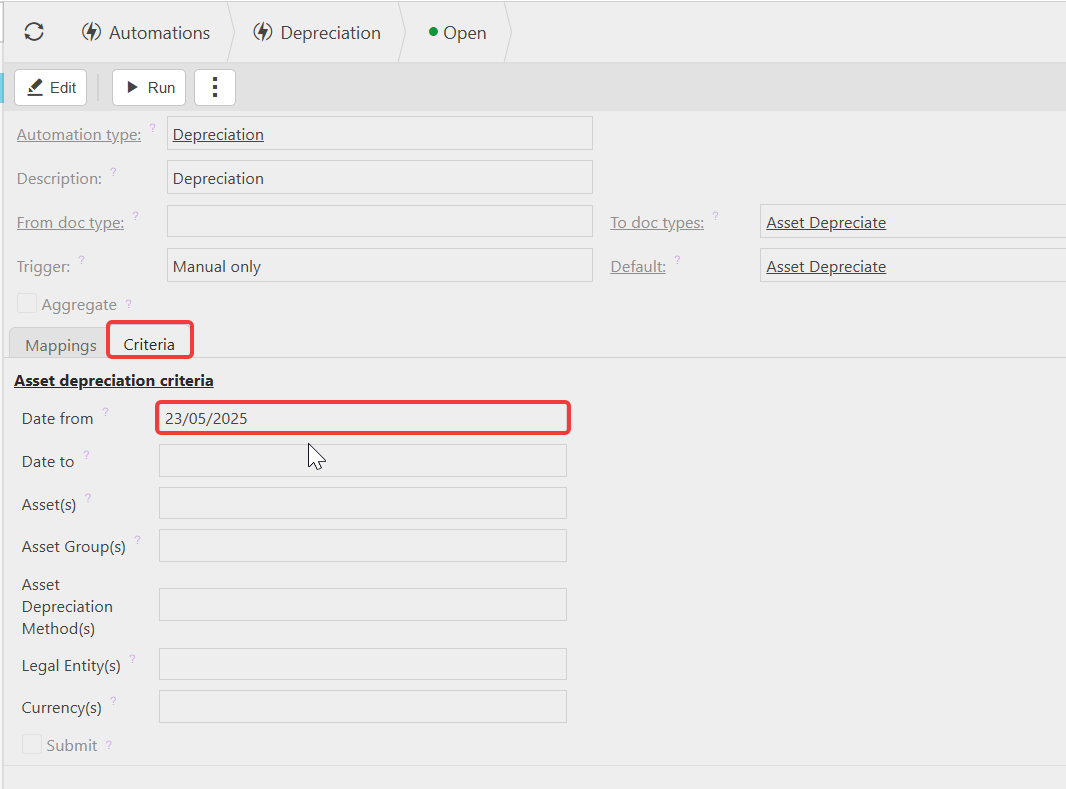
If a field on the 'Criteria' tab has a value entered, that value appears every time the automation runs. If the field is left blank, it appears blank on the pop-up for you to select manually. This is why a field such as 'Date from' can appear to default to an old date – a value is set on the 'Criteria' tab and hasn't been updated.
Setting or clearing a default value on the Criteria tab
- Navigate to 'Automations' and open the automation you want to change
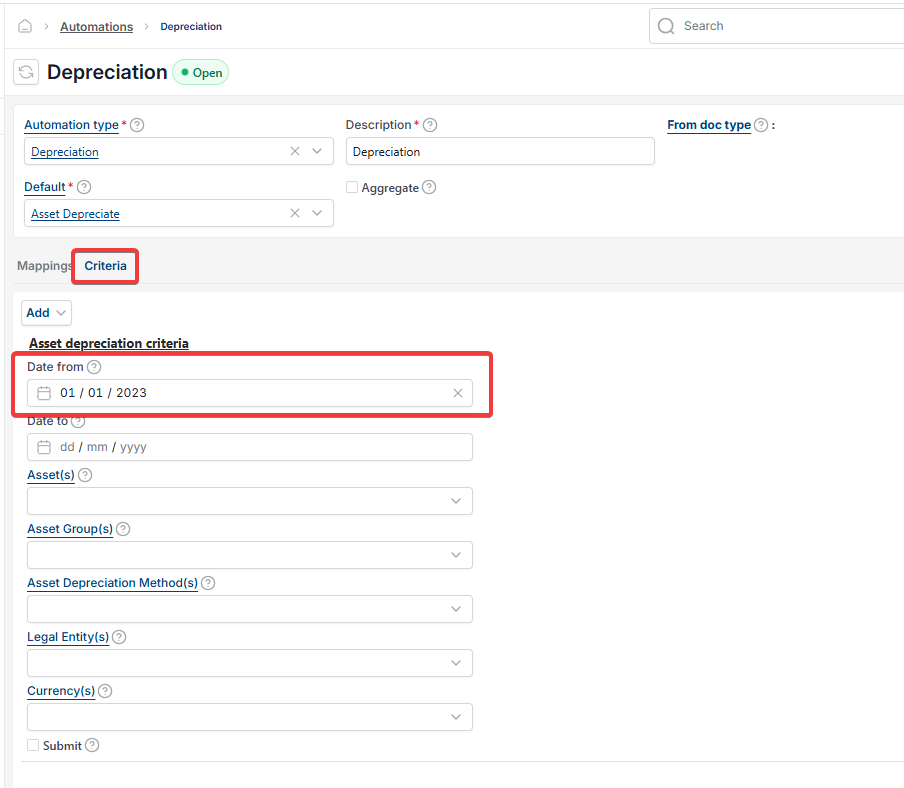
- Select the 'Criteria' tab
- Find the field you want to control, such as 'Date from'
- Enter the value you want to appear every time the automation runs, or clear it to leave the field blank
- Save the automation.
Whether the scheduler overrides the Criteria tab in Automations
Both the 'Criteria' tab and the scheduler can hold a value for the same field, and iplicit uses whichever one is actually set:
- If a value is entered on the automation's 'Criteria' tab, that value takes precedence, and the scheduler's setting for that field is ignored
- If the 'Criteria' tab field is left blank, iplicit falls back to the value set on the scheduler for that field.
So the 'Criteria' tab does not always win. It only takes precedence for fields where something has actually been entered. Leave a field blank on the 'Criteria' tab and the scheduler is free to populate it instead.
Automation default value
Automation criteria tab
Automation keeps showing old date
Change automation default
Automation scheduler override
Why does my automation default to a past date
Automation run pop-up defaults