

This article covers deleting enquiries within the Enquiries module in iplicit. Only custom enquiries can be deleted – authored enquiries built into iplicit cannot be removed, though they can still be locked and unlocked. If you're trying to delete an enquiry and the option isn't available, this article explains why and how to do it.
Identifying a custom enquiry in Enquiries
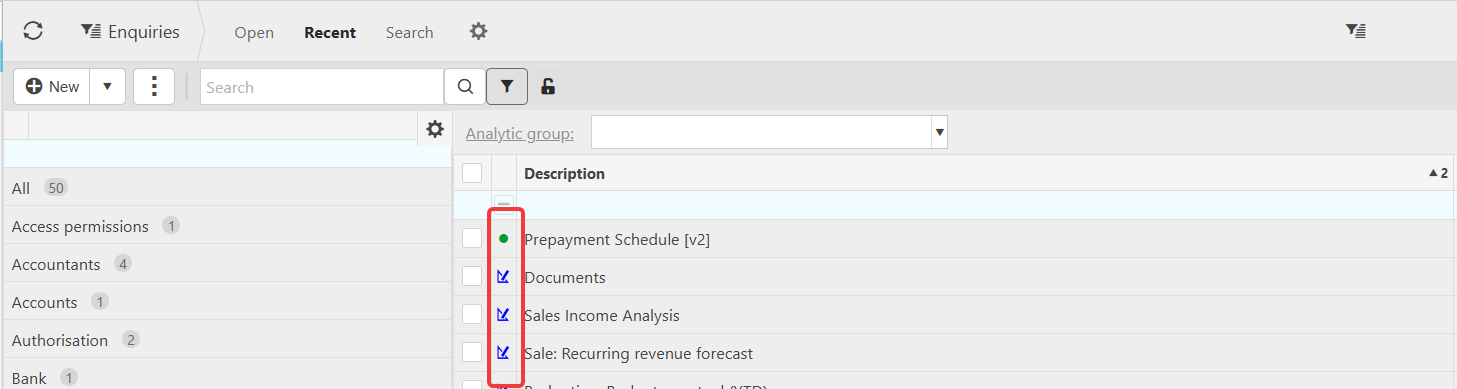
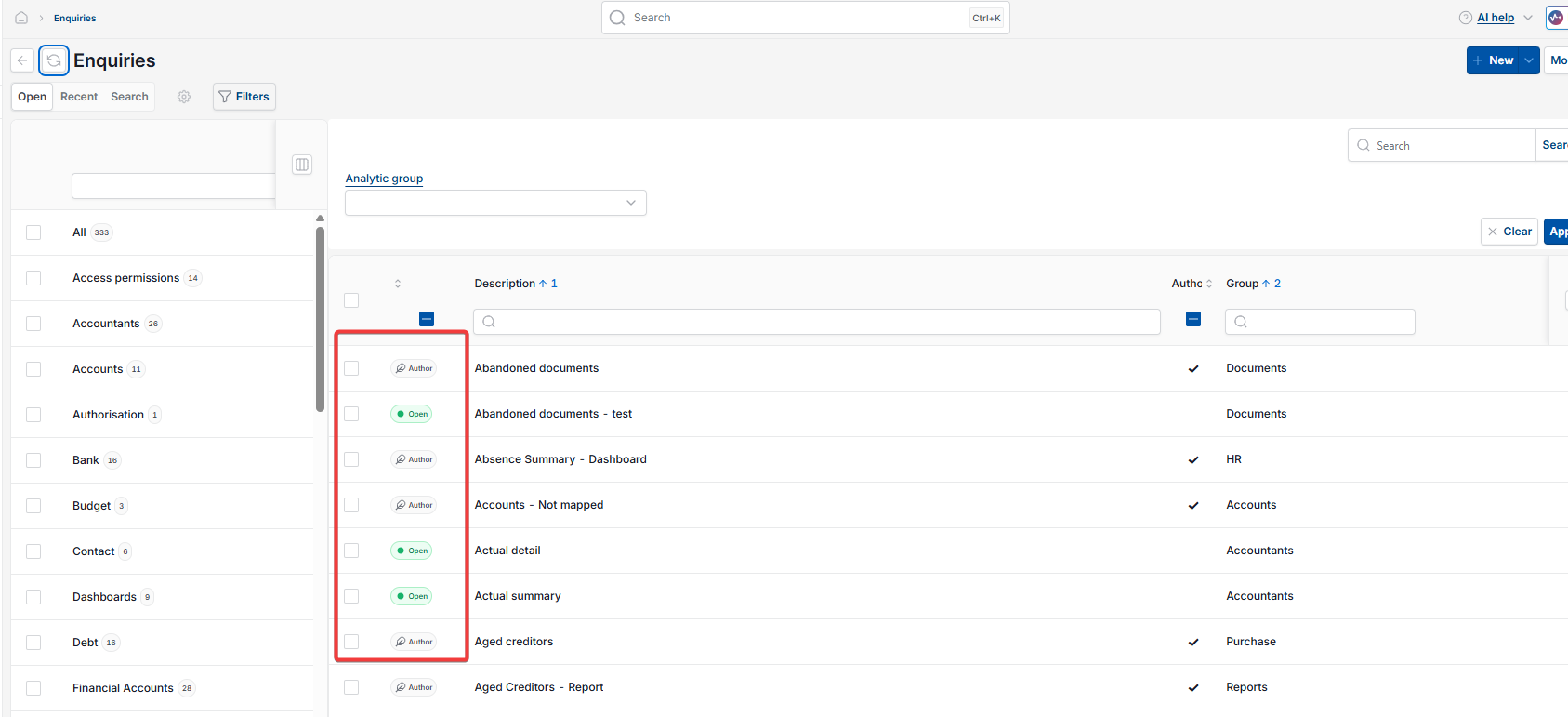
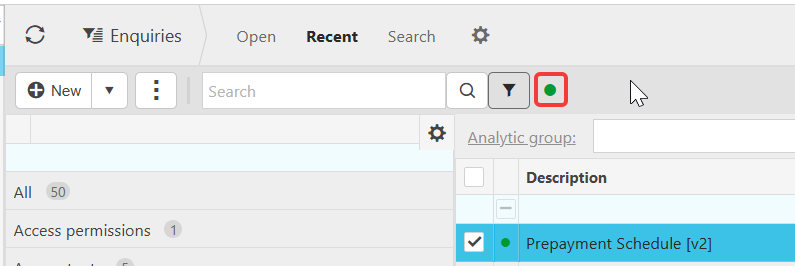
Within the Enquiries module, each enquiry carries a status indicator next to its description that shows its type – a coloured dot or a text label, depending on your screen. This indicates a custom enquiry, one created or customised within your organisation, versus an enquiry authored by iplicit.
This distinction matters for deletion: only custom enquiries can be deleted. Authored enquiries can be locked and unlocked like any other enquiry, but the delete option is never available for them.
If you try to delete an enquiry and the option doesn't appear, check this indicator first. It's the most common reason deletion isn't possible.
What locking an enquiry does in Enquiries
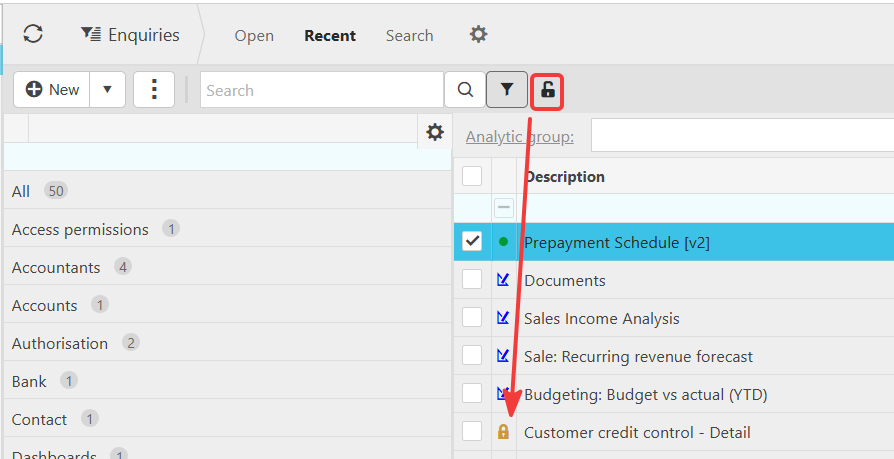
Locking applies to both custom and authored enquiries in the Enquiries module. When you lock an enquiry, it's removed from the open view – it won't appear in your standard list until locked items are exposed again.
For custom enquiries, locking is also a required first step before deletion. An enquiry cannot be deleted while it's unlocked.
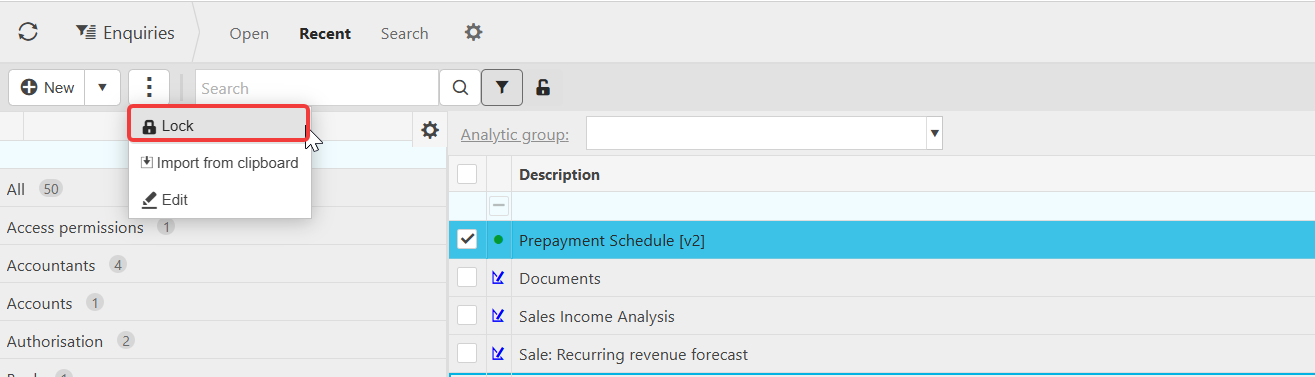
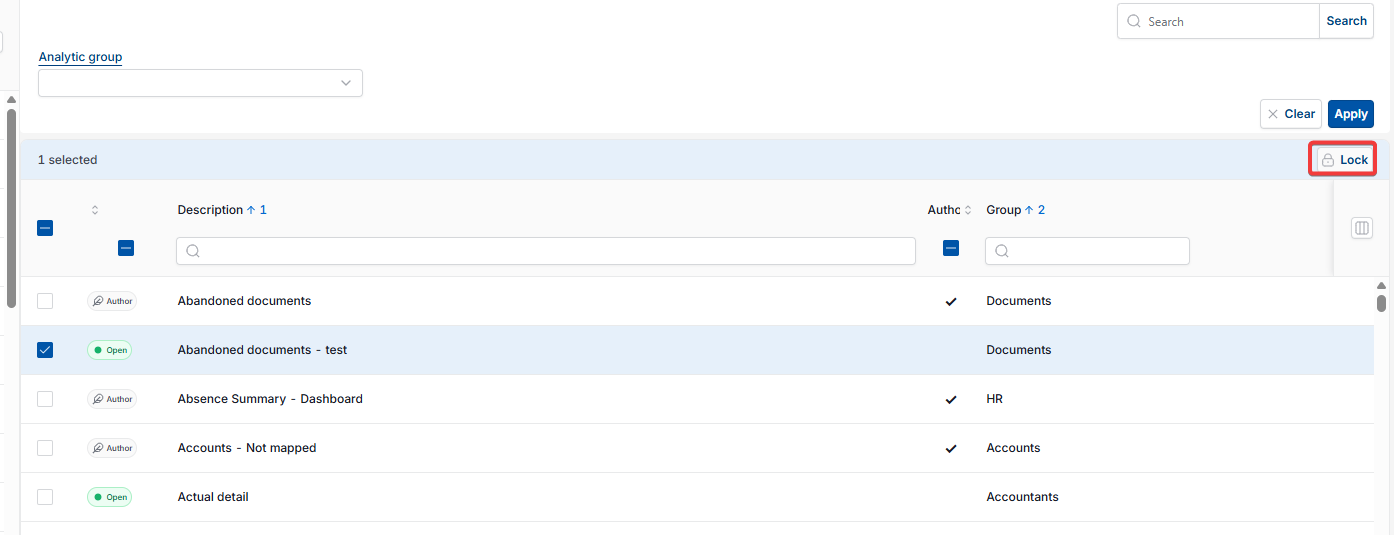
To lock an enquiry:
- In the Enquiries list, select the checkbox next to the enquiry
- Depending on your screen, select 'Lock' from the three-dot menu above the list, or select the 'Lock' button that appears once an enquiry is selected.
To unlock an enquiry, follow the same steps and select 'Unlock' instead.
Making sure locked enquiries are visible in Enquiries
Once an enquiry is locked, it moves out of the open view. To find it again, depending on your screen, either:
- Check the padlock icon near the top of the Enquiries panel – if it's showing, locked enquiries are already visible in the list; if it isn't, select the icon to expose them
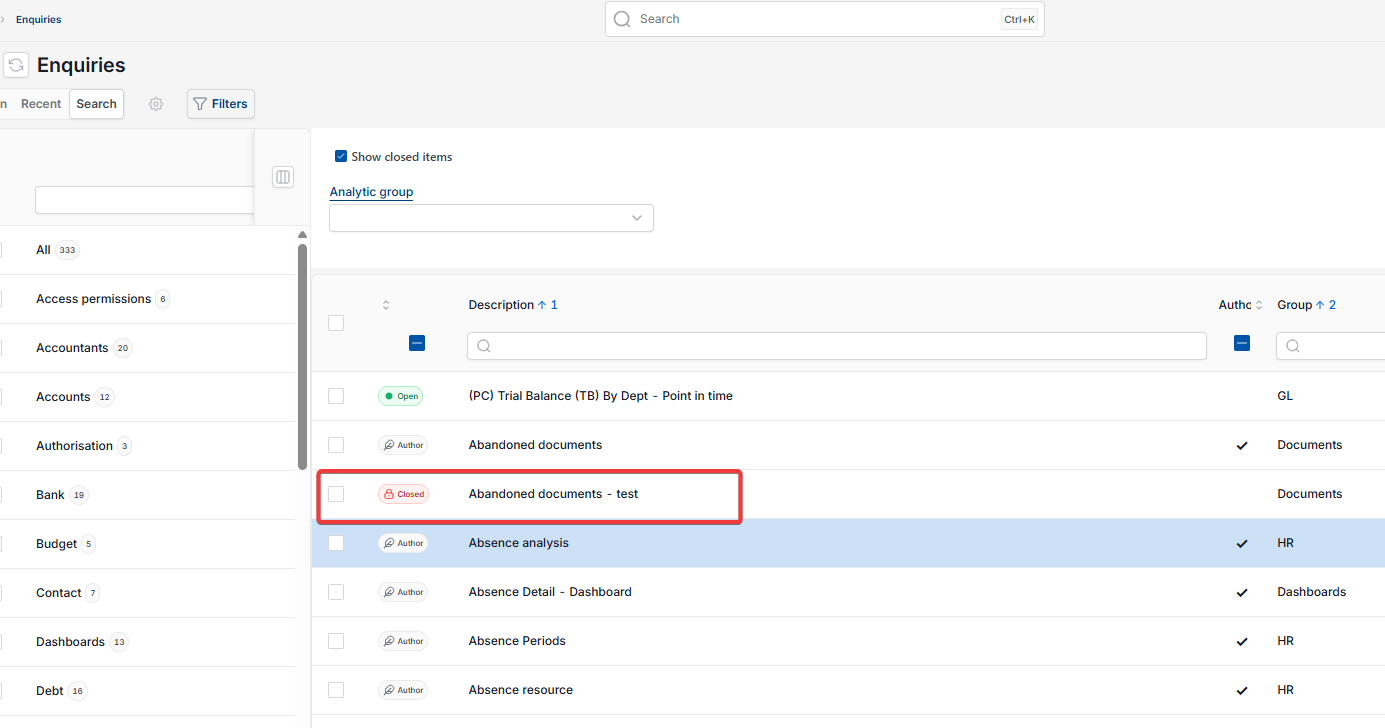
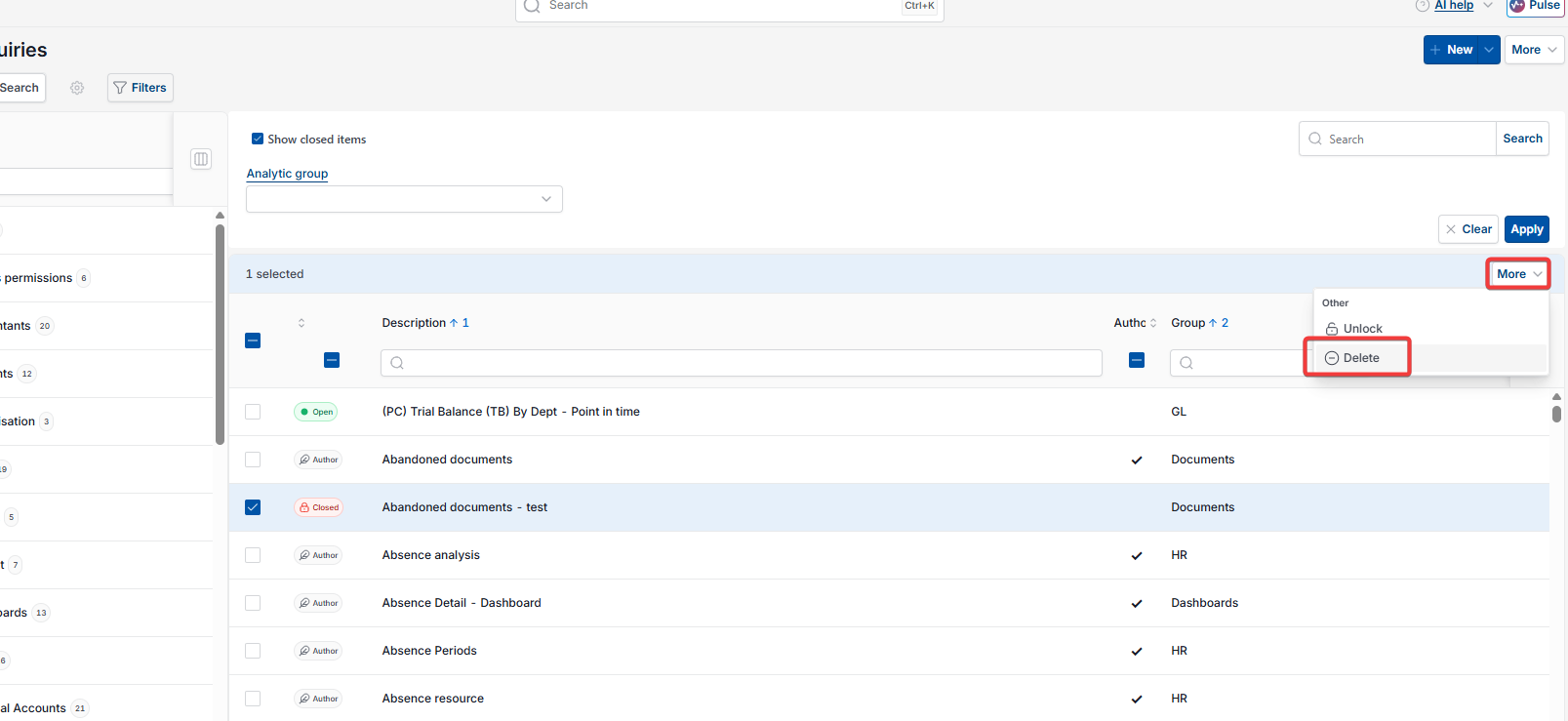
- Tick the 'Show closed items' checkbox – locked enquiries then appear in the list marked with a 'Closed' label instead of a lock icon.

Deleting a custom enquiry in Enquiries
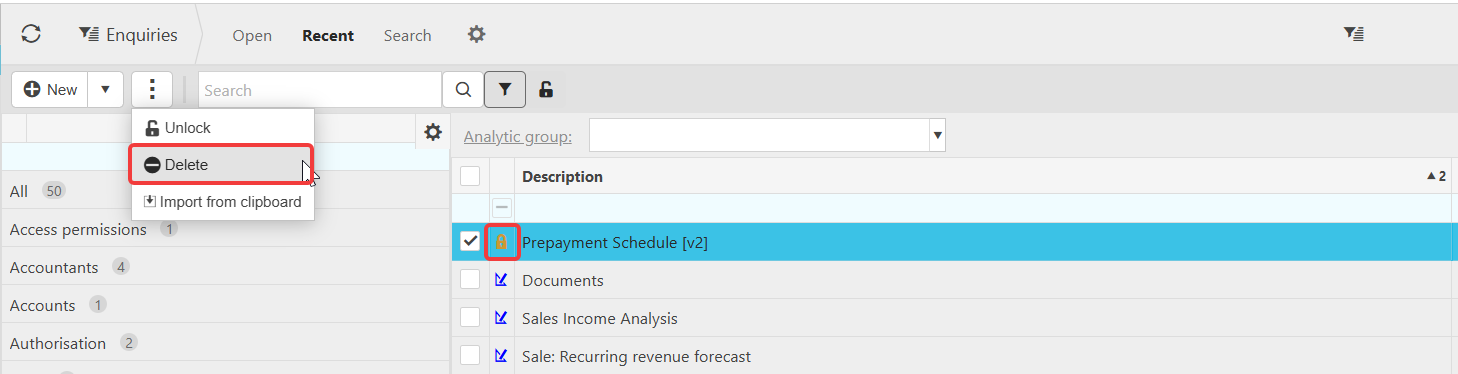
Once you can see the locked custom enquiry in the list:
- Select the checkbox next to it
- Depending on your screen, select the three-dot menu or the 'More' menu
- Select 'Delete'.
The enquiry is permanently removed. This option is not available for authored enquiries, even once locked.
Delete enquiry
Remove enquiry
Can't delete enquiry
Delete custom enquiry
Enquiry locked
Unlock enquiry