

This article covers writing off a sale order within the Sales Ledger – for example when an approved order will not be fulfilled and needs clearing rather than left open. For a sale invoice, see 'How to write off a sale invoice'.
Writing off a sale order in the Sales Ledger
To write off a sale order:
- Open the sale order you want to write off
- Select 'Write off'.
On a sale order, 'Write off' usually appears as its own button next to 'Amend' and 'Copy', because a sale order has fewer available actions than an invoice.
If 'Write off' does not appear on a sale order
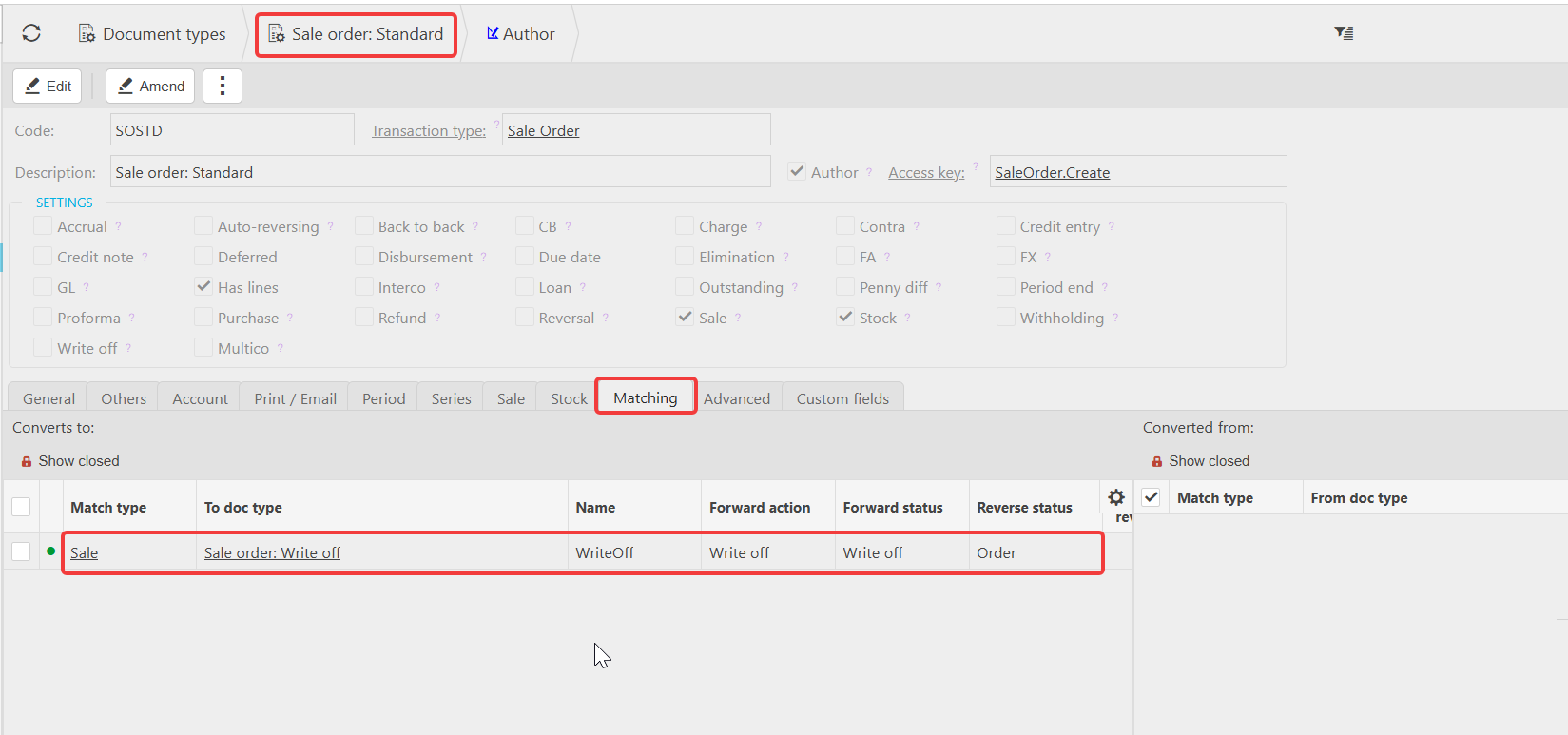
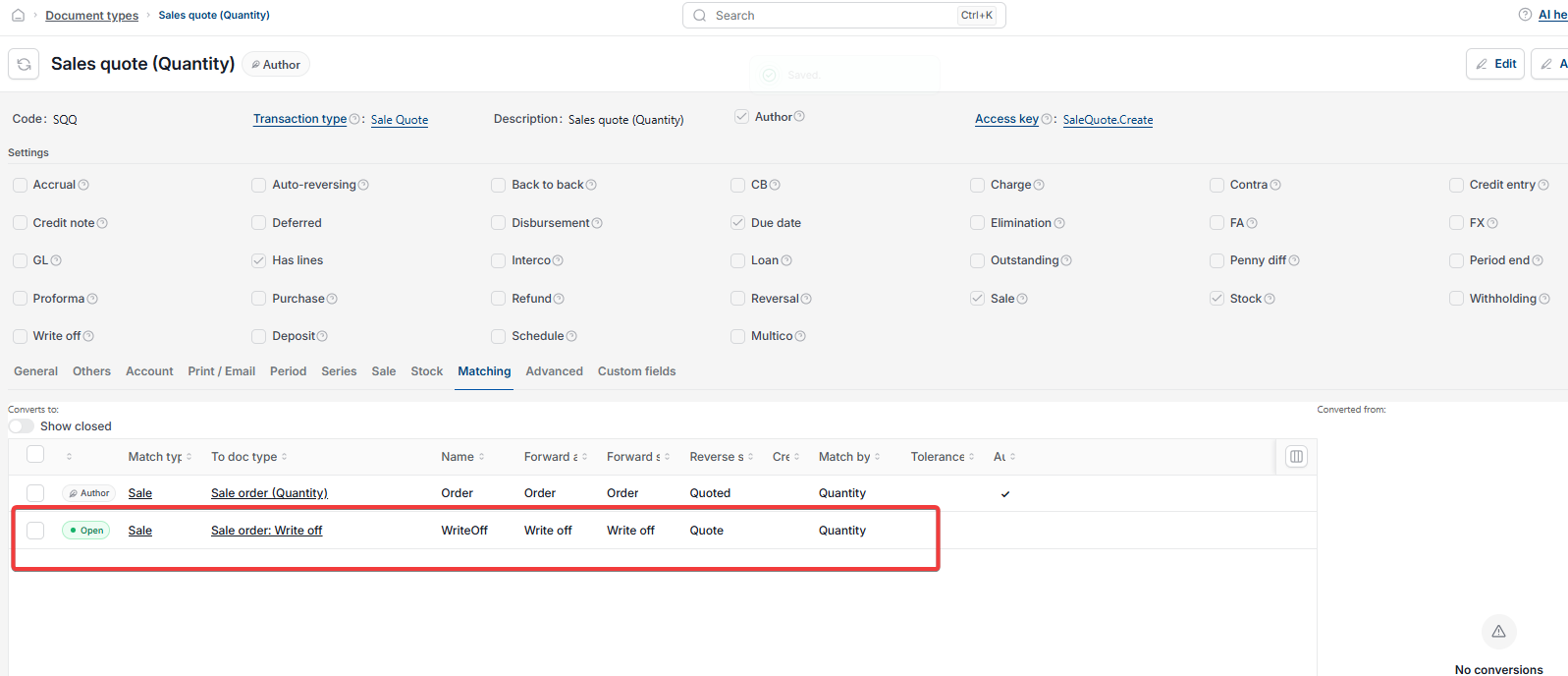
If 'Write off' is missing from the sale order screen entirely (whether as a button or inside a drop-down menu), the conversion between the 'Sale order: Standard' document type and the 'Sale order: Write off' document type has not been set up. This is an administrator task – see 'Setting up write off document types' to resolve it.
Write off sale order
Write off sales order
Cancel sale order
Void sale order
Write off button missing