

This article covers setting up a scheduler in iplicit's MTD Registration area to automatically synchronise MTD tax periods with HMRC. Regular synchronisation reduces the chance of hitting a 'No available MTD periods found' error when submitting a VAT return. If you're already blocked by that error now, see 'Why do I see "No MTD periods available" when submitting a VAT return' for the immediate fix.
Setting up the scheduler
- Navigate to the Scheduler screen
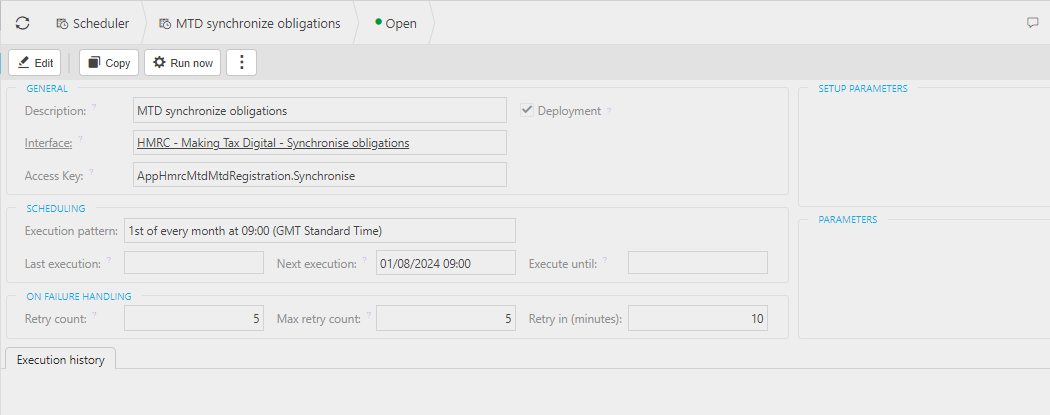
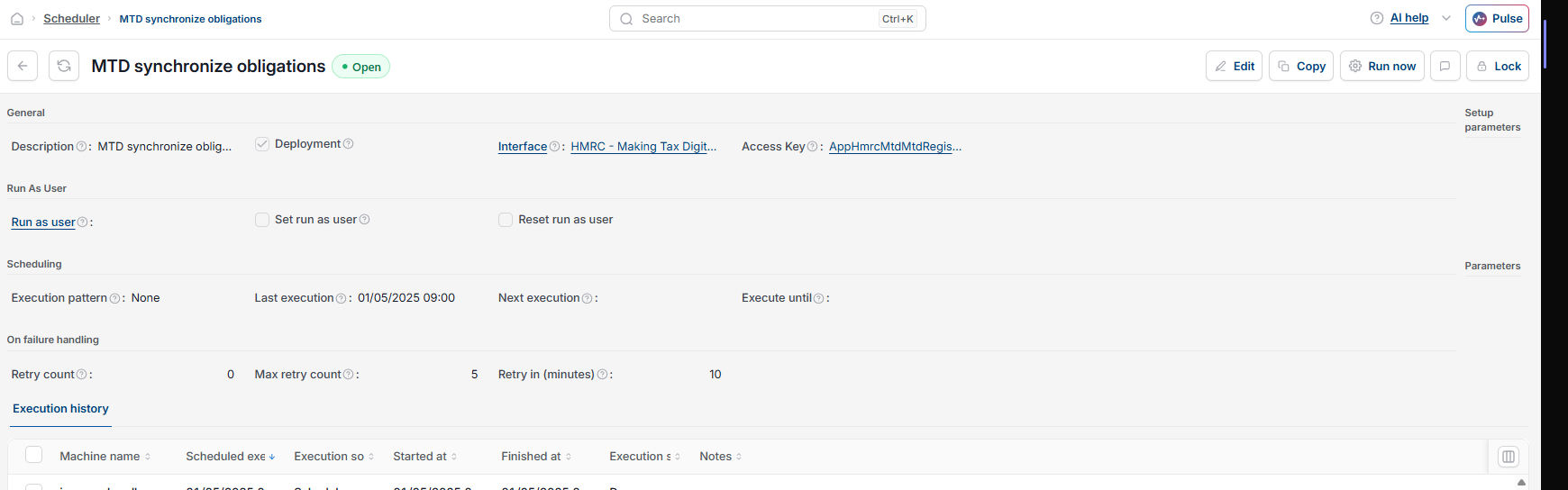
- Locate the scheduler named 'MTD synchronize obligations', with the interface 'HMRC - Making Tax Digital - Synchronise obligations'
- Select 'Edit'
- Set the 'Execution pattern' field to a regular schedule, for example '1st of every month at 09:00'
- Save your changes
How often to schedule it
Set the frequency to match how often you submit VAT returns. We recommend a monthly pattern, so the tax periods stay up to date ahead of each submission.
Automate MTD sync
Schedule MTD synchronisation
Automatic tax period sync
MTD synchronize obligations
MTD scheduler
Recurring MTD sync
Stop MTD periods going out of sync