

This article covers how an iplicit administrator overrides an active workflow substitute on the 'Workflow Substitution' screen.
Workflow substitution (sometimes called approval delegation or holiday cover) is managed by administrators on the 'Workflow Substitution' screen. Override follows a three-step pattern: disable the active substitution, amend it to point to a different approved substitute, then re-enable it. Ticking the 'apply to pending authorisations' option in the enable pop-up redirects any outstanding approvals to the new substitute.
Overriding an active workflow substitute on the 'Workflow Substitution' screen
The override is performed entirely from the 'Workflow Substitution' screen.
- Navigate to 'Workflow Substitution'
- Locate the user whose active substitution you want to override
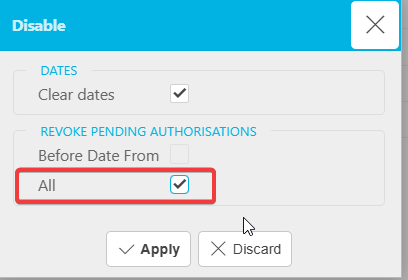
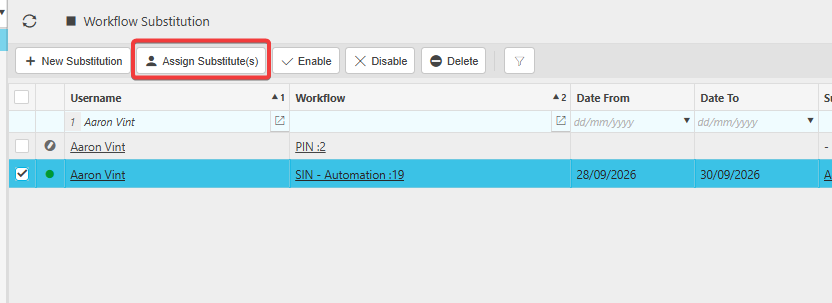
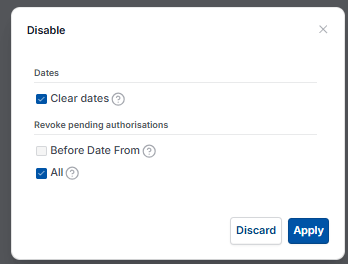
- Select the active substitution and choose 'Disable' to deactivate it
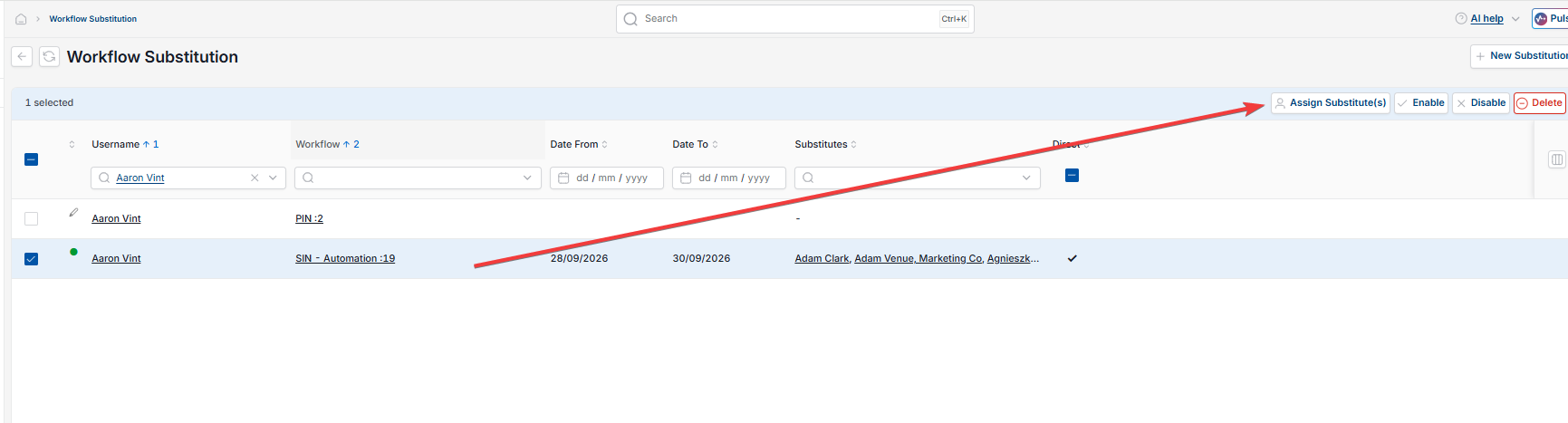
- With the substitution still selected, use 'Assign Substitute(s)' to point it to a different approved substitute
- Select 'Enable' to reactivate the substitution
- In the enable pop-up, tick the 'apply to pending authorisations' option
- Confirm the start and end dates, then select 'Apply' and save the changes.
Outstanding approvals sitting with the previous substitute will now route to the new substitute. Future approvals raised during the substitution period will also route to the new substitute.
Why the pending authorisations tickbox matters when overriding a workflow substitute
The pending authorisations tickbox in the enable pop-up is what refreshes existing approvals. Without it, the override only affects future approvals.
- Approvals already in flow stay with the original substitute unless the tickbox is selected when re-enabling
- Approvals raised after the override is enabled route to the new substitute regardless of the tickbox
- If the tickbox is missed, repeat the disable, amend and re-enable steps with the tickbox selected.
This is the most common reason an override appears not to have worked – the substitution itself updates, but pending approvals stay where they were.
Override substitutions
Swap substitutions
Change approvers subs
Reassign substitutions
Replace substitutions
Substitution for substitute
Chained substitution