

This article covers why a sales invoice can show different payment terms to those set on the customer's account in iplicit, and how to correct it for future invoices. This applies to credit control and Sales Ledger teams checking due dates on customer invoices.
Why a sales invoice shows different payment terms to the customer's account
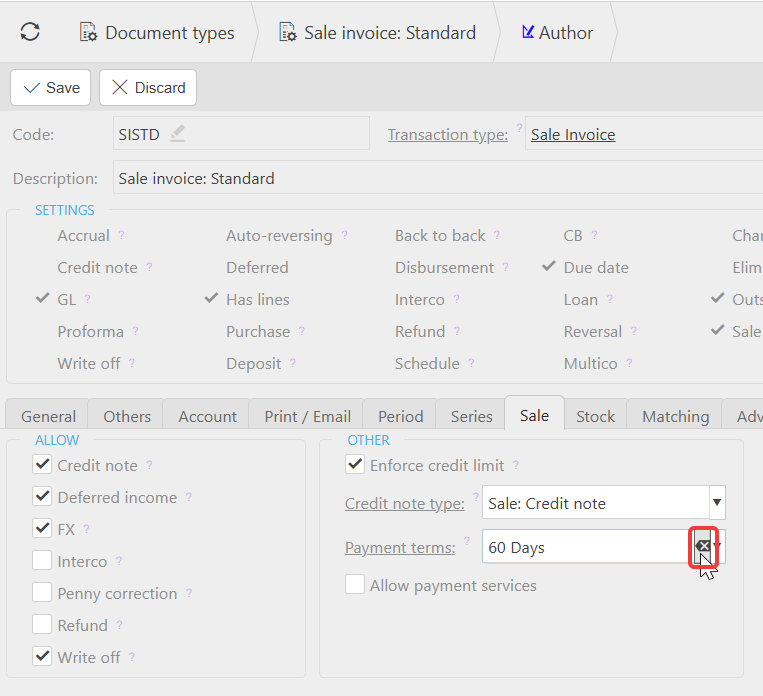
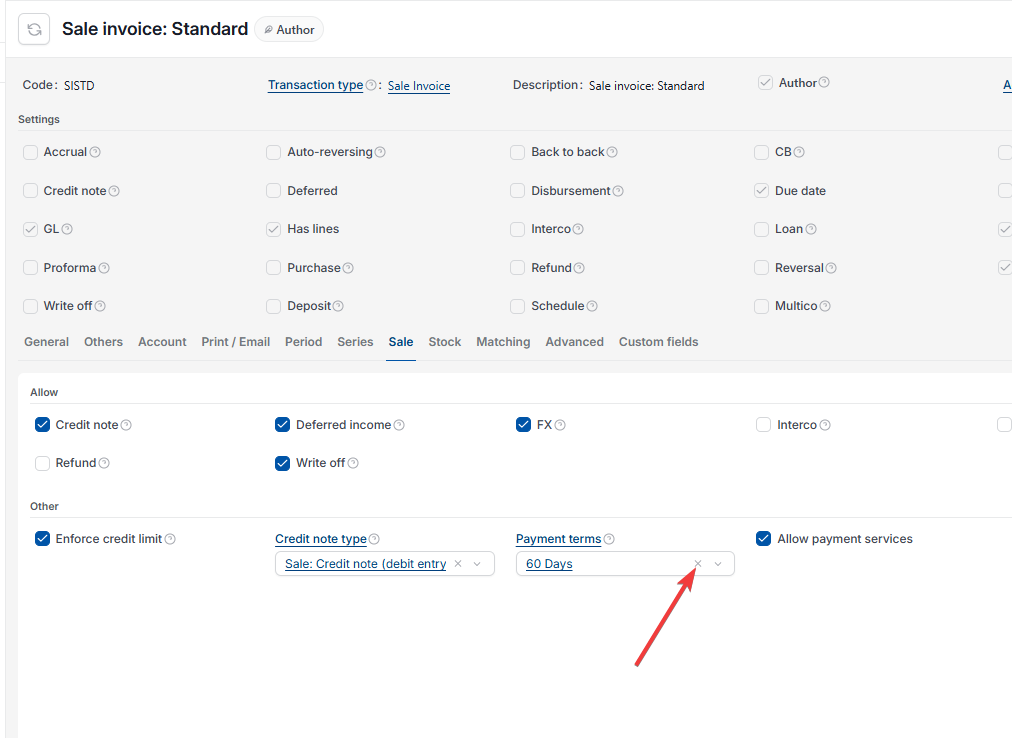
A payment term set on the document type takes priority over the payment term set on the customer's record. If the document type used to raise the invoice (for example, 'Sale invoice: Standard') has its own payment term configured, iplicit uses that instead of the customer's payment term.
Why existing sales invoices don't update automatically
Changing a customer's payment terms only affects new invoices raised after the change. Sales invoices already raised keep the payment term that applied at the time they were created. If you update a customer's terms, every invoice raised before that change still shows thirty days, and you would need to update those individually if you want them corrected.
How to check what's driving the payment terms mismatch
- Open the customer's record and confirm the payment terms set there
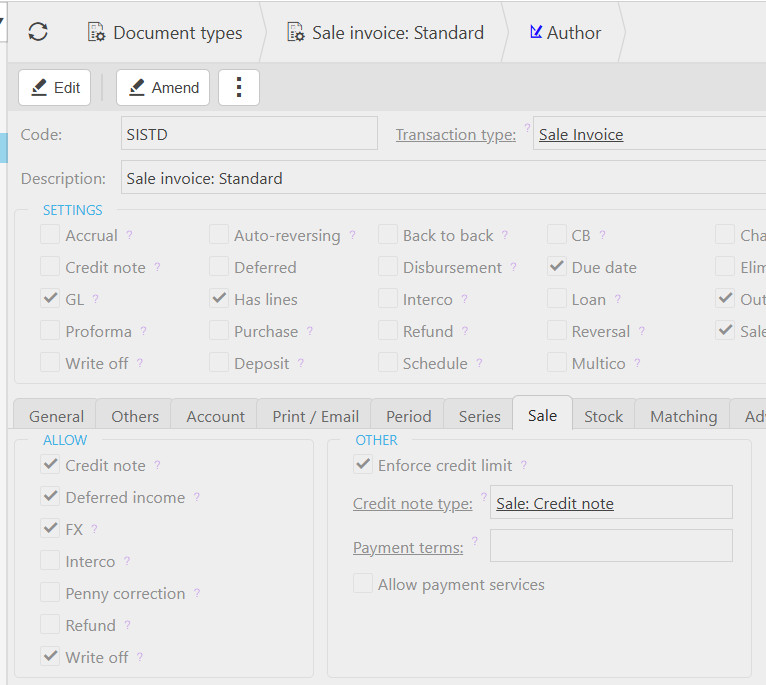
- Open the document type used to raise the invoice (for example, 'Sale invoice: Standard') and check whether it has its own payment term set.
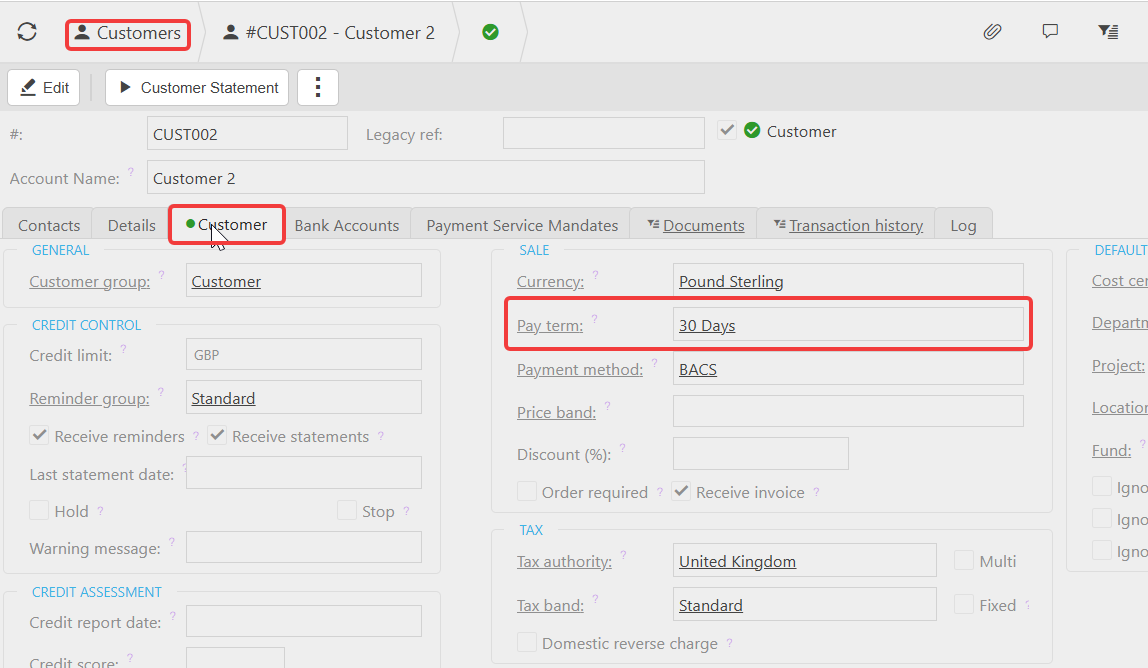
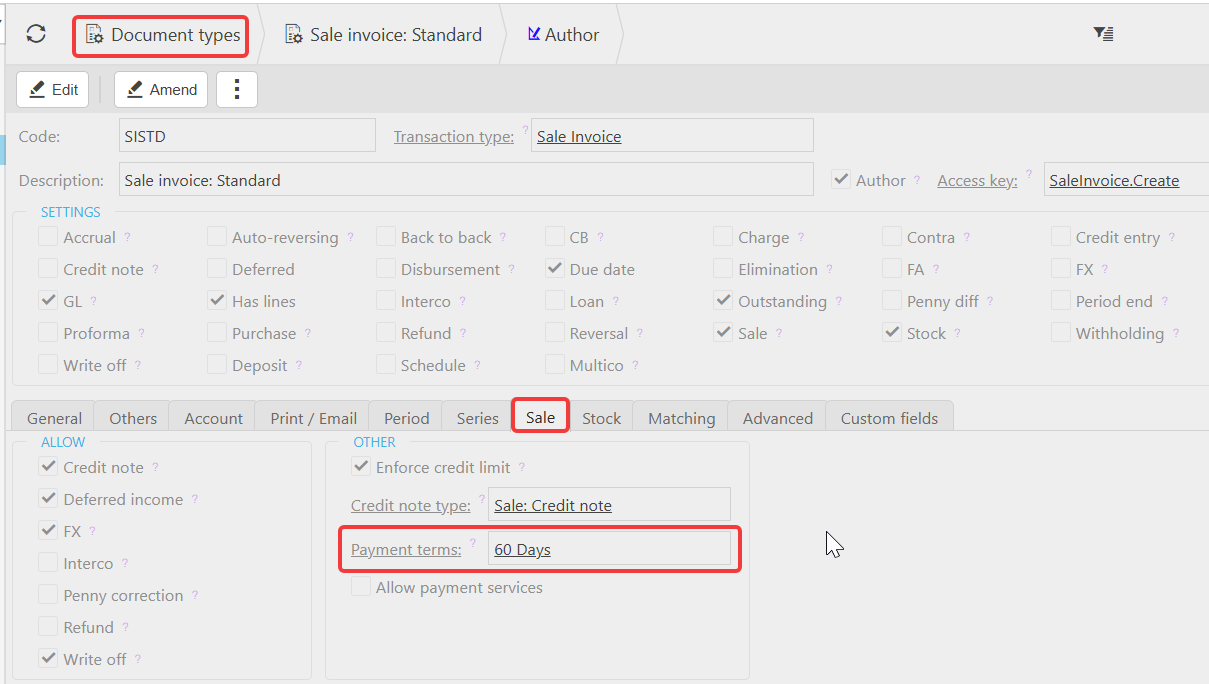
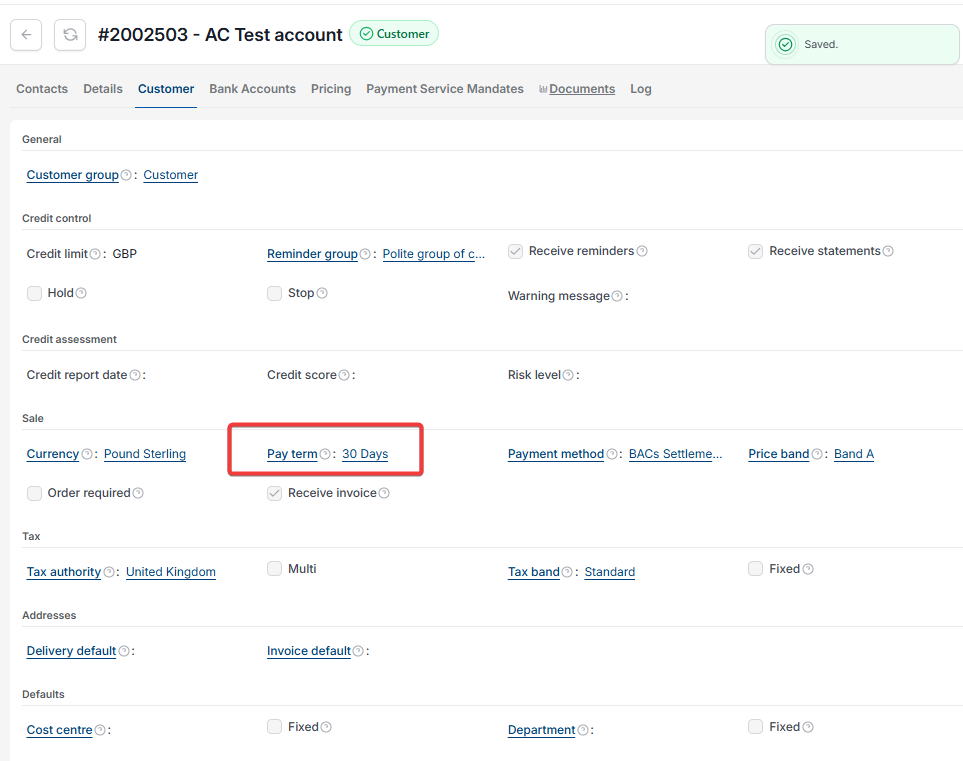
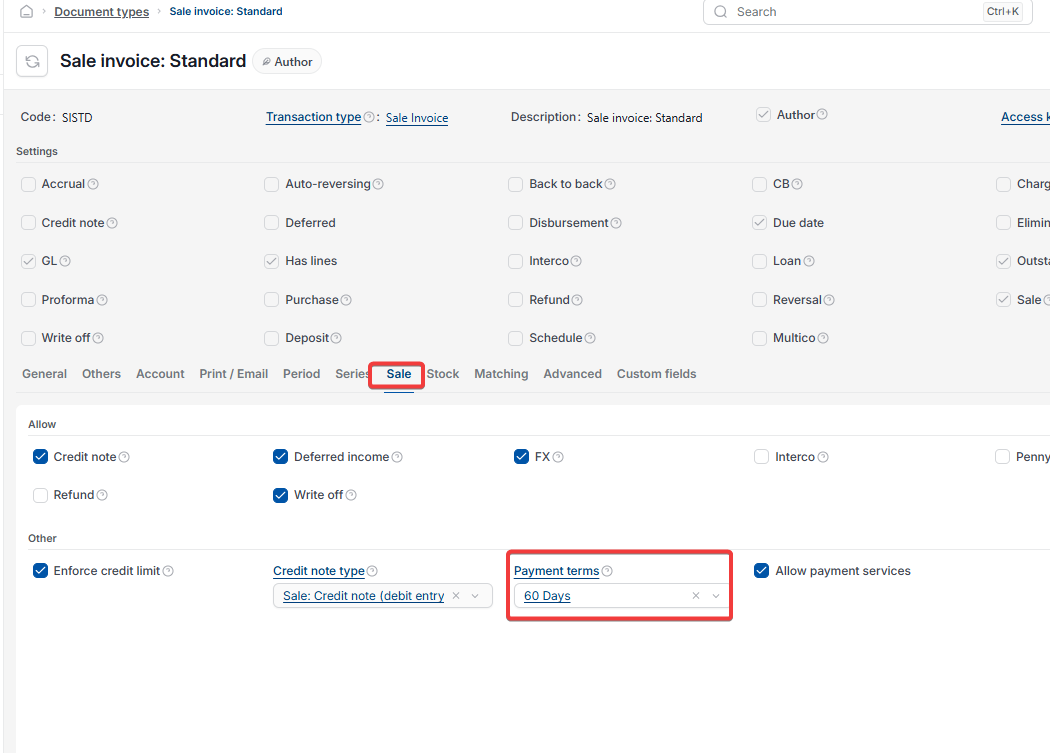
How to fix payment terms on future sales invoices
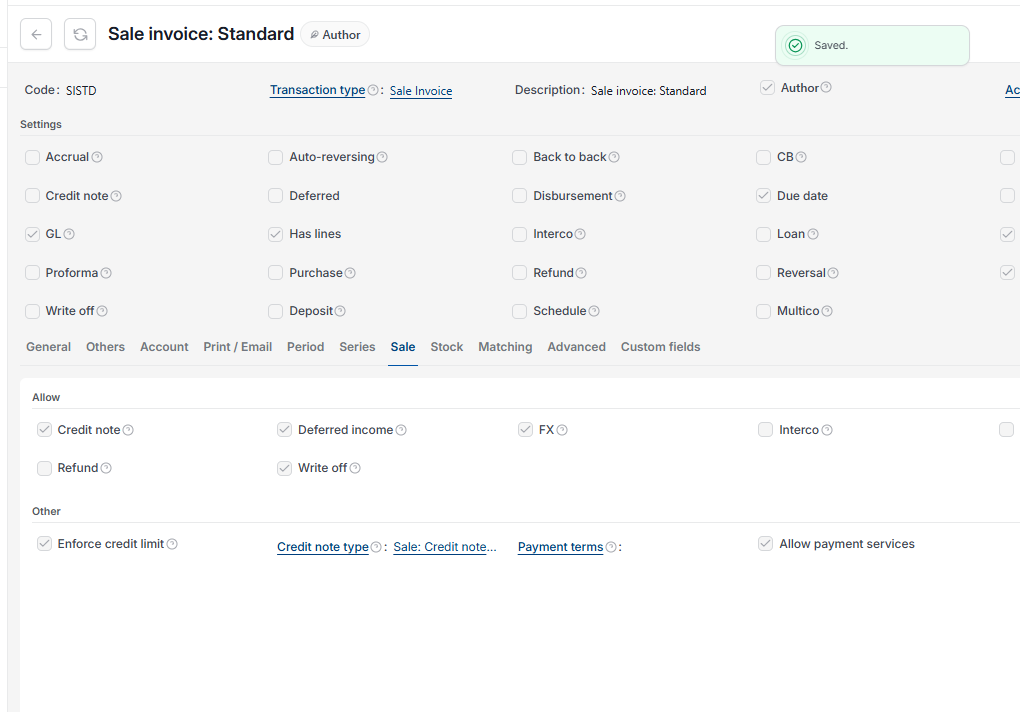
Remove or correct the payment term set on the document type, so the customer's own payment terms take priority on future invoices. If you want this directed by the document type, we recommend creating separate document types for each set of terms.
Payment terms not matching
Invoice due date wrong
Customer payment terms not applying
30 days instead of 60 days
Document type payment terms
Due date incorrect on invoice