

This article covers why partial tax recovery and non-recoverable VAT do not work on expense documents in iplicit, and how to post the adjustment instead. This applies specifically to expense documents, not purchase invoices – see 'How to set up partial tax recovery for non-recoverable or partially recoverable VAT in iplicit' for how partial tax recovery works on purchase invoices.
Why the fields don't calculate
The 'Partial Tax Ignore' and related tax recovery fields appear on expense documents but are not functional there. Entering a rate or ticking the field has no effect on how VAT posts. This is a limitation of expense documents specifically.
Alternative approach: posting the adjustment as a manual journal
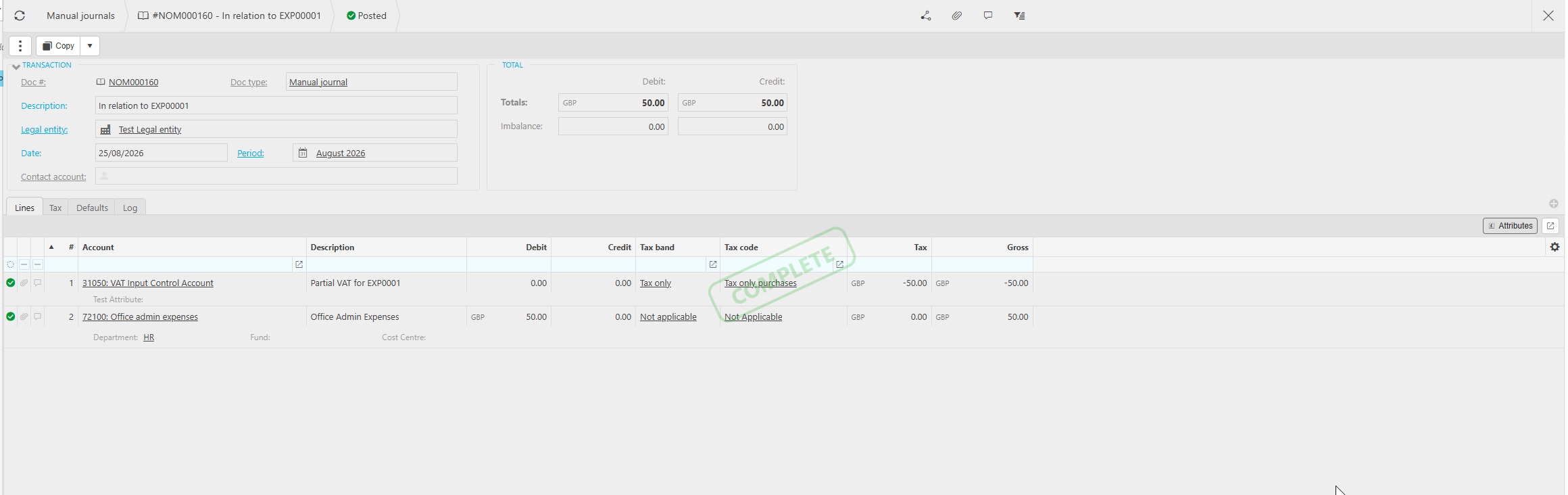
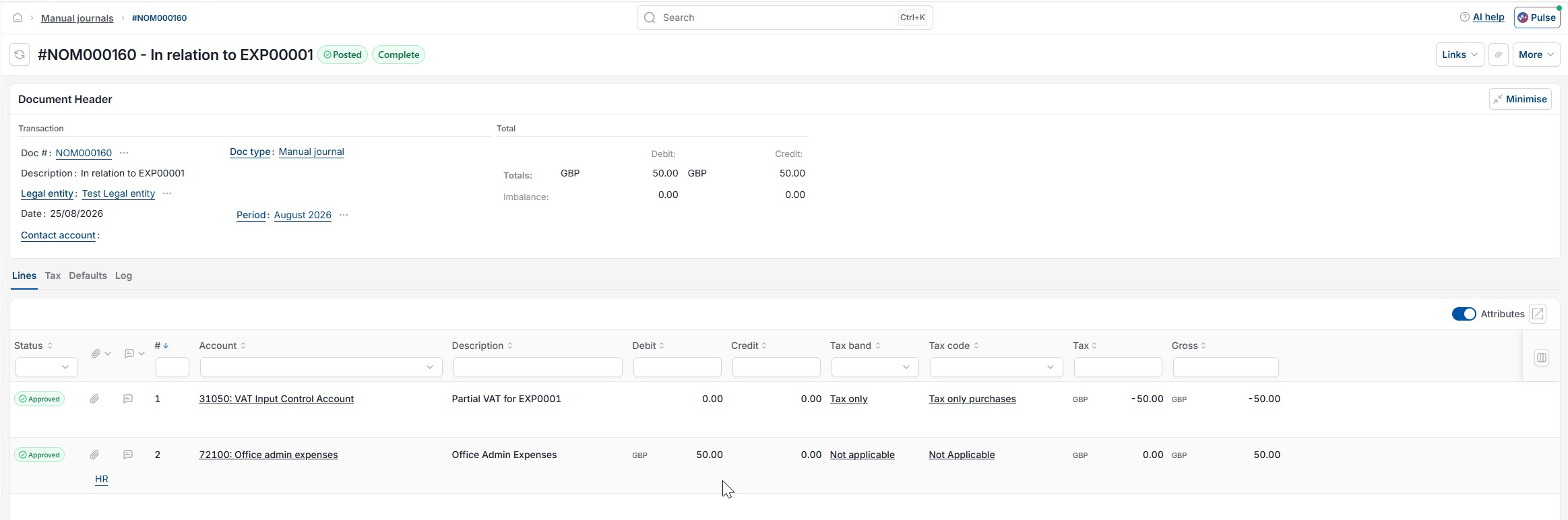
If an expense includes VAT that is partially or fully non-recoverable, post the adjustment using a manual journal instead:
- Raise a manual journal to move the irrecoverable portion of the VAT from the input tax account to the appropriate cost or expense account
- Reference the original expense document number on the journal so the adjustment is traceable
- Post the journal in the same period as the expense.
This applies equally whether the expense relates to a purchase (input VAT) or a sale (output VAT) – the same manual journal approach works on either side.
Partial tax expense
Non-recoverable VAT expenses
Expense claim partial VAT
Irrecoverable tax expense
Partial VAT not working expenses