

This article covers the Chart of Accounts, specifically which usage tick boxes are needed to set up a debtors control account or a creditors control account as an account default. This does not cover posting transactions to control accounts – control accounts in iplicit receive entries automatically through document processing, not through direct journal posting. For that, see 'Post to a control account'.
Debtors control account: which tick boxes to select
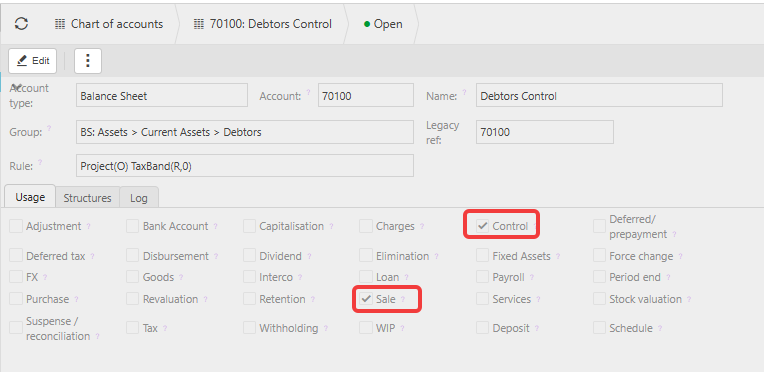
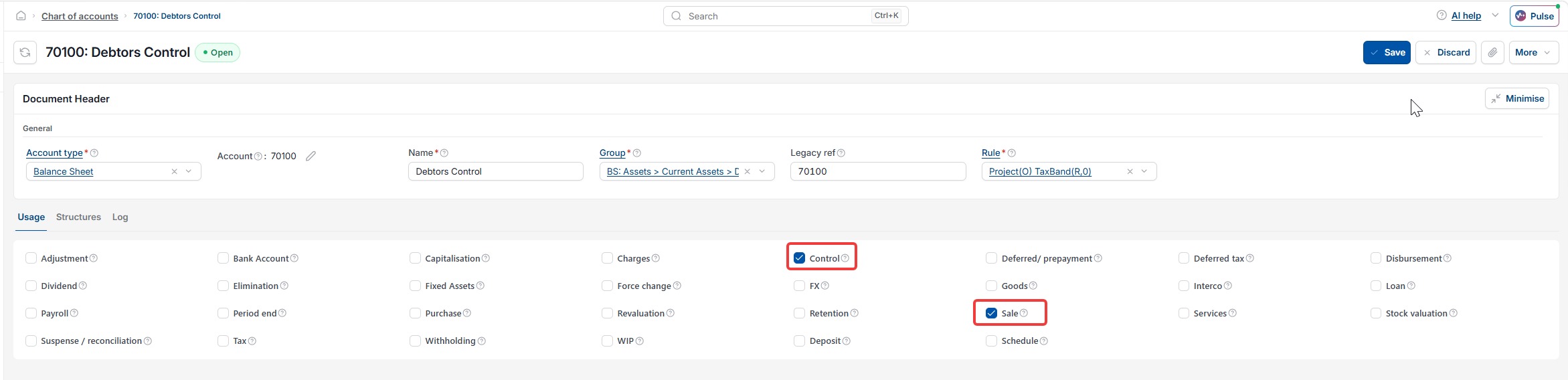
A debtors control account sits in the Sales Ledger and controls balances owed to you by customers. To set one up as an account default, select two usage tick boxes on the account:
- 'Control' – enables the account to function as a control account
- 'Sale' – assigns the account to the Sales Ledger.
Both tick boxes must be selected together. 'Control' alone does nothing without 'Sale' – 'Sale' is what tells iplicit this control account belongs to debtors rather than creditors.
Creditors control account: which tick boxes to select
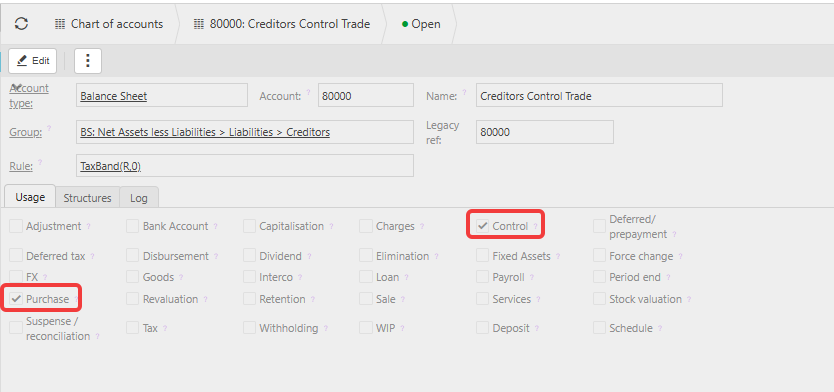
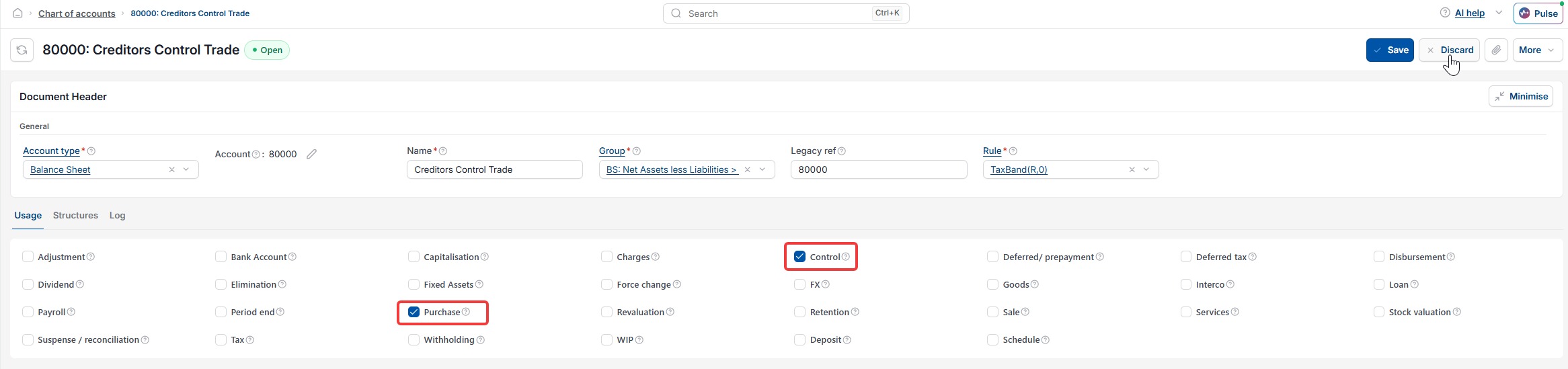
A creditors control account sits in the Purchase Ledger and controls balances you owe to suppliers. To set one up as an account default, select two usage tick boxes on the account:
- 'Control' – enables the account to function as a control account
- 'Purchase' – assigns the account to the Purchase Ledger.
Both tick boxes must be selected together. 'Control' alone does nothing without 'Purchase' – 'Purchase' is what tells iplicit this control account belongs to creditors rather than debtors.
Availability and limitations for control account tick boxes
Both the debtors control account and the creditors control account options are only available on accounts with an account type of Balance Sheet. No other usage tick boxes are required for either to function as intended.
Why you should not change control account tick boxes after setup
Once a debtors or creditors control account is saved as an account default with its two tick boxes selected, do not untick either one. Removing a tick box after setup affects where documents appear on your ledger and control account reports, for debtors and creditors alike.
If you need to change a debtors control account or a creditors control account, contact iplicit support before making any adjustments.
Debtors control account settings
Creditors control account settings
Control account settings
Control tick box
Sale tick box
Purchase tick box
Account set up