

This article covers downloading a bank reconciliation report or enquiry. This is sometimes called a 'reconciliation confirmation'. Both give you a record of matched and unmatched items for a specific bank reconciliation, and both can be reached in two ways.
Opening the reports and enquiries list from a bank reconciliation
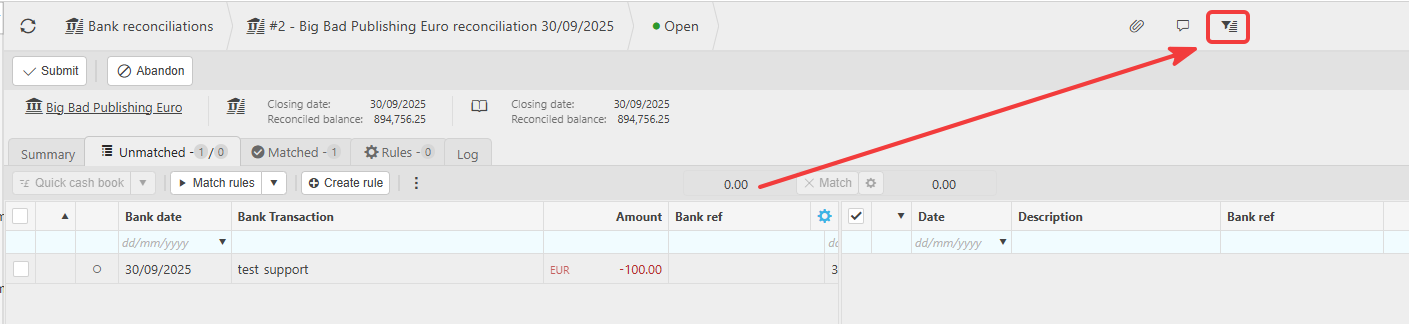
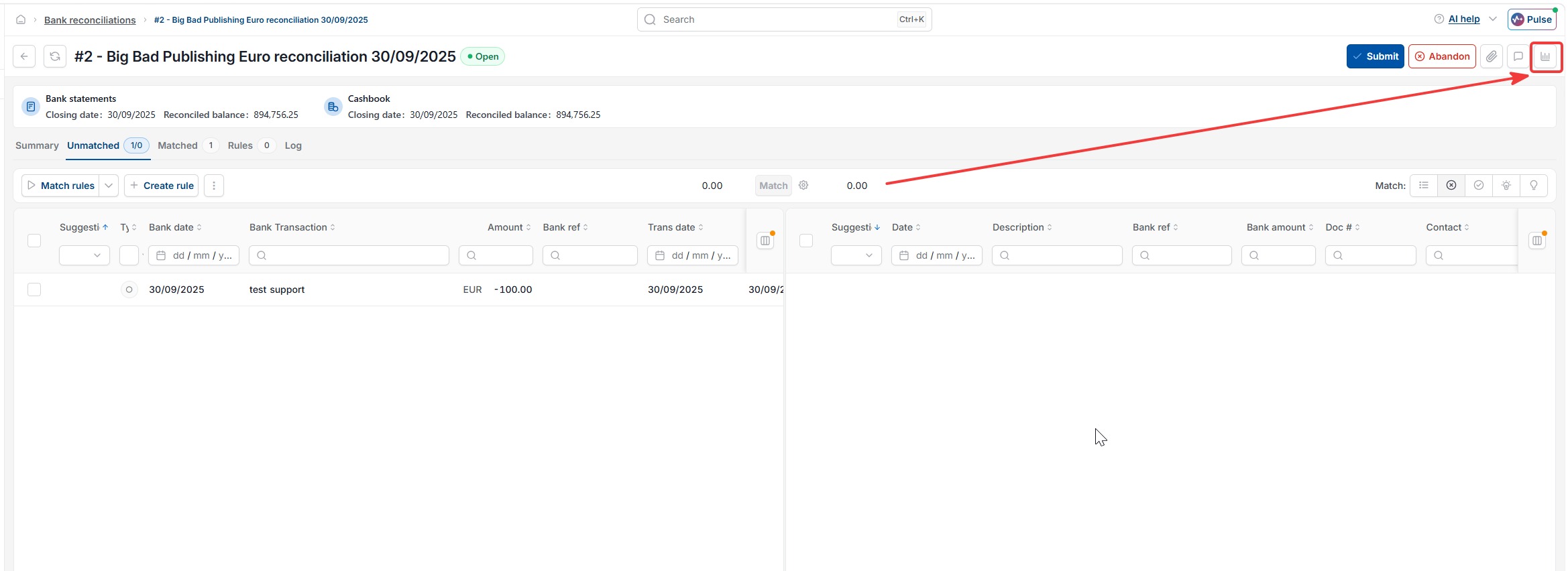
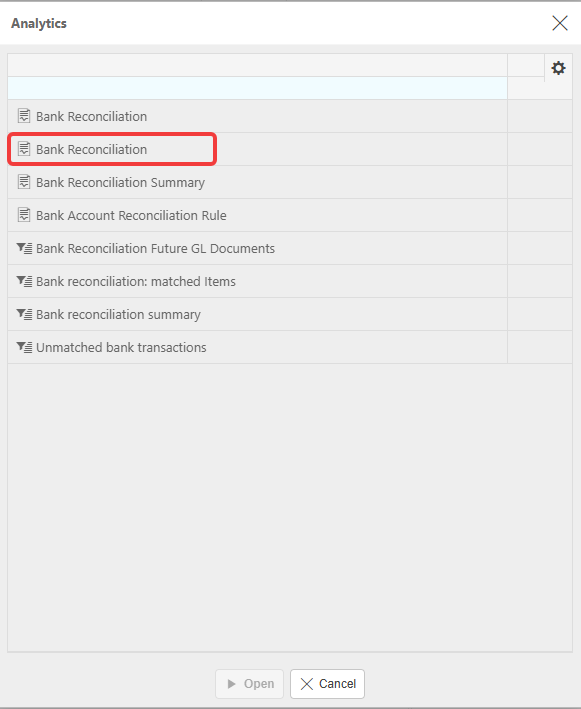
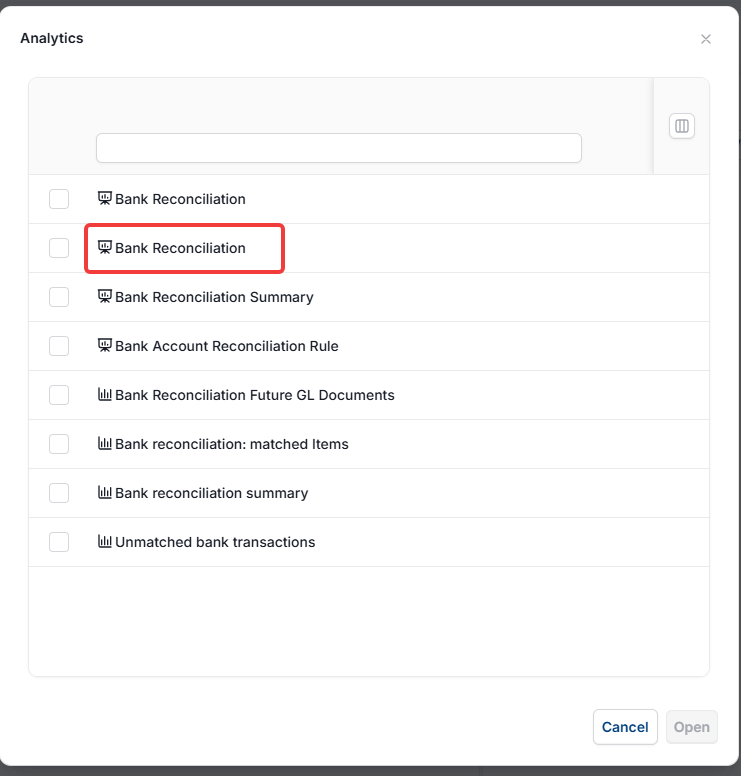
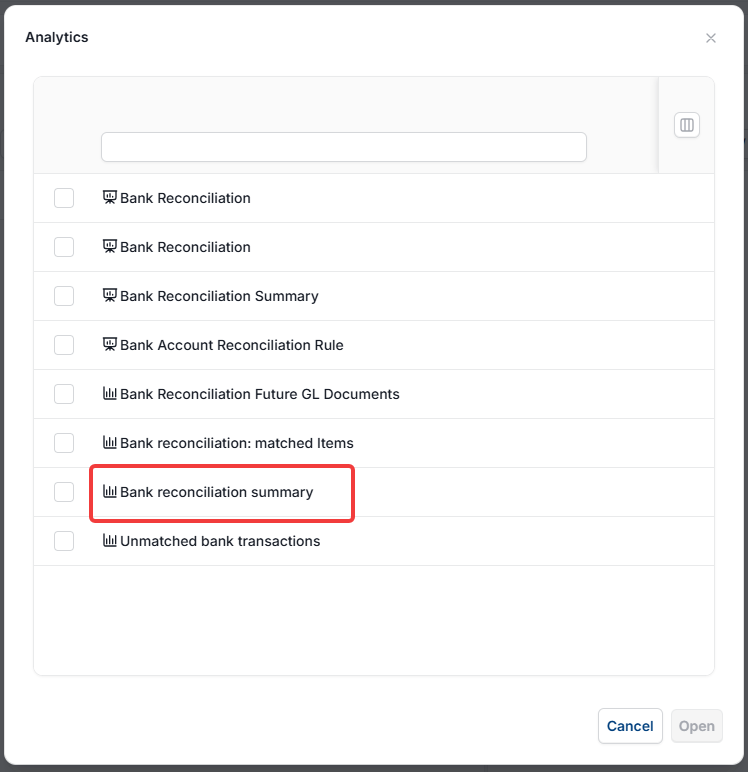
To find the available reports and enquiries for a bank reconciliation, open the reconciliation you want to confirm. Select the analytics icon at the top right of the screen. A pop-up titled 'Analytics' lists the reports and enquiries available for that bank reconciliation, with reports at the top and enquiries below.
Downloading the Bank Reconciliation report
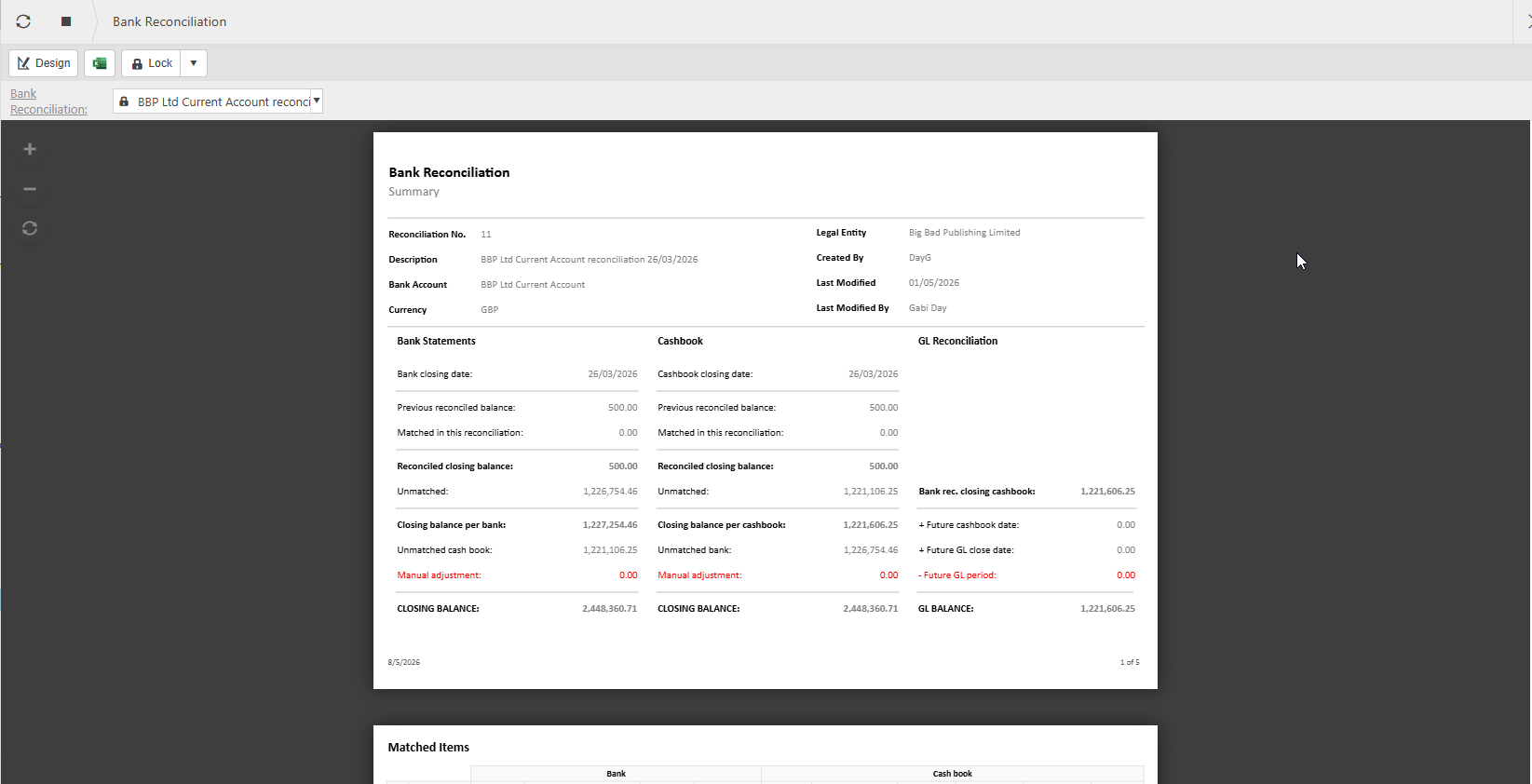
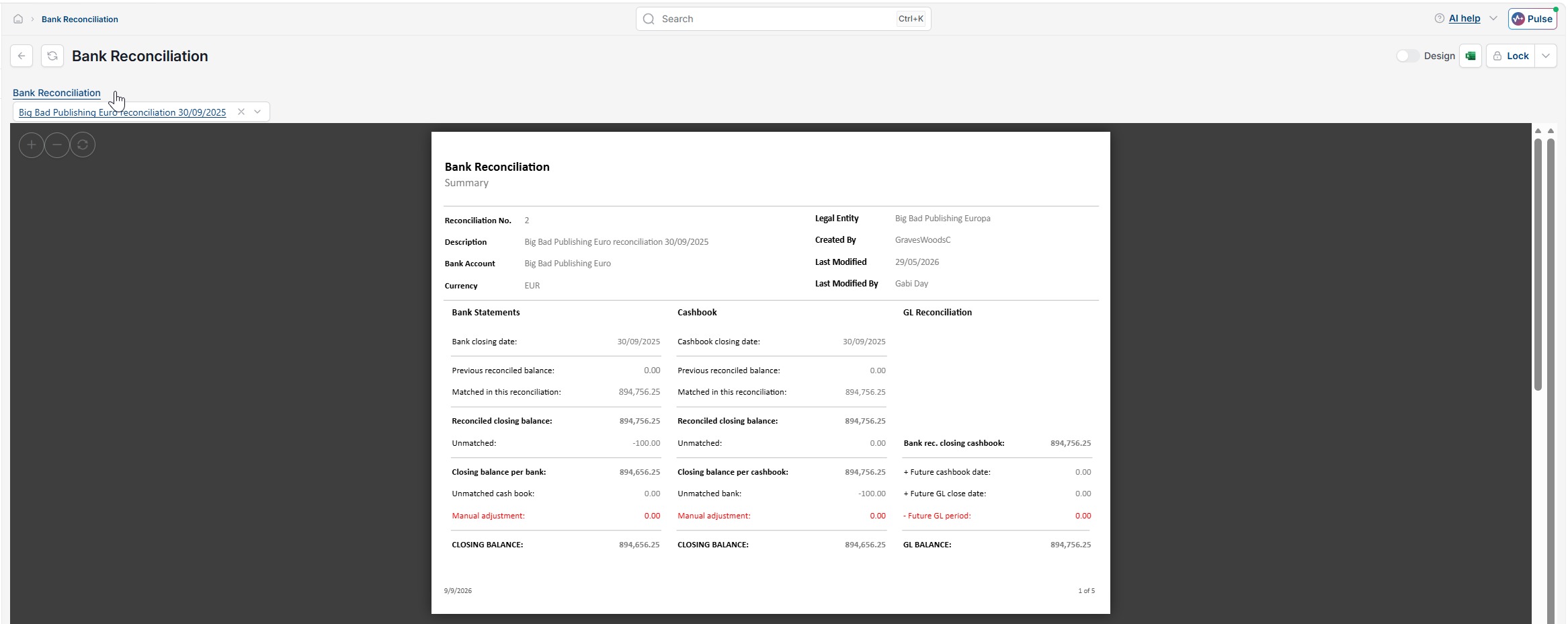
From the Analytics pop-up, select the correct 'Bank Reconciliation' report from the reports group, then select 'Open' to run it. The report opens as a multi-page document. The first page is a summary showing the reconciliation number, legal entity, bank account and currency, alongside closing balances for the bank statement, cashbook and GL reconciliation. The following pages list matched items and unmatched bank items for the bank reconciliation. Use the Excel export icon to download the report.
Running the Bank reconciliation summary enquiry
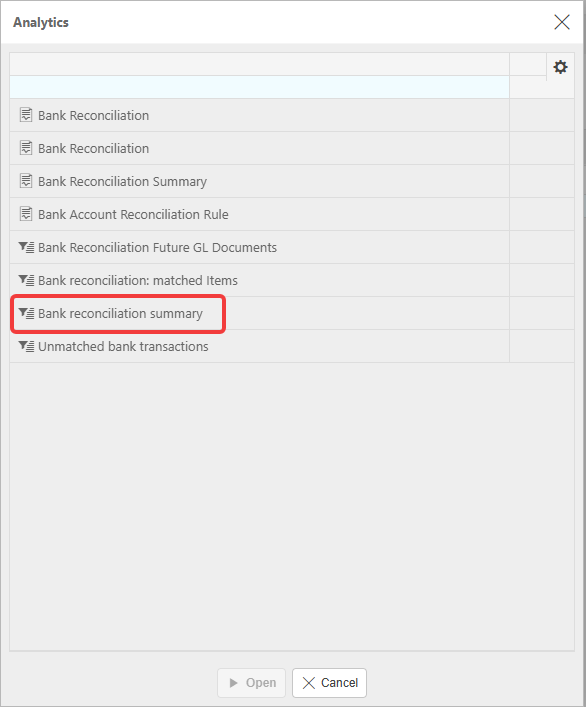
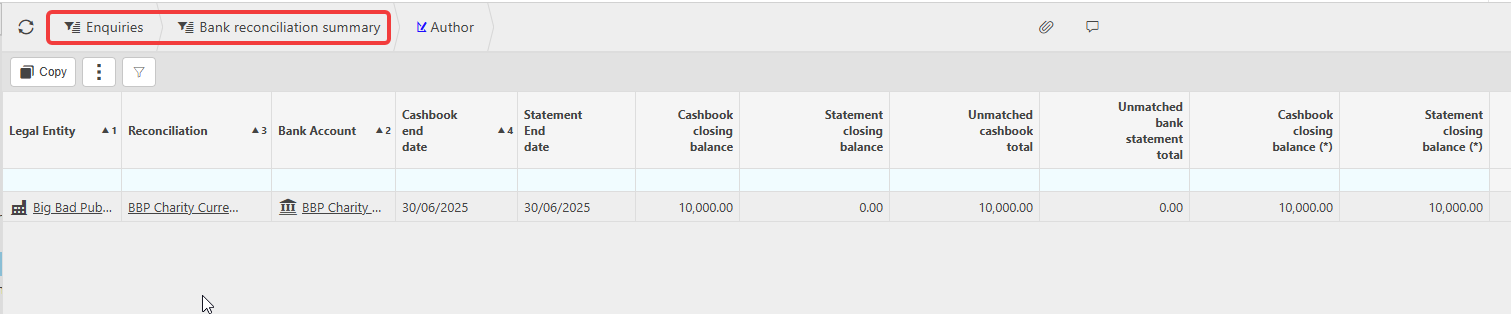
From the same Analytics pop-up, select 'Bank reconciliation summary' in the enquiries group, then select 'Open' to run it. This enquiry shows the summary totals for the bank reconciliation you opened it from. If you open the enquiry directly from the Enquiries menu instead, it lists all open bank reconciliations. Each row shows the legal entity, reconciliation reference, bank account, cashbook end date and statement end date, along with cashbook and statement closing balances and any unmatched cashbook or bank statement totals. Use this enquiry to check the reconciled position across multiple bank reconciliations at a glance, or to confirm one bank reconciliation's closing balances without opening the full report. Select the export option to download the results.

Finding reports and enquiries without opening a reconciliation
You can also reach bank reconciliation reports and enquiries without opening a specific bank reconciliation first. From the main menu, go to Reports or Enquiries, then search for 'bank reconciliation'. Select the report or enquiry you need, choose the bank reconciliation from the dropdown, then run and export it as above.
Bank reconciliation confirmation
Download bank reconciliation
Reconciliation report
Bank rec confirmation
Export bank reconciliation
Print bank reconciliation