

This article covers moving money between legal entities using a cash journal in iplicit. When the receiving General Ledger code's Chart of Account Rule has the Interco attribute set to optional, iplicit automatically creates the intercompany journals needed to move the value across entities.
Selecting the cash journal document type
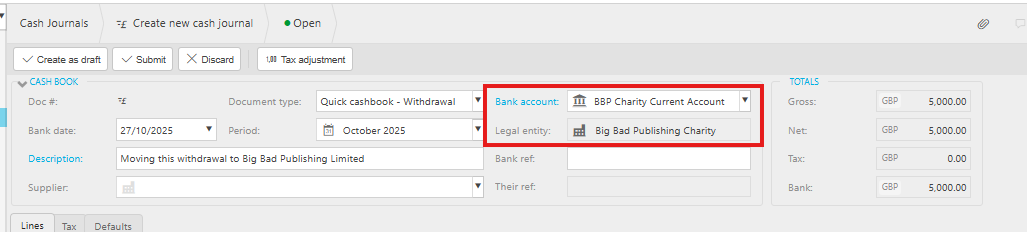
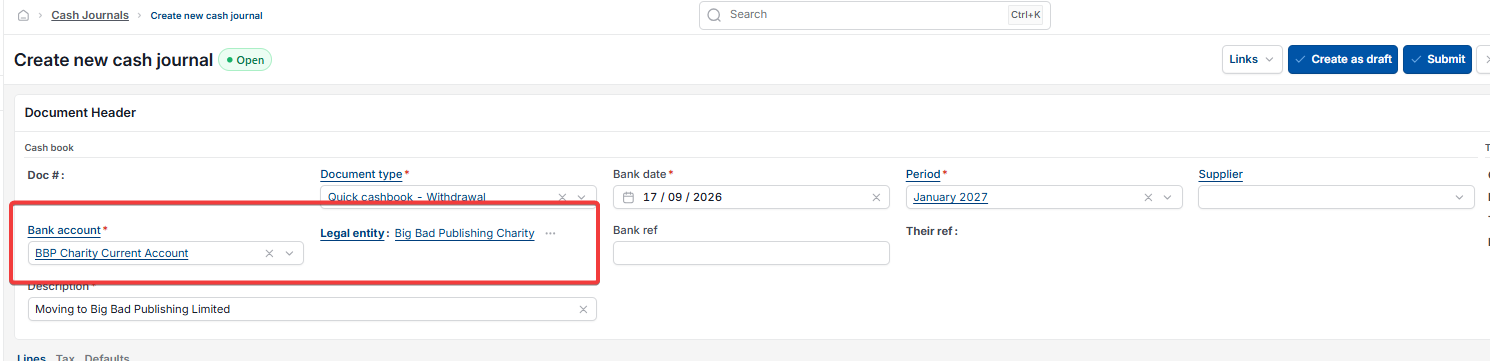
The document type you choose on a cash journal, together with the bank account, decides which legal entity the money is moving from.
- Open a new cash journal and select 'Quick cashbook – Withdrawal' or 'Quick cashbook – Deposit' as the 'Document type'
- Select the 'Bank account' for the entity you're moving money from. The 'Legal entity' field fills in automatically from the bank account you choose, so there's no separate entity selection to make.
Entering the transaction line
On the 'Lines' tab of the cash journal, add:
- the General Ledger code
- the value
- the target legal entity, using the 'InterCo' field. The General Ledger code you use must have Interco enabled on its Chart of Account Rule – see the next section.


Checking the Chart of Account Rule for Interco
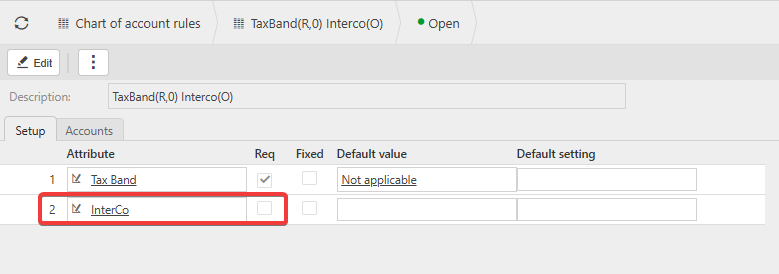
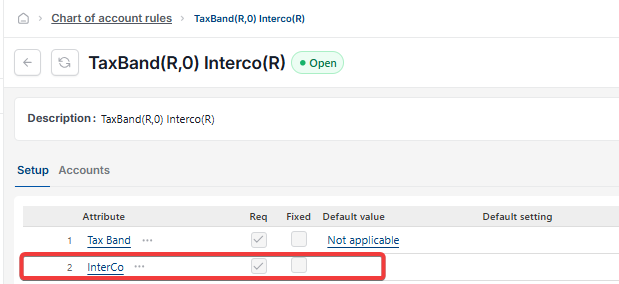
Before iplicit can move a value between legal entities, the General Ledger code's Chart of Account Rule must have Interco set to optional.
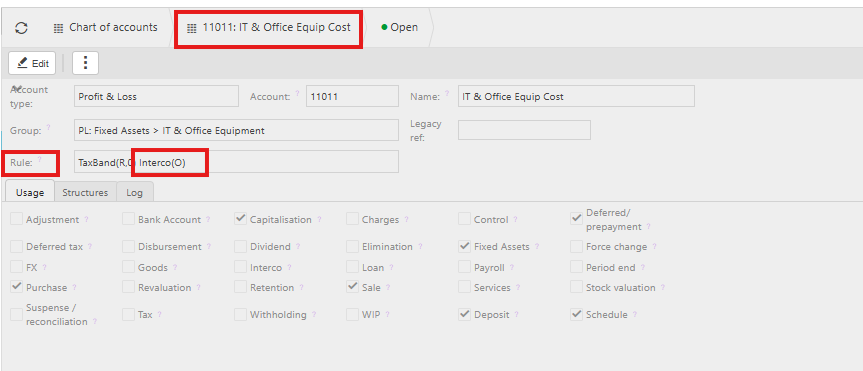
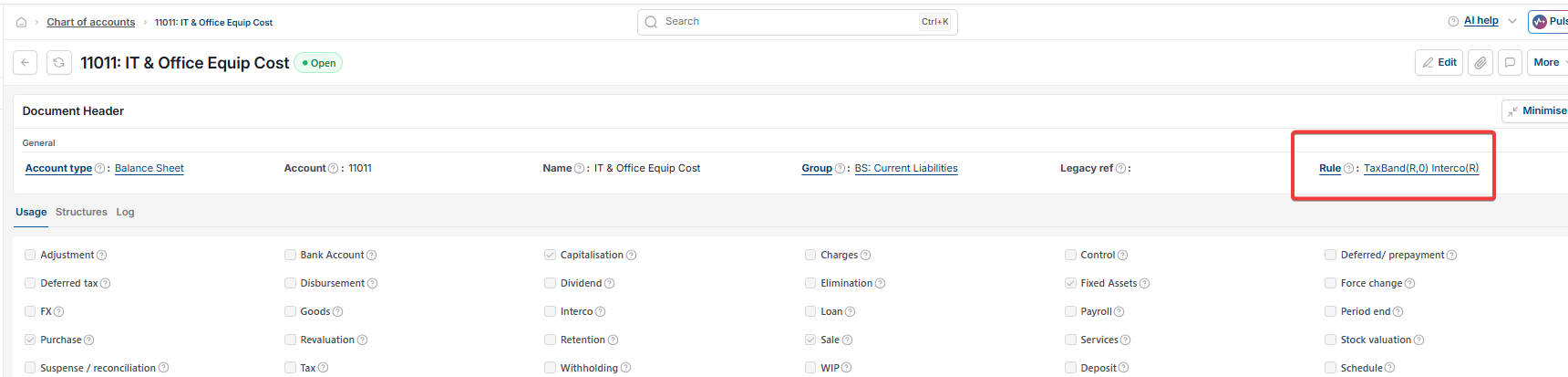
- Open 'Chart of Accounts' and find the account you're posting to
- Select the 'Rule' field to open its Chart of Account Rule
- Confirm 'Interco' is listed as an attribute with the 'Req' checkbox left unticked – this means it's optional rather than required or missing. If Interco isn't listed on the rule at all, iplicit will not generate the intercompany journals, and this needs adding before you continue.
Submitting the cash journal and viewing the generated journals
- Select 'Submit' on the cash journal
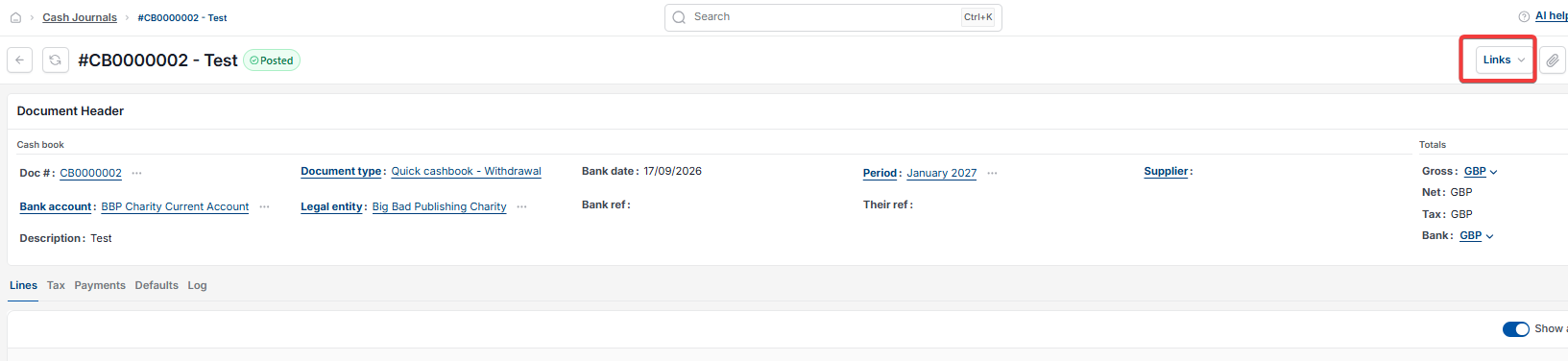
- Select the 'Links' icon at the top of the record. iplicit automatically creates two manual journals to complete the intercompany transfer, and both appear in this list.

How the two automatically generated journals work
iplicit creates one journal on each legal entity's books – not one journal split across both entities.
- On the receiving entity, one journal debits the General Ledger code you used and credits 'Intercompany Debtors', tagged with Interco pointing back to the originating entity
- On the originating entity, the other journal debits 'Intercompany Debtors', tagged with Interco pointing to the receiving entity, and credits the same General Ledger code.
Why two journals are created for an intercompany cash transfer
This pair of journals:
- clears the intercompany debtor and creditor accounts
- keeps both legal entities in balance
- moves the General Ledger code's value rather than increasing or decreasing it
- keeps the transaction compliant with intercompany accounting rules.
Move money between legal entities
Intercompany cash journal posting
Cash journal transfer to another entity
Interco attribute not generating journals
How to post intercompany journals in iplicit