

FX Realised (also called realised exchange gain or loss, or FX gain/loss) lets you post the exchange difference on a Purchase or Sale invoice once it has been paid off. This article covers FX Realised on Purchase and Sale invoices only – FX Realised triggered during Bank Reconciliation matching, and FX Revaluation run at period end, both work differently and aren't covered here.
You'll need access to Document Types, Account Defaults and Chart of Accounts settings to work through these checks.
Confirm the FX box is enabled on the document type
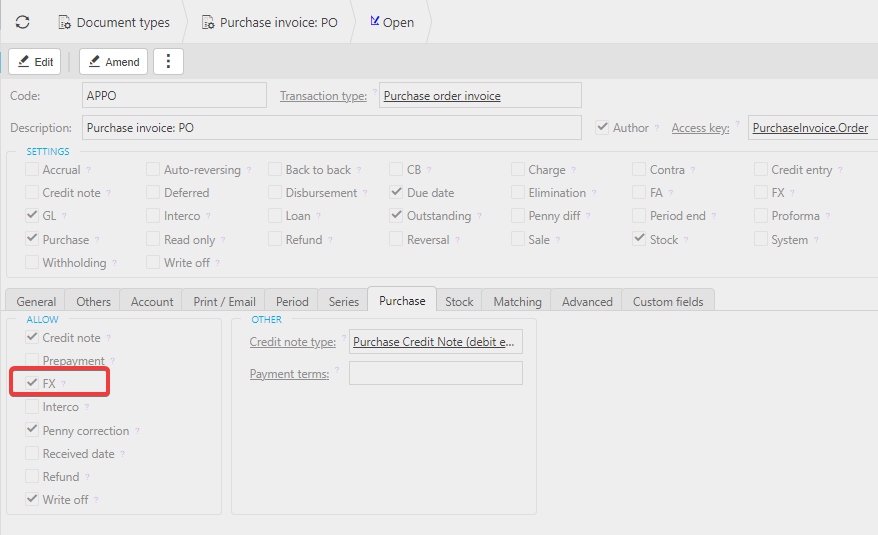
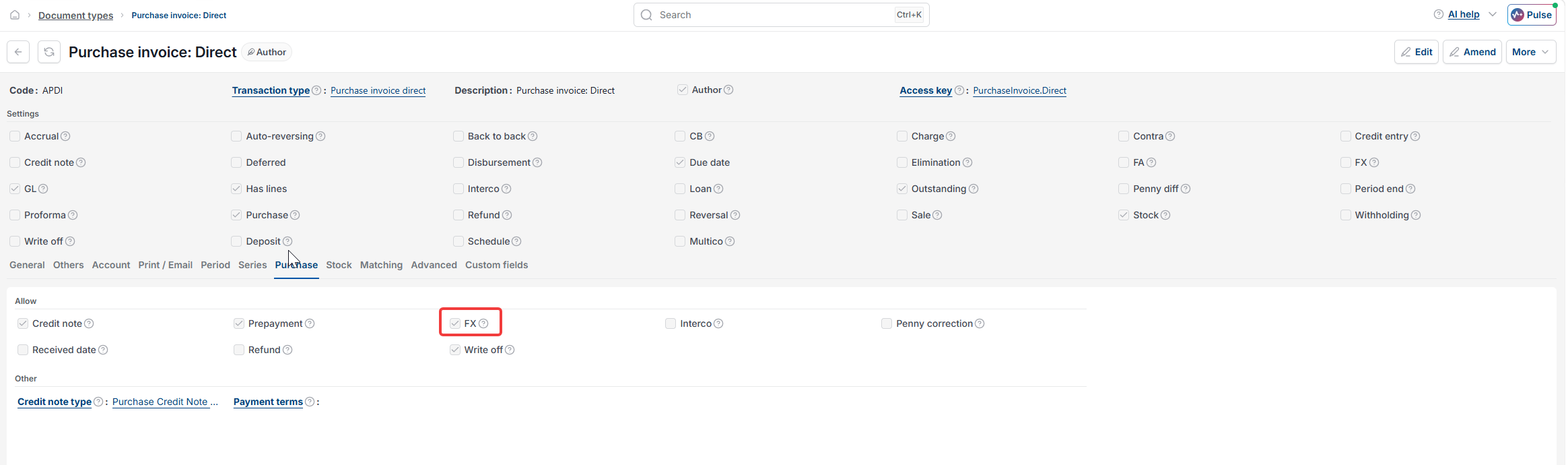
Open the document type you're trying to use FX Realised on – for example, the purchase invoice document type. Select the Purchase tab if it's a purchase document, or the Sale tab if it's a sale document. Check that the 'FX' box is ticked. If it isn't ticked, FX Realised won't be available on any document created from that document type.
Confirm the invoice is fully allocated in its foreign currency
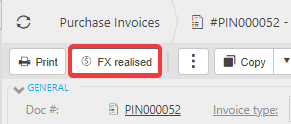
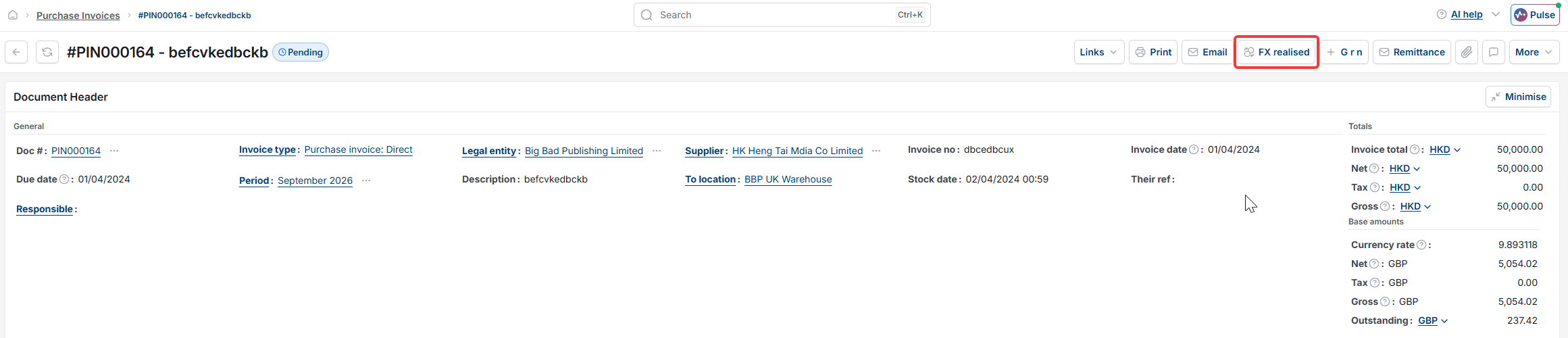
The FX Realised button only appears once the invoice has been allocated in full, in the currency it was raised in. A partly-allocated invoice won't show the button, even if the document type is set up correctly. Once allocation is complete, the FX Realised button appears on the invoice itself.
Confirm an account default exists for FX Realised
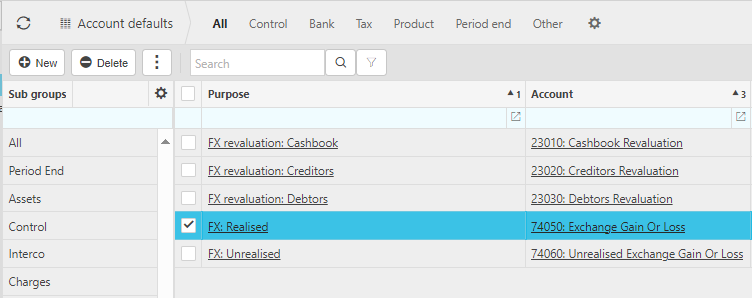
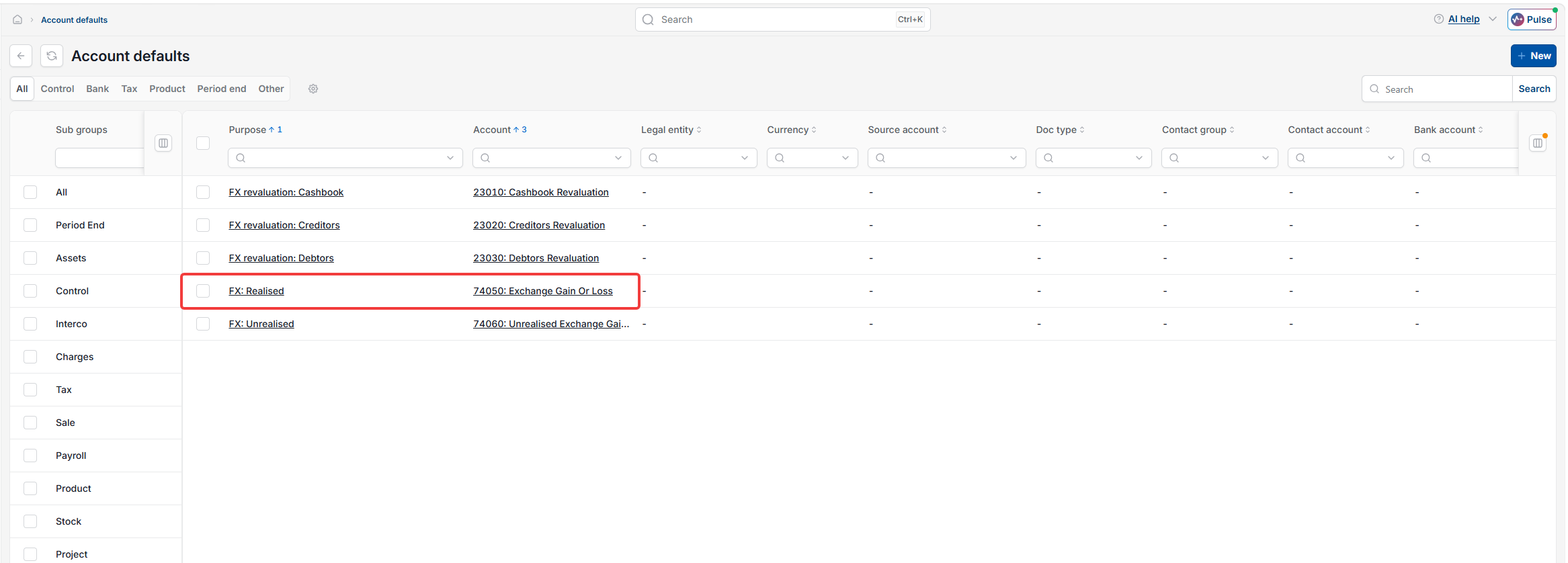
iplicit needs to know which nominal account to post the exchange difference to. In Account Defaults, check that a default exists for 'FX: Realised' and that it points to a valid account – for example, an account named 'Exchange Gain Or Loss'. You can set up more than one FX Realised account default if you need different accounts by legal entity or by currency.
Confirm the FX box is ticked on the chart of accounts
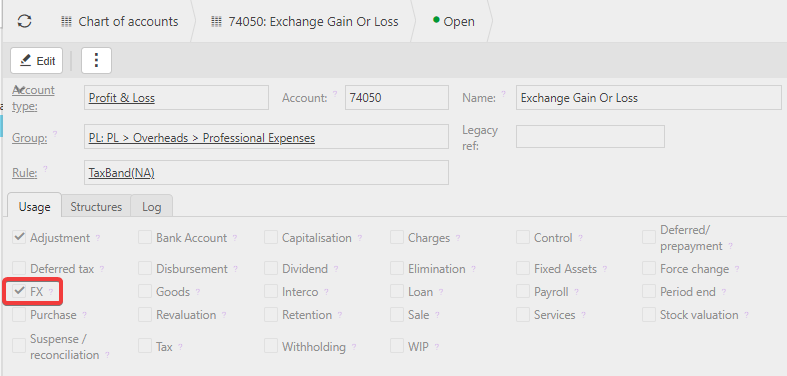
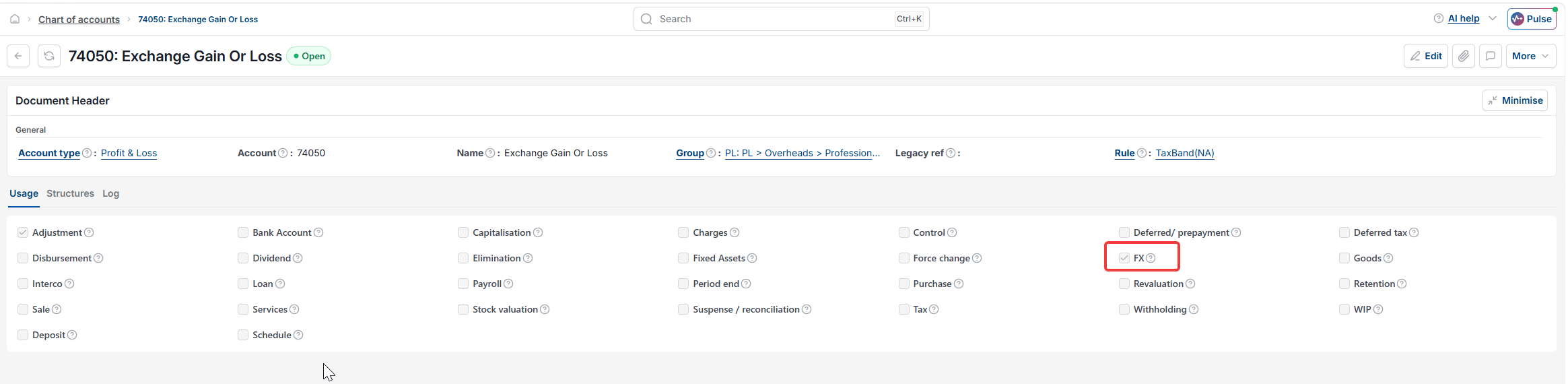
The account you've assigned in the FX Realised account default must itself be enabled for FX. Open that account in Chart of Accounts and check the 'FX' box is ticked on the Usage tab. If this box isn't ticked, the account can't be selected as an FX Realised default, even if it looks correctly assigned.
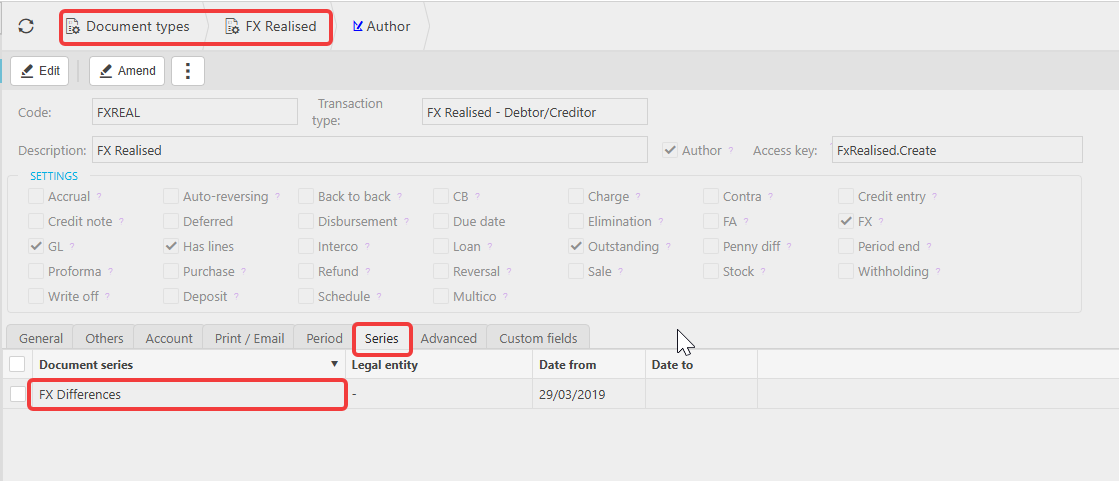
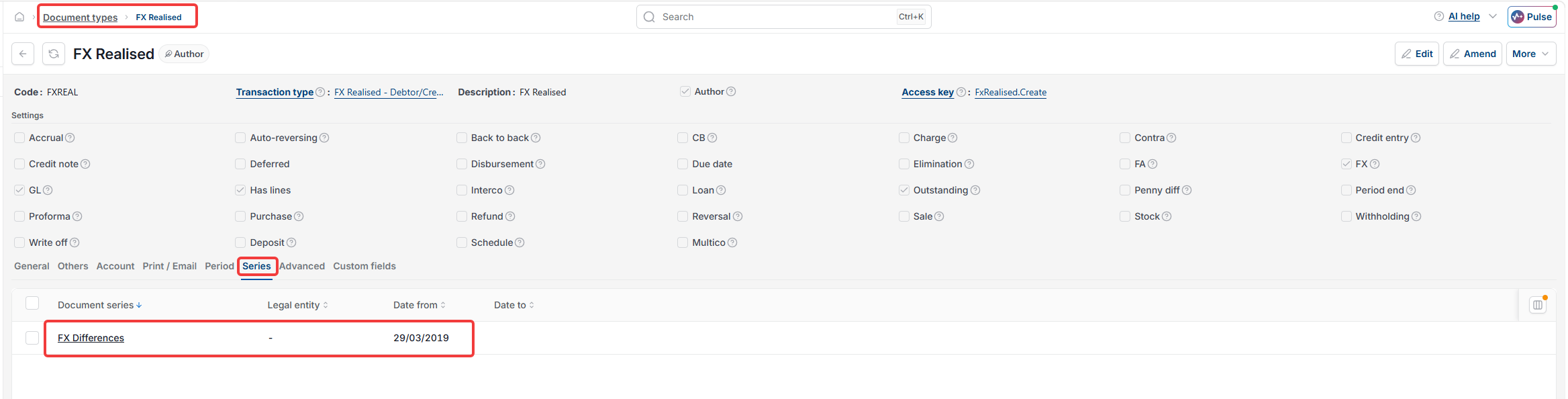
Check the document type is unlocked and has a document series
FX Realised won't work if the FX Realised document type is locked, or if it doesn't have a document series assigned.
FX realised is not showing
Missing FX realised on a document
FX realised button not appearing
Can't see FX realised
FX gain or loss not showing
Exchange difference not appearing
FX realised greyed out