

This article covers changing the currency on a manual journal. Unlike a purchase invoice or sale invoice, where one currency applies to the whole document, a manual journal lets you set the currency separately for each line. If you need to change the currency on an invoice instead, see 'How to change the currency on a purchase or sale invoice'.
How to change the currency on a manual journal line
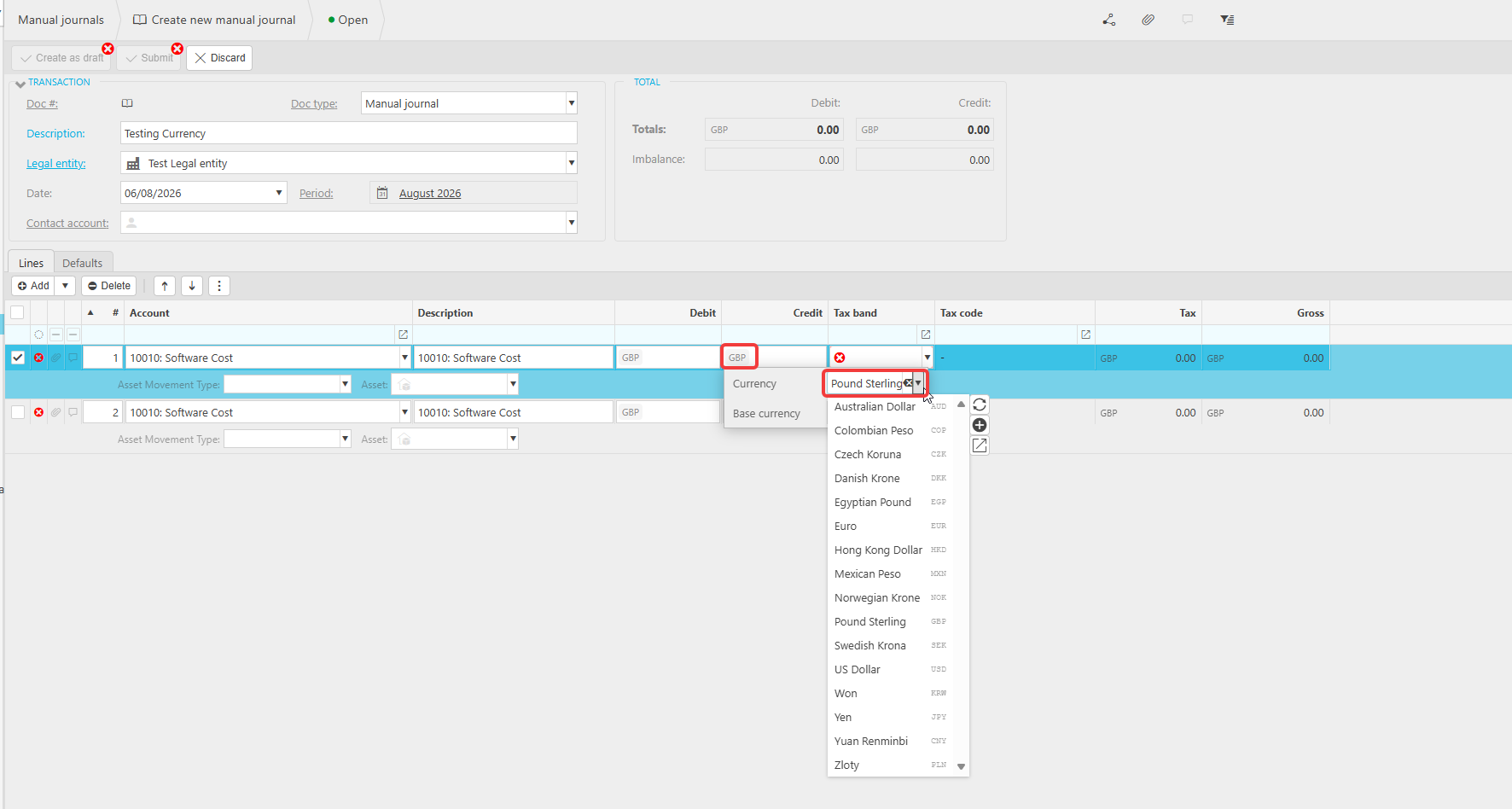
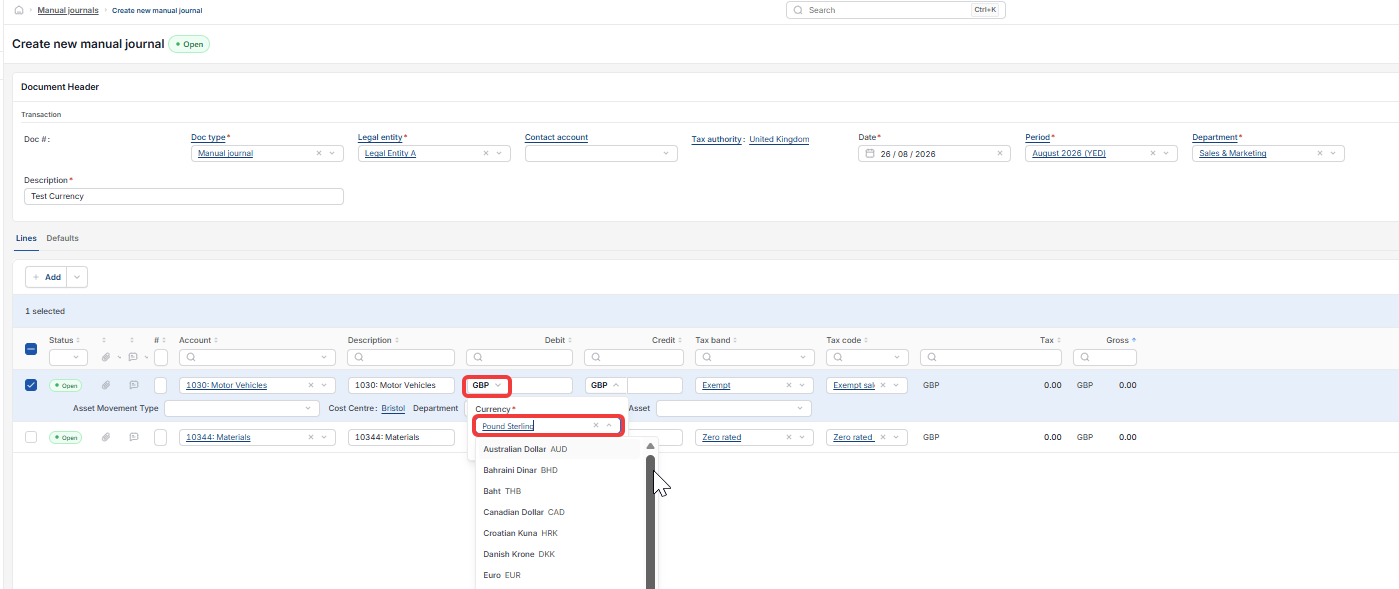
Each line of a manual journal has its own currency code, shown next to the debit and credit boxes for that line. This currency code is a dropdown, sometimes called a currency selector or currency field.
- Find the manual journal line you want to change
- Select the currency code shown next to that line's debit or credit amount
- A list of available currencies opens, showing each currency's full name and its three-letter code, such as Euro (EUR) or US Dollar (USD)
- Select the currency you want to use for that line.
Only the line you change is affected. Other lines in the same manual journal keep their existing currency unless you change them too.
Change manual journal currency
Manual journal currency line
Foreign currency journal
Journal line currency
Edit currency manual journal