

This article covers the lightbulb icons shown on the 'Unmatched' tab within Bank Reconciliation. Each icon tells you what kind of match iplicit has found for a transaction, before you confirm it.
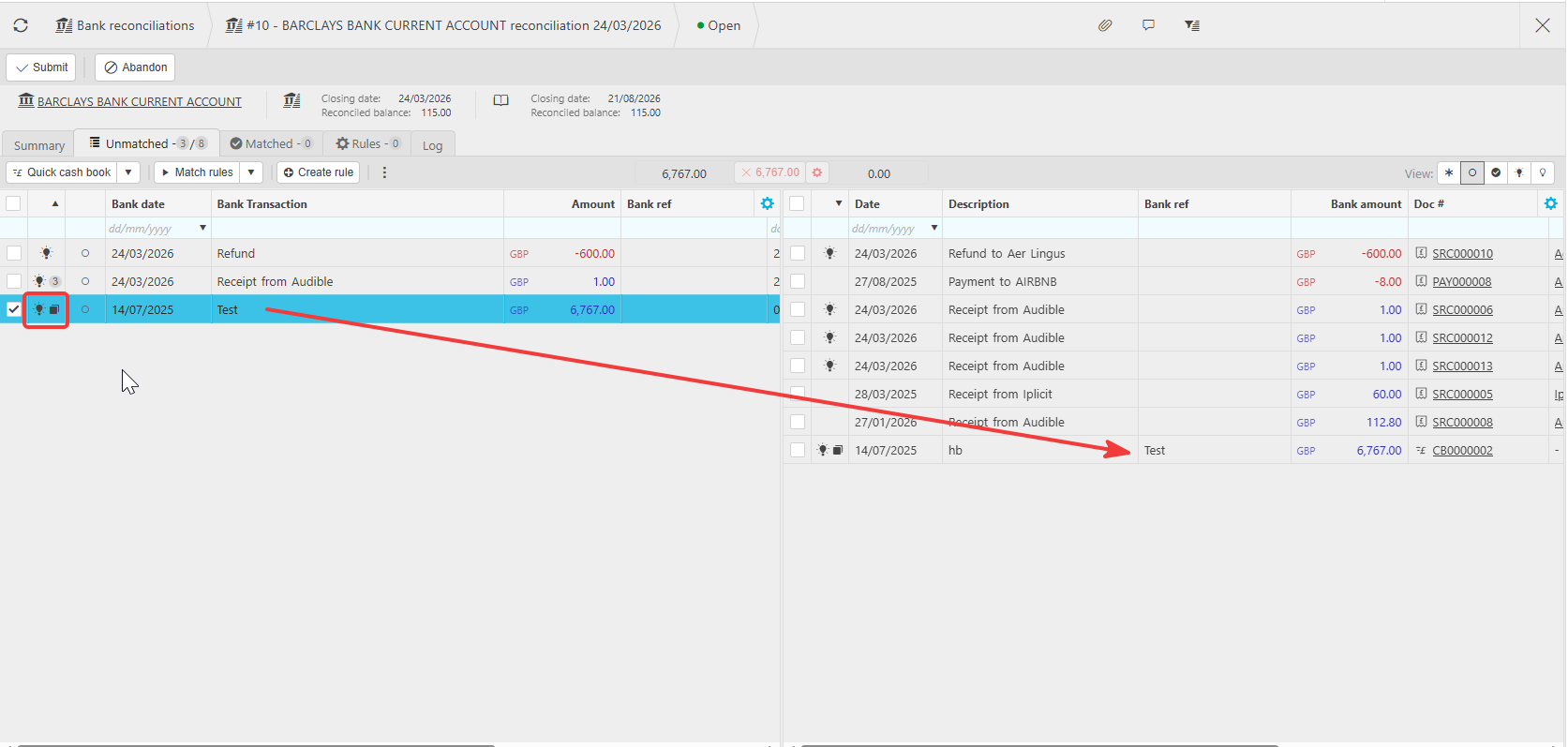
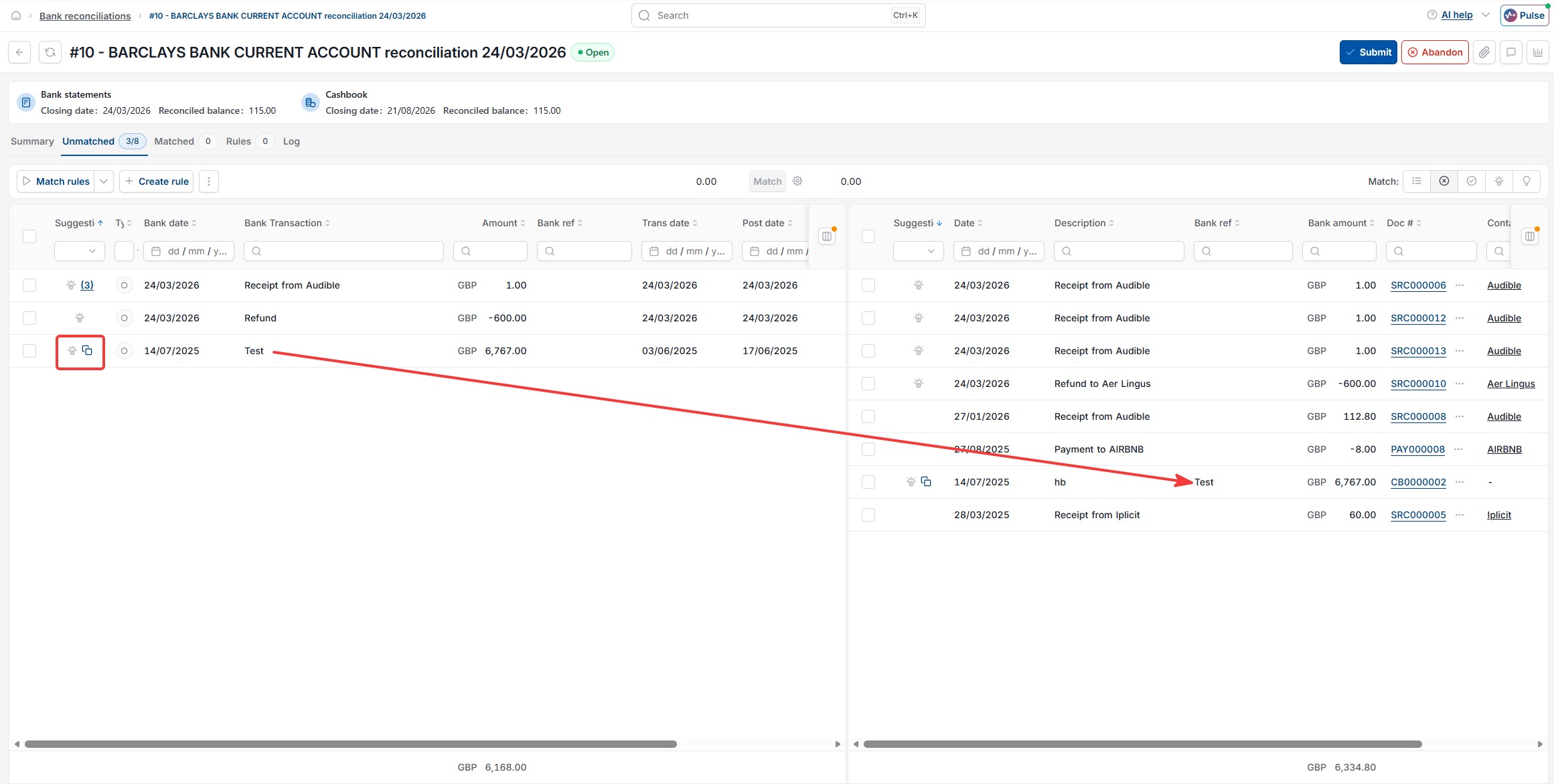
Plain lightbulb – match on amount
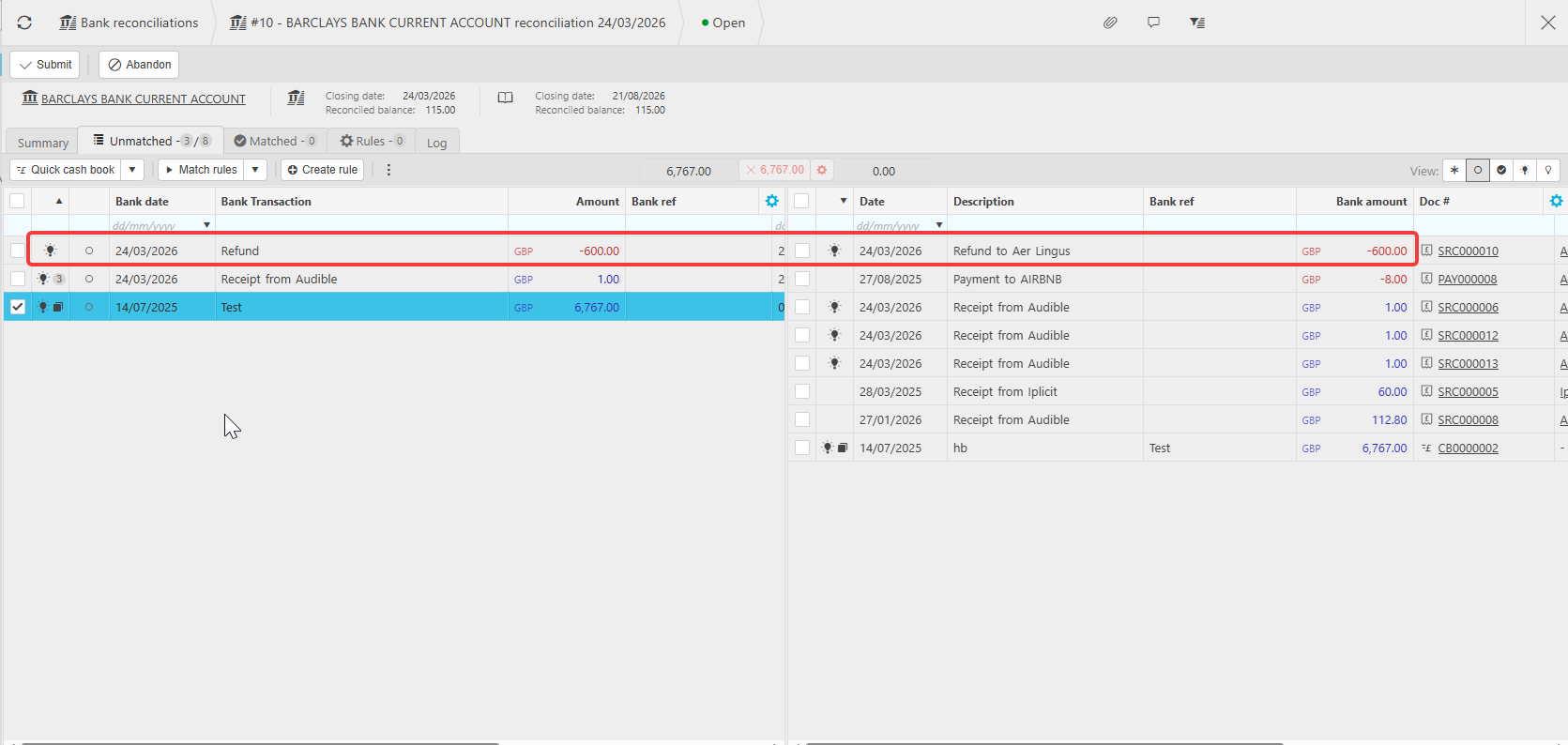
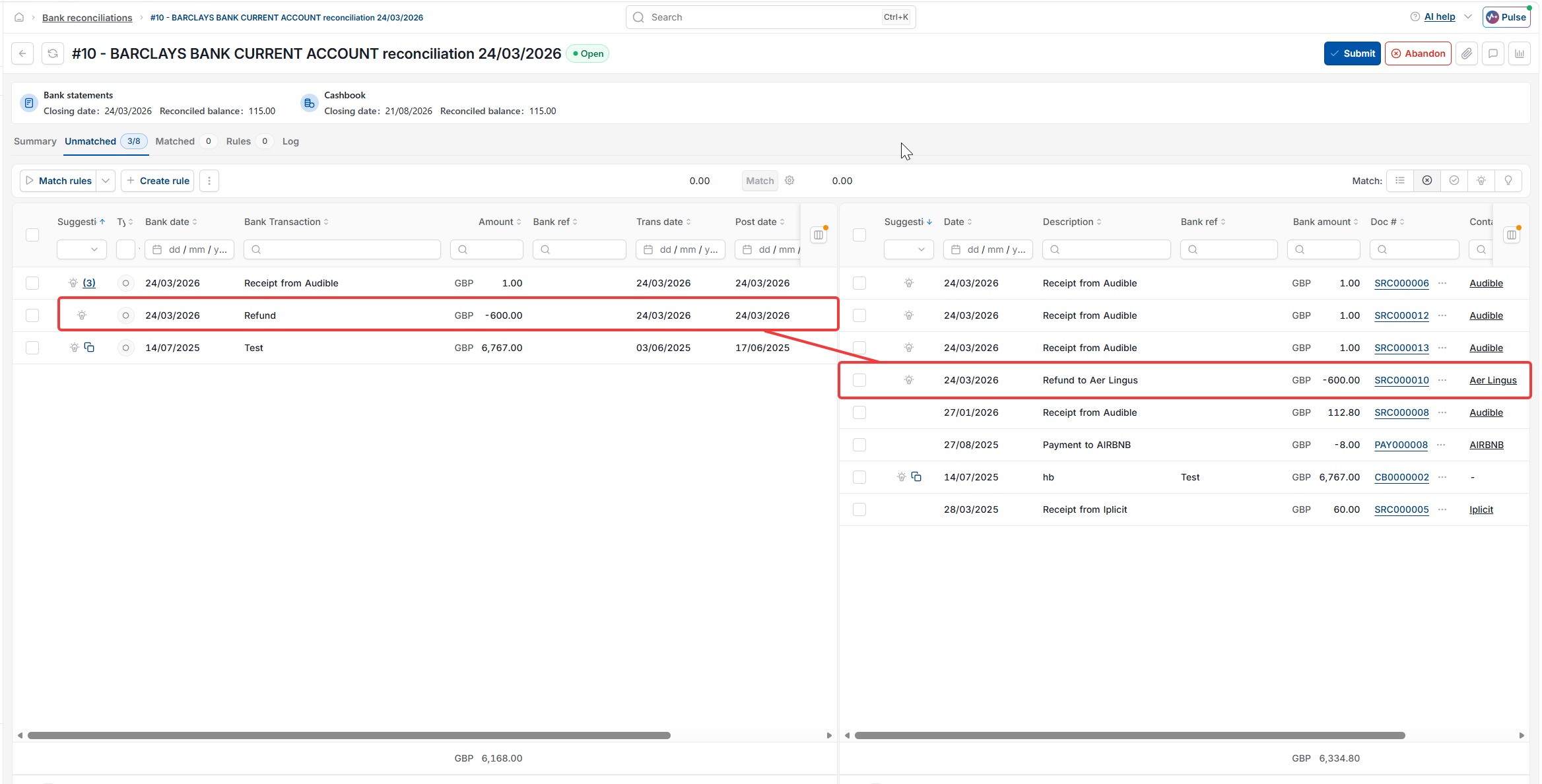
A plain lightbulb, with no number or additional icon next to it, means iplicit has found one transaction on the other side with the same amount. This is the simplest match type, based on amount alone.
Lightbulb with a number – multiple matches by amount
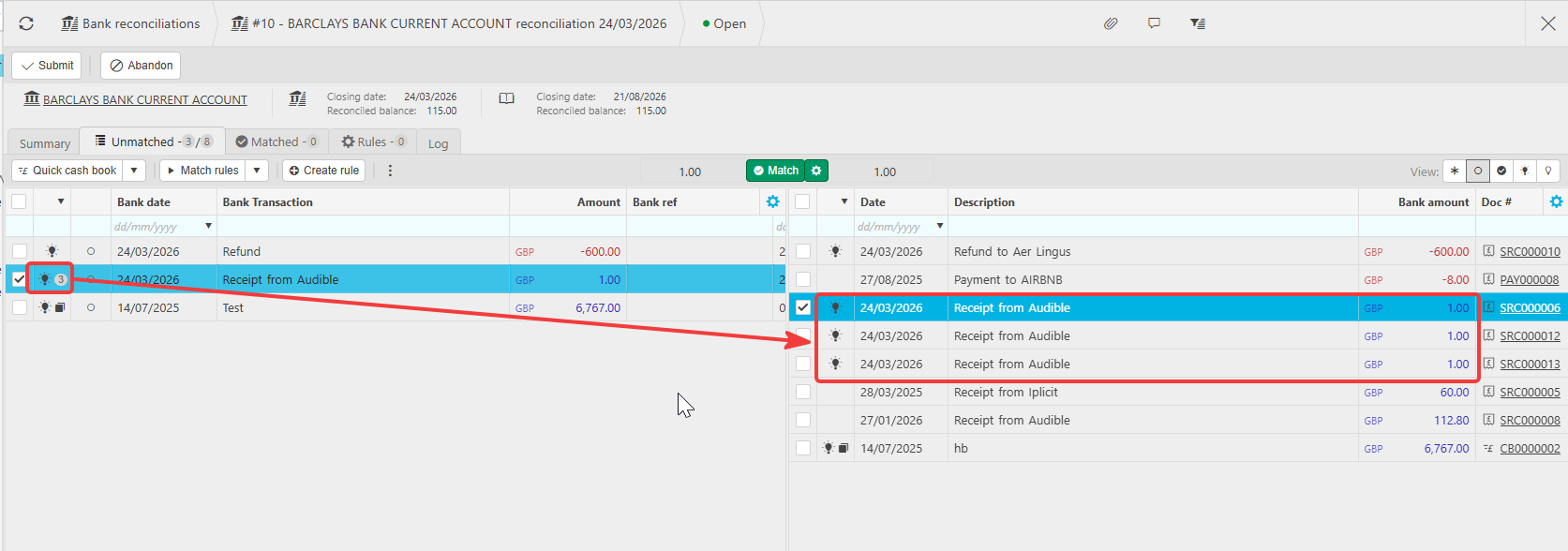
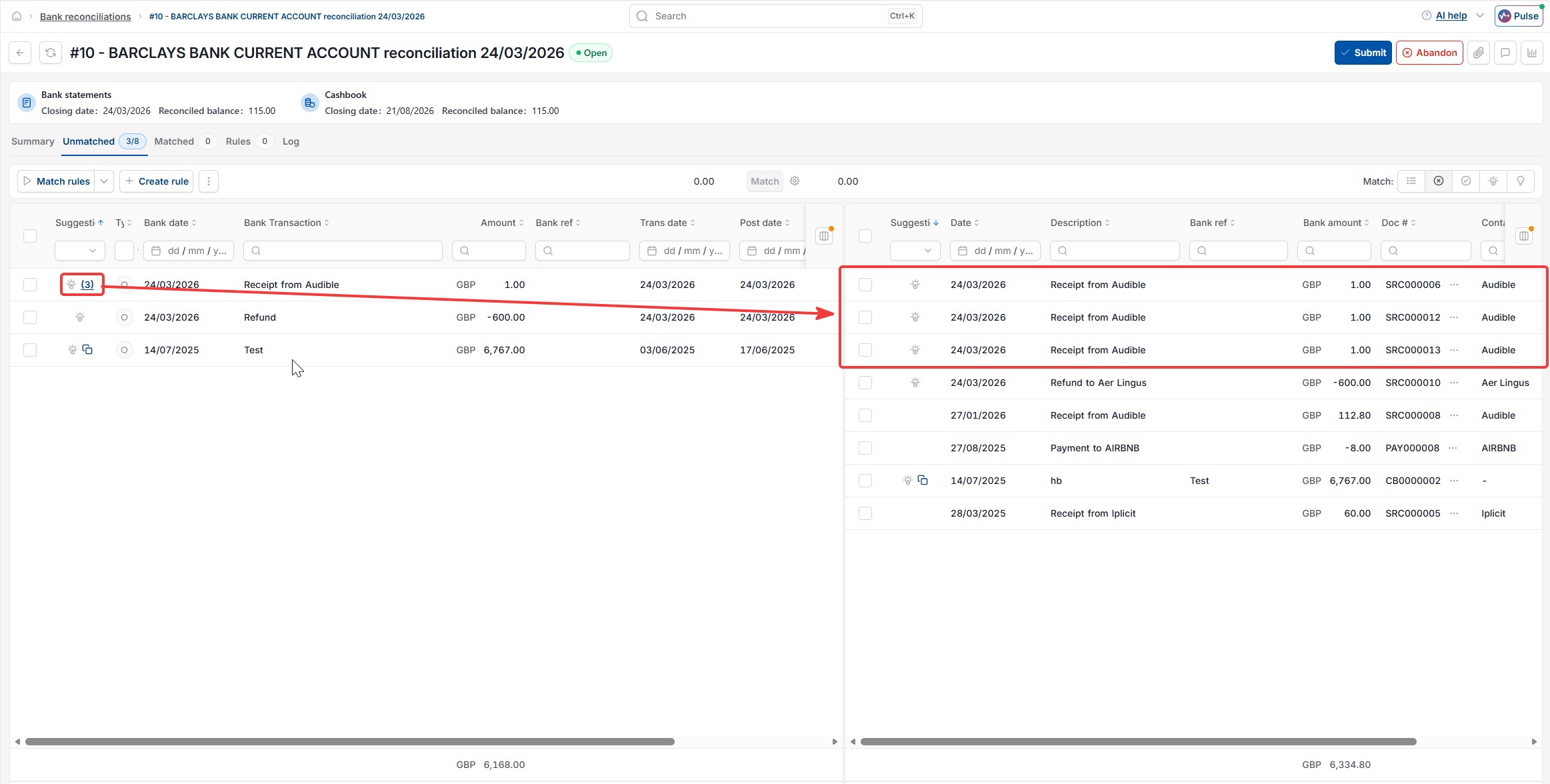
A lightbulb showing a number, for example '3', means iplicit has found several possible matches with the same amount. You can review the candidates on the opposite side of the screen and select the correct one.
Lightbulb with a square icon – match on amount and bank reference
A lightbulb with a small square icon next to it means iplicit has found a match on both the amount and the 'Bank ref' field. This is not the transaction's main description – it is a separate 'Bank ref' field that can be added to the cashbook transaction. When this field matches the bank statement description, iplicit shows the stronger match with this icon.
Lightbulb icon bank rec
Bank reconciliation match icons
Lightbulb with number bank rec
What does the box next to the lightbulb mean