

This article covers what happens when transactions are visible on the Bank Feeds screen but do not appear in your bank statement or Bank Reconciliation. If your Bank Feed has stopped bringing through new transactions in the first place, see the separate article on that instead.
Bank Feed transactions do not go straight into Bank Reconciliation. They must first be added, or 'populated', into a bank statement. Until that step runs, transactions stay visible on the Bank Feeds screen but won't appear anywhere in Bank Reconciliation.
Why Bank Feeds and bank statements are different things
The Bank Feeds screen shows transactions coming directly from your bank via Open Banking – think of it as a live inbox of your bank activity. Bank Reconciliation, though, doesn't read from that inbox directly. It matches against a separate bank statement record. Transactions move from the Bank Feed into the bank statement through a process called 'Populate Bank Statements'. Until that process has run, the transactions sit on the Bank Feeds screen.
If you open a Bank Feed to view its transactions, each line has a 'Bank statement' column. If a transaction has already been populated, this shows the statement it's been added to and will usually be in a green colour.
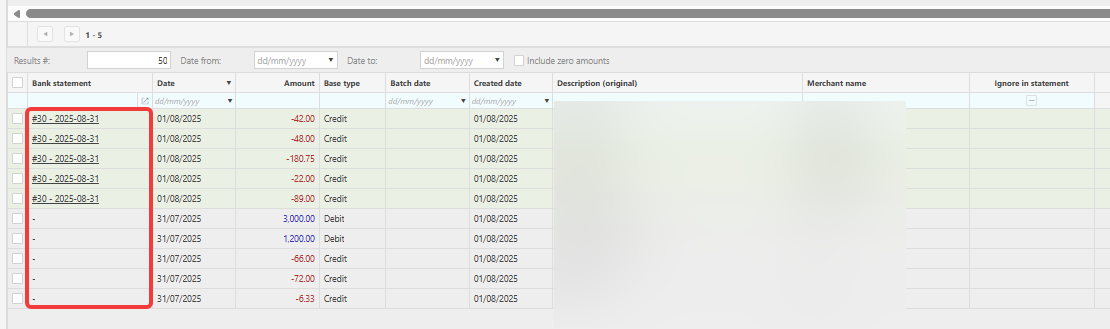
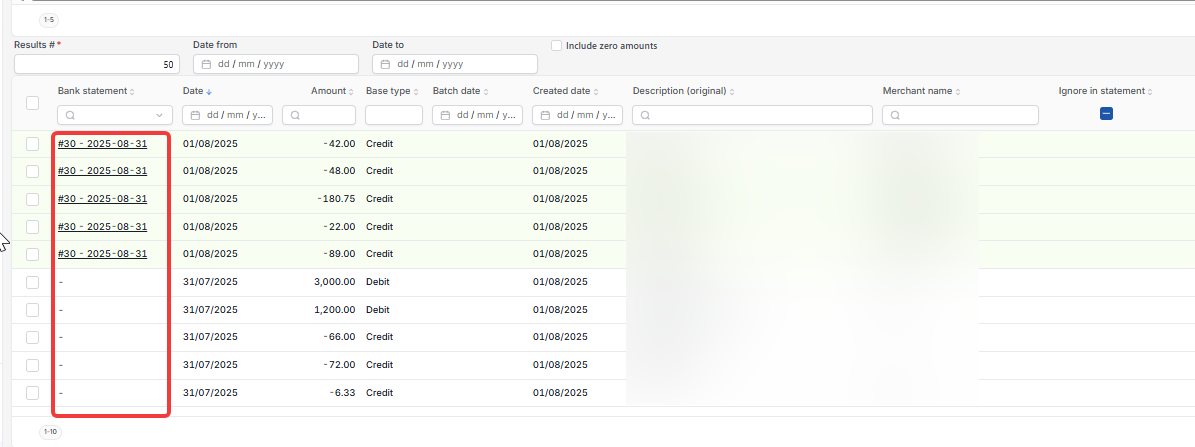
Getting Bank Feed transactions into Bank Reconciliation
Populating the bank statement can happen in either of two ways.
Automatically, via the scheduler – if you see a scheduled task called 'Bank feed: Populate Bank Statements' under Scheduler, this runs automatically on whatever pattern it's set to, typically once a day. Check with your system administrator whether this is active, and when it's due to run next, for your organisation.
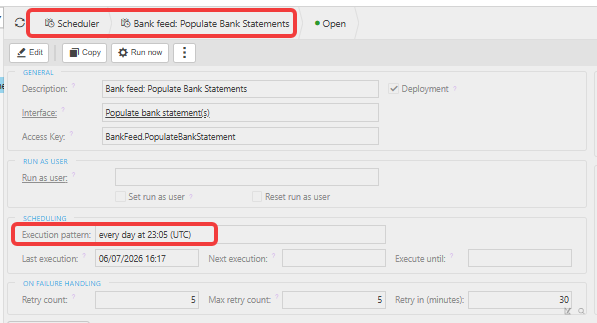

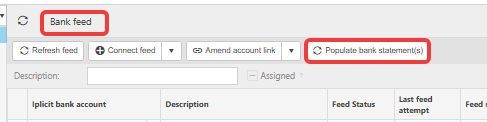
Manually – if the scheduler isn't set up, or you don't want to wait for the next run, select 'Populate bank statement(s)' on the Bank Feeds screen to run the process yourself.
Once the process has run, go to Bank > Bank Reconciliation. The transactions will now be in your bank statement and ready to match against cashbook entries.

If the feed has stopped bringing through transactions at all
The above applies once transactions are already sitting on the Bank Feeds screen. If nothing new is arriving on the Bank Feeds screen in the first place, that's a different problem – see the separate article on 'Why a bank feed has stopped pulling through transactions'.
Bank feed transactions not in statement
Transactions missing from bank reconciliation
Populate bank statement
Feed showing but reconciliation empty
Bank statement missing transactions