

This article covers general login problems when signing in to iplicit - for example the login page not loading, or your details not being accepted. It does not cover single sign-on (SSO) or multi-factor authentication (MFA) problems. If you sign in through your company's SSO provider, see 'Enabling SSO for iplicit login'. If you use an authenticator app or receive a login code, see 'How to enable or disable MFA on iplicit'.
Try the direct login link
Login issues in iplicit often clear up by signing in through the direct login link rather than a bookmarked or saved page.
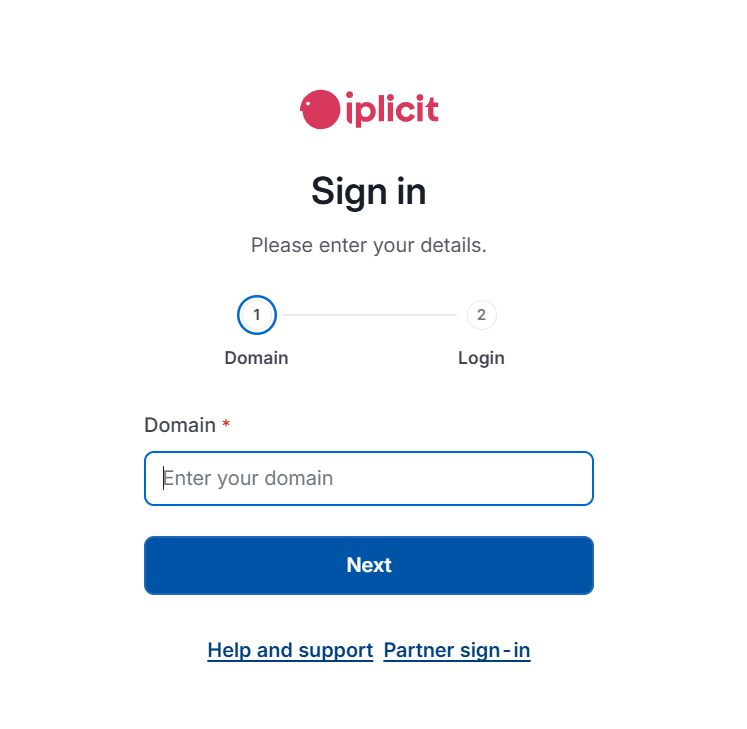
- Go to the iplicit login page at login.iplicit.com/login/domain
- Enter your organisation's environment name
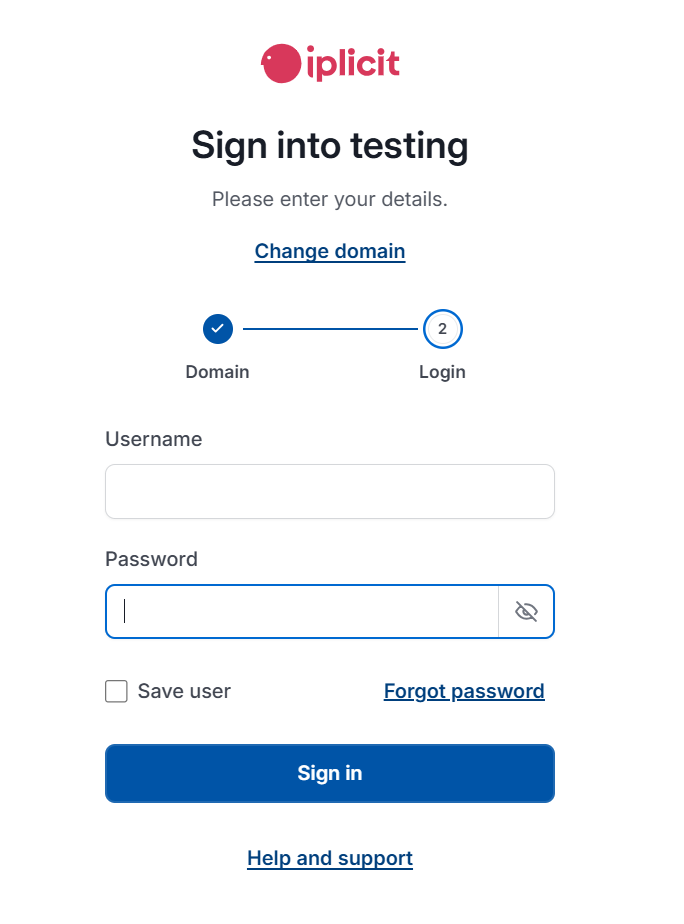
- Enter your username and password on the credentials page
If you can now log in, no further action is needed.
Raise a support ticket if the issue continues
If the direct link doesn't resolve the login issue, raise a support ticket rather than contacting us by email or phone. This ensures your issue reaches the right team with everything they need.
To help us resolve your login issue as quickly as possible, include the following in your ticket:
- A screenshot of the domain page, taken after you've entered your environment name
- A screenshot of the credentials page, taken after you've entered your username and password
Submit your ticket through the support portal here.
Can't log in
Login not working
Login issue
Forgot password
Login page not loading
Locked out of iplicit
Login error