

This article covers why you can't create a sales quote when iplicit shows a "no available document types" message. This happens because the sales quote document type is locked by default and needs enabling before use.
Unlocking the Sales Quote document type
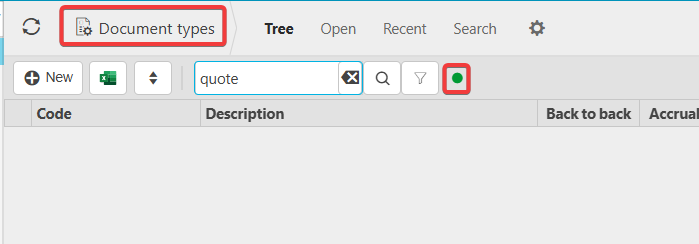
- Navigate to 'Document types'
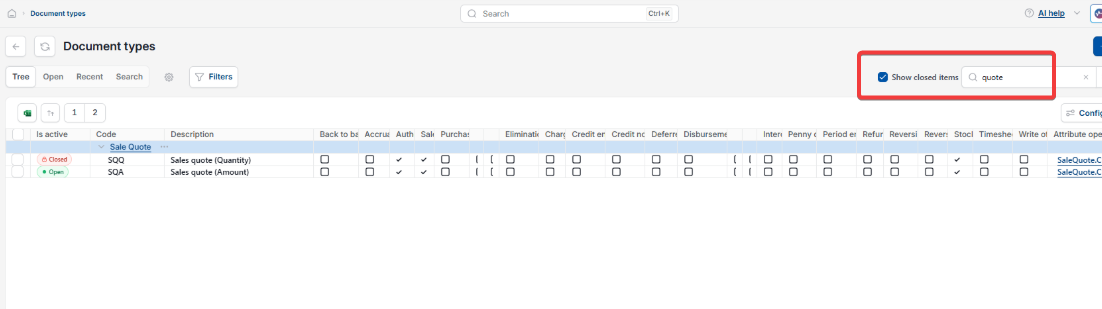
- Search for 'Quote'
- Depending on your screen, select the green dot or tick 'Show closed items' to show locked document types
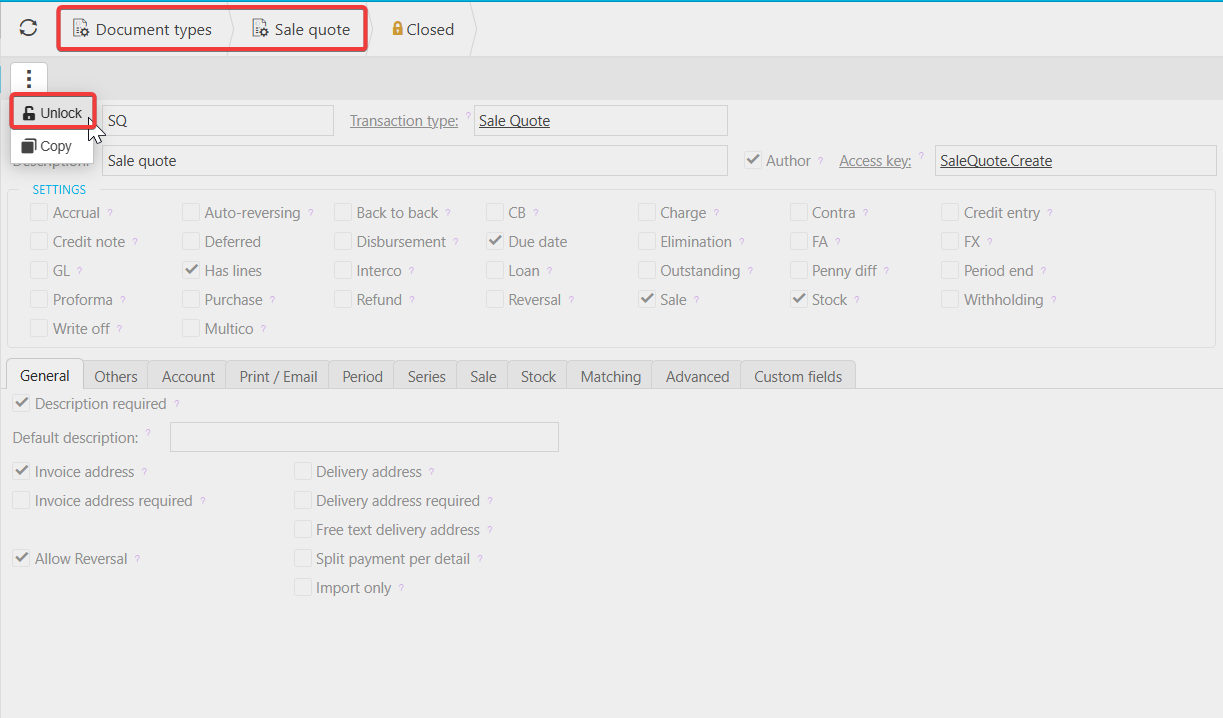
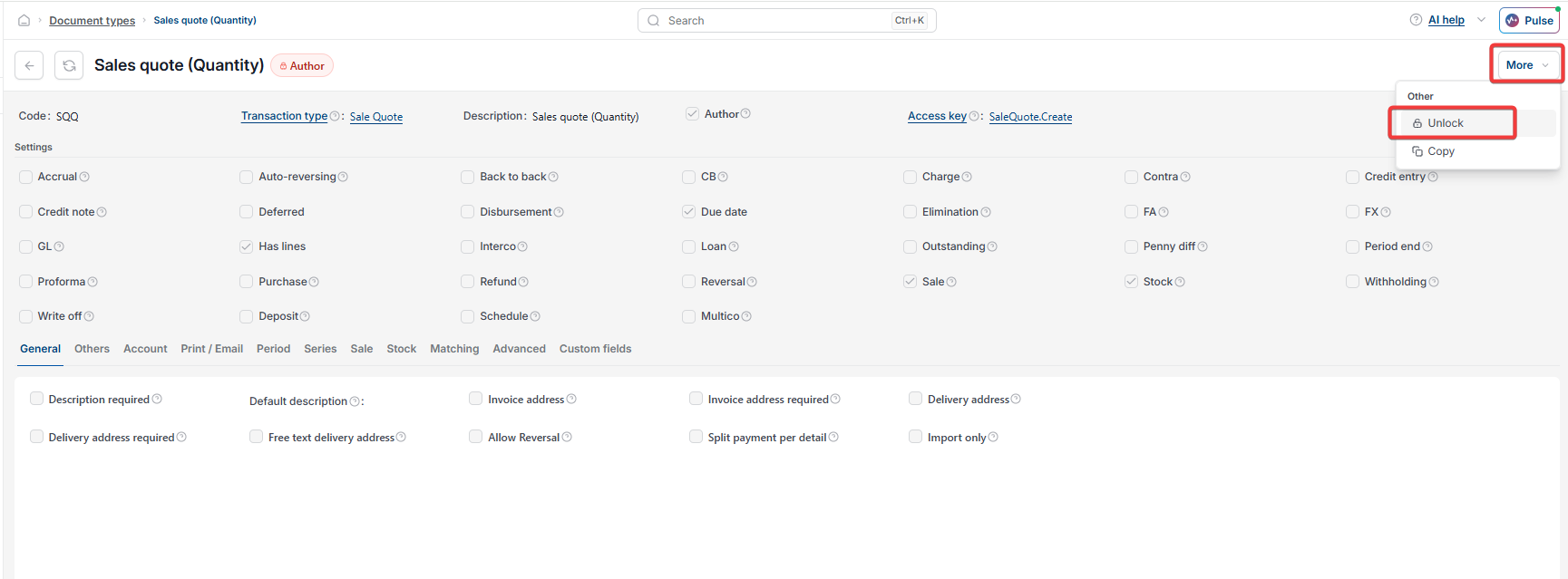
- Open the Sales Quote document
- Depending on your screen, select the three-dot menu or the 'More' drop-down, then unlock the document type.
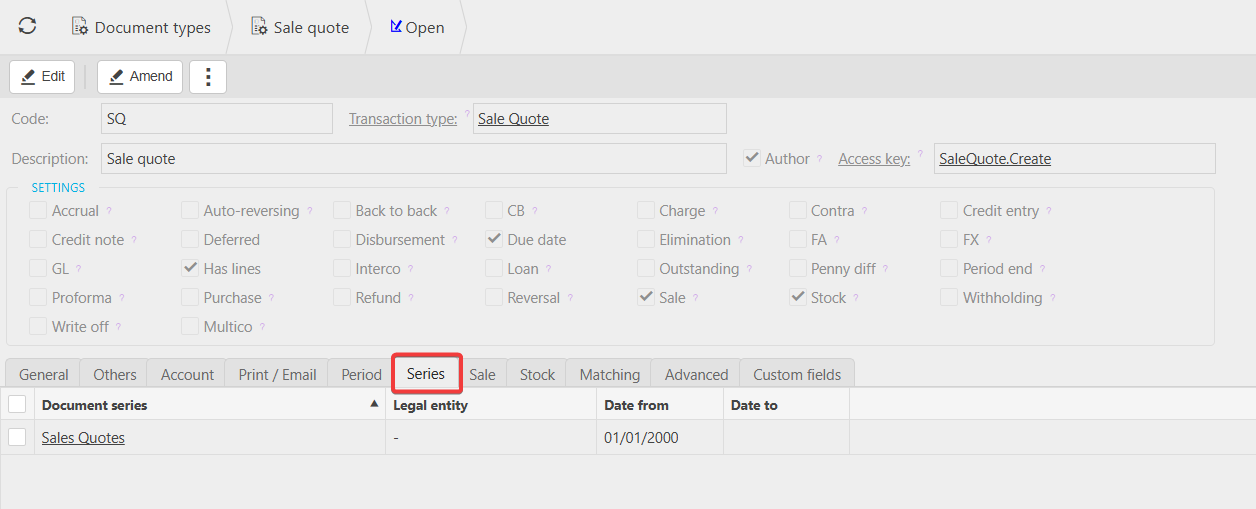
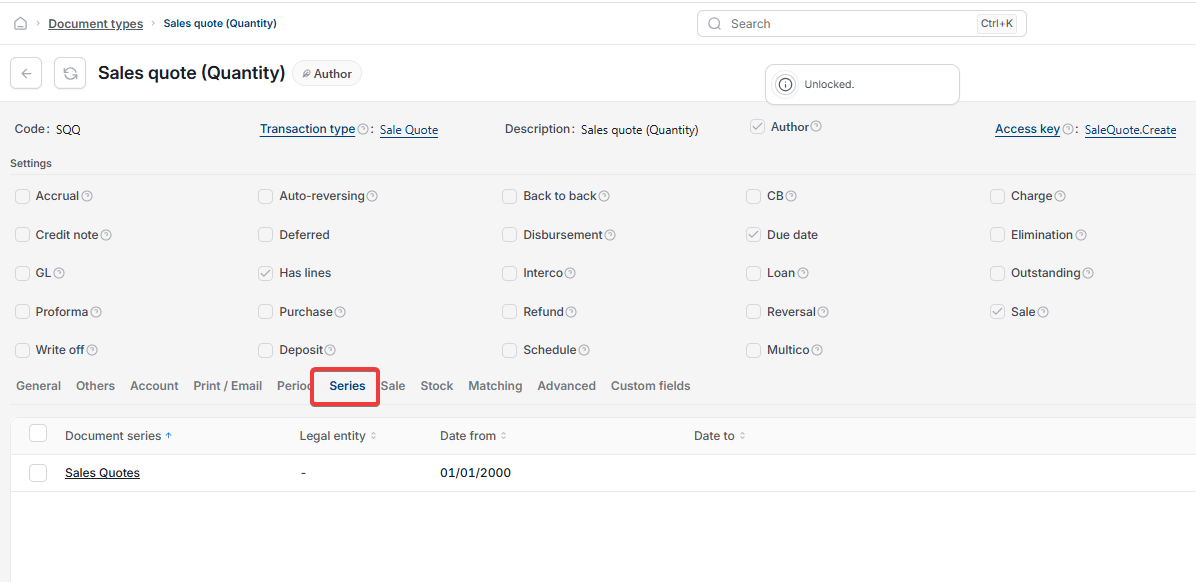
Checking the document series and accounts for a Sales Quote
Once the sales quote document type is unlocked, confirm the document series and accounts are set up correctly. If they aren't, see 'How do I create a new document series' for setup steps.
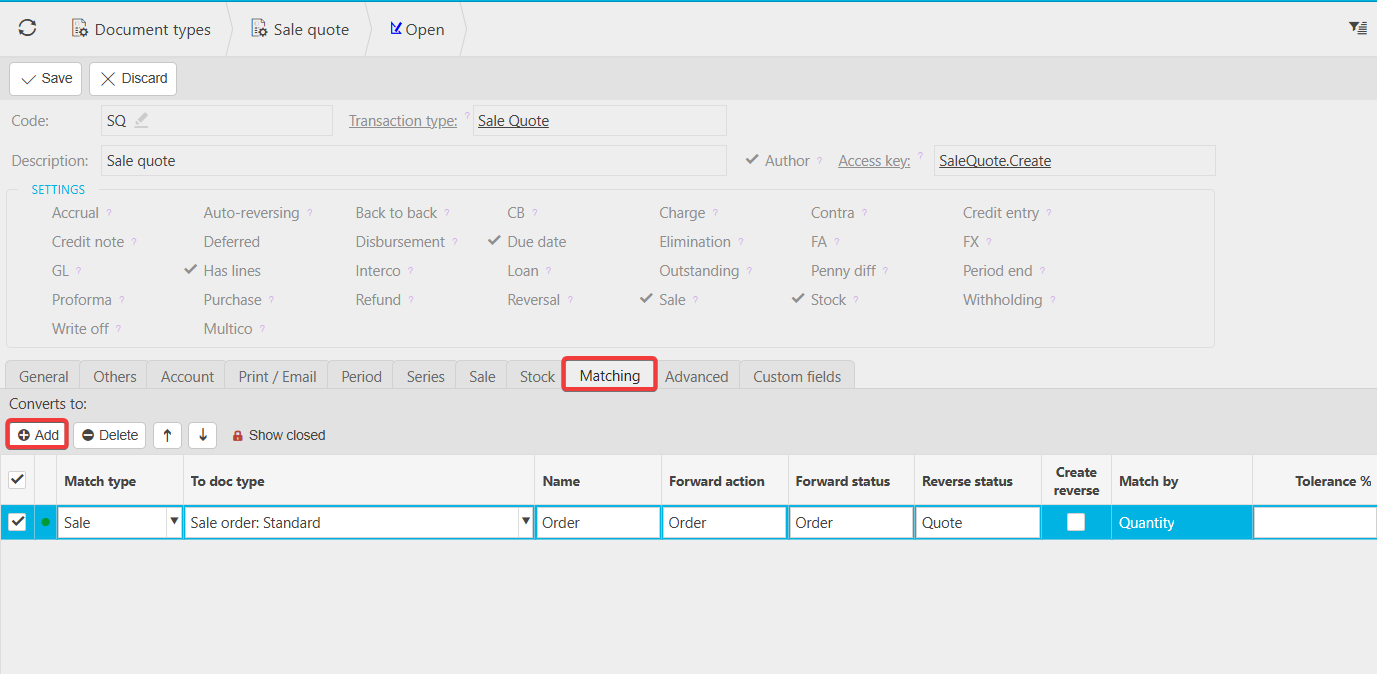
Setting up quote conversions (optional)
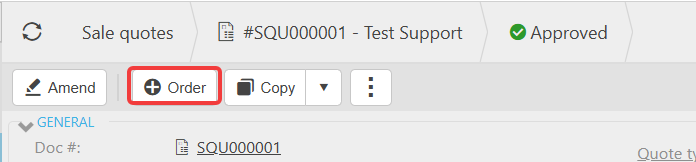
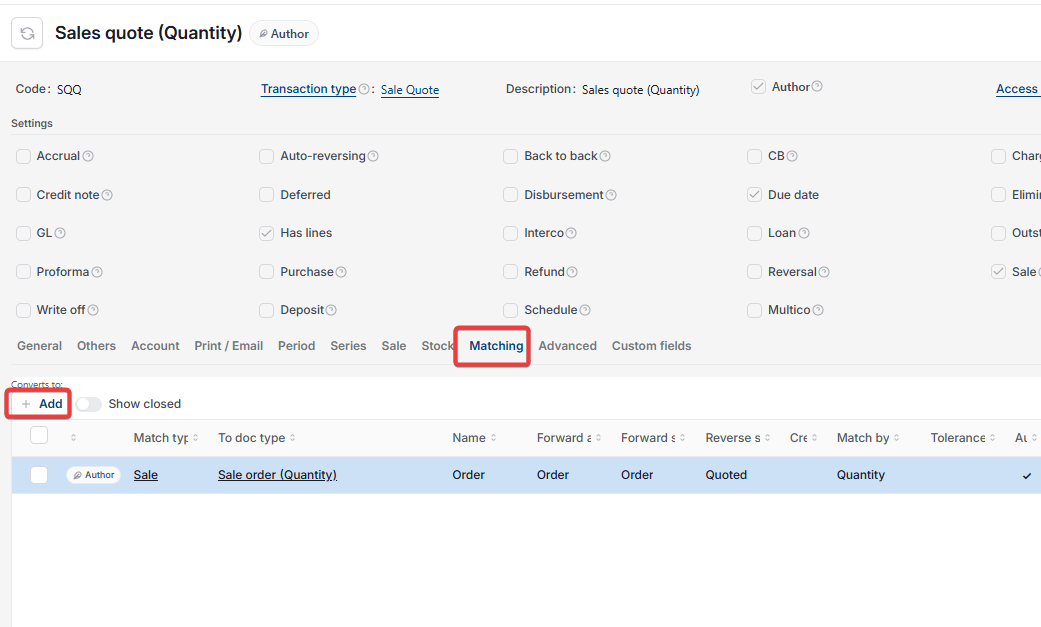
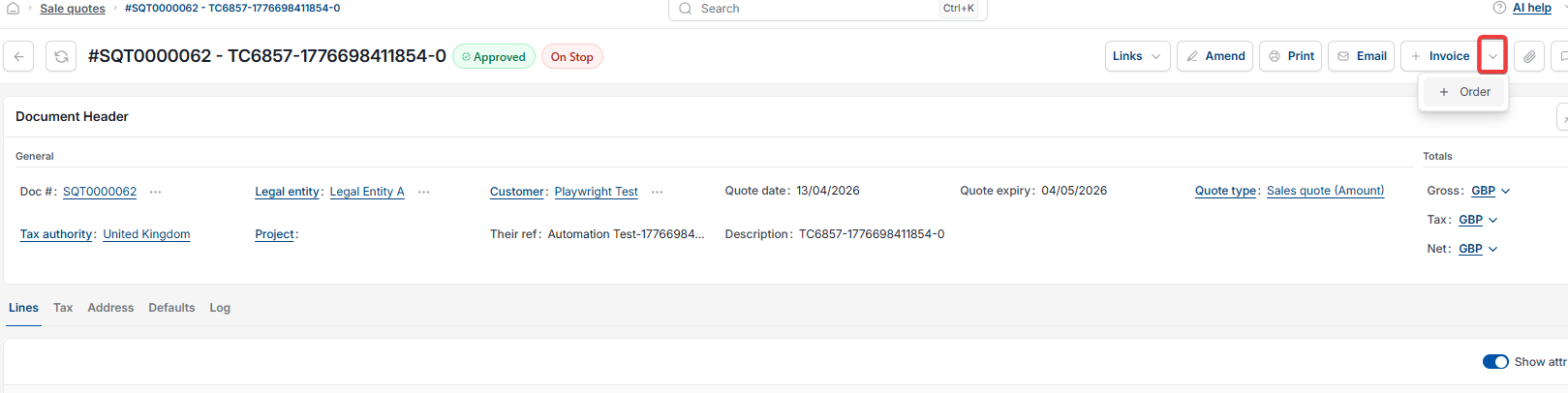
You can choose which documents a sales quote converts into – for example, a sales order. This is configured on the 'Matching' tab of the sales quote document type and isn't required before you can start raising quotes.
Once unlocked, you can create and use the sales quote document straight away.
Sales quote no document types
Can't create sales quote
Quote document type locked
No available document types
Enable sales quote