

This article covers setting up and processing the Domestic Reverse Charge (DRC) for VAT in the Purchase Ledger, on Purchase Orders and Purchase Invoices. The setup and rules differ for UK and Irish legal entities, so use the section that matches your legal entity's country.
What is the Domestic Reverse Charge?
Domestic Reverse Charge (DRC) is a VAT rule based on the CIS (Construction Industry Scheme). It applies to certain purchases – most commonly construction and subcontracting work – where the supplier and legal entity share the same Tax Authority. Under DRC, the buyer accounts for the VAT on their own VAT return, instead of the supplier charging VAT and paying it over separately. iplicit calculates Domestic Reverse Charge automatically on Purchase Orders and Purchase Invoices once it is set up correctly.
Domestic Reverse Charge is a different mechanism from Reverse Charge VAT for suppliers on a different Tax Authority to your legal entity, such as an overseas supplier invoicing a UK entity. If that's what you're looking for, see 'How to set up a supplier for Reverse Charge VAT (different tax authority)' instead.
The setup and rules for Domestic Reverse Charge are different in the UK and Ireland. Use the section below that matches the country of your legal entity.
Setting up Domestic Reverse Charge for a UK legal entity
Domestic Reverse Charge for VAT in the UK requires both the legal entity and the supplier to be set up correctly before you create any purchase documents.
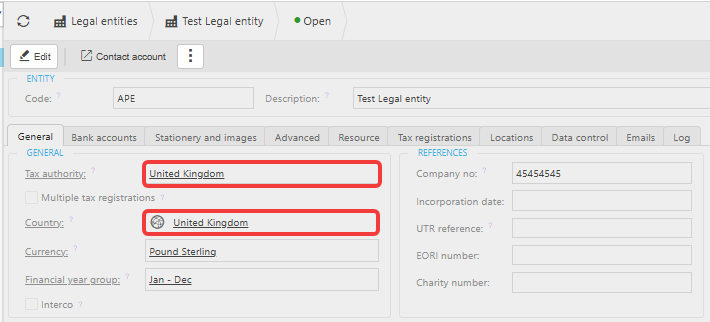
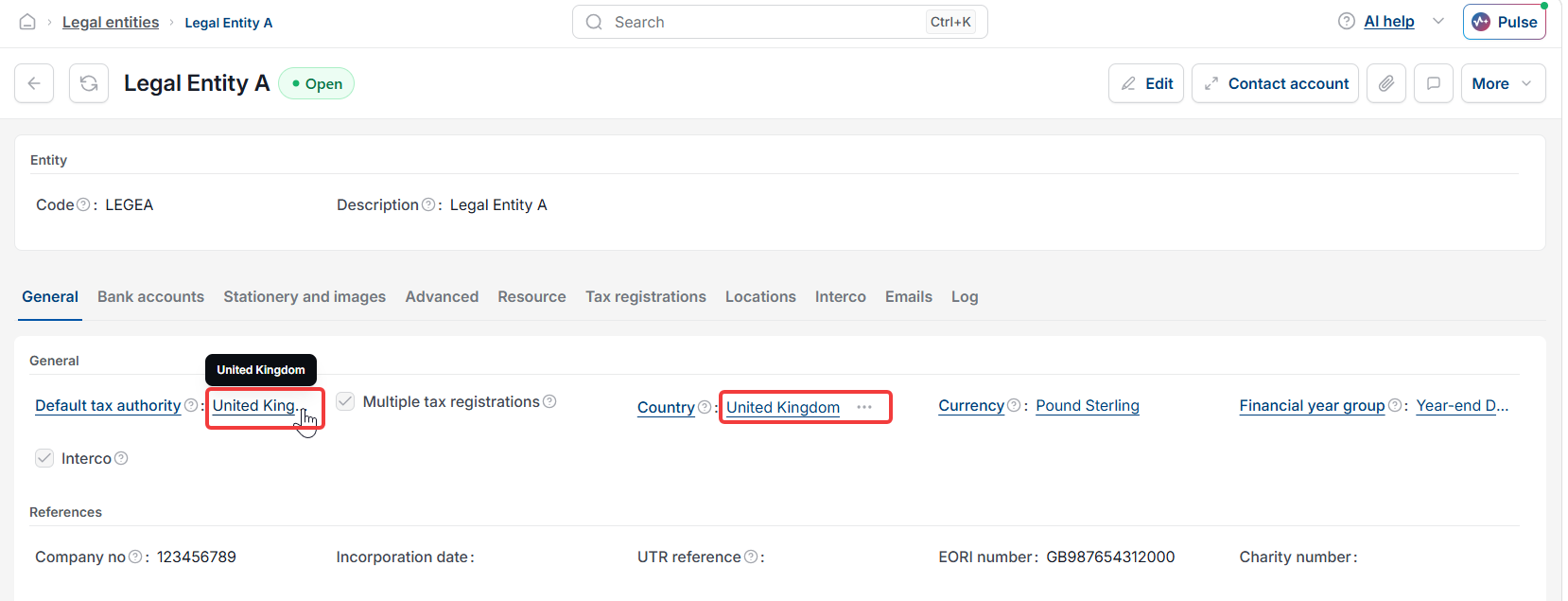
- Open the legal entity record and confirm 'United Kingdom' is selected as both the 'Tax Authority' and the 'Country'
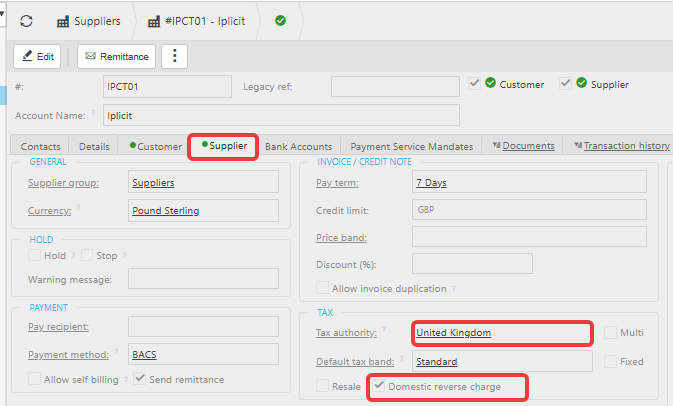
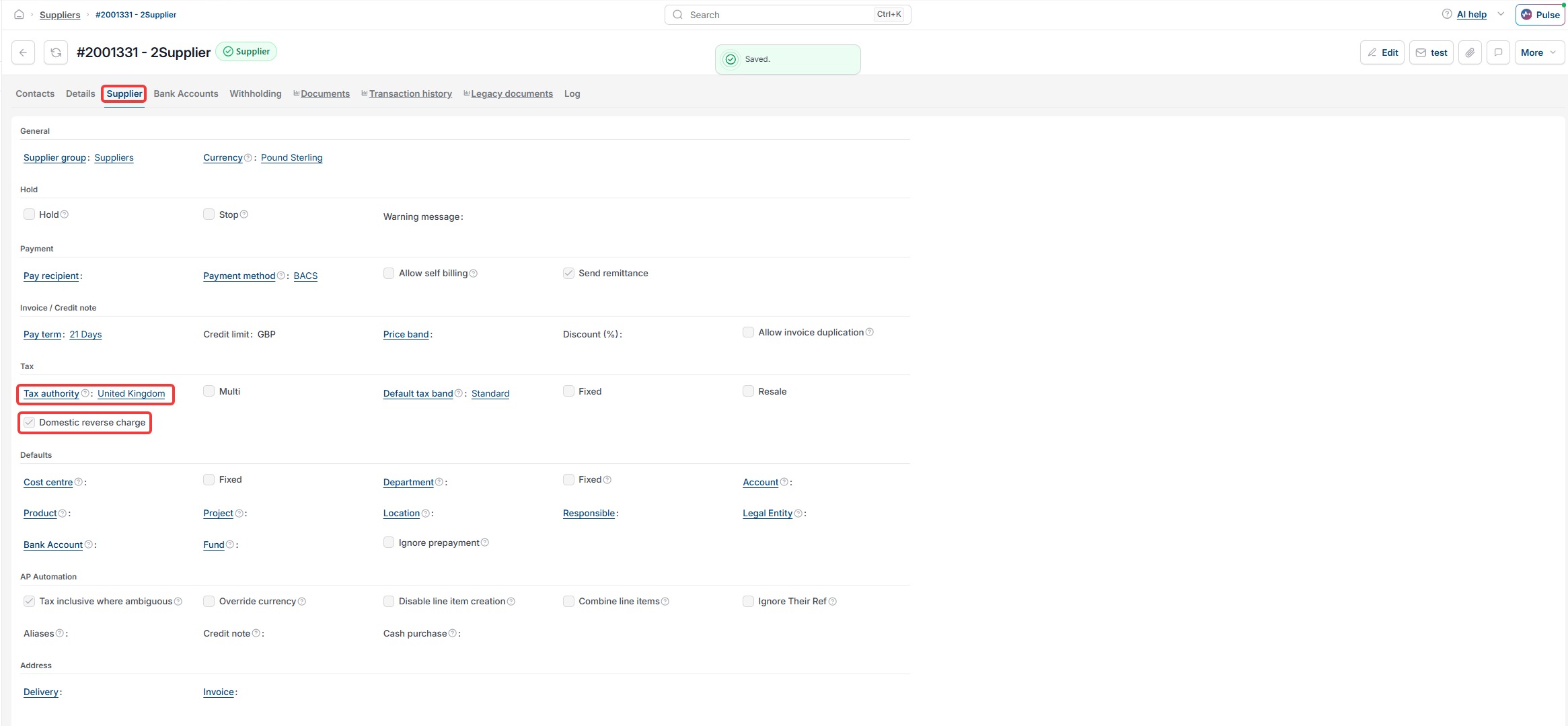
- Open the supplier record and confirm 'United Kingdom' is selected as both the 'Tax Authority' and the 'Country'
- Tick the 'Domestic Reverse Charge' checkbox on the supplier record.
In the UK, Domestic Reverse Charge for VAT applies to both materials and subcontracting services.
Processing a Domestic Reverse Charge purchase document in the UK
Once Domestic Reverse Charge is set up for a UK supplier, iplicit applies it automatically when you create a purchase document.
- Create a Purchase Order or Purchase Invoice using a UK supplier and a UK legal entity
- Check the 'Apply Domestic Reverse Charge' checkbox in the document header. iplicit ticks this by default, and you can untick it if the transaction does not need Domestic Reverse Charge
- Select the 'Standard VAT Tax Band' for both materials and subcontractor costs. iplicit uses a different tax code behind the scenes to apply the Domestic Reverse Charge VAT correctly.
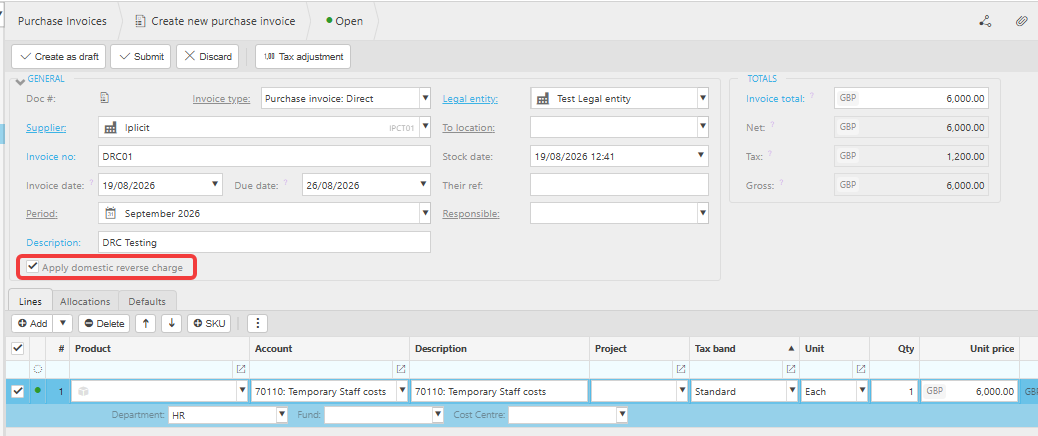

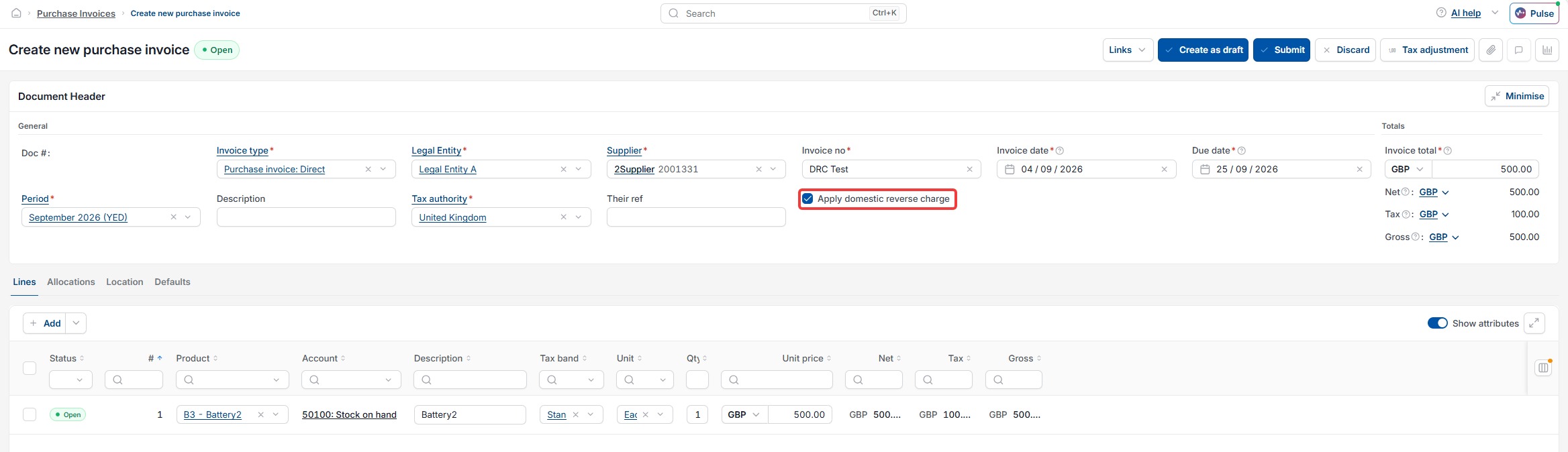
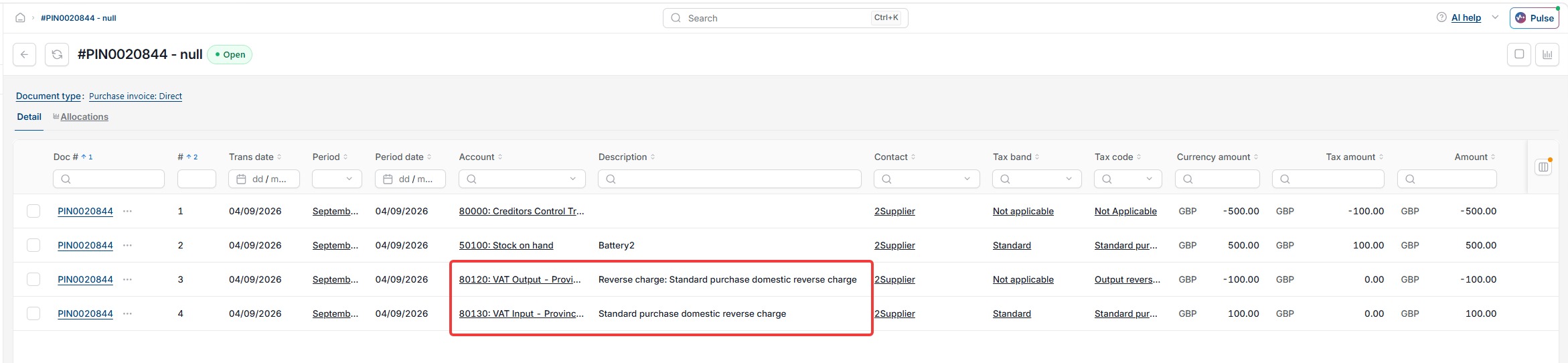
On a UK Domestic Reverse Charge document, iplicit reflects the VAT for subcontractor invoices in both the output and input boxes on the VAT return. Because the VAT cancels out this way, the Gross Total on the document equals the Net Total.
Setting up Domestic Reverse Charge for an Irish legal entity
Domestic Reverse Charge for VAT in Ireland requires both the legal entity and the supplier to be set up correctly before you create any purchase documents.
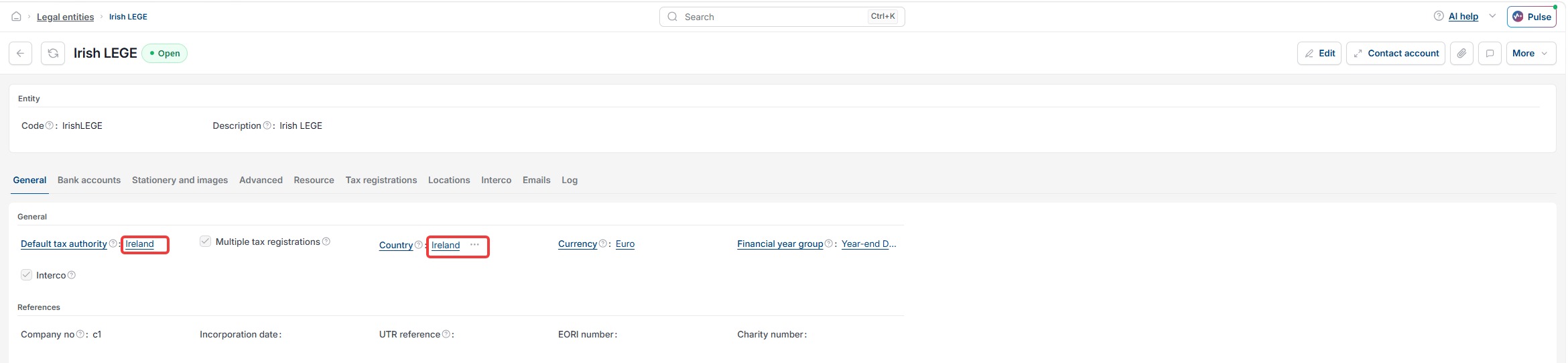
- Open the legal entity record and confirm 'Ireland' is selected as both the 'Tax Authority' and the 'Country'
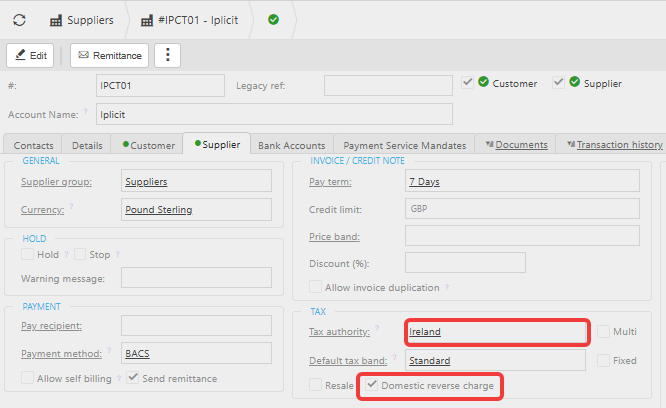
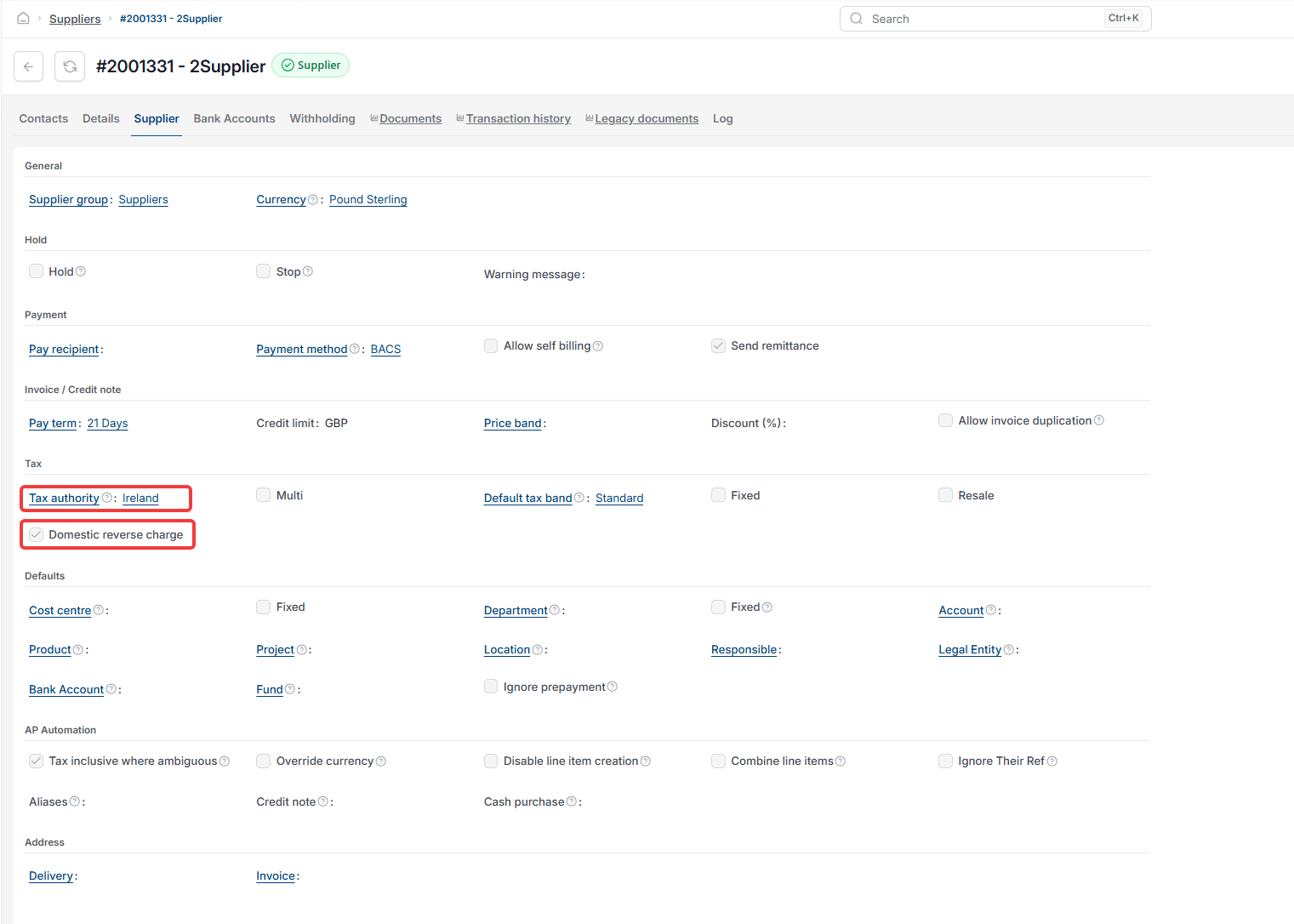
- Open the supplier record and confirm 'Ireland' is selected as both the 'Tax Authority' and the 'Country'
- Tick the 'Domestic Reverse Charge' checkbox on the supplier record.
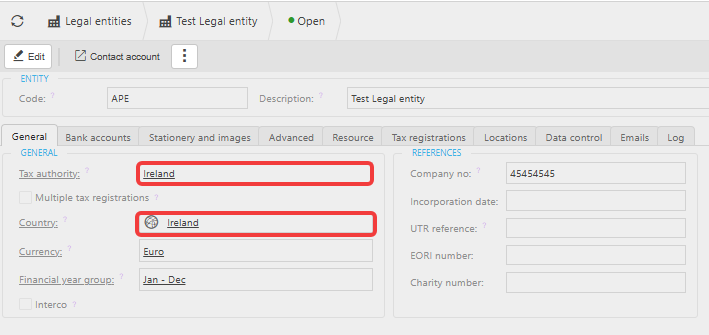
In Ireland, Domestic Reverse Charge for VAT applies only to subcontracting services, not materials.
If a supplier provides both, some customers set up separate supplier records for services and materials to keep
Domestic Reverse Charge from applying to the wrong line.
Processing a Domestic Reverse Charge purchase document in Ireland
Once Domestic Reverse Charge is set up for an Irish supplier, iplicit applies it automatically when you create a purchase document.
- Create a Purchase Order or Purchase Invoice using an Irish supplier and an Irish legal entity
- Check the 'Apply Domestic Reverse Charge' checkbox in the document header. iplicit ticks this by default
- Select the 'Standard VAT Tax Band' for subcontracting services only. Treat materials as a normal purchase and do not apply Domestic Reverse Charge to them.
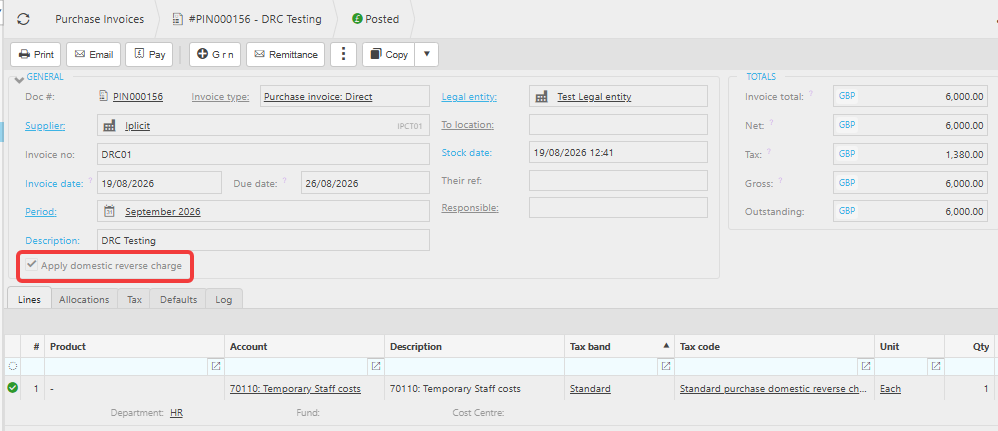

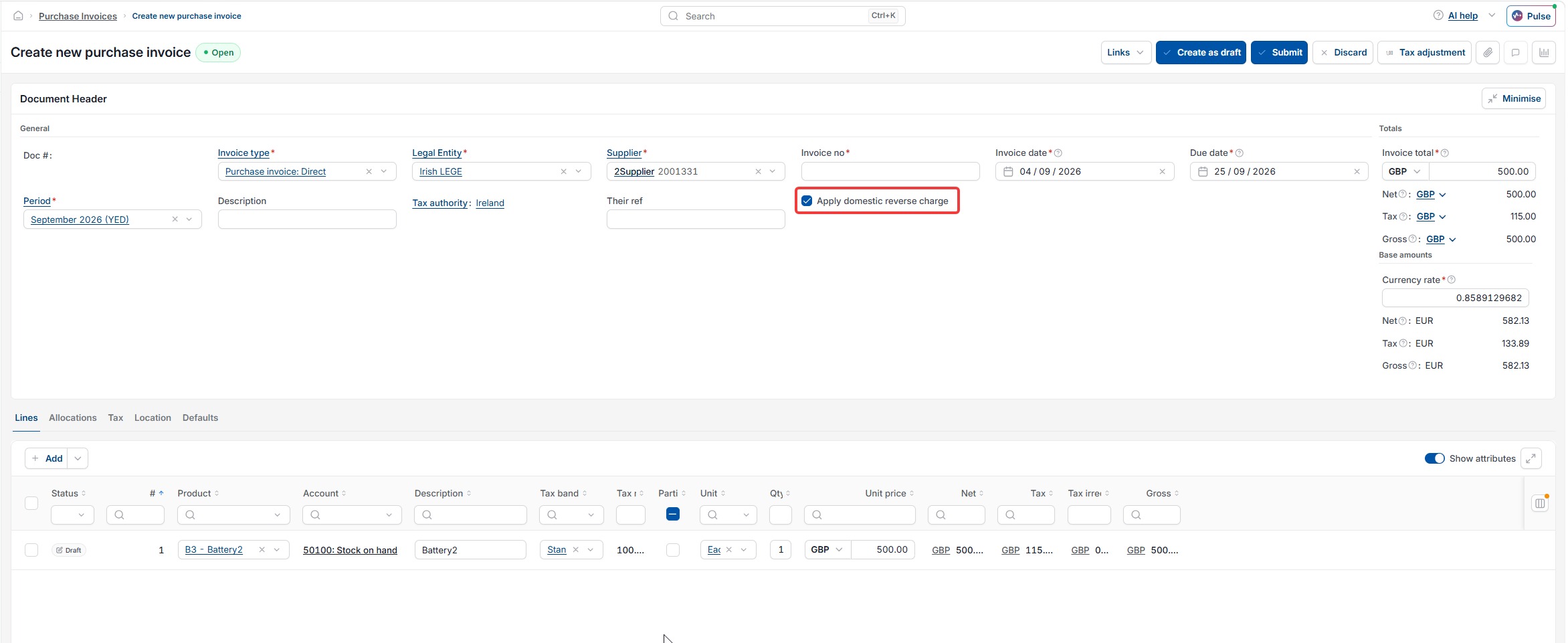
On an Irish Domestic Reverse Charge document, iplicit adds the VAT for subcontracting services to both the output and input sides of the VAT return. Because the VAT cancels out this way, the Gross Total on the document equals the Net Total.
Domestic reverse charge
DRC VAT
Reverse charge VAT construction
Domestic reverse charge UK
Domestic reverse charge Ireland
Reverse charge CIS
DRC setup purchase invoice