

This article covers why a fixed asset gets stuck in 'pending' status in iplicit's Fixed Assets module and how to resolve it. Pending status means the asset has been created but capitalisation has not completed. There are two common causes - a capitalisation rule date that does not cover the asset's purchase date, and a missing useful life - and both are straightforward to fix once identified.
How to diagnose the cause
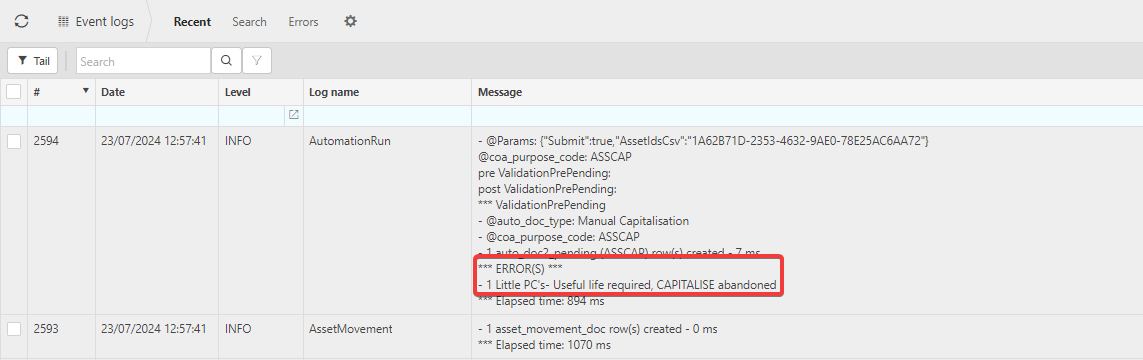
Before making any changes, check the event log on the asset. The event log records what iplicit attempted to do and why it stopped. This screen is the fastest way to identify what went wrong - use it any time an asset does not behave as expected, not just for pending status issues.
The error message will point you to the cause. The two most common are covered below.
Cause one: The capitalisation rule start date is after the asset's purchase date
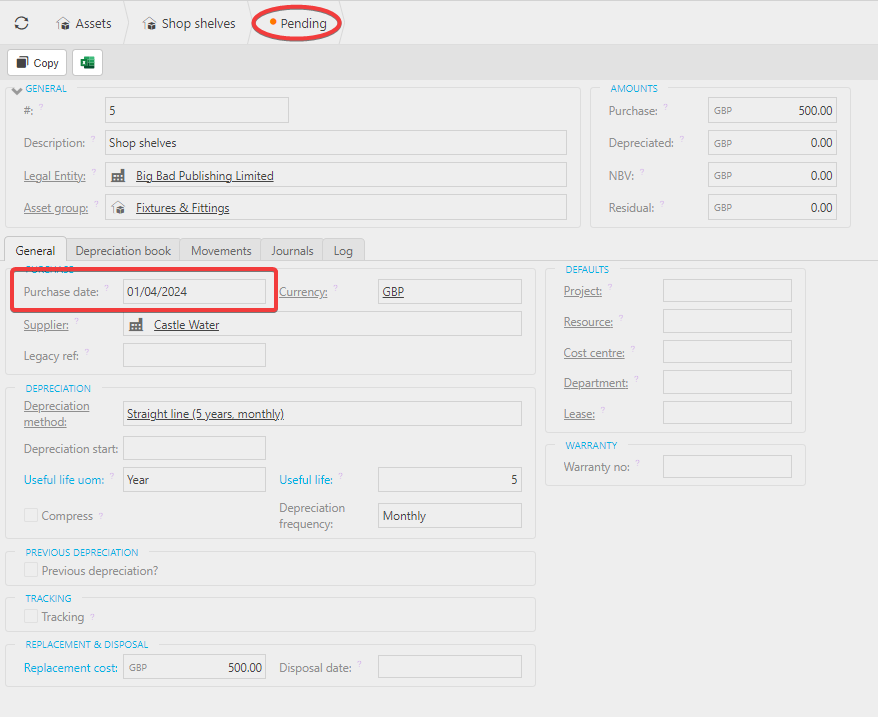
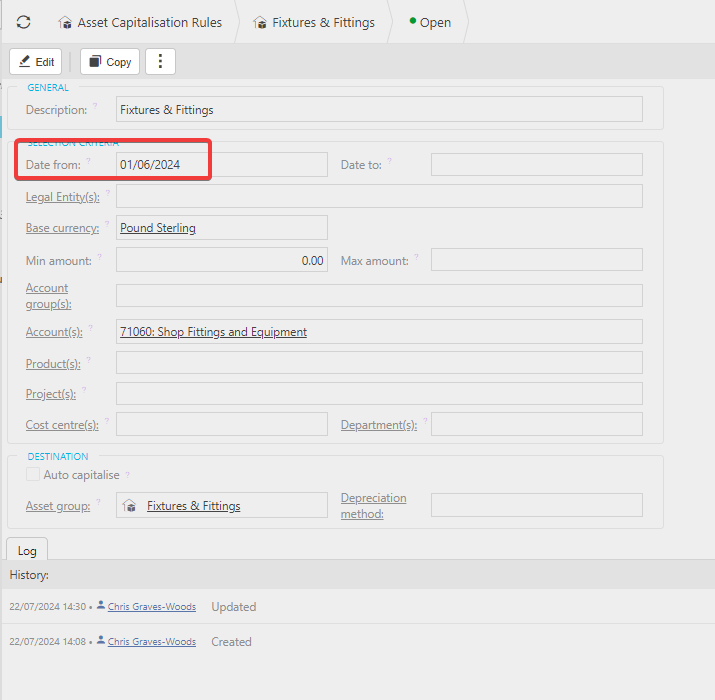
Each capitalisation rule has a 'Date from' field. iplicit only processes assets whose purchase date falls on or after this date. If an asset's purchase date is earlier than the rule's start date, the rule does not apply and the asset gets stuck or simply does not process.
For example, an asset with a purchase date of 01/04/2024 will not capitalise against a rule with a start date of 01/06/2024.
Resolution
- Navigate to Asset capitalisation rules from the pulse menu, Main Menu or Quick Launch search
- Open the relevant capitalisation rule
- Select 'Edit'
- Set the 'Date from' to a date earlier than the purchase date of the oldest asset you need to capitalise using this rule
- Save the rule
- Re-run the auto-capitalisation automation to process any assets that were previously skipped.
Cause two: No useful life has been entered on the asset
iplicit cannot generate a depreciation schedule without a useful life. If the asset group does not specify a depreciation duration and none has been entered on the asset record, iplicit cannot complete capitalisation and the asset will remain in pending.
Resolution
- Open the asset record
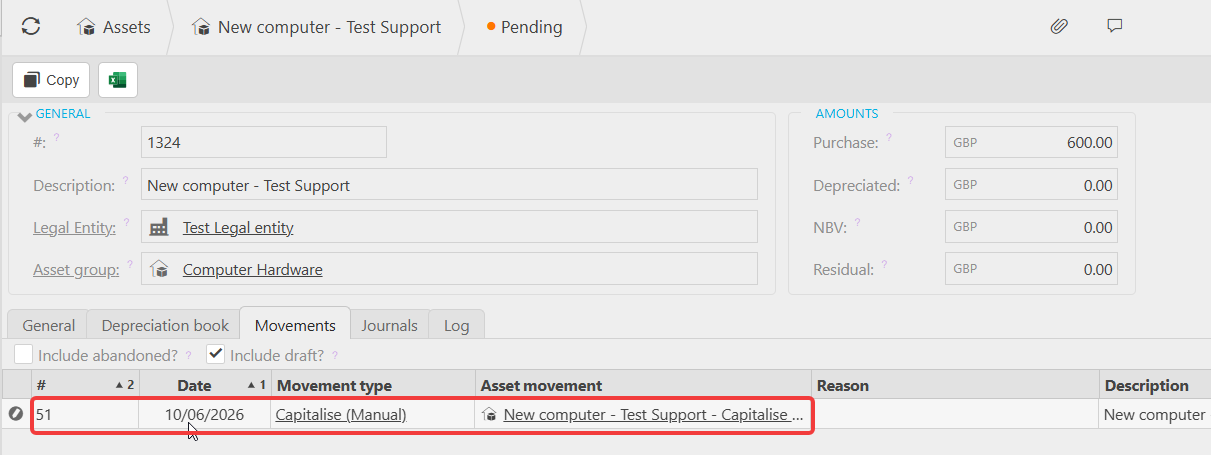
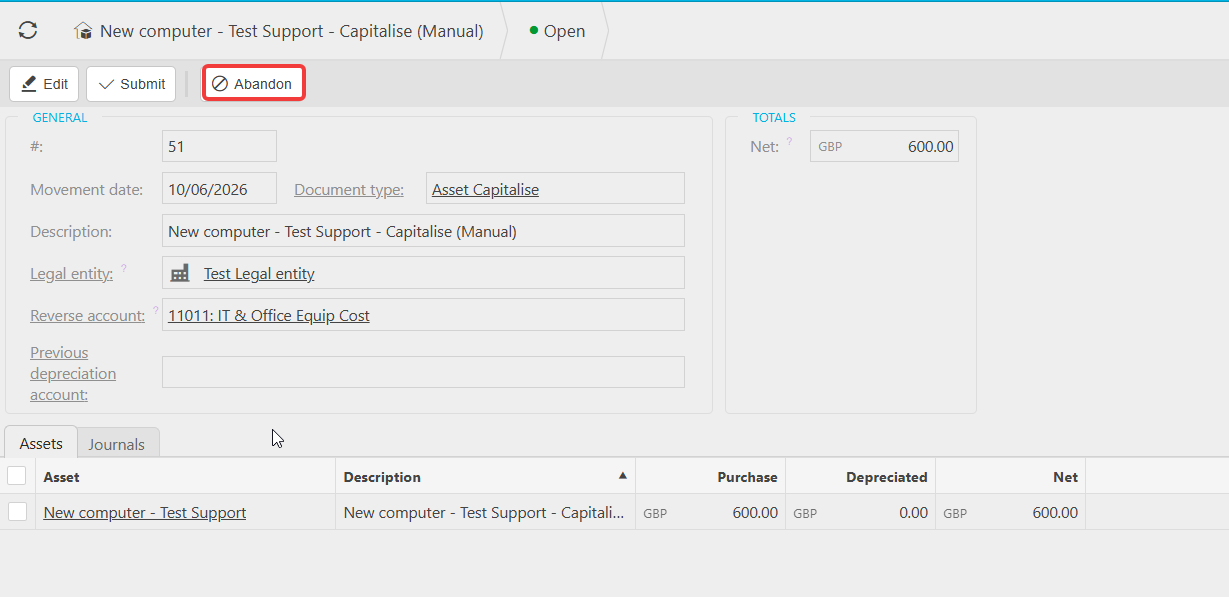
- Check the 'Movements' tab and open the movement that was created
- Select 'Abandon' on the movement - this returns the asset to 'Approved' status
- Select 'Amend' on the asset record
- Enter a useful life in the depreciation section
- Select 'Submit' to reapprove the asset
- Select 'Capitalise (Manual)' or allow the auto-capitalisation automation to run
Still stuck after checking both causes?
If the event log does not show either of the above errors, check the following:
- Confirm the financial year is open and year end has not been run for that period
- Confirm the document series for fixed assets is unlocked and its start date is earlier than the asset's purchase date - see How to set up a document series for fixed assets in iplicit
- Confirm the GL account on the source document has 'Asset capitalisation' ticked in the Chart of Accounts
Pending asset
No useful life error
Date discrepancy for assets
Asset not capitalising
Help with assets