

This article covers merging two supplier records in the Supplier module – for example, when a duplicate supplier has been created by mistake. Merging combines data from one supplier into another and locks the original record. This action is permanent and cannot be reversed.
The permission required to merge a supplier
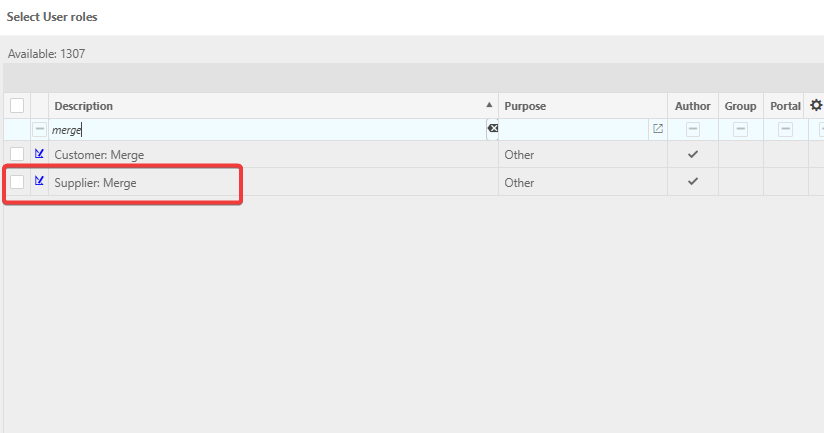
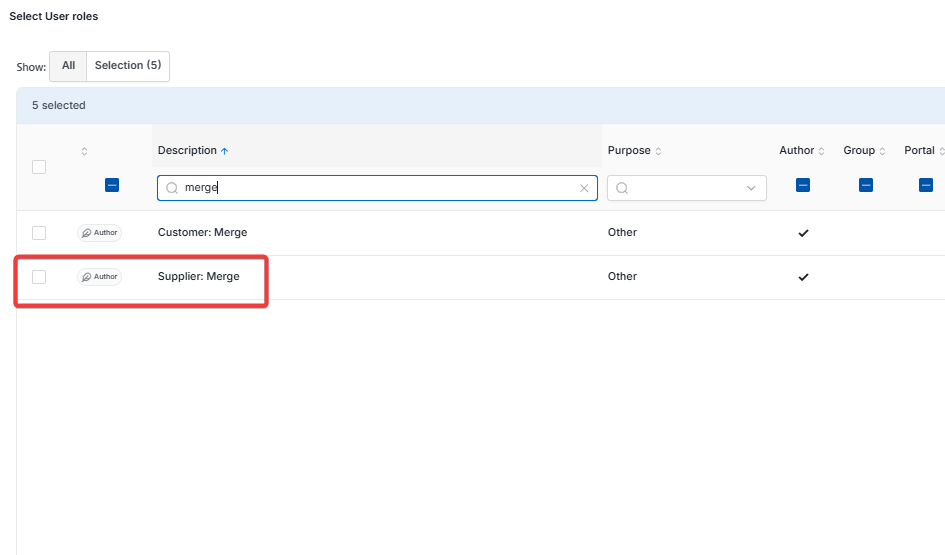
Merging a supplier requires the 'Supplier: Merge' role. A user without this role does not have access to the merge option on a supplier record.
Search for 'supplier' in the 'Select user roles' screen to find it quickly, tick it, then select the arrow to move it into the 'Selected' list, and select 'Apply'.
Starting a supplier merge
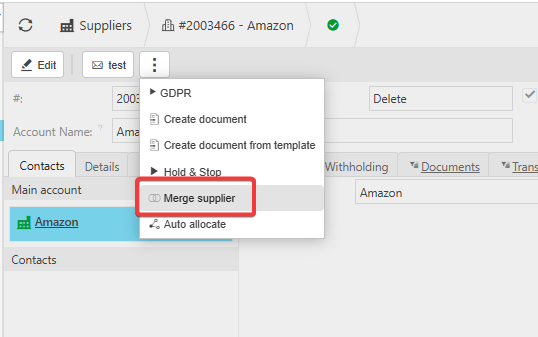
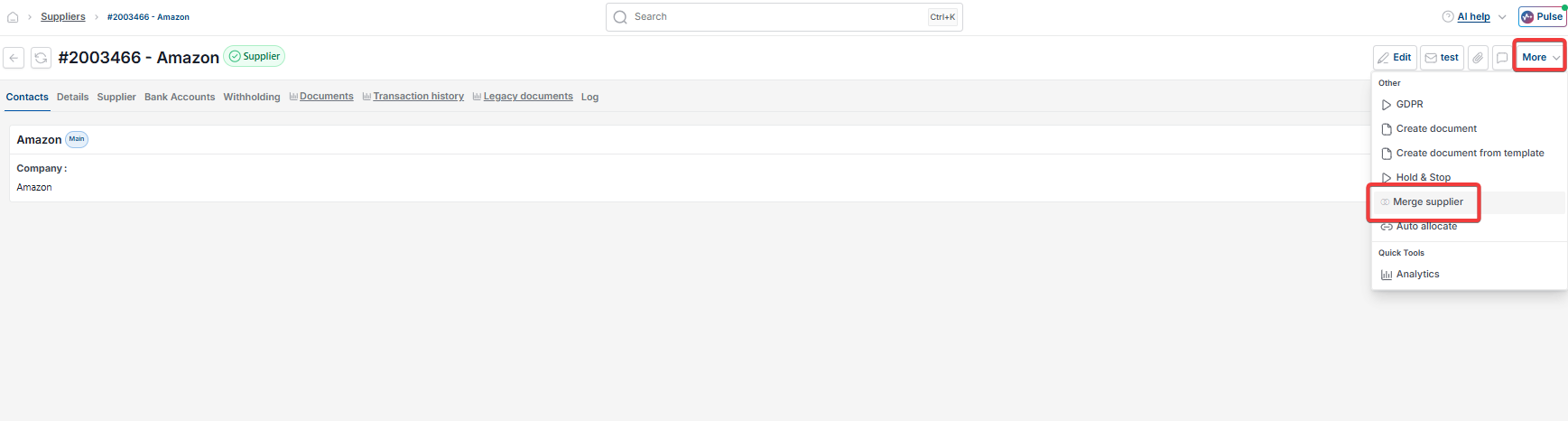
Open the supplier record you want to merge from – this is the duplicate or incorrect record. Depending on your screen, select the three-dot menu or the 'More' menu next to 'Edit', then select 'Merge supplier'.
Confirming the supplier merge warning
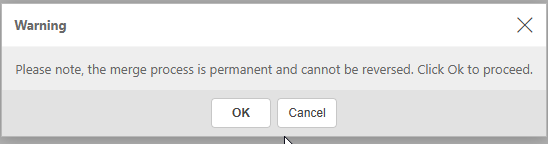
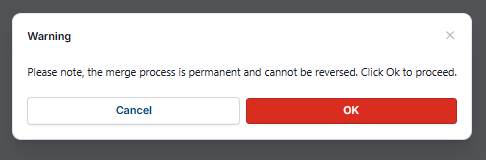
A warning appears stating that the merge process is permanent and cannot be reversed. Read this carefully before proceeding. Select 'OK' to continue, or 'Cancel' to stop.
Choosing which supplier to merge into
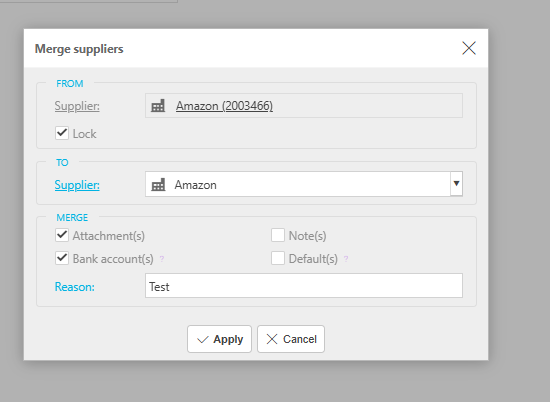
In the 'Merge suppliers' window, the 'From' supplier is the record you opened – the one being merged away. Choose the supplier you want to merge into using the 'To' supplier field.
Choosing what data to carry across in a supplier merge
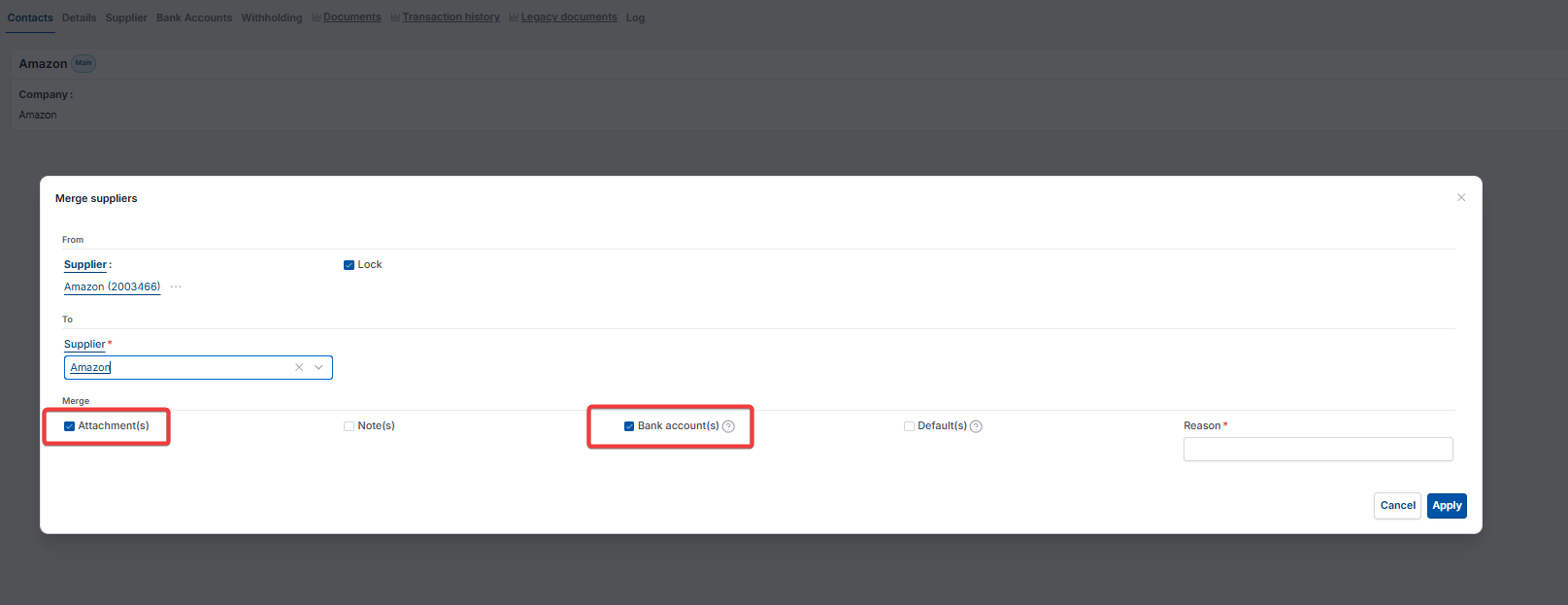
Tick which items should be merged from the 'From' supplier into the 'To' supplier:
- Attachment(s) – documents linked to the supplier record
- Bank account(s) – any bank account details held against the supplier
- Note(s) – notes recorded on the supplier record
- Default(s) – default settings held on the supplier record.
Add a short 'Reason' for the merge, then select 'Apply' to complete it.
What happens to a supplier record after it has been merged
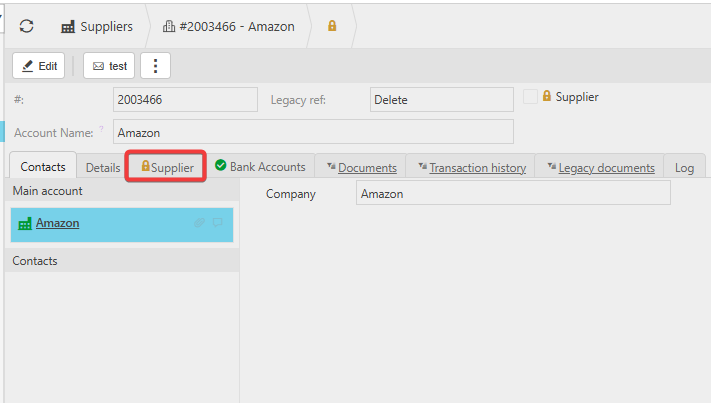
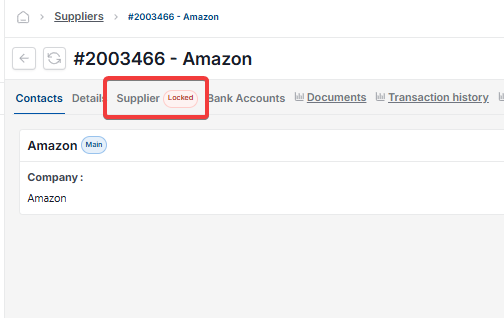
Once merged, the 'From' supplier record becomes locked. A padlock icon appears next to the 'Supplier' tab, and the 'Supplier' checkbox is unticked and disabled. This locking is specific to the merged record – it is separate from period locking or user account locking elsewhere in iplicit.
Merge supplier
Combine supplier records
Supplier merge permission
Duplicate supplier
Merge duplicate supplier
Supplier: Merge role