

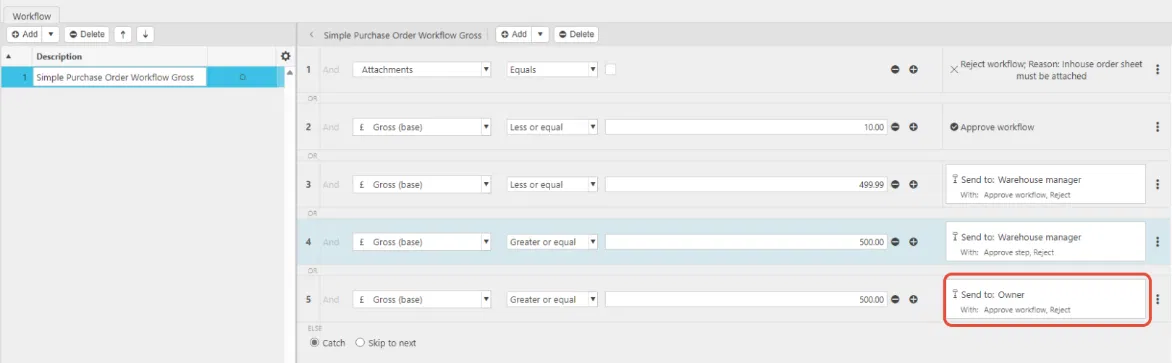
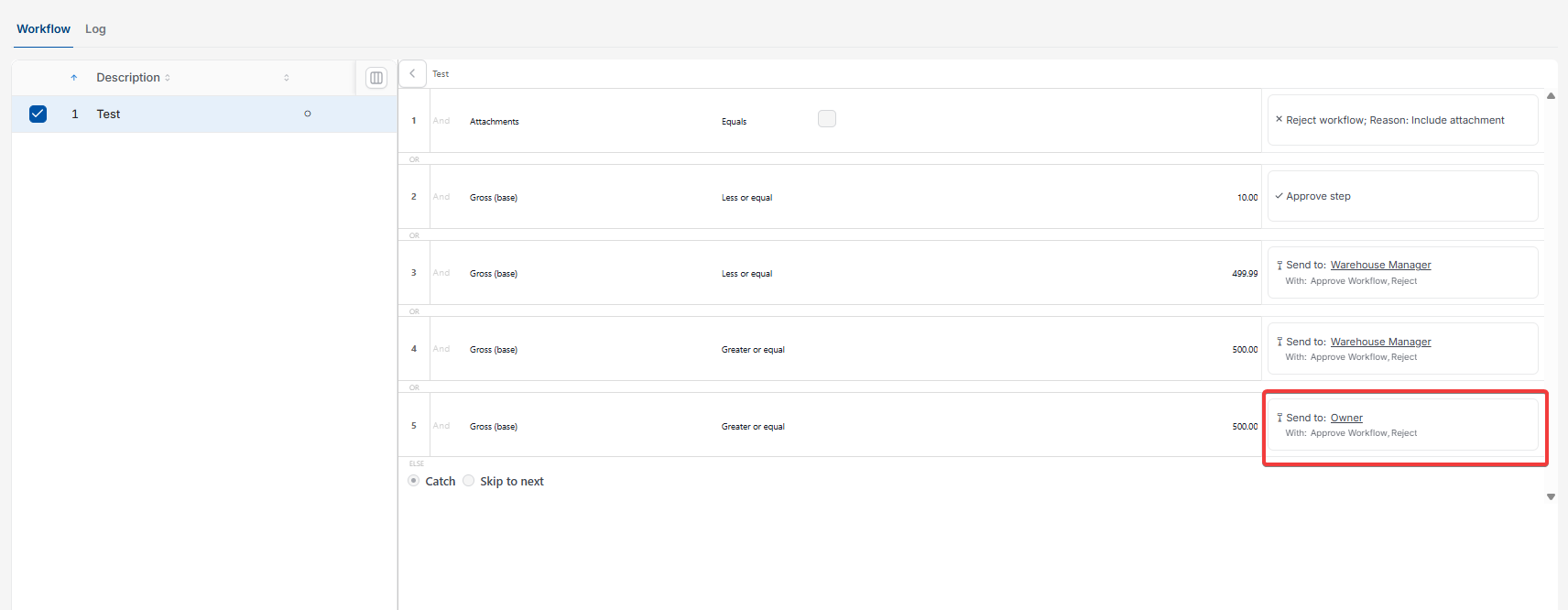
This article covers an approver not receiving an authorisation email, even though the workflow has correctly moved to their approval step. This happens on a multi-step authorisation workflow, for example when a Purchase Order moves from a Warehouse Manager to an Owner for final approval.
Why an approver doesn't receive an authorisation email
If an approval step doesn't have a 'Send communication' action configured, iplicit moves the workflow to that step but doesn't send an email. For example, the Warehouse Manager approves a Purchase Order, the workflow correctly moves to the Owner step, but the Owner receives no notification because that step's communication setting is missing.
How to fix a missing authorisation email on a workflow step
- Open the relevant authorisation workflow
- Select the approval step where the email is missing, for example the Owner step
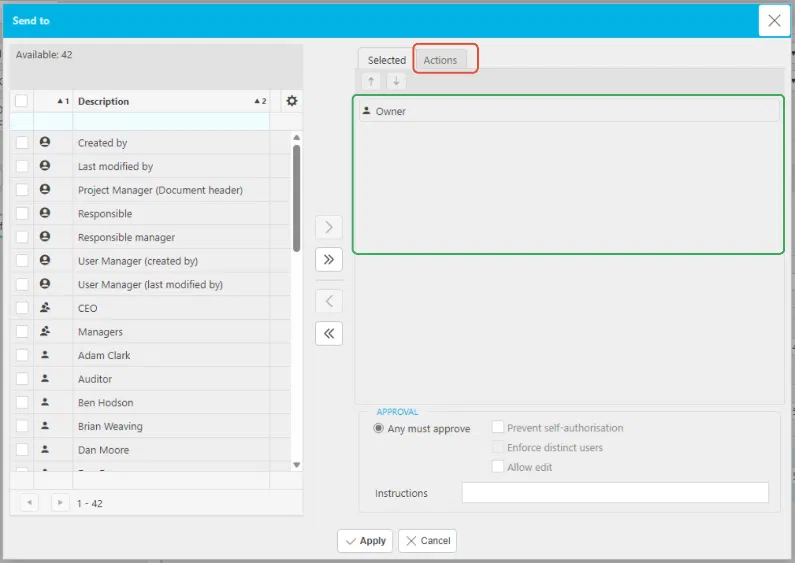
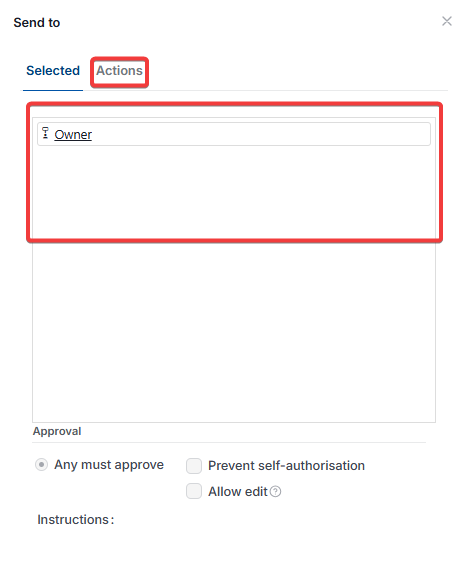
- In the 'Send to' window, on the 'Selected' tab, confirm the correct user or group is selected
- Select the 'Actions' tab
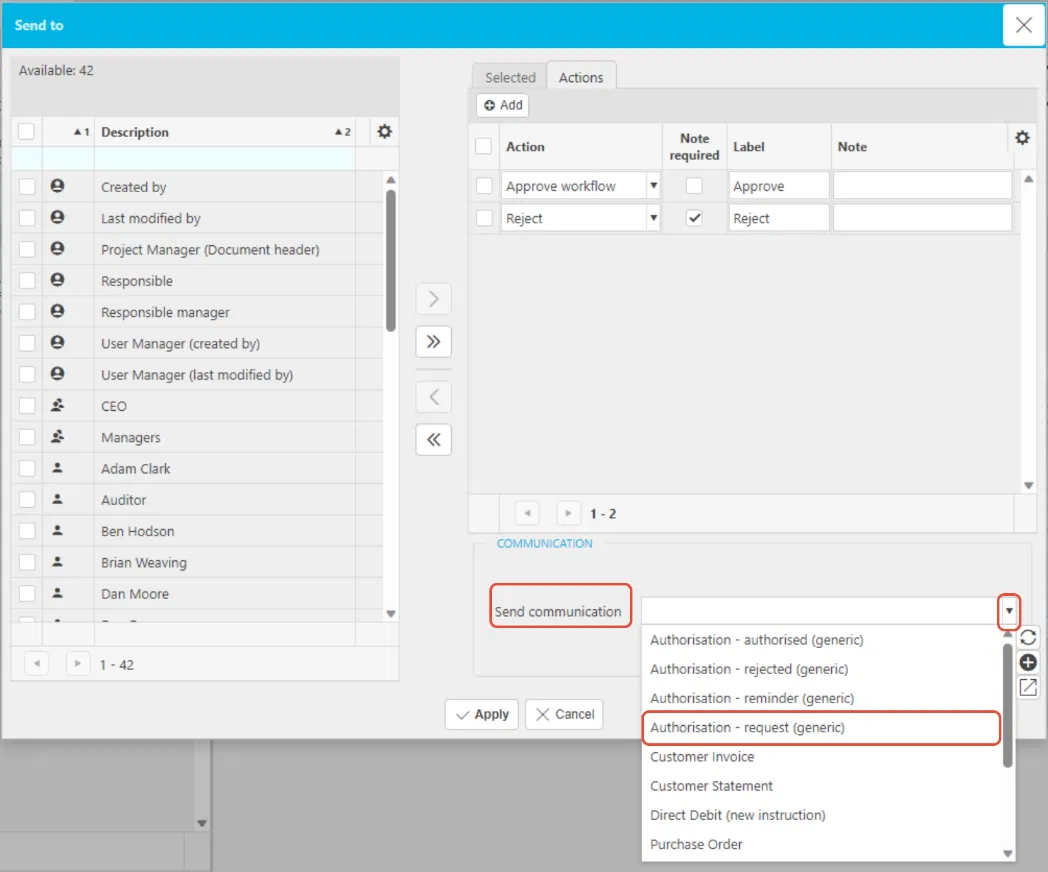
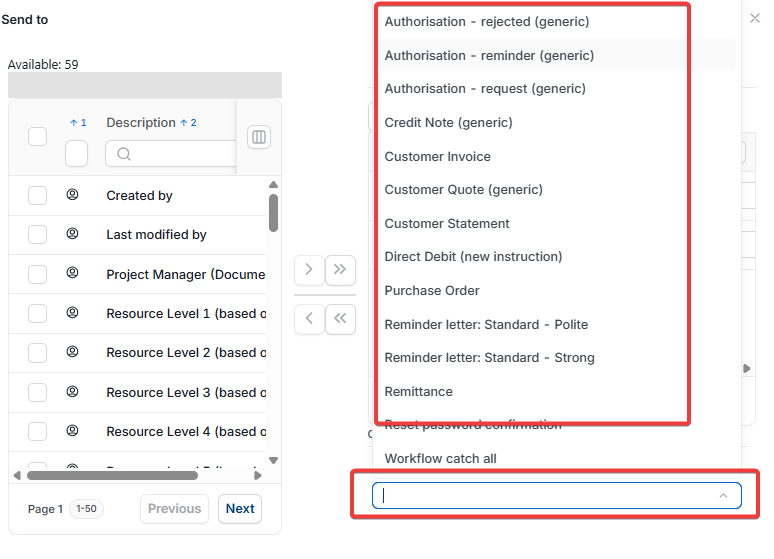
- Set 'Send communication' to 'Authorisation - request (generic)'
- Select 'Apply'.
Once applied, iplicit sends an email whenever this step requires approval.
Approver not receiving email
Missing authorisation notification
Send communication workflow
Authorisation request email not sent
Workflow step no email