

This article covers writing off a purchase invoice within the Purchase Ledger, for example when a supplier debt becomes uncollectable and needs clearing as bad debt. Writing off is sometimes called voiding, cancelling or clearing an unpaid invoice. For a purchase order, see 'How to write off a purchase order'. For a sales invoice, see 'How to write off a sales invoice'.
How to write off a purchase invoice in the Purchase Ledger
- Open the purchase invoice you want to write off
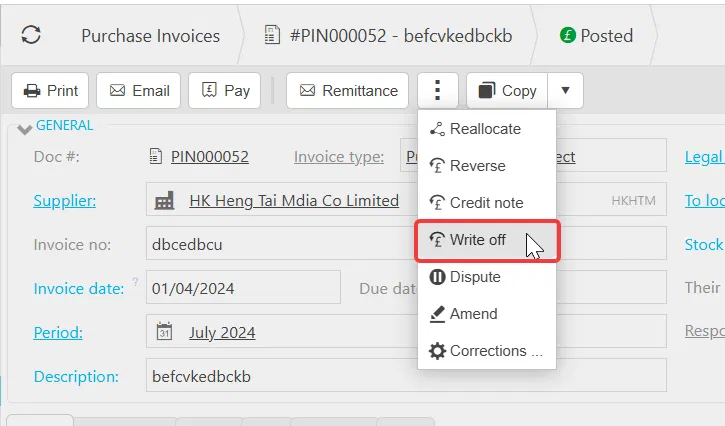
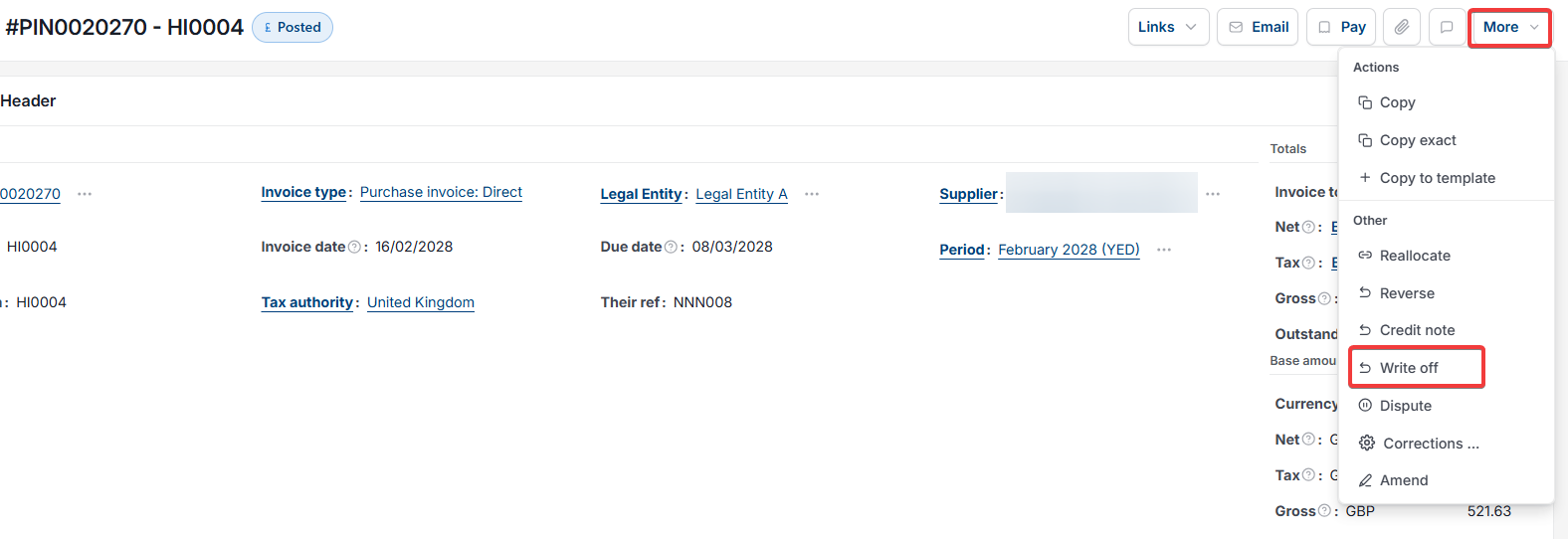
- Depending on your screen, select the ellipsis (the three dots) or the 'More' menu at the top of the invoice, or the standalone 'Write off' button if shown
- Select 'Write off'.
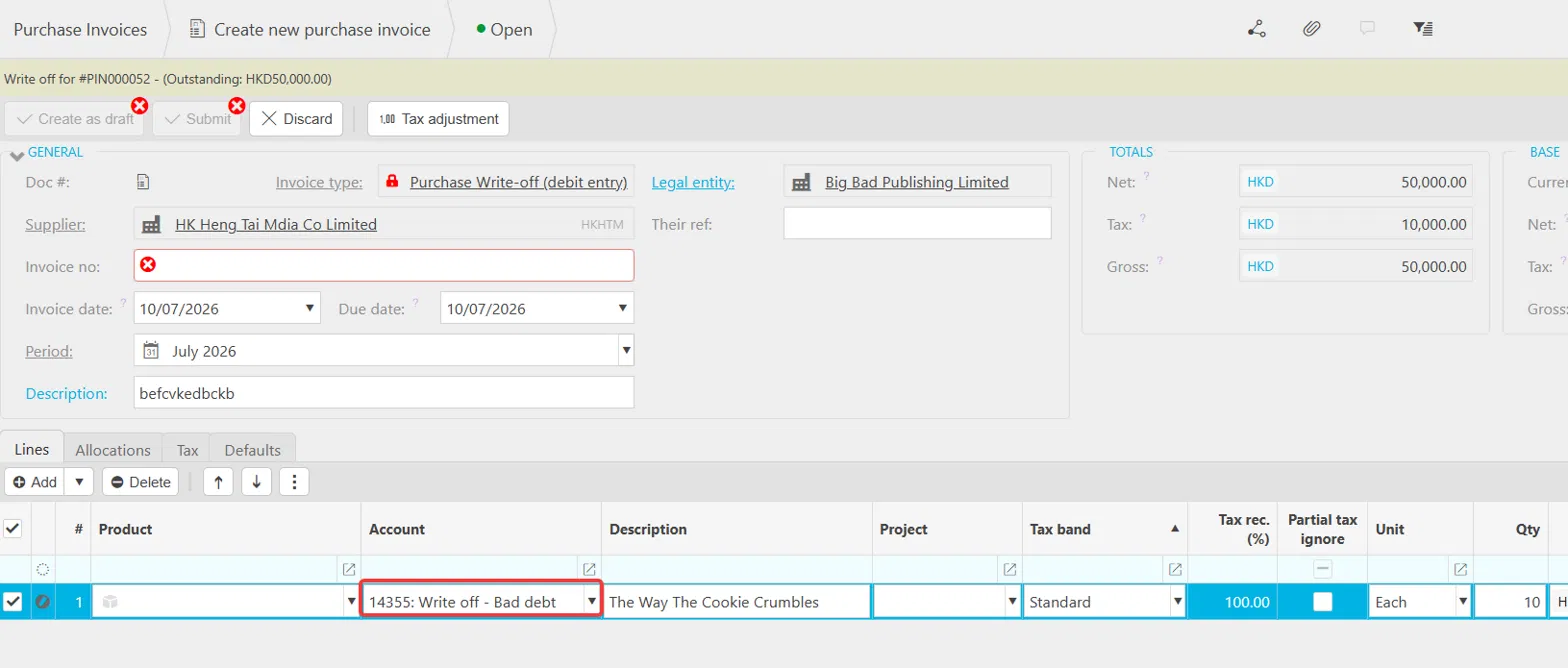
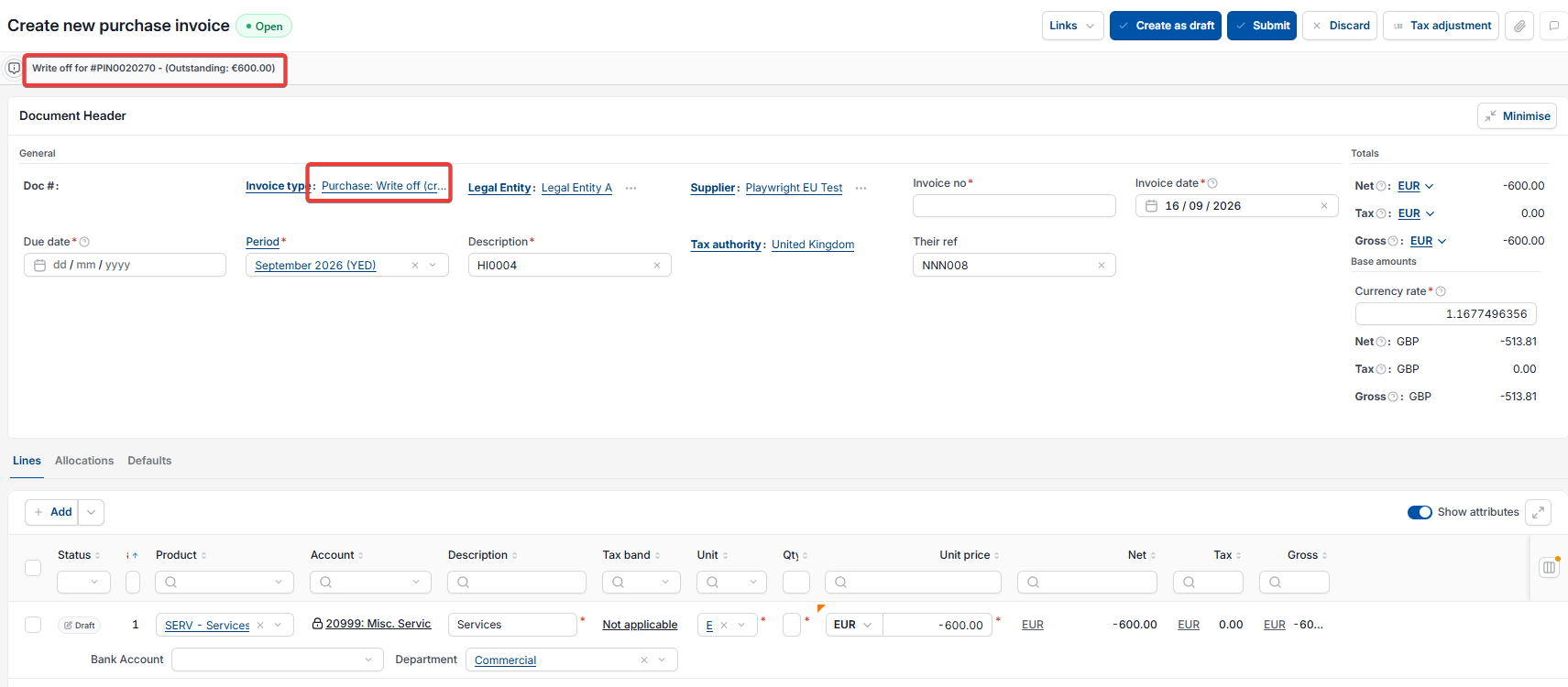
This opens a new invoice with the invoice type set to 'Purchase Write-off (debit entry)', pre-filled with the same supplier, period and line details as the original purchase invoice.
Completing the write-off invoice for a purchase invoice
Before submitting the write-off invoice, amend the transaction lines so the account is your write-off (bad debt) account, for example '14355: Write off - Bad debt'. This step in the Purchase Ledger is what actually clears the debt to the correct nominal account, rather than simply cancelling the invoice.
- For a full write-off, leave the amount as shown
- For a partial write-off, amend the amount on the line to the value you're writing off.
Once the account and amount are correct, select 'Submit' or 'Create as draft'.
Once posted:
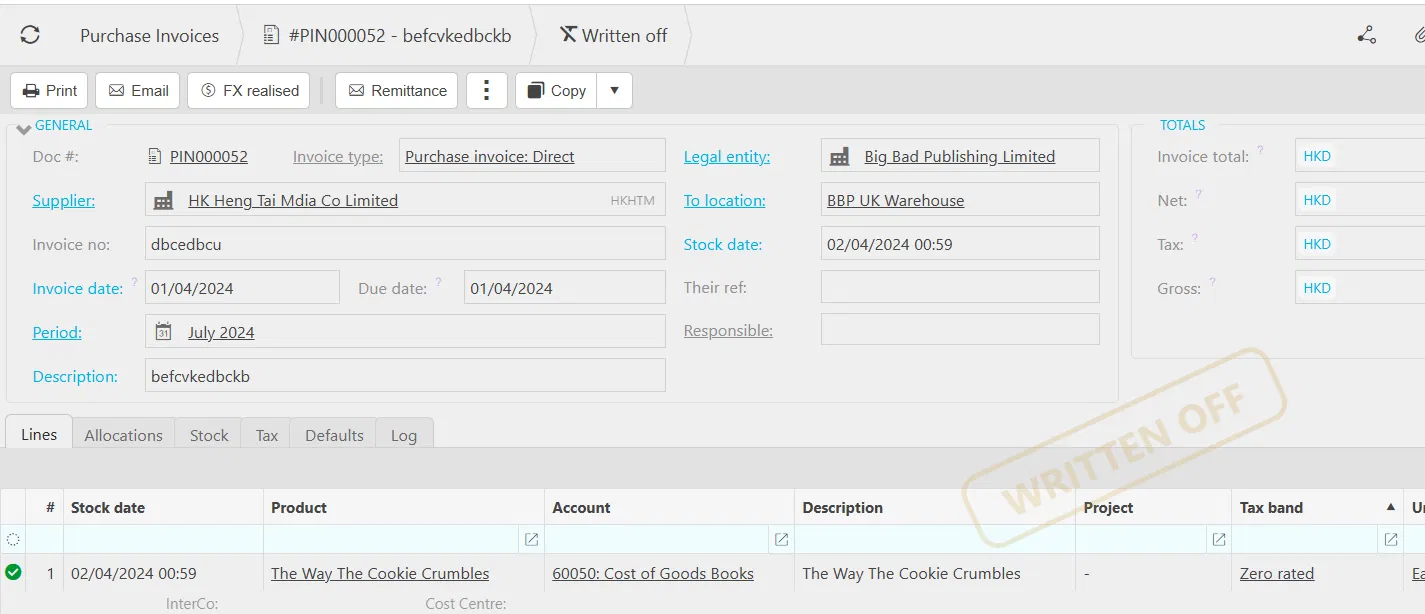
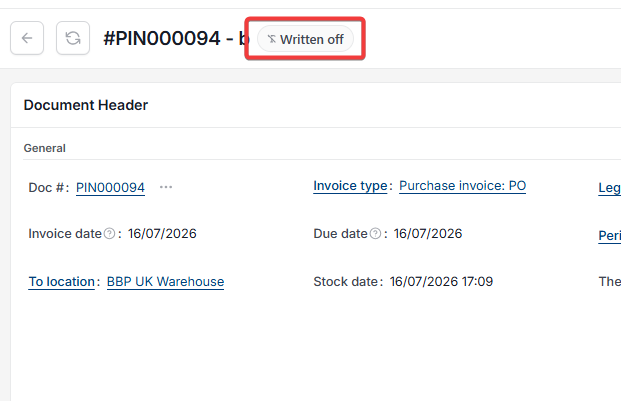
- The original purchase invoice shows a 'Written off' status
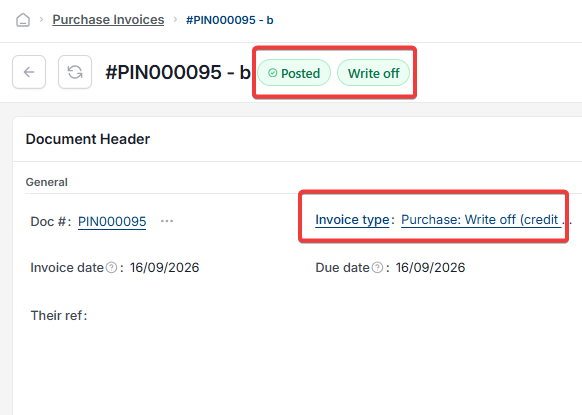
- The new write-off invoice shows a 'Posted write off' stamp.
If 'Write off' is missing or opens blank on a purchase invoice
- If 'Write off' doesn't appear at all, the conversion between the purchase invoice document type and 'Purchase Write-off (debit entry)' hasn't been set up
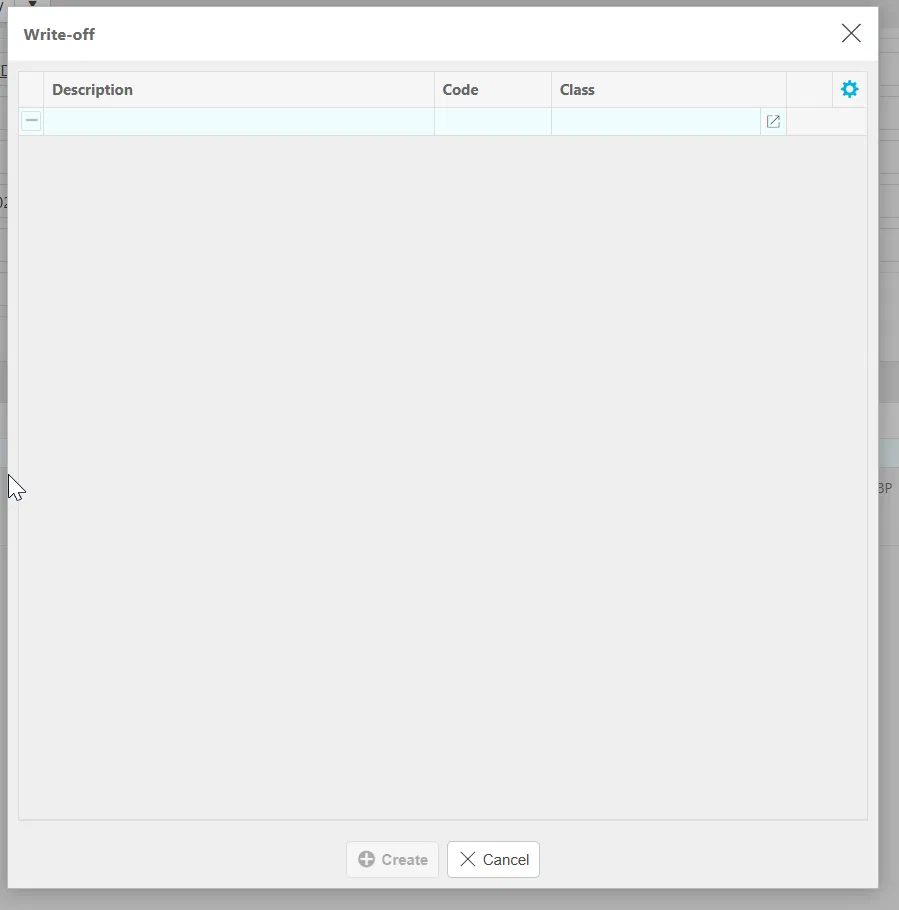
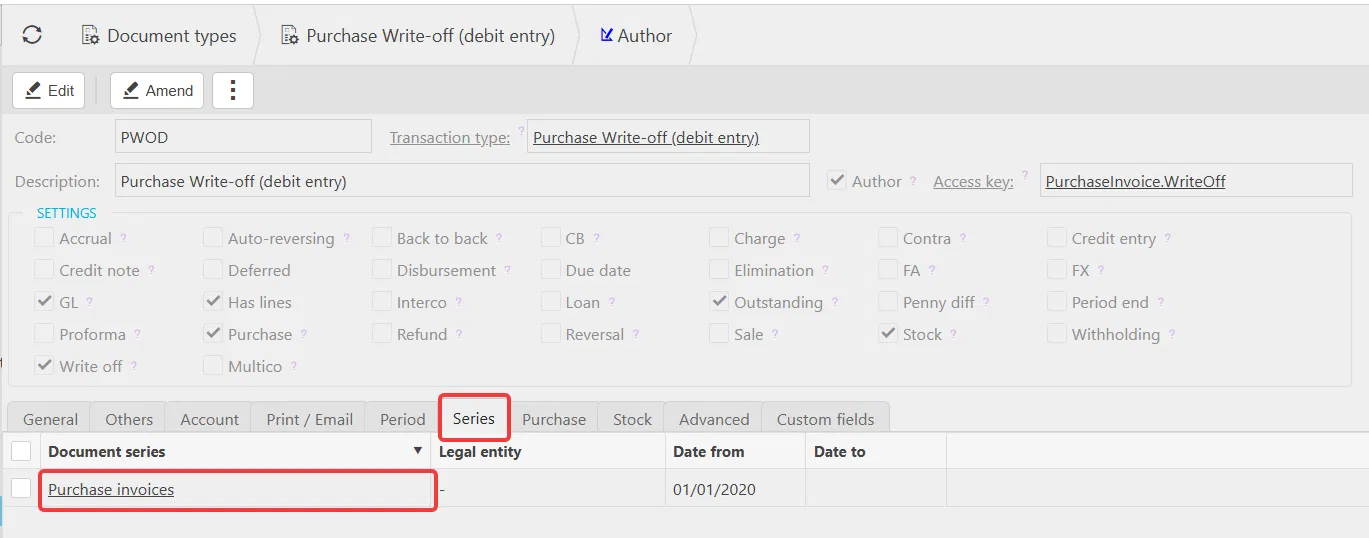
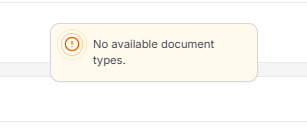
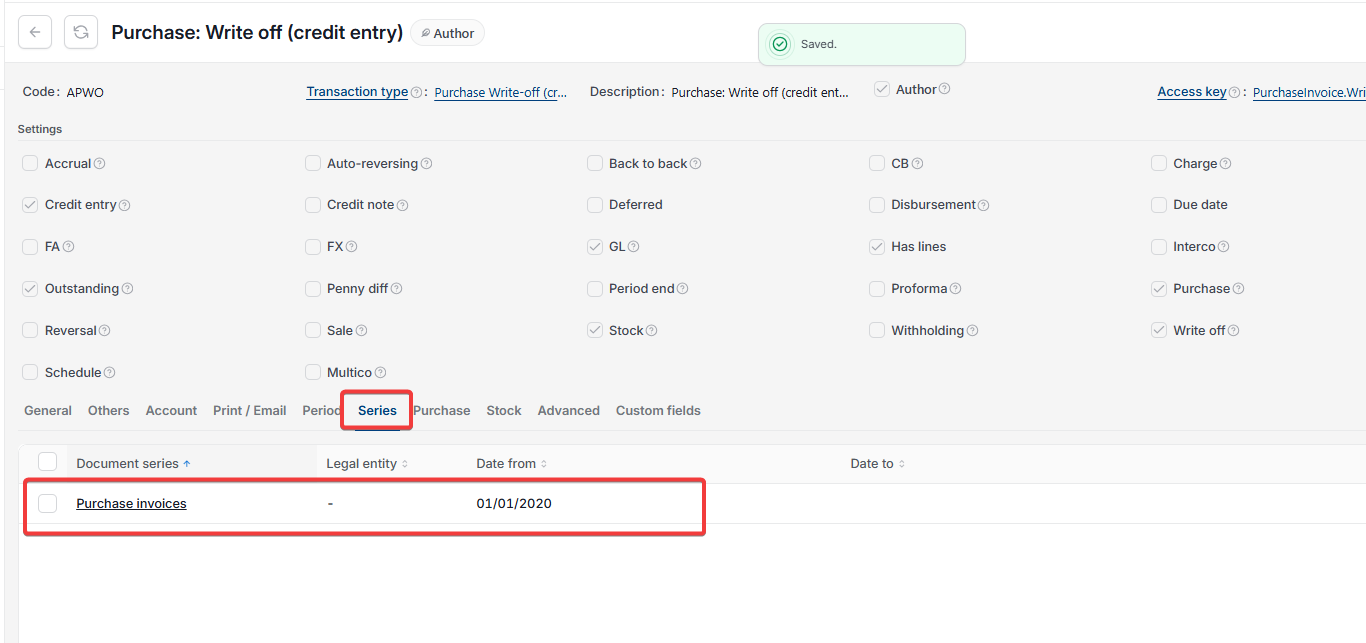
- If 'Write off' opens an empty pop-up with no invoice detail, the write-off document type hasn't been unlocked and assigned a document series.
Both are administrator tasks – see 'Setting up purchase write off document types' to resolve either issue.
Reallocating or removing a purchase invoice write-off
This only applies to write-offs created since the July 2026 release, which introduced this feature. Historic write-offs created before this release can't be reallocated, unposted or abandoned.
How to reallocate a purchase invoice write-off to a different invoice
Use this if the write-off itself was correct, but you want to apply it to a different invoice:
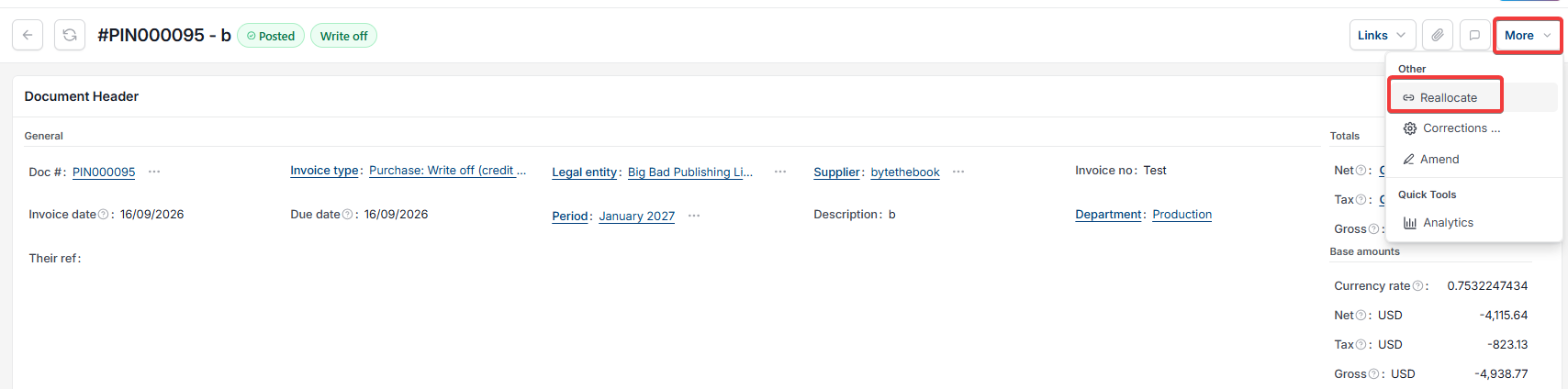
- Open the posted write-off document
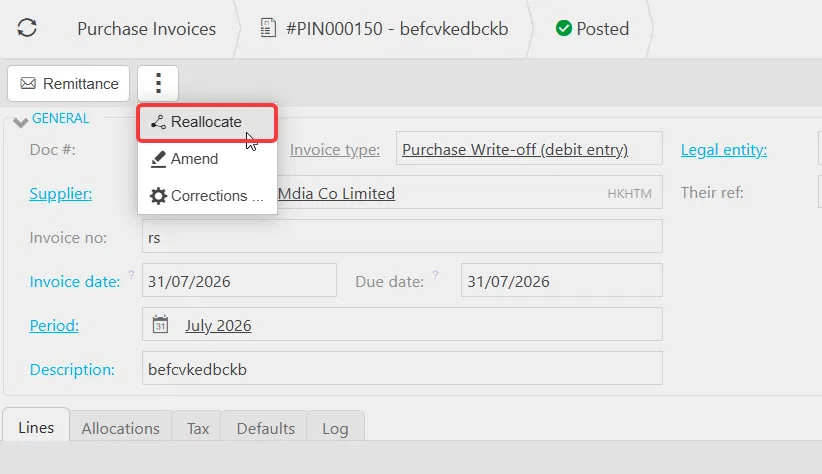
- Depending on your screen, select the ellipsis (the three dots) or the 'More' menu, then select 'Reallocate'
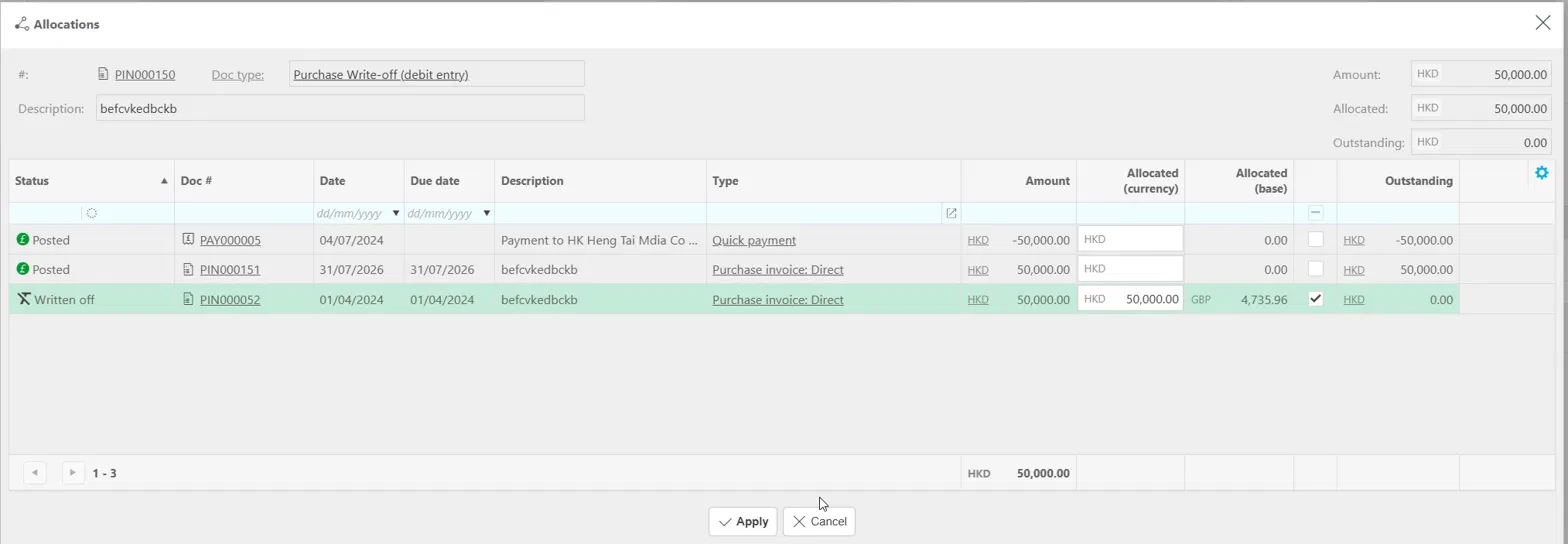
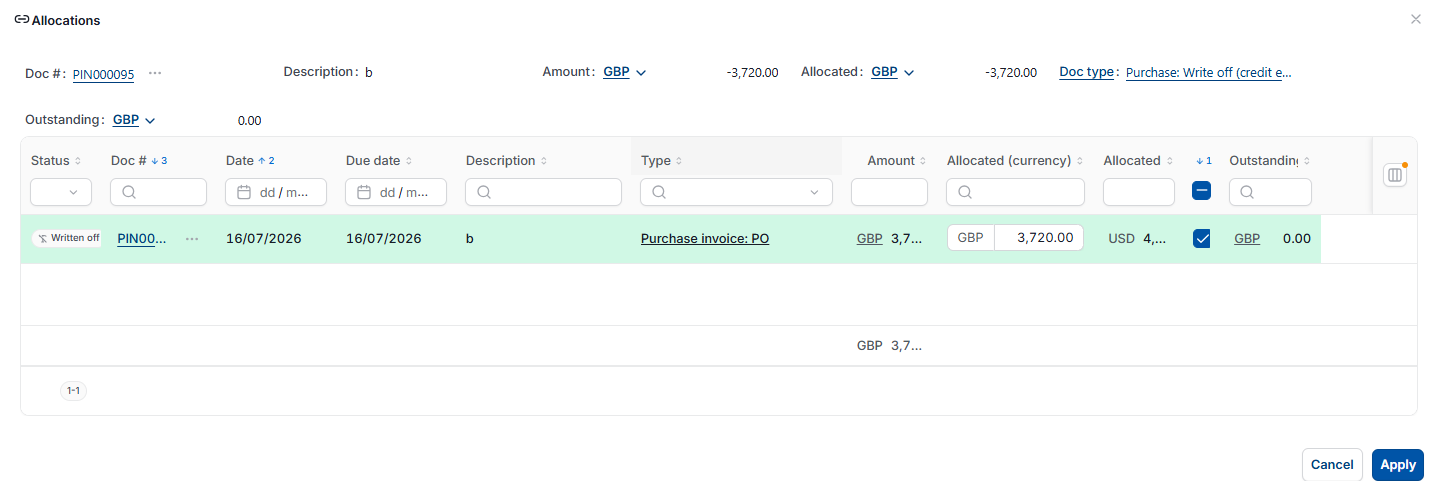
- In the 'Allocations' window, clear the allocated amount against the current invoice, then allocate the write-off amount to the correct invoice instead
- Select 'Apply'.
The write-off document stays posted throughout. Only the invoice it's allocated against changes.
How to unpost and abandon a purchase invoice write-off
Use this if the write-off shouldn't have happened at all, and the original invoice needs to go back to being an open, posted invoice:
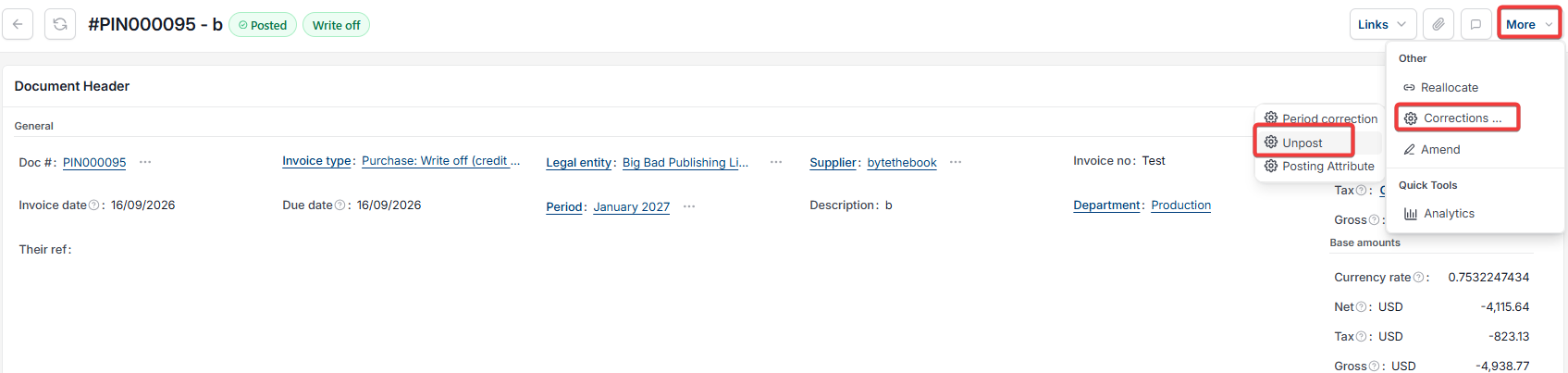
- Open the posted write-off document. Depending on your screen, select the ellipsis (the three dots) or the 'More' menu, then select 'Reallocate'
- In the 'Allocations' window, clear the allocated amount against the original invoice, then select 'Apply'. The write-off must be unallocated before it can be unposted
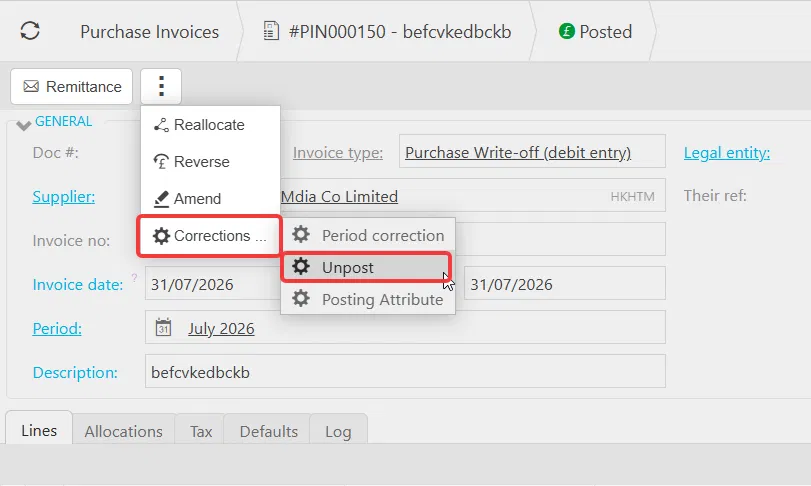
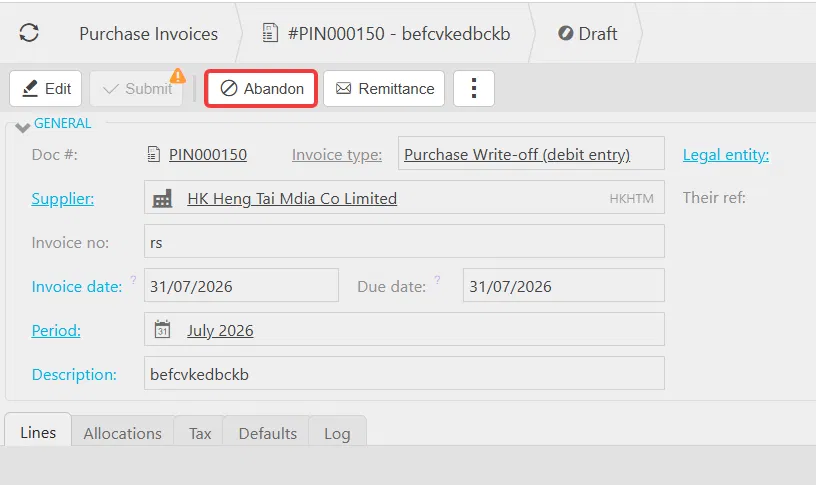
- Select the menu again, select 'Corrections', then select 'Unpost'. This returns the write-off document to 'Draft' status
- On the draft write-off document, select 'Abandon'.
Once abandoned, the original invoice returns to 'Posted' status, as though the write-off had never been created.

Write off purchase invoice
Purchase write off
Cancel purchase invoice
Void purchase invoice
Partial write off
Blank write off pop up
Write off missing
Remove write off
Abandon write off
Delete write off