

This article covers Dynamic Account Structures, specifically how to create one. Use this when you need to report on groupings that don't exist in your standard chart of accounts – for example, calculating gross profit from your Sales and Cost of Sales groups within an enquiry. To use an existing Dynamic Account Structure in an enquiry rather than create a new one, see 'How to use a Dynamic Account Structure in an enquiry'.
Creating the structure
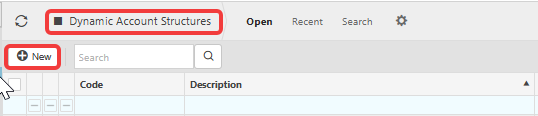
- Navigate to 'Dynamic account structures' and select 'New'
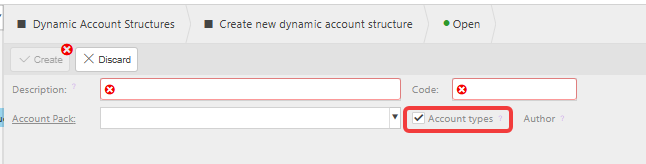
- Enter a 'Description' and a 'Code' – the code must be unique among existing Dynamic Account Structures
- Decide whether to keep 'Account types' ticked – ticked by default, this automatically creates Profit & Loss and Balance Sheet as top-level groups in your structure; untick it if you don't want this automatic split
- Select 'Create'.


Adding groups to the structure
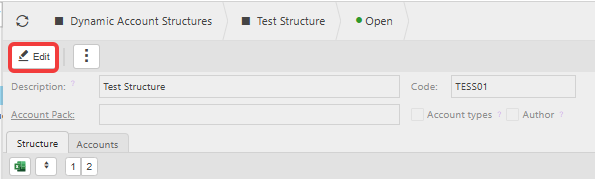
- Open your new structure from the 'Dynamic account structures' list
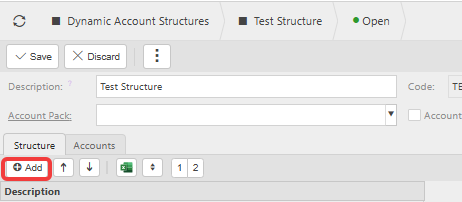
- Select 'Edit', then select 'Add' on the 'Structure' tab
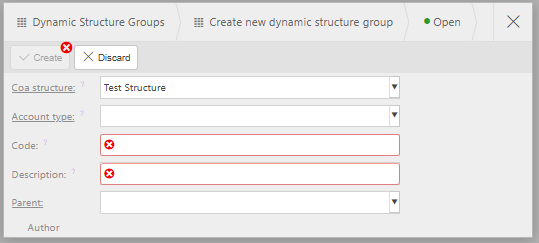
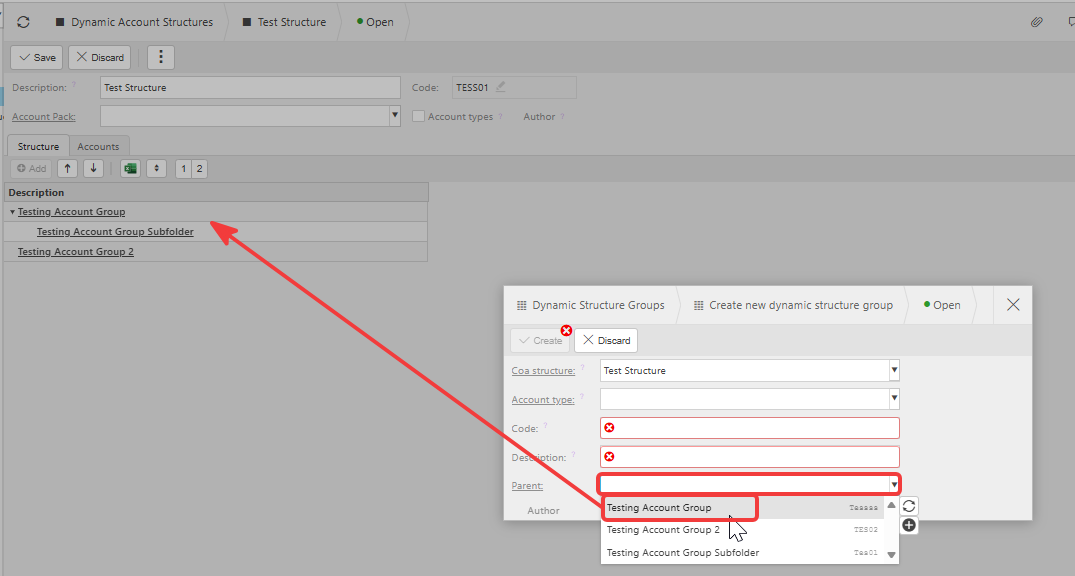
- Enter the account type, code and description for the group – select a parent group here too, if the group belongs under another group
- Select 'Create'
- Repeat for each additional group the structure needs.
To add a subgroup directly under an existing group, select the small add icon next to that group's description instead of using 'Add' – this opens the same form with 'Parent' already filled in.
The order groups appear in matters when the structure is used for calculations in an enquiry, because iplicit deducts later groups from earlier ones. For a gross profit structure of Sales minus Cost of Sales, Sales needs to come first. Reorder groups using the up and down arrows next to 'Add' if needed.




Assigning accounts to each group
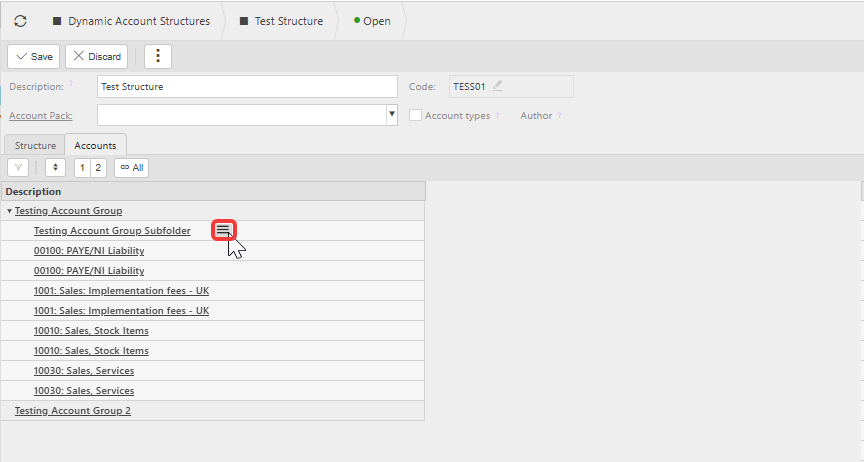
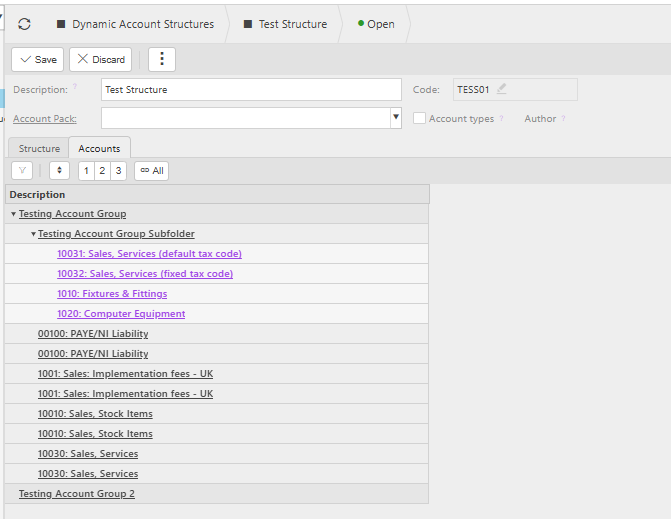
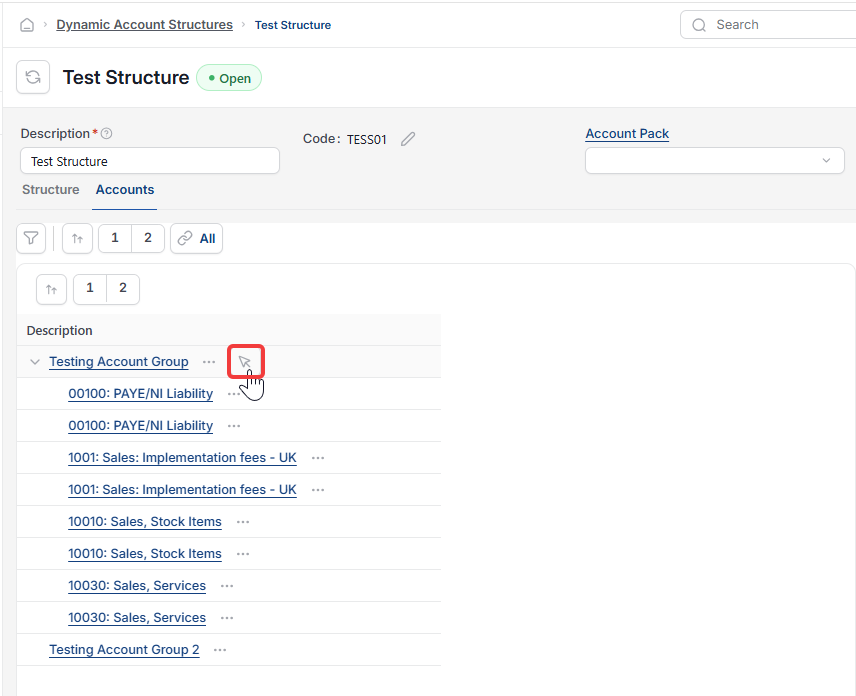
- Select the 'Accounts' tab
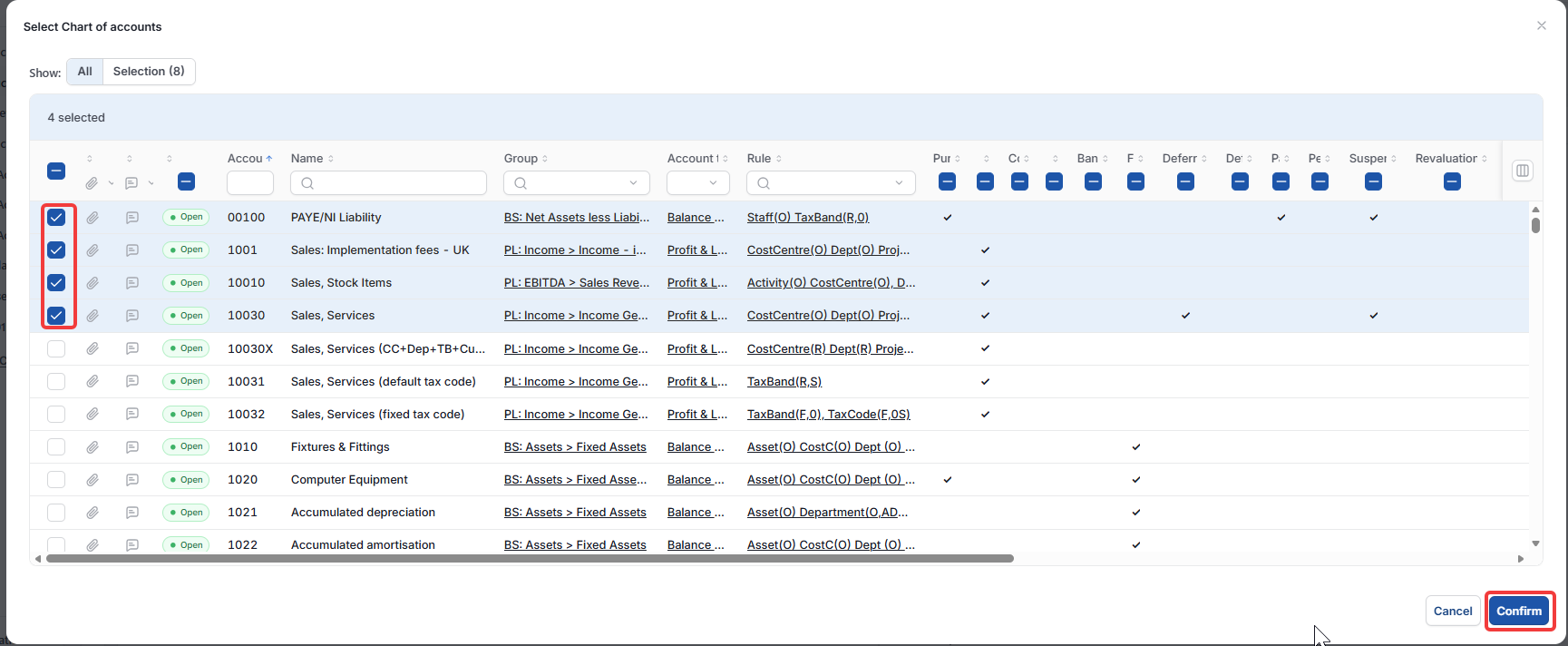
- Hover over a group's description and select its menu icon (a small list icon) to open the account list
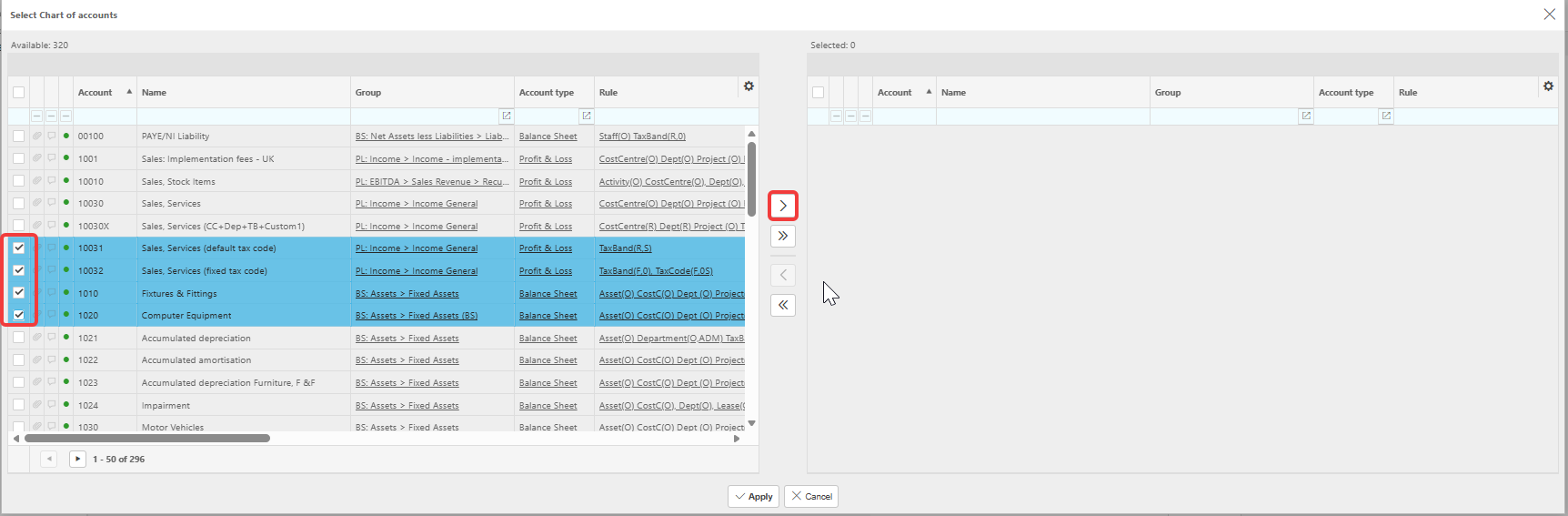
- In the 'Select Chart of accounts' window, choose accounts from 'Available' and move them to 'Selected' using the arrow controls or the selector box and apply depending on your screen
- Select 'Apply'
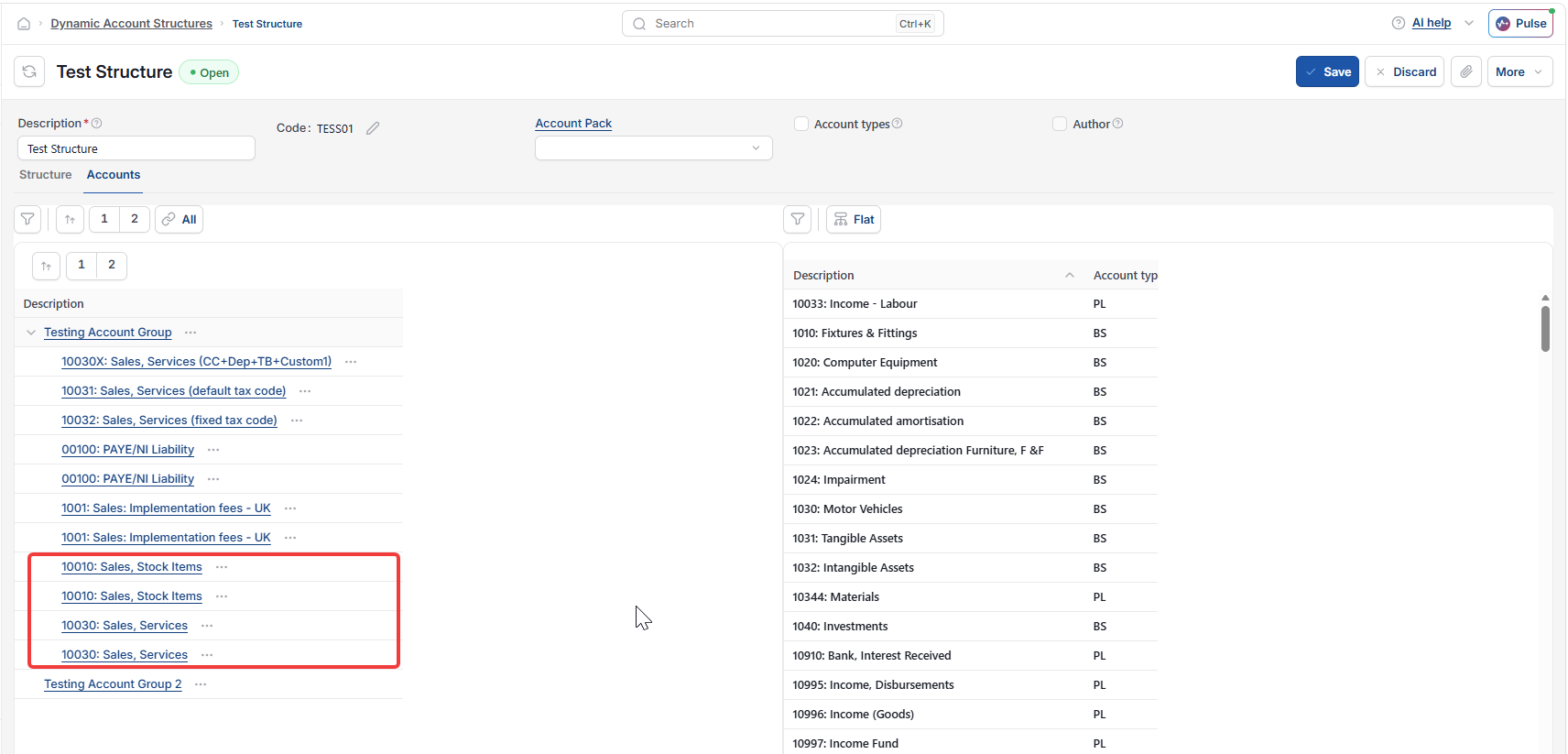
- Repeat for each remaining group
- Select 'Save'.
An account can only belong to one group within a Dynamic Account Structure, so decide the grouping before assigning accounts across several groups.
Dynamic account structure
Custom account grouping
Create account structure
Gross profit enquiry grouping
Account structure tree