

This article covers deleting a Contact account – the record that holds customer and supplier details – in iplicit. Deletion is permanent and breaks the links to any documents already raised against that Contact, so always check its history first.
Checking a Contact account's history before deleting
Before deleting a Contact account, confirm it has no linked documents. If it does, deleting it will break the links in those ledger records.
Check the Contact account for:
- Any posted or draft purchase invoices or purchase orders
- Any posted or draft sales invoices
- Any payments or receipts
- Any other linked documents in the ledger.
If the Contact has any history, do not delete it. Lock the Contact instead, then create a new one with a different code. See 'Why can't I recreate a deleted supplier using its old code' for the recommended approach.
Deleting a Contact account in Contacts
Once you've confirmed the Contact account has no linked documents, delete it from the Contacts screen.
- Navigate to 'Contacts' and open the account you want to delete
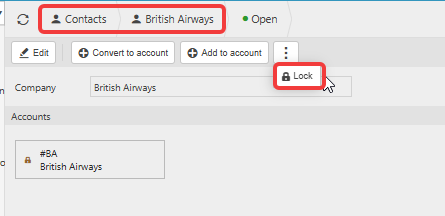
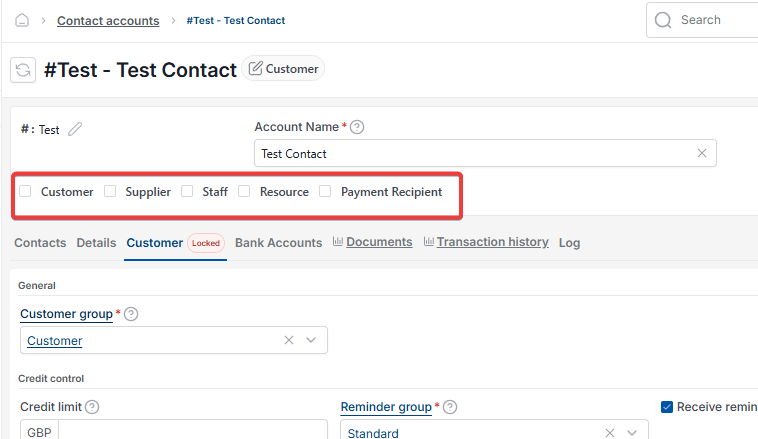
- Remove the account's roles – untick 'Customer', 'Supplier', 'Staff', 'Resource' and 'Payment Recipient' as they apply, then save (depending on your screen, this step may instead be a single 'Lock' option)
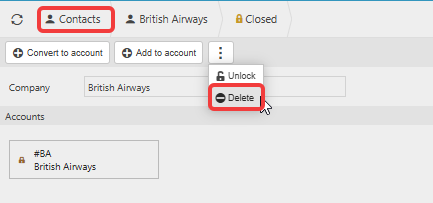
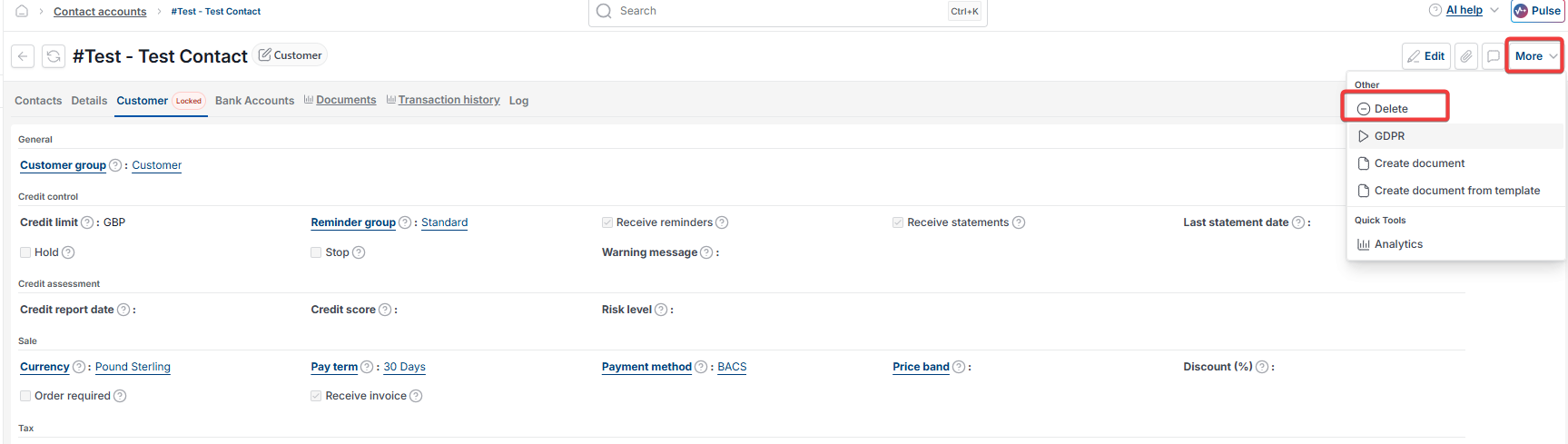
- Depending on your screen, select the three-dot menu or the 'More' menu
- Select 'Delete' (sometimes called removing the contact)
- Select 'Yes' to confirm.
The Contact account is now deleted and its code is free to reuse.
Delete a contact account
Remove a contact account
Delete old customer or supplier code
Recreate a deleted supplier
Delete a customer or supplier record
Contact account deletion