

This article covers using Menu Structure to make a menu link open your custom enquiry instead of the standard iplicit enquiry. Use it after you have copied and changed a standard enquiry and want people to use your version. The same steps add a custom enquiry to the menu for the first time.
Copying the custom enquiry ID for Menu Structure
Every enquiry has a unique ID. Menu Structure uses this ID to know which enquiry a menu item opens.
- Open your custom enquiry
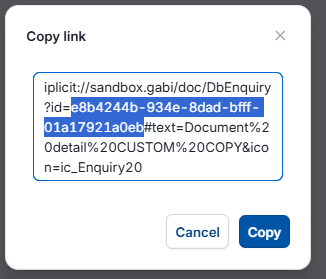
- Press Ctrl + Alt + C. This copies a line of text that includes the enquiry ID
- Paste the text somewhere you can see it, such as Notepad
- The enquiry ID is the part after the = sign and before the # sign. Copy only that part.
[Insert Legacy UI screenshot of the copied enquiry ID]
Replacing the standard enquiry in Menu Structure
- Search for 'Menu Structure' and open it
- Find the menu item that opens the standard enquiry
- Make a copy of that menu item
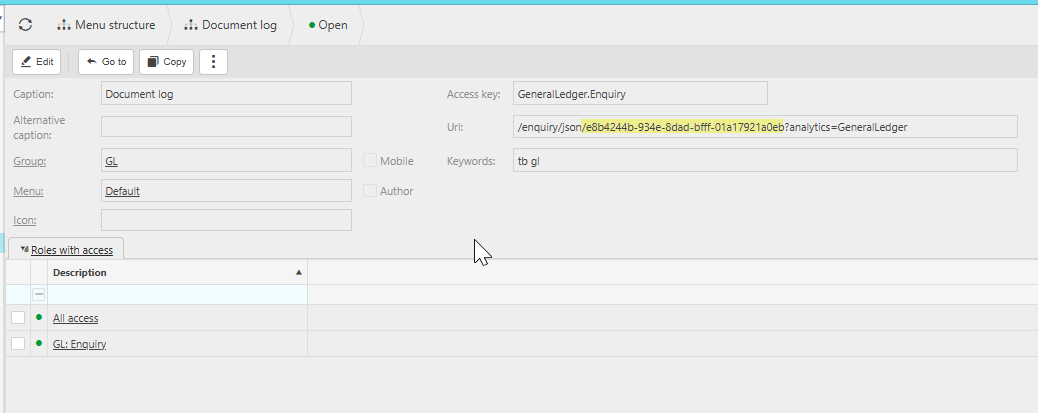
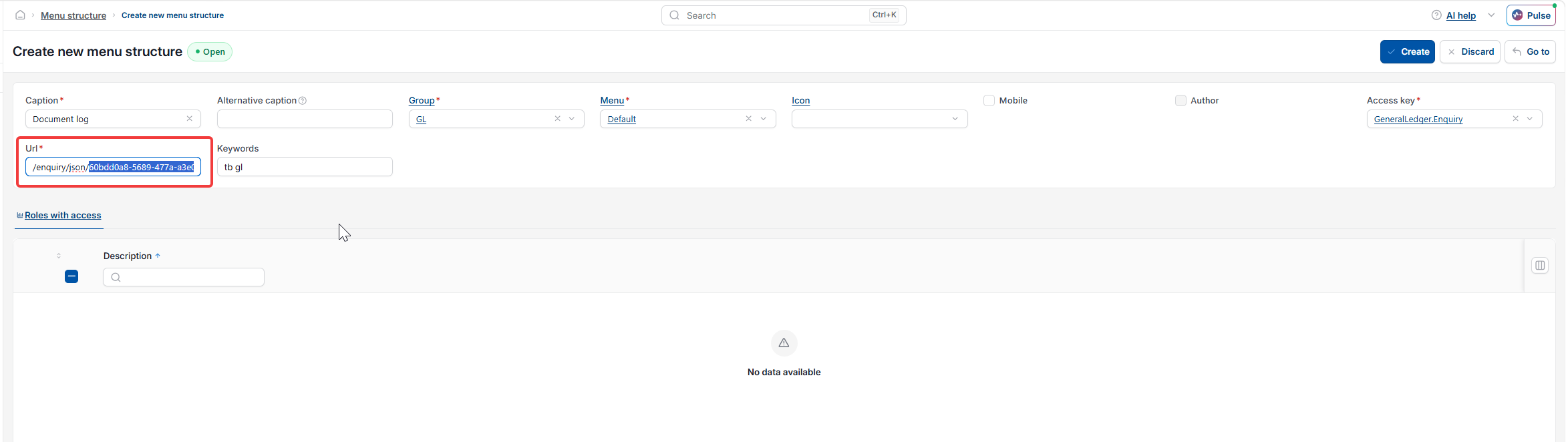
- In the copy, find the text '/enquiry/json/'. Replace the old enquiry ID straight after it with your custom enquiry ID, stopping before the ? sign. For example: /enquiry/json/your-enquiry-ID?analytics=…
- Do not change '/enquiry/json/' or anything after the ? sign
- Select 'Save'
- Select your username at the top right of the screen, then select 'Reload'
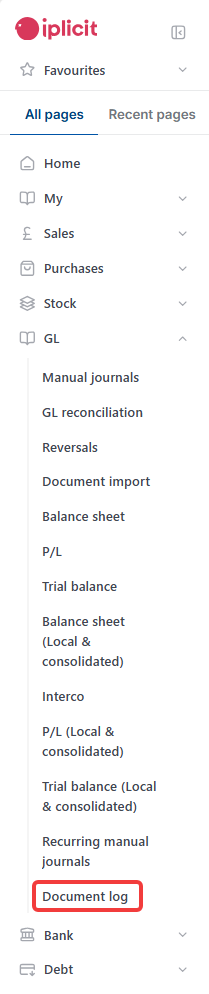
- Open the menu and check the new menu item opens your custom enquiry.

Things to know about enquiries in Menu Structure
- Each menu item has an access key. This decides which users can see it, based on their user role permissions. When you copy a menu item, it keeps the access key of the item you copied
- If there is no menu item for a similar enquiry to copy, copy the closest example. Then change the access key to the permission your custom enquiry needs. See 'How to give specific users access to a custom enquiry'
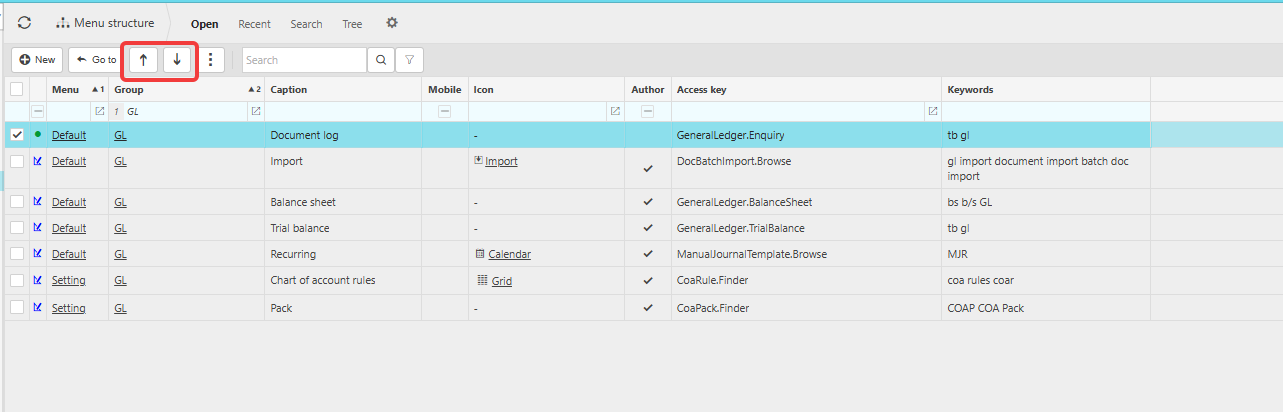
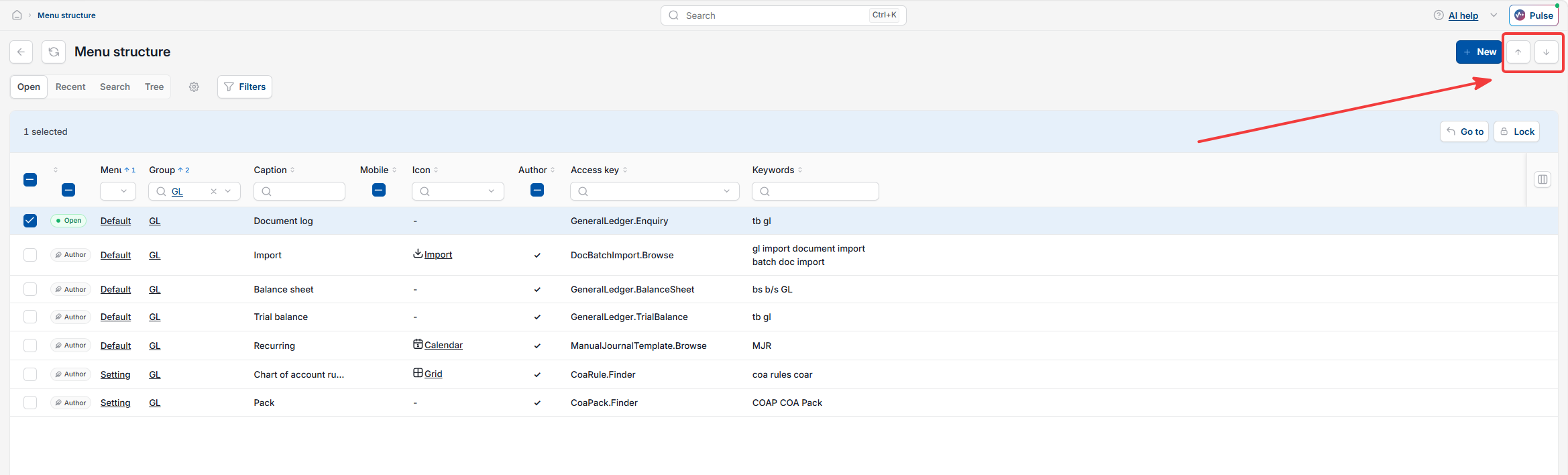
- New menu items appear at the bottom of their menu group. Use the arrows on the Menu Structure page to move your custom enquiry higher
- The menu item for the standard enquiry stays on the menu until you lock it in Menu Structure. Lock it if you only want people to use your custom enquiry
- If the new menu item does not appear, check you reloaded iplicit and that the menu type is not set to 'Other'. Items set to 'Other' only appear in quick launch search.
When to raise a support ticket about enquiries in Menu Structure
If the menu item opens the wrong enquiry or shows an error after you have checked the enquiry ID, raise a support ticket. Include the enquiry name and a screenshot of the menu item.
Add enquiry to menu
Replace enquiry on menu
Custom enquiry menu
Show my enquiry in the menu
Menu structure enquiry
Copy enquiry ID
Change menu link
Enquiry not showing on menu
Hide standard enquiry from menu