

This article covers matching a customer receipt in Bank Reconciliation when bank charges (bank fees) were deducted, for example when an invoice of USD 5,000 arrives as USD 4,975. Match + Charge posts the USD 25 difference as a collection charge, so the invoice is fully paid and the reconciliation balances. It applies to standard and intercompany receipts.
One-off setup for Match + Charge in Bank Reconciliation
Match + Charge only appears in Bank Reconciliation once the setup below is complete. You only need to do this once.
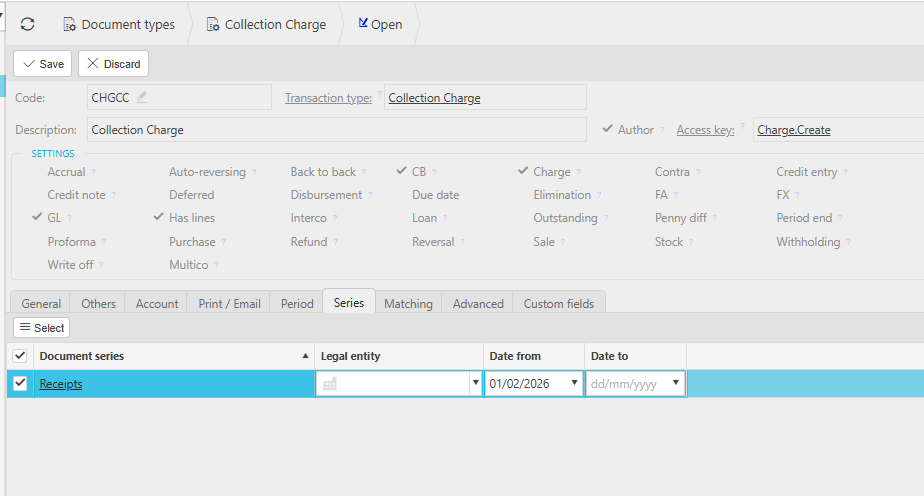
- Navigate to 'Document types', search for 'charge' and open 'Collection Charge' – if it doesn't appear, depending on your screen, select the green dot or tick 'Show closed items'
- If the document type is locked, depending on your screen, select the three-dot menu or the 'More' drop-down, then select 'Unlock'
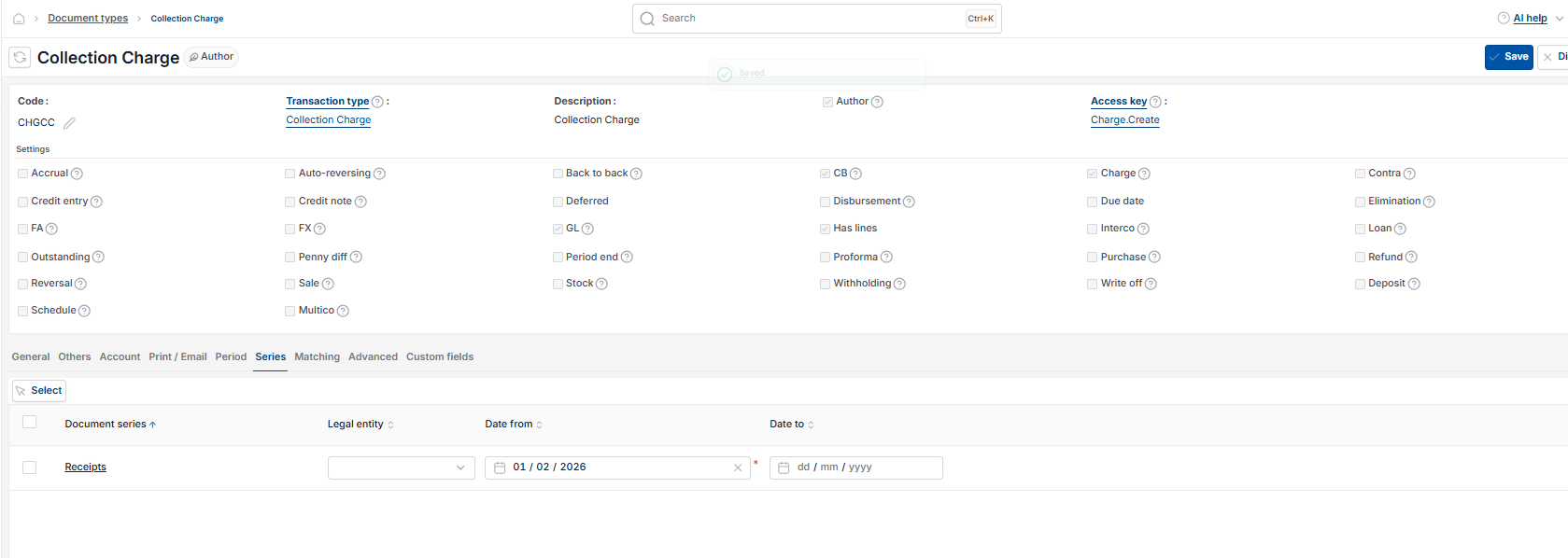
- Select 'Edit', then open the 'Series' tab
- Select 'Select', choose a document series and select 'Save'
- In 'Chart of accounts', open the General Ledger (GL) account you want bank charges to post to, ensure 'Charges' is ticked and save
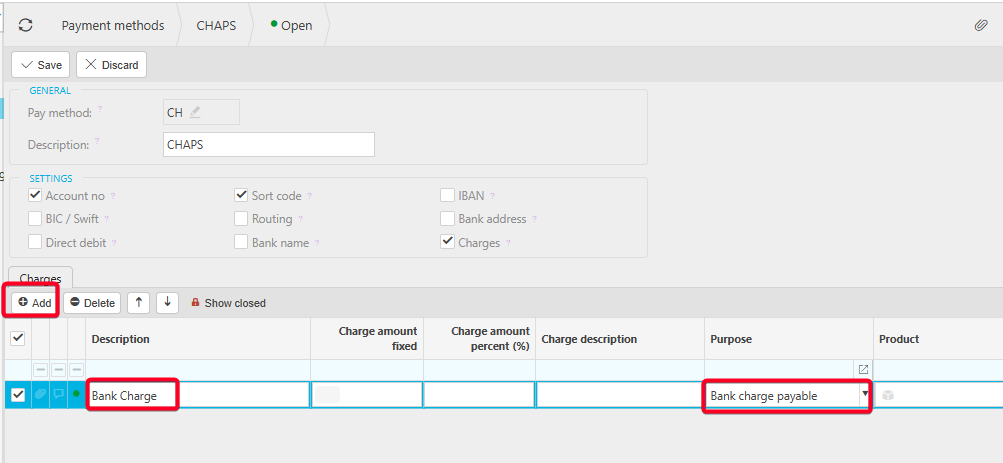
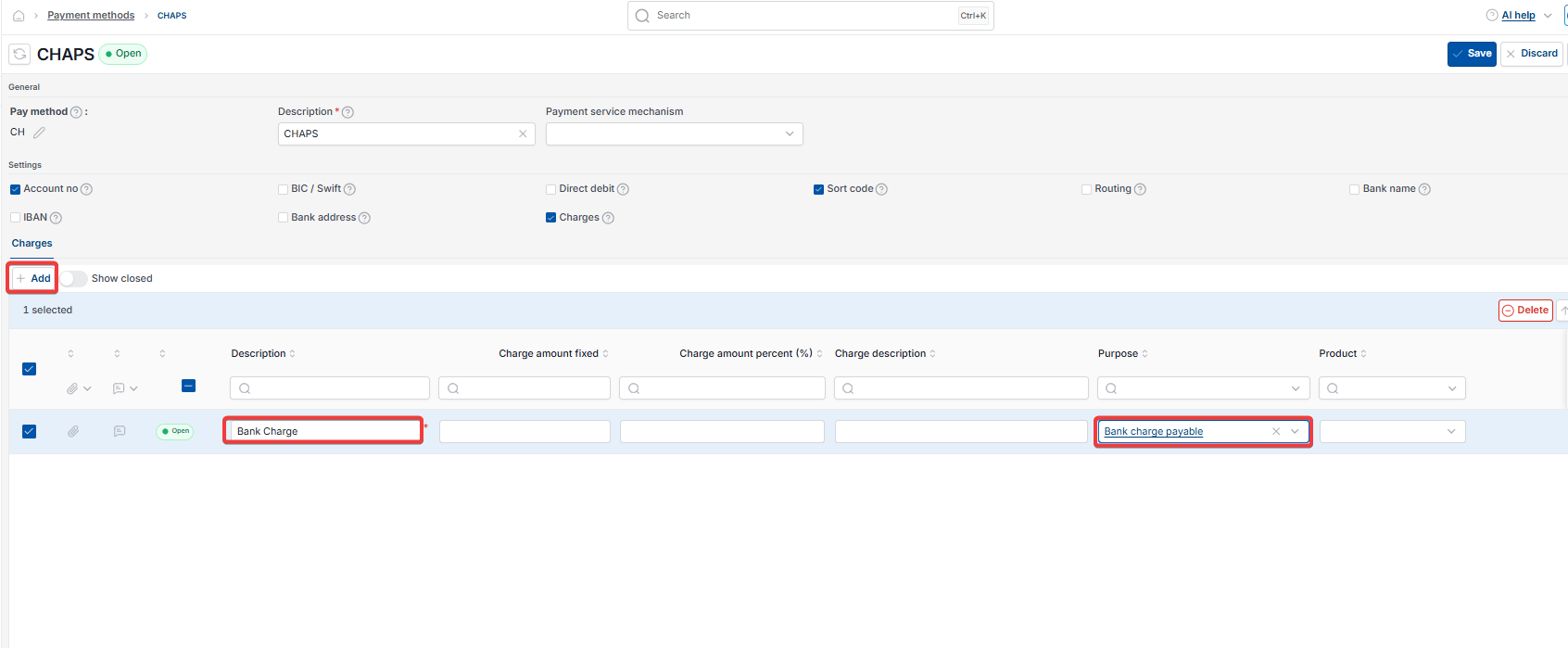
- Navigate to 'Payment methods', open the payment method used on the receipt (for example BACS Receipt or CHAPS), select 'Edit' and tick 'Charges'
- In the payment method's 'Charges' tab, select 'Add', enter a description, set 'Purpose' to 'Bank charge payable' and select 'Save'
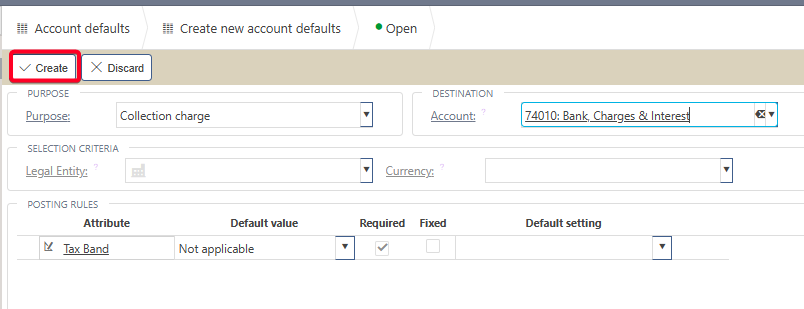
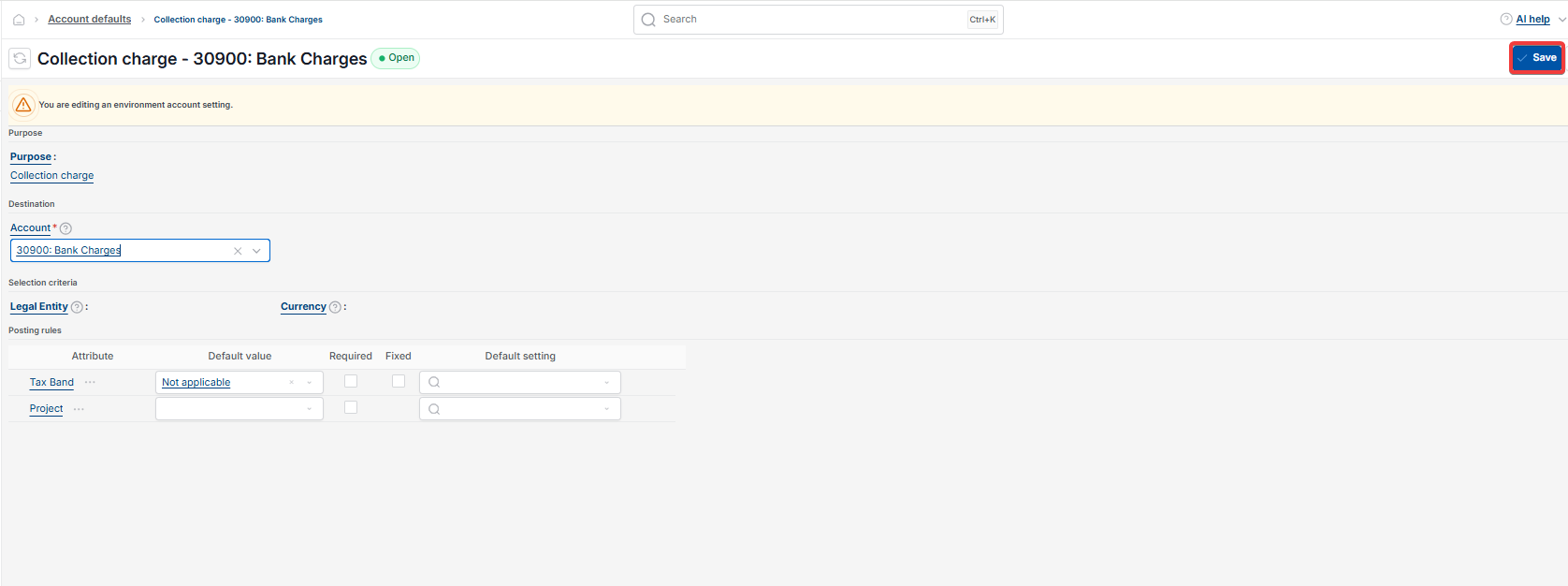
- In 'Account defaults', select 'New', set 'Purpose' to 'Bank charge payable' and 'Account' to your bank charges GL account, then select 'Create'
- In 'Account defaults', select 'New' again, set 'Purpose' to 'Collection charge' and 'Account' to the same bank charges GL account, then select 'Create'
- Reload iplicit so the Bank Reconciliation charge settings take effect.
Both account defaults are required. If the 'Collection charge' account default is missing, Match + Charge fails when you submit it.
Entering the customer receipt when bank charges have been deducted
Enter the receipt for the full invoice amount, not the reduced amount that reached the bank. In the example above, enter USD 5,000 rather than USD 4,975, then allocate the receipt to the invoice.
Use a payment method that has charges set up. The bank charge difference is posted later, when you match the receipt in Bank Reconciliation.
Matching the receipt with a bank charge in Bank Reconciliation
- Open the bank reconciliation and go to the 'Unmatched' tab
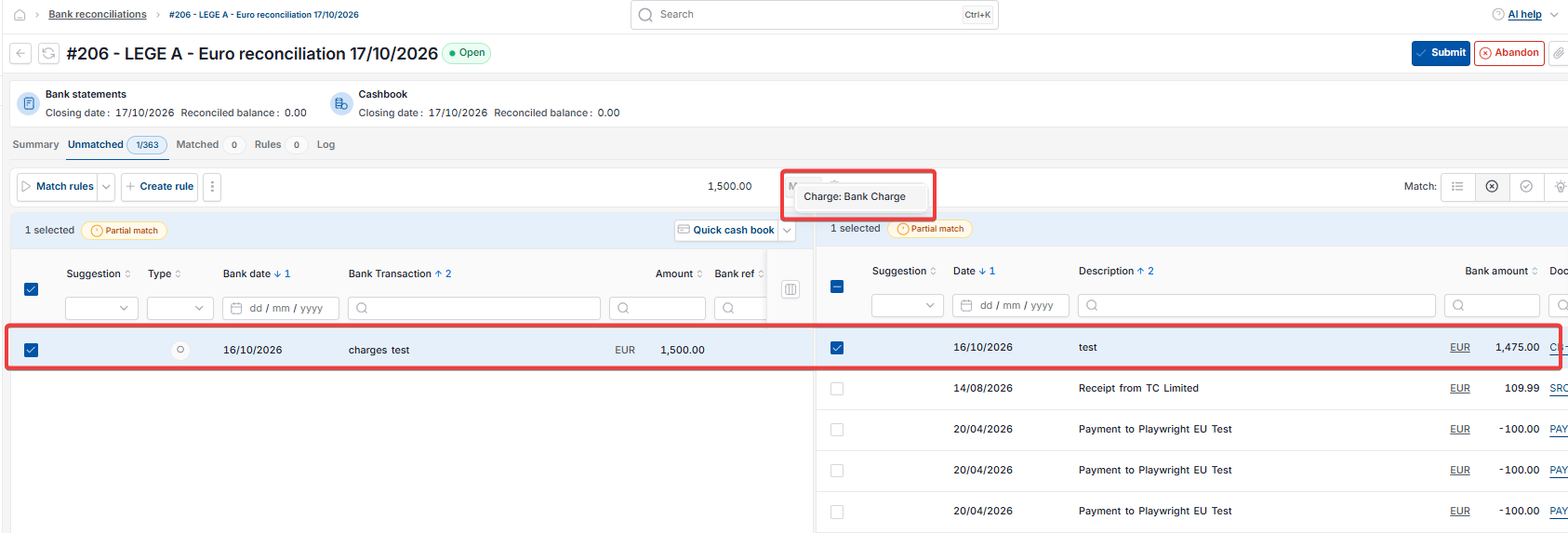
- Select the bank transaction (USD 4,975) and the cashbook receipt (USD 5,000)
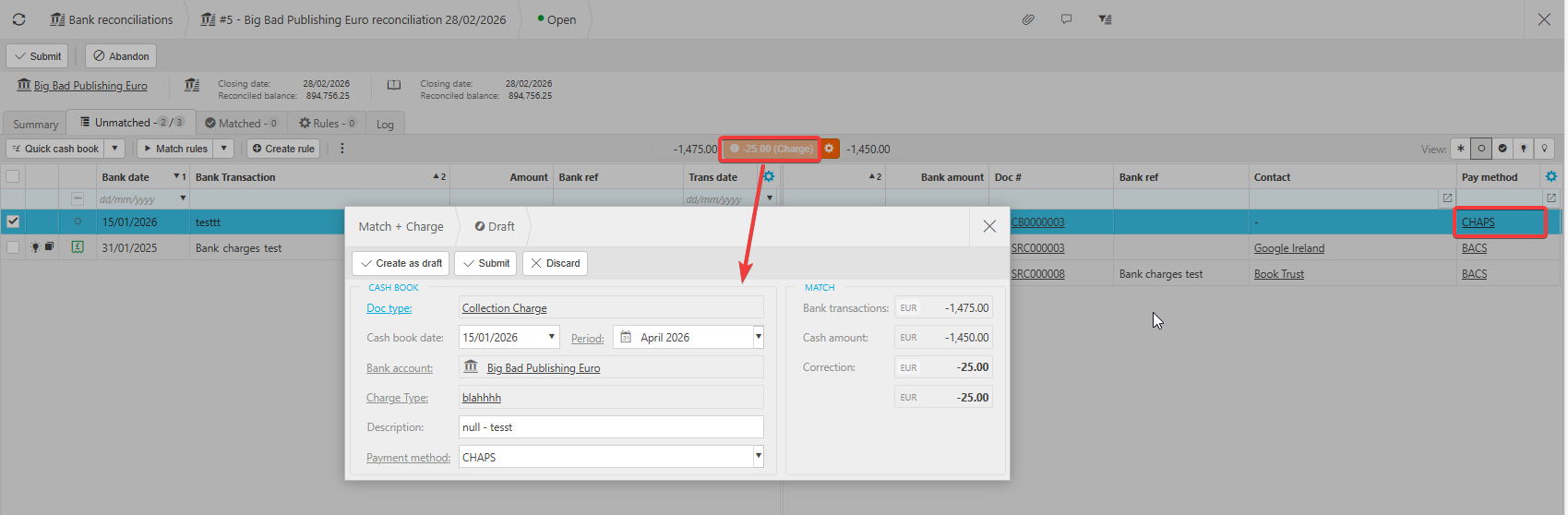
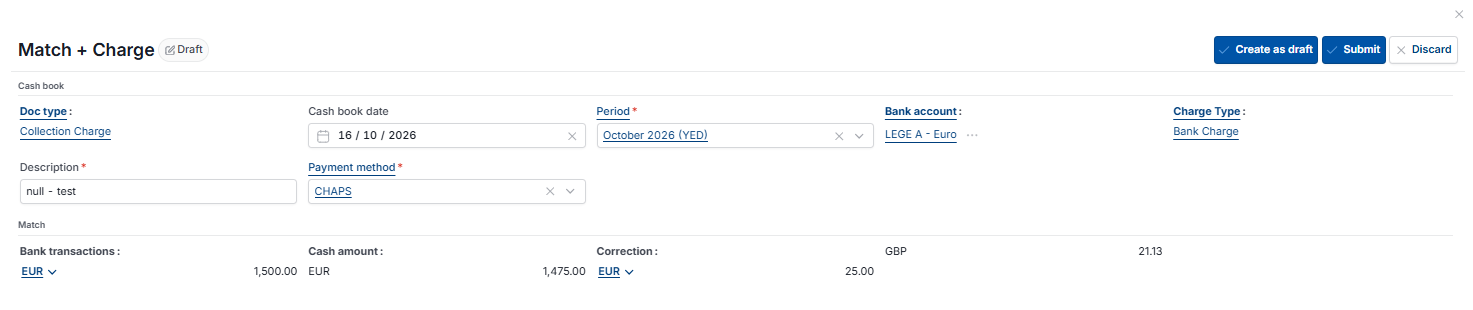
- Select 'Match + Charge' – the button shows the difference, for example '-25.00 (Charge)'
- Check that 'Doc type' is 'Collection Charge' and the correction shows the bank charge difference (USD -25)
- Select 'Submit'.
iplicit creates a Collection Charge document for the bank charge and matches both lines in the bank reconciliation.
Troubleshooting Match + Charge in Bank Reconciliation
- "Invalid account on bank account" appears when you submit – the 'Collection charge' account default is missing, so add it in 'Account defaults' and reload iplicit
- 'Match + Charge' doesn't appear in Bank Reconciliation – check the payment method on the receipt has 'Charges' ticked and a 'Bank charge payable' line in its 'Charges' tab
- The Collection Charge document type isn't available – unlock it and add a document series to it.
Bank charges deducted from receipt
Match and charge bank reconciliation
Receipt short by bank fee
Collection charge
Invalid account on bank account
Match + Charge not showing