

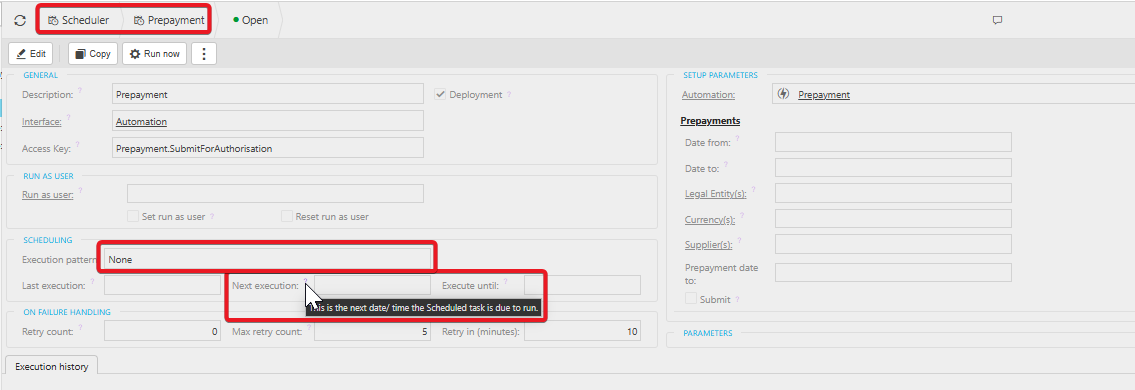
This article covers prepayment journals that stop being created automatically in iplicit, for example a 12-month prepayment that is correct up to one month but missing for later periods. The Prepayment automation only creates journals up to the current date, and the Prepayment scheduler is what runs it each month. If the scheduler has no execution pattern, no new journals are created.
Why the Prepayment automation stops creating journals
The Prepayment automation creates journals when you post the invoice, but only for dates up to the date of posting, unless you define a future date in the automation parameters. For example, if you post a document today, iplicit creates every prepayment journal up to today. It does not create future ones.
Running the Prepayment automation manually works the same way. It finds any outstanding prepayment journals up to today and creates them.
The Prepayment scheduler is what runs the automation each month. It 'presses' the run button at the times set in its execution pattern. If the scheduler has no execution pattern, journals for later periods are never created.
Setting the execution pattern on the Prepayment scheduler
- Open the Prepayment scheduler from the main scheduler screen
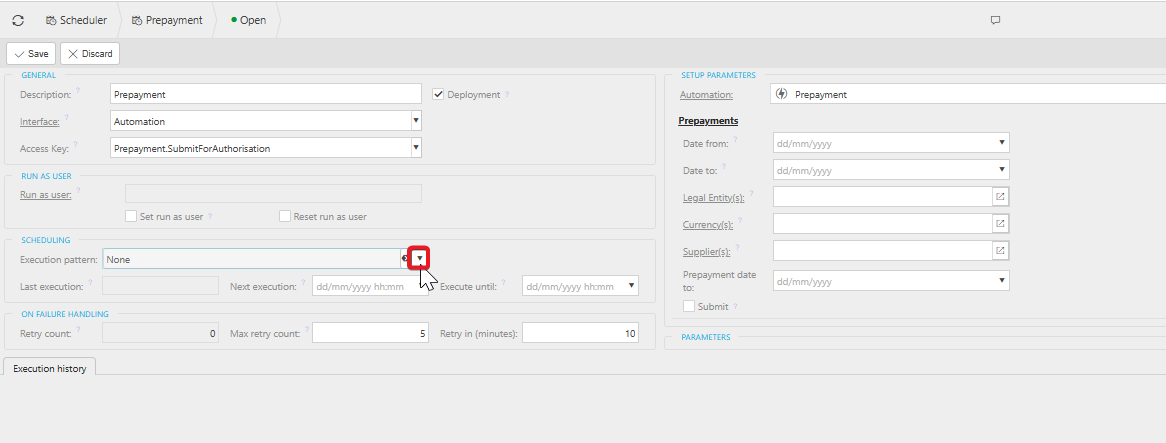
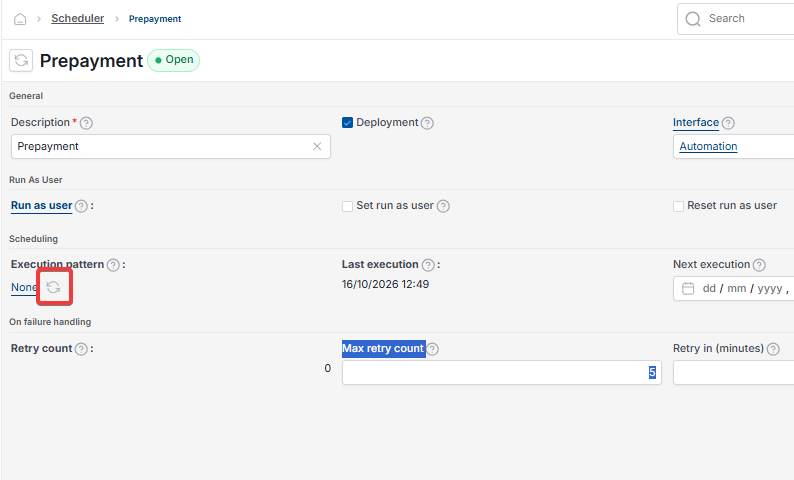
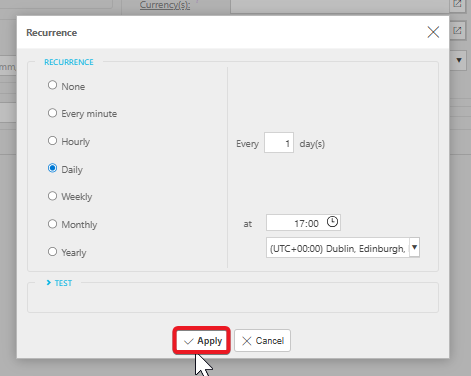
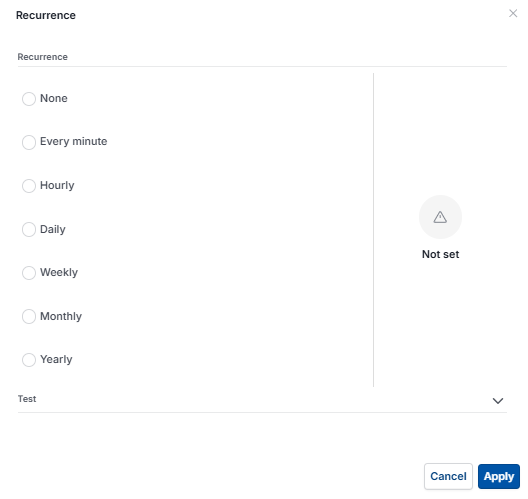
- Edit the scheduler and set the execution pattern
- Set the 'Next execution time'
- Save the changes.
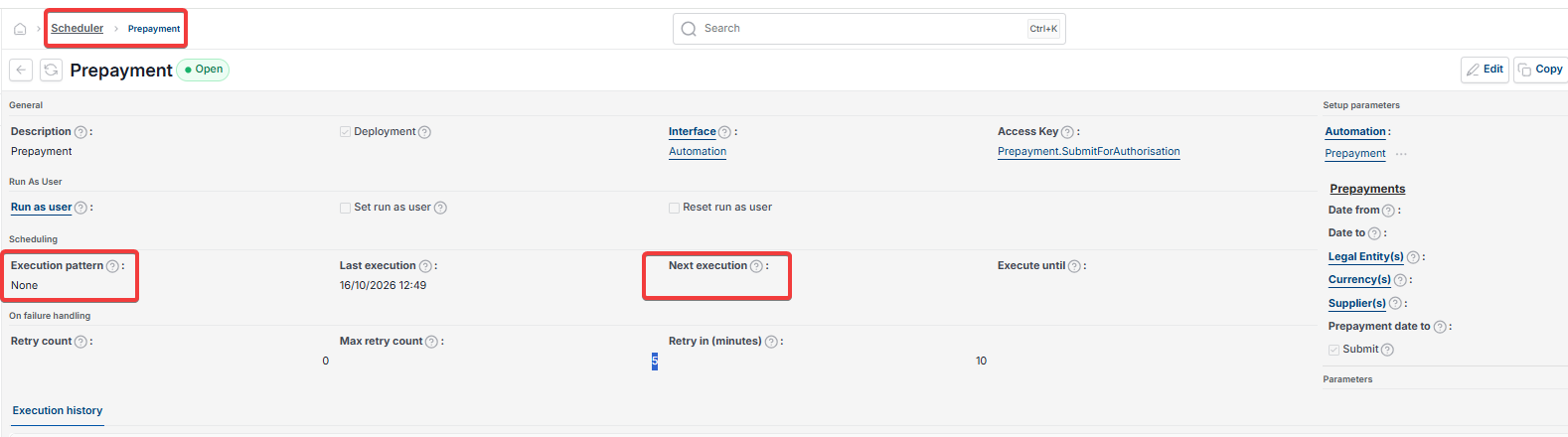
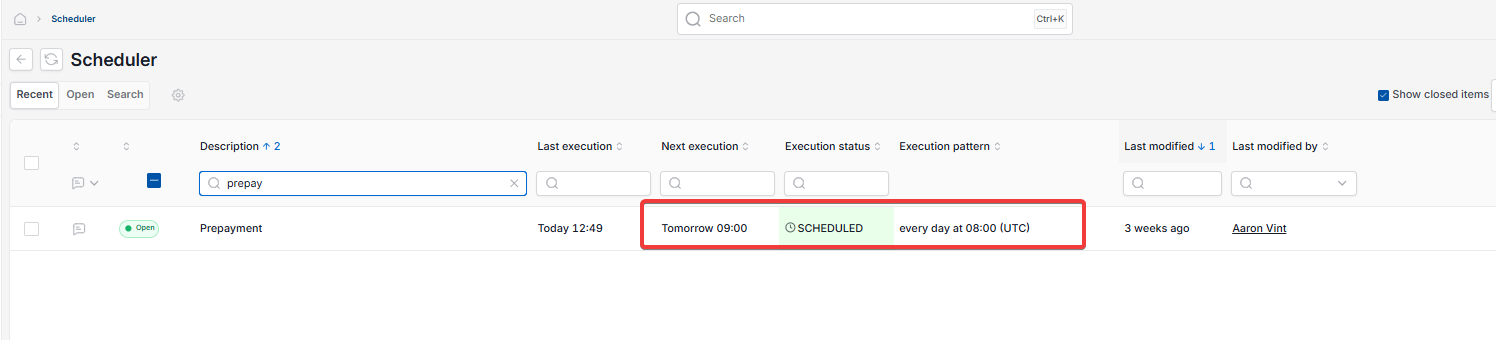
The Prepayment scheduler now shows as 'Scheduled', and the main scheduler screen shows its execution pattern.
To create the missing journals straight away, select 'Run now' on the scheduler, or run the Prepayment automation manually. iplicit then creates the remaining prepayment journals.
Choosing when the Prepayment scheduler runs
Set the execution pattern to run daily, weekly or monthly, depending on what suits your internal processes. Don't run it more often than once a day.
Closed periods can stop the Prepayment scheduler posting. For example, the scheduler runs at 8am on 1 June, but June isn't opened until 11am. The run errors because iplicit can't post to a closed period. Where possible, set the scheduler to run later in the day.

Restarting the Prepayment scheduler after failed attempts
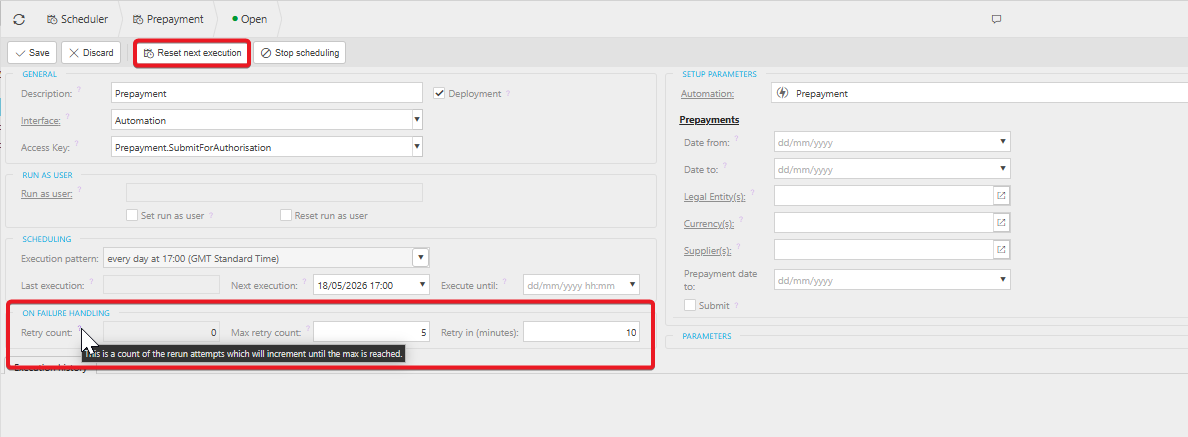
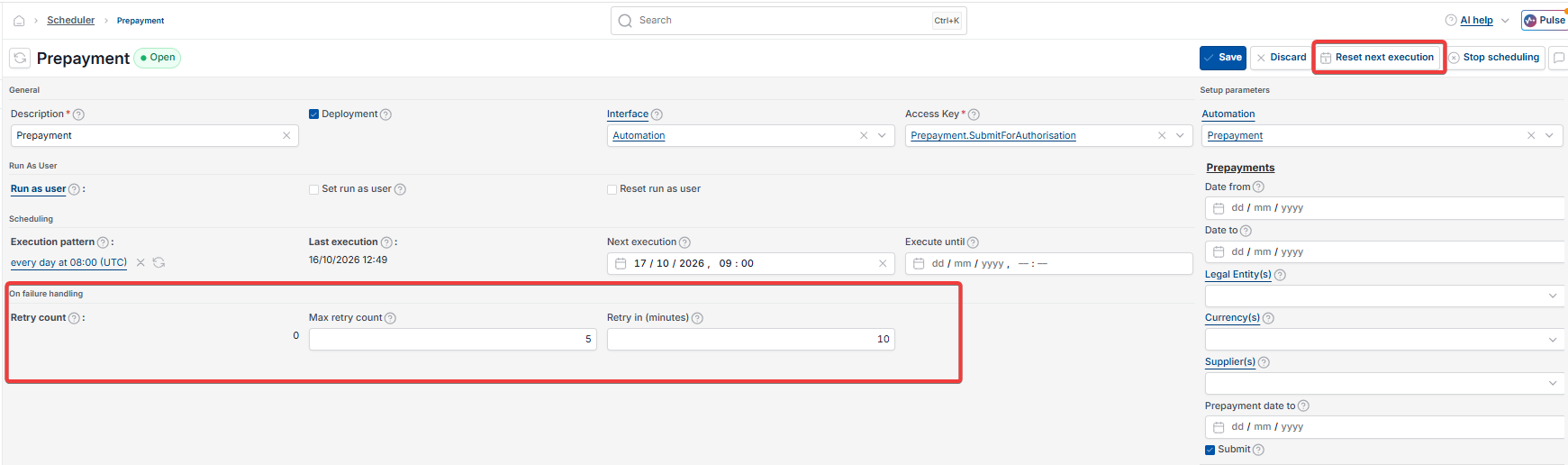
The Prepayment scheduler retries five times. After five failed attempts, it switches off and stops running.
- Open the Prepayment scheduler from the main scheduler screen
- Edit the scheduler and reset the retry count to 0
- Reset the 'Next execution time'
- Save the changes.
Prepayment journals stopped
Prepayments not posting new month
Prepayment not continuing into new financial year
Prepayment automation not running
Scheduler execution pattern
Prepayment journals missing future periods
Scheduler retry count
Prepayment scheduler not scheduled