

This article covers duplicate journal lines appearing on the manual journal created by Intercompany Tax Automation. When this happens, the journal contains more than one line for the same account, which unbalances the transaction and stops it being submitted.
Why Intercompany Tax Automation creates duplicate lines
Intercompany Tax Automation is designed to pick up every outstanding, unreconciled balance across the VAT periods included in the run. If the 'Date from' field on the automation's 'Criteria' tab covers multiple VAT periods that have never had Intercompany Tax journals generated, iplicit treats each of those periods as needing its own adjustment, and produces a separate line for the same account for each one. iplicit carries forward unreconciled values across every VAT period included in the run, so the more unprocessed periods covered, the more duplicate lines appear.
For example, if 'Date from' is set to 01/01/2023 and neither the January nor the April VAT return has ever had an Intercompany Tax journal produced, iplicit generates two lines for the same account, one for each unreconciled period. Covering three unprocessed VAT periods produces three duplicate lines, and covering two produces two.
Where the Intercompany Tax Automation date range is set
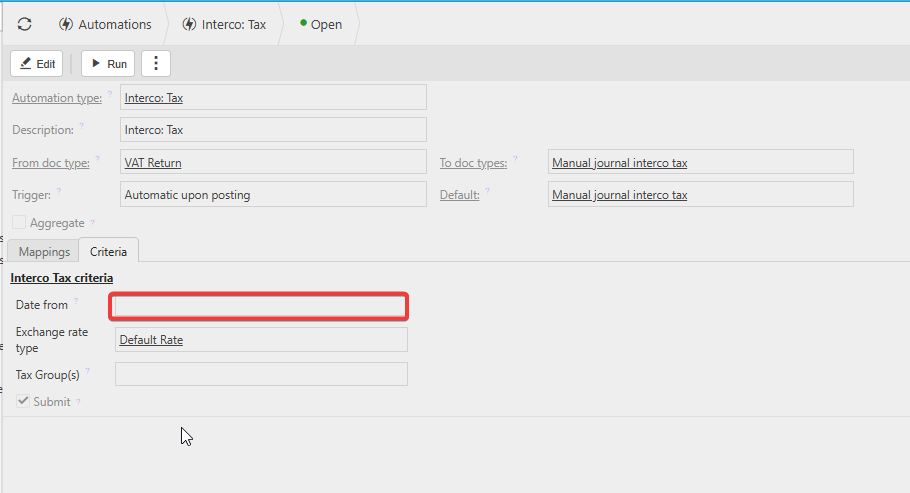
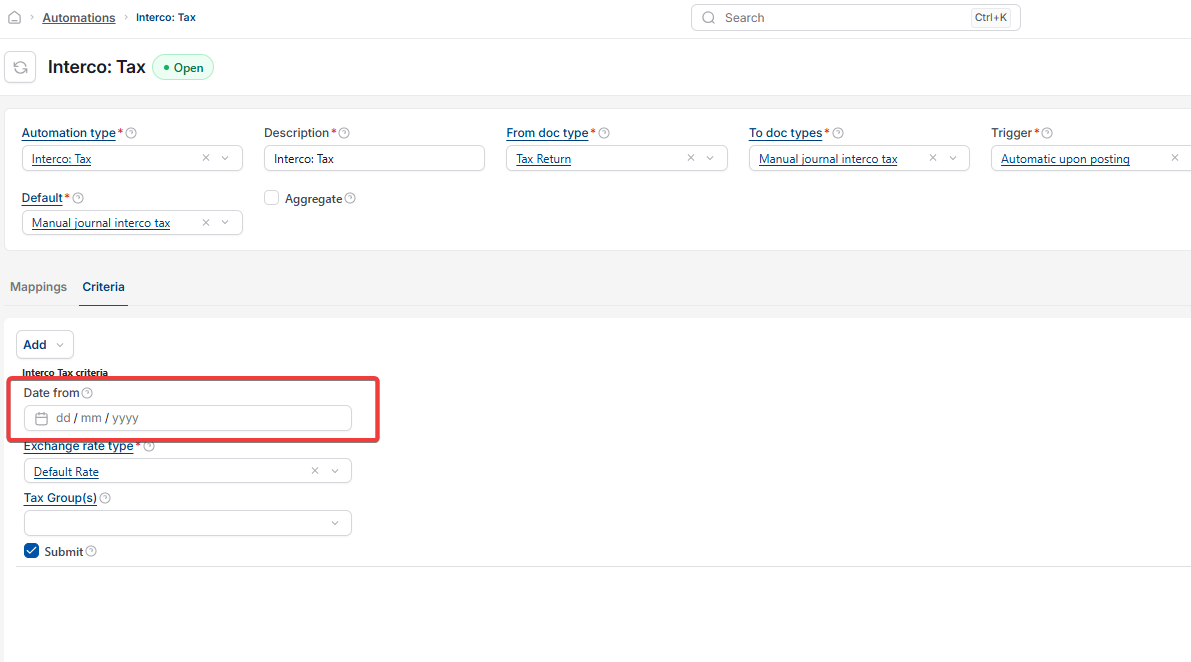
The date range for the automation is set on the 'Date from' field on the 'Criteria' tab of the automation itself:
- Go to 'Automations' and open the 'Interco: Tax' automation
- Select the 'Criteria' tab
- Check the 'Date from' field under 'Interco Tax criteria'.
How to run Intercompany Tax Automation without duplicate lines
Run the automation for one unreconciled VAT period at a time, rather than covering a date range that spans several unprocessed periods. This matters especially when back-dating the run.
If journals have already been produced after every VAT return up to the current period, running the automation will not produce duplicate lines.
For example, if the most recent VAT return on the system is 01/07/2023, running the automation for that date alone produces only one journal line, as expected.
Intercompany tax issue
Duplicate journal lines intercompany
Tax automation creating duplicates
Intercompany tax automation transaction imbalance
Multiple VAT periods duplicate lines