

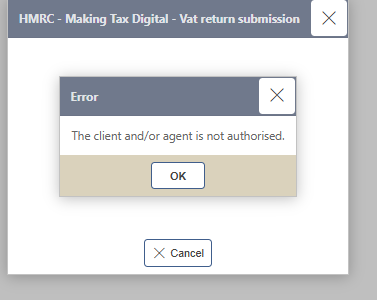
This article covers the MTD VAT submission error 'The client and/or agent is not authorised' in iplicit. It usually means the HMRC authorisation for the relevant Tax group has expired or hasn't fully synced, even if consent was previously granted.
Why this happens
iplicit's MTD authorisation with HMRC has an expiry date. If it lapses, or the authorisation hasn't fully synced after being granted, VAT submissions fail with this error. This is different from the 'No available MTD periods found' error, which is a tax period mismatch rather than an authorisation issue - see 'Why do I see 'No MTD periods available' when submitting a VAT return' if that's what you're seeing instead.
Resolving the authorisation error
- Wait one to two hours, then resubmit the VAT return. Authorisation syncing between iplicit and HMRC can take some time to complete
- If the error persists, open the relevant Tax group on the 'MTD registrations' screen and check the 'Authorisations' tab for the current authorisation and its expiry date
- If the authorisation has expired or shows as inactive, select the ellipsis menu, then select 'Authorise'. This takes you to HMRC's website to log in and grant authority to iplicit again - see Making Tax Digital (MTD) for the full authorisation walkthrough
- Once authority is granted, return to iplicit and resubmit the VAT return
If the error still shows after reauthorising, contact support with the exact error message and the time of your last submission attempt.
Client and/or agent is not authorised
MTD authorisation error
HMRC consent not syncing
VAT return authorisation error
MTD not authorised HMRC