

This article covers creating a Multi-Co journal in iplicit, once your environment is configured for it – see 'How to configure iplicit for Multi-Co journal postings' if you haven't completed that setup yet. A Multi-Co journal lets you post to multiple legal entities from a single manual journal, using the 'InterCo' field on each line.
Creating the journal header
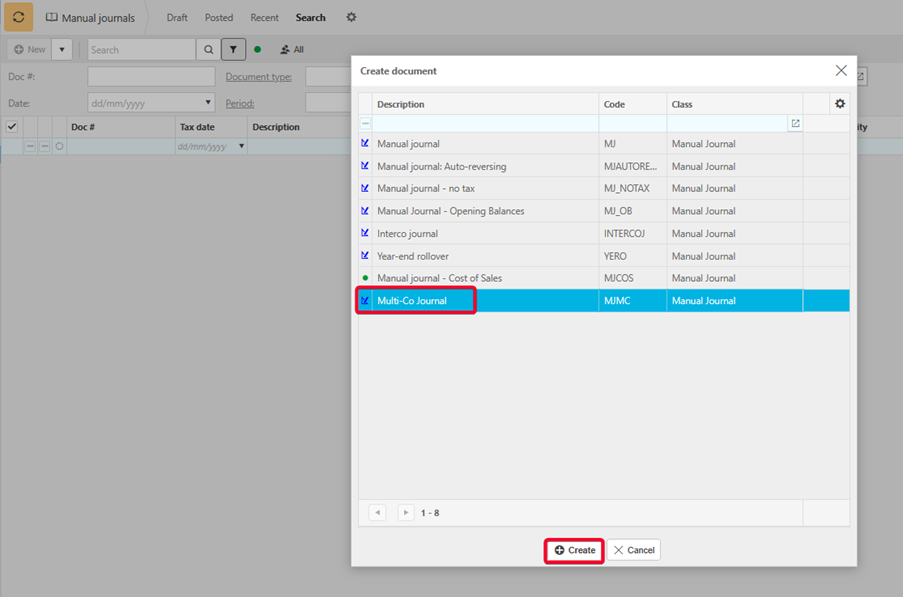
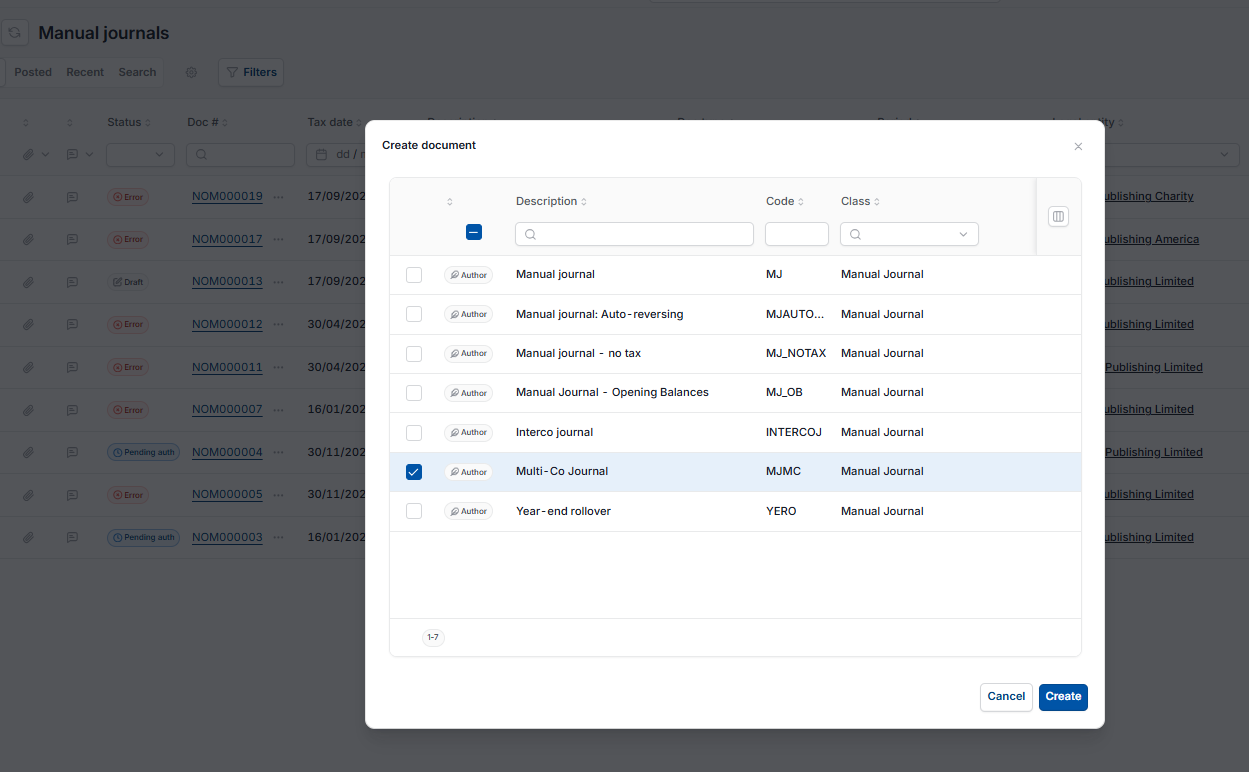
- Search for 'Manual journals' and select 'New'
- In the 'Create document' list, select 'Multi-Co Journal', then select 'Create'
- In the header, select the primary legal entity that will initiate the Multi-Co journal.
Entering journal lines on a Multi-Co journal
Each line on a Multi-Co journal needs:
- Account – a mandatory field, the Chart of Accounts code the line posts to
- Description – a mandatory field, pre-populated from the account record but editable
- Debit or credit – the value for that line.
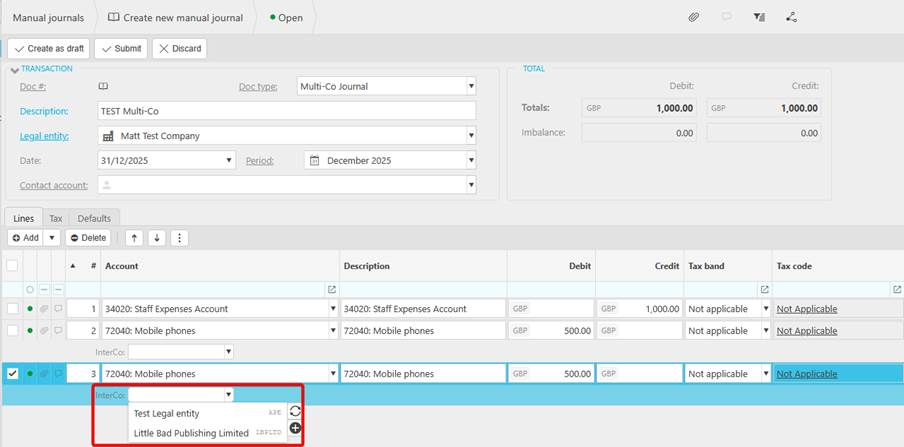
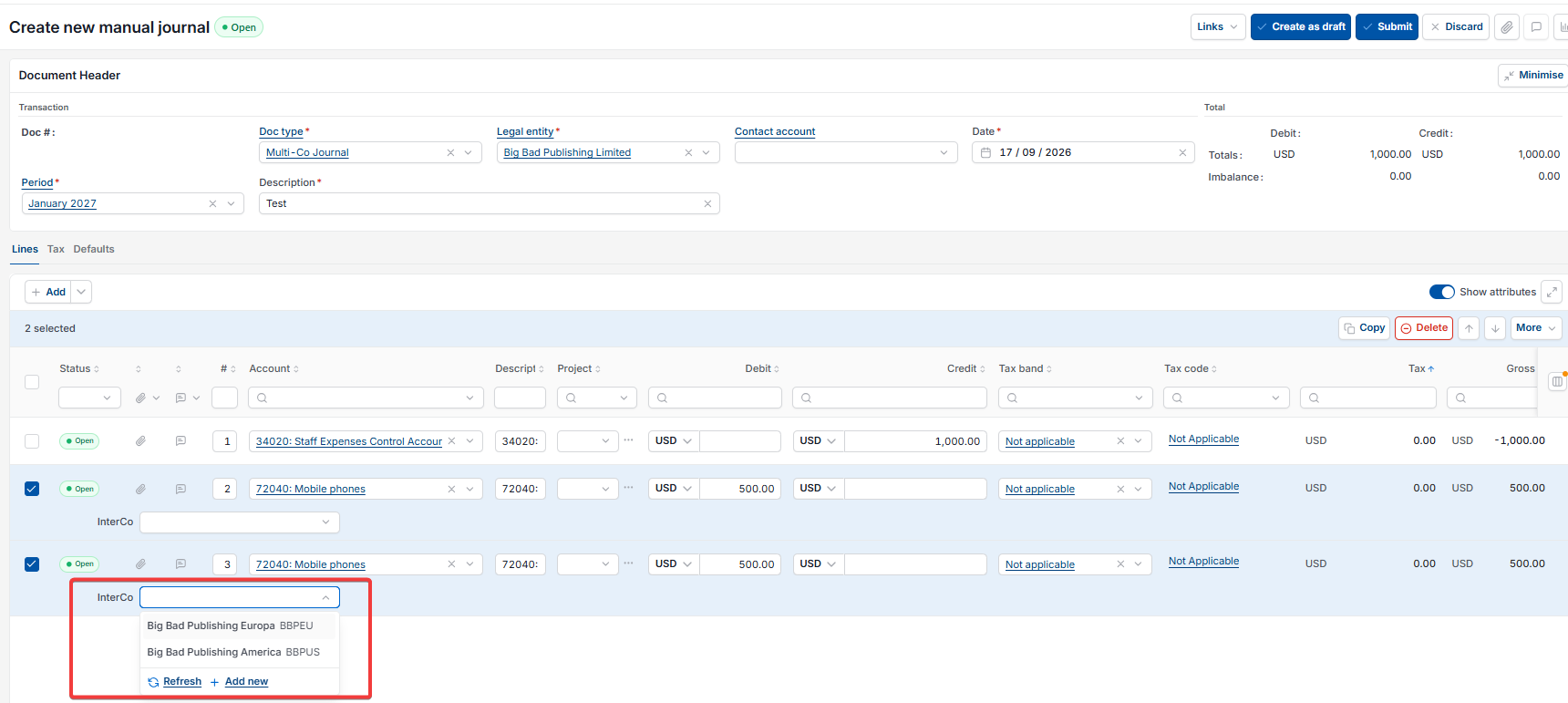
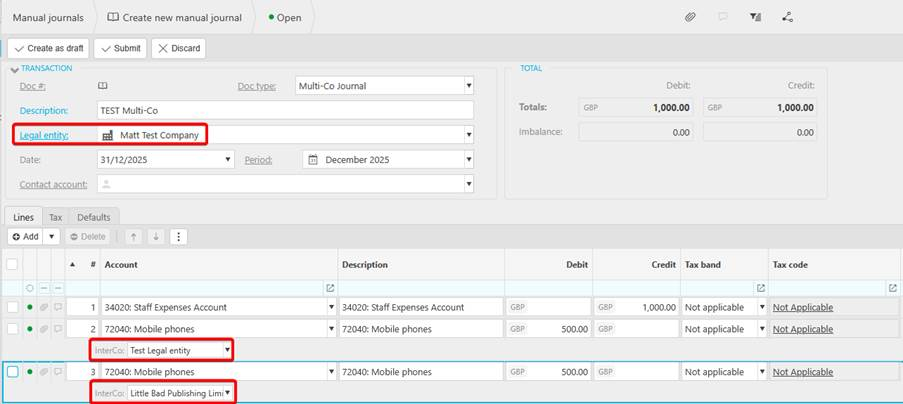
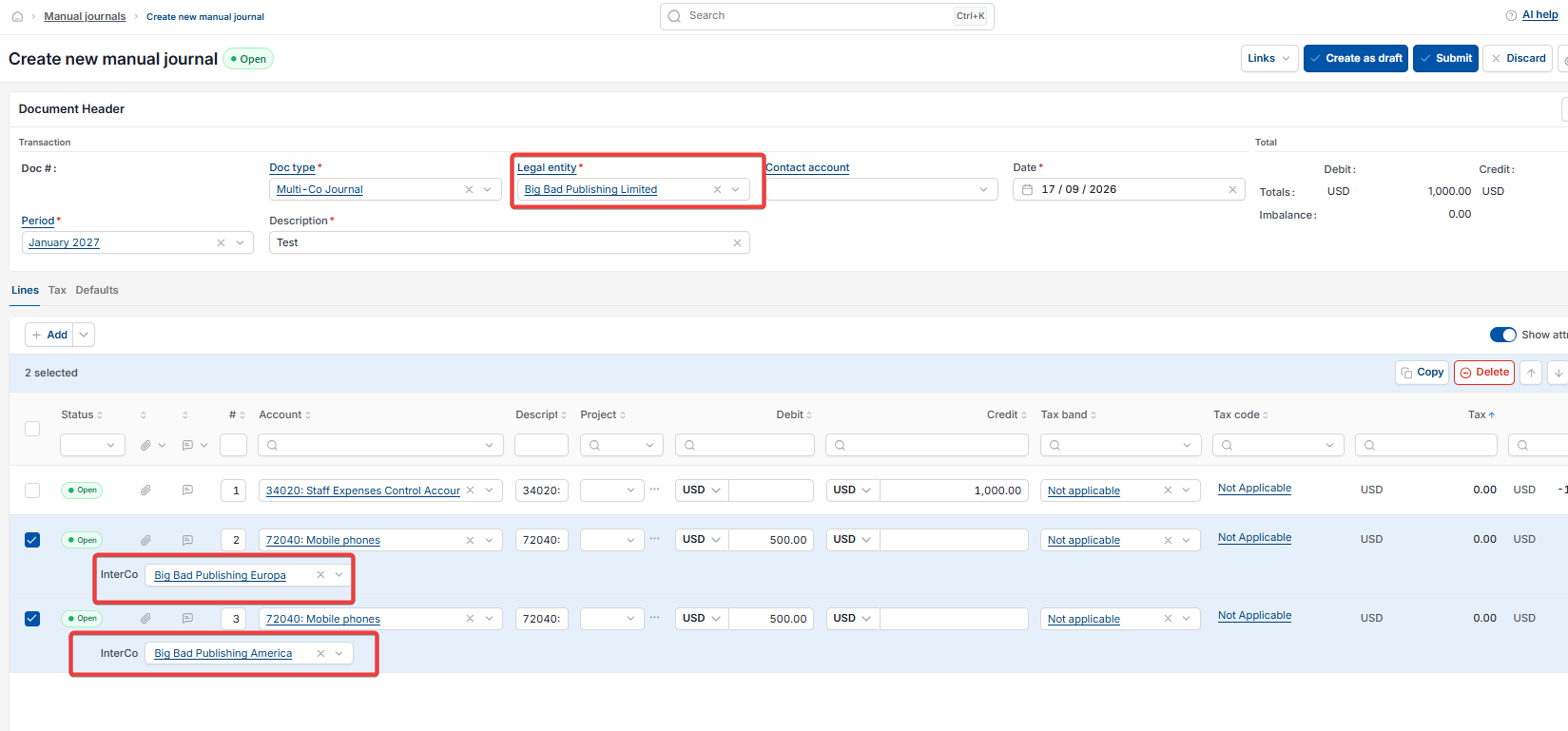
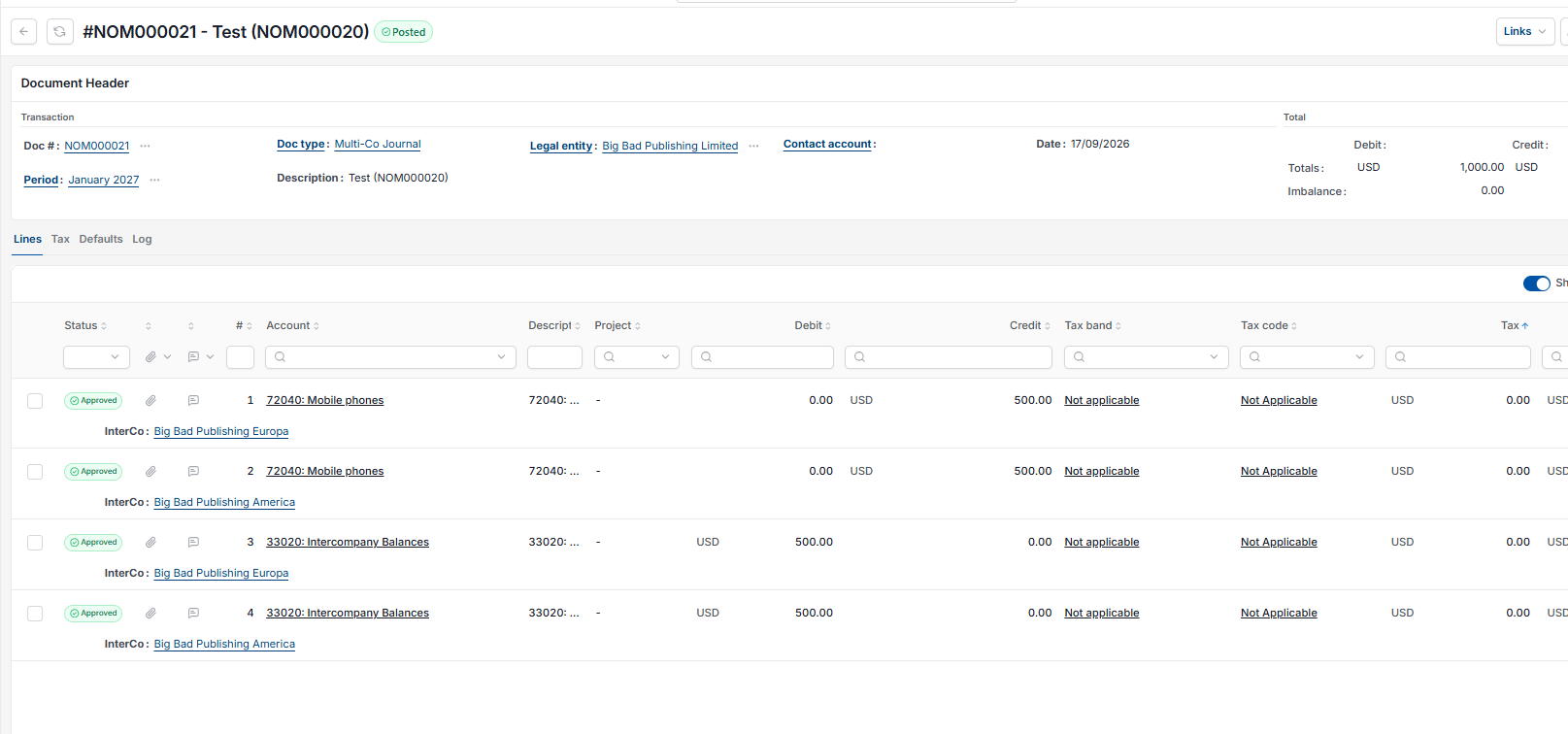
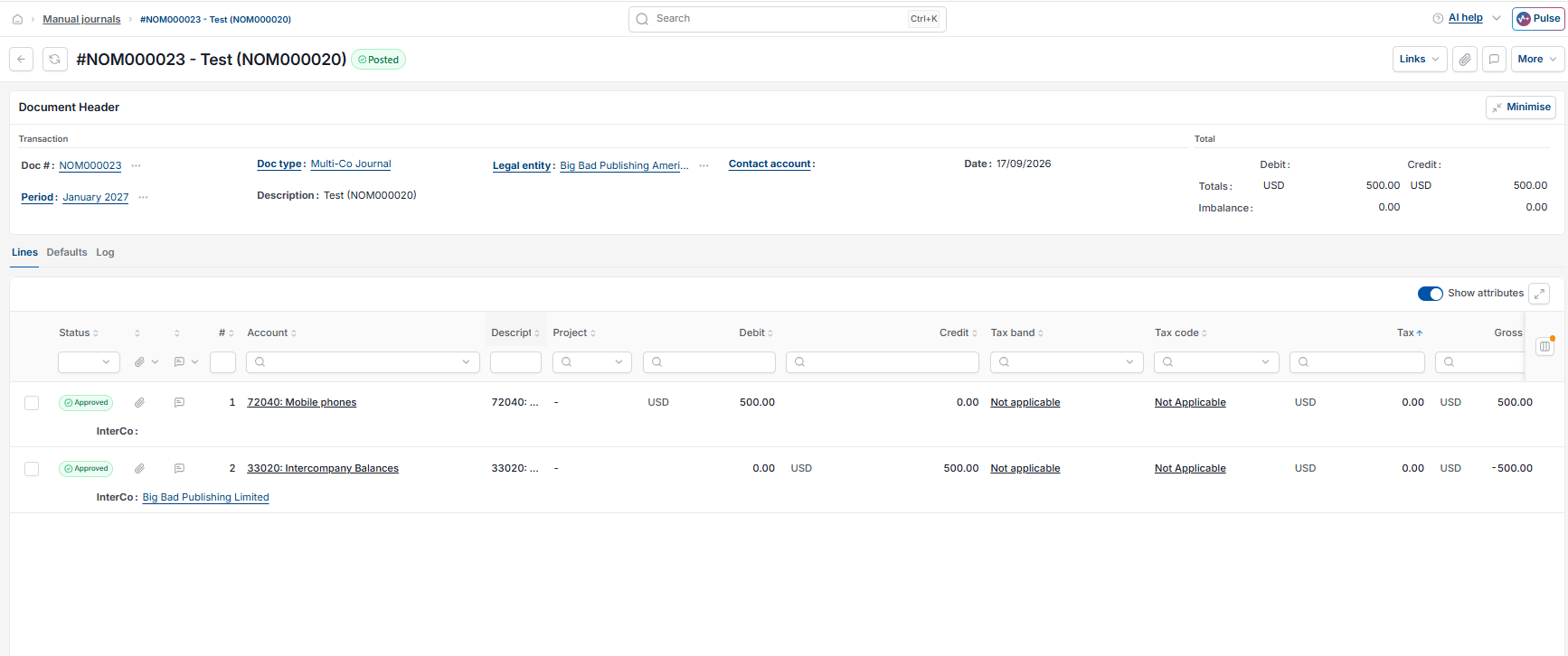
Because this is a Multi-Co journal, an 'InterCo' field also shows underneath each line. Leaving it blank posts that line to the primary legal entity entered in the header. Selecting a different legal entity here posts that line's account movement to that entity instead.
Example: a Multi-Co journal across three legal entities
With the primary legal entity set to Legal Entity A, a journal is entered with:
- One debit line to a General Ledger expense account
- Two credit lines to a second General Ledger account, each for the same value, one tagged Interco to Legal Entity B and the other to Legal Entity C.
The journals generated by the Multi-Co automation
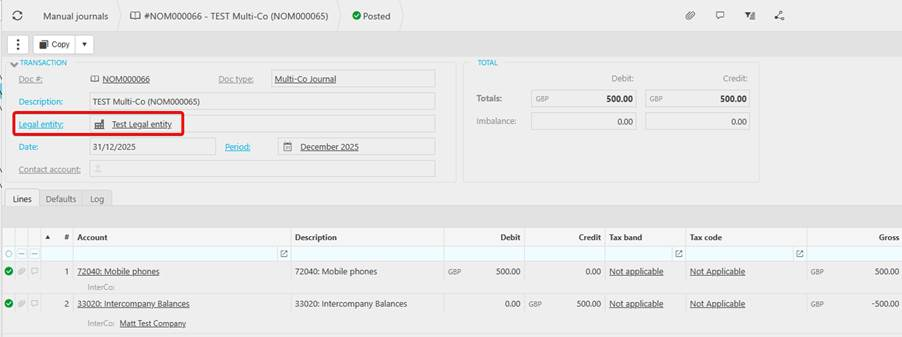
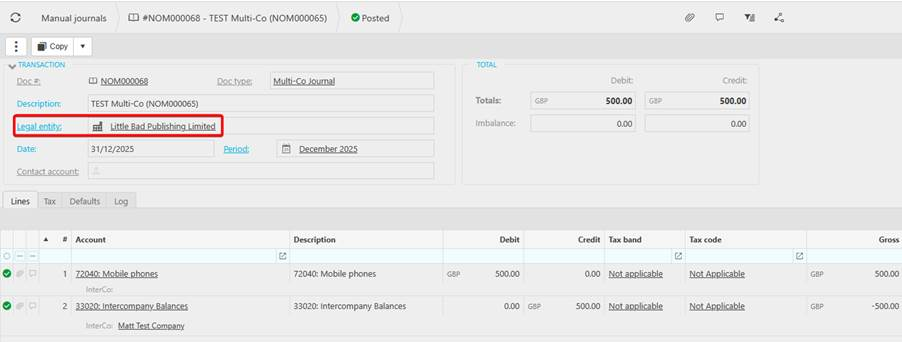
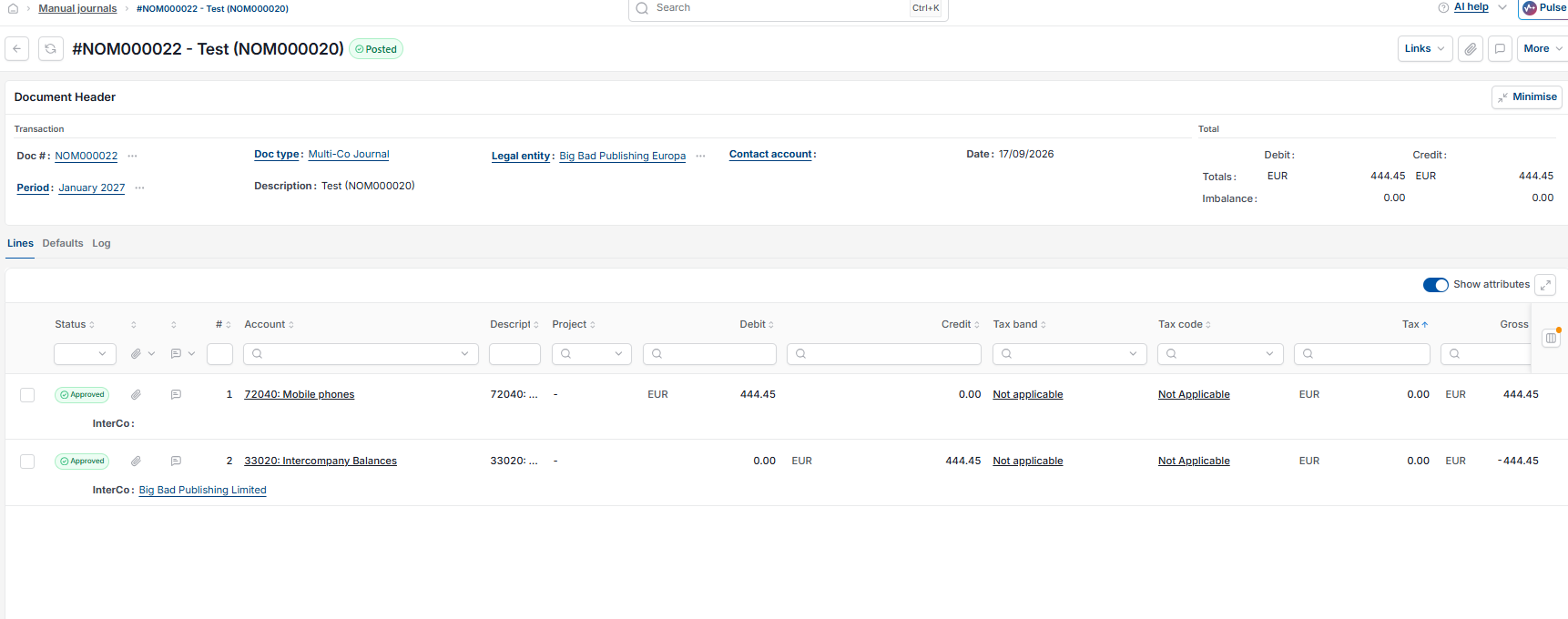
With the Multi-Co automation enabled, submitting this journal automatically generates one further journal for each legal entity involved – three in total.

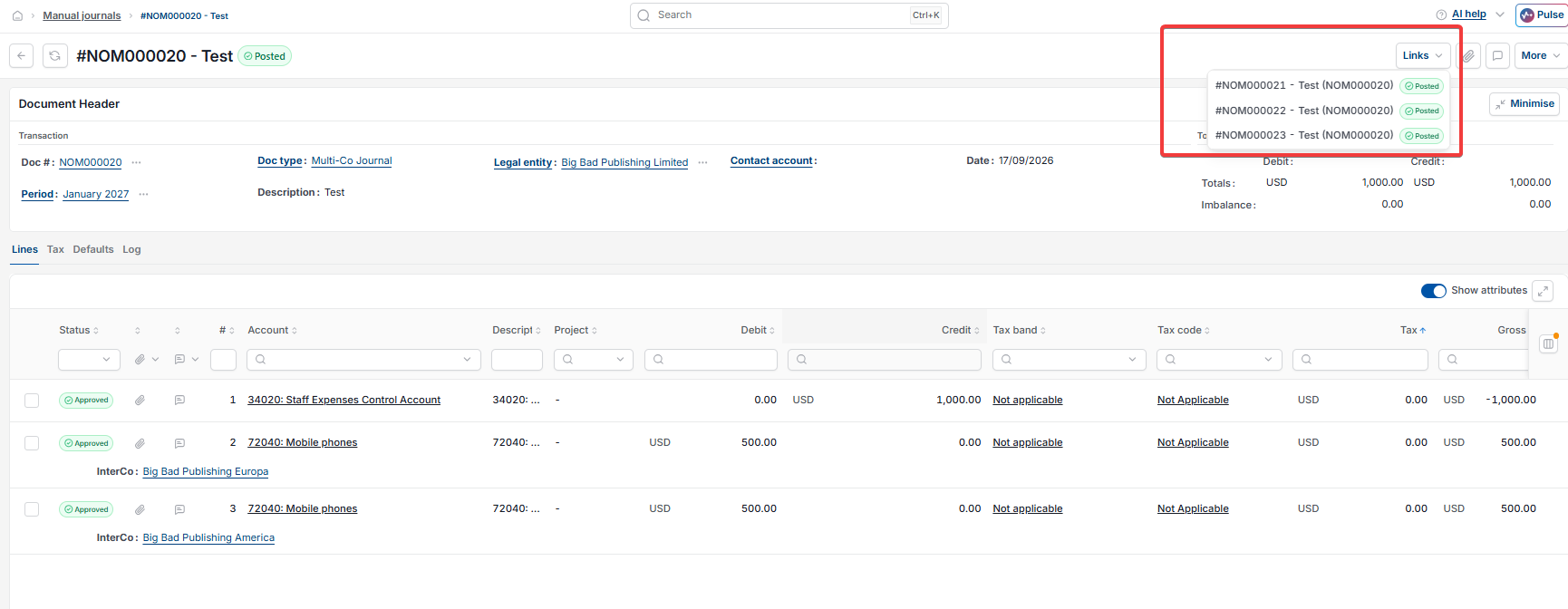
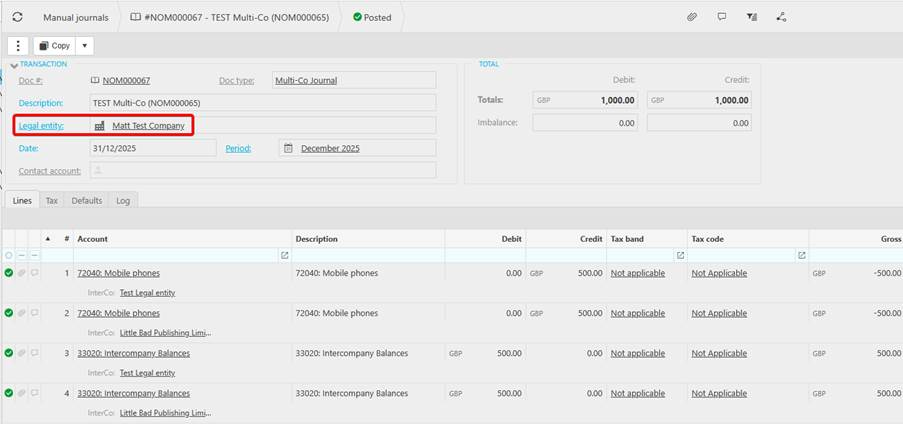
- On the origin entity, Legal Entity A, the generated journal converts the tagged amounts into a movement through the Intercompany Balances account – crediting the second General Ledger account and debiting Intercompany Balances for each destination entity
- On each destination entity, the generated journal posts the real movement – debiting the second General Ledger account and crediting Intercompany Balances, tagged with Interco back to Legal Entity A.
Create multi co journal
Multi entity transaction
Multi company journal
Cross entity posting
Interco journal line legal entity